mirror of
https://github.com/alibaba/higress.git
synced 2026-02-28 06:30:49 +08:00

427 lines
22 KiB
Markdown
427 lines
22 KiB
Markdown
---
|
||
title: OIDC 认证
|
||
keywords: [higress, oidc]
|
||
description: OIDC 认证插件配置参考
|
||
---
|
||
|
||
## 功能说明
|
||
|
||
本插件支持OpenID Connect(OIDC)身份认证。同时,该插件强化了对跨站请求伪造(CSRF)攻击的防御能力,并支持OpenID Connect协议中的注销端点(Logout Endpoint)以及刷新令牌(Refresh Token)机制。在经过Wasm插件进行OIDC验证后的请求将携带 `Authorization` 头部,包含相应的访问令牌(Access Token)。
|
||
|
||
## 运行属性
|
||
|
||
插件执行阶段:`认证阶段`
|
||
插件执行优先级:`350`
|
||
|
||
## 配置字段
|
||
|
||
| Option | Type | Description | Default |
|
||
| ----------------------------- | ------------ | ------------------------------------------------------------ | ----------------- |
|
||
| cookie_name | string | the name of the cookie that the oauth_proxy creates. Should be changed to use a [cookie prefix](https://developer.mozilla.org/en-US/docs/Web/HTTP/Cookies#cookie_prefixes) (`__Host-` or `__Secure-`) if `--cookie-secure` is set. | `"_oauth2_proxy"` |
|
||
| cookie_secret | string | the seed string for secure cookies (optionally base64 encoded) | |
|
||
| cookie_domains | string\|list | Optional cookie domains to force cookies to (e.g. `.yourcompany.com`). The longest domain matching the request's host will be used (or the shortest cookie domain if there is no match). | |
|
||
| cookie_path | string | an optional cookie path to force cookies to (e.g. `/poc/`) | `"/"` |
|
||
| cookie_expire | duration | expire timeframe for cookie. If set to 0, cookie becomes a session-cookie which will expire when the browser is closed. | 168h0m0s |
|
||
| cookie_refresh | duration | refresh the cookie after this duration; `0` to disable | |
|
||
| cookie_secure | bool | set [secure (HTTPS only) cookie flag](https://owasp.org/www-community/controls/SecureFlag) | true |
|
||
| cookie_httponly | bool | set HttpOnly cookie flag | true |
|
||
| cookie_samesite | string | set SameSite cookie attribute (`"lax"`, `"strict"`, `"none"`, or `""`). | `""` |
|
||
| cookie_csrf_per_request | bool | Enable having different CSRF cookies per request, making it possible to have parallel requests. | false |
|
||
| cookie_csrf_expire | duration | expire timeframe for CSRF cookie | 15m |
|
||
| client_id | string | the OAuth Client ID | |
|
||
| client_secret | string | the OAuth Client Secret | |
|
||
| provider | string | OAuth provider | oidc |
|
||
| pass_authorization_header | bool | pass OIDC IDToken to upstream via Authorization Bearer header | true |
|
||
| oidc_issuer_url | string | the OpenID Connect issuer URL, e.g. `"https://dev-o43xb1mz7ya7ach4.us.auth0.com"` | |
|
||
| oidc_verifier_request_timeout | uint32 | OIDC verifier discovery request timeout | 2000(ms) |
|
||
| scope | string | OAuth scope specification | |
|
||
| redirect_url | string | the OAuth Redirect URL, e.g. `"https://internalapp.yourcompany.com/oauth2/callback"` | |
|
||
| service_name | string | registered name of the OIDC service, e.g. `auth.dns`, `keycloak.static` | |
|
||
| service_port | int64 | service port of the OIDC service | |
|
||
| service_host | string | host of the OIDC service when type is static ip | |
|
||
| match_type | string | match type (`whitelist` or `blacklist`) | `"whitelist"` |
|
||
| match_list | rule\|list | a list of (match_rule_domain, match_rule_path, and match_rule_type). | |
|
||
| match_rule_domain | string | match rule domain, support wildcard pattern such as `*.bar.com` | |
|
||
| match_rule_path | string | match rule path such as `/headers` | |
|
||
| match_rule_type | string | match rule type can be `exact` or `prefix` or `regex` | |
|
||
|
||
## 使用方式
|
||
|
||
### 生成 Cookie 密钥
|
||
|
||
``` python
|
||
python -c 'import os,base64; print(base64.urlsafe_b64encode(os.urandom(32)).decode())'
|
||
```
|
||
|
||
参考:[Oauth2-proxy Generating a Cookie Secret](https://oauth2-proxy.github.io/oauth2-proxy/configuration/overview#generating-a-cookie-secret)
|
||
|
||
### 黑白名单模式
|
||
|
||
支持黑白名单模式配置,默认为白名单模式,白名单为空,即所有请求都需要经过验证,匹配域名支持泛域名例如`*.bar.com`,匹配规则支持精确匹配`exact`,前缀匹配`prefix`,正则匹配`regex`
|
||
|
||
* **白名单模式**
|
||
|
||
```yaml
|
||
match_type: 'whitelist'
|
||
match_list:
|
||
- match_rule_domain: '*.bar.com'
|
||
match_rule_path: '/foo'
|
||
match_rule_type: 'prefix'
|
||
```
|
||
|
||
泛域名`*.bar.com`下前缀匹配`/foo`的请求无需验证
|
||
|
||
* **黑名单模式**
|
||
|
||
```yaml
|
||
match_type: 'blacklist'
|
||
match_list:
|
||
- match_rule_domain: '*.bar.com'
|
||
match_rule_path: '/headers'
|
||
match_rule_type: 'prefix'
|
||
```
|
||
|
||
只有泛域名`*.bar.com`下前缀匹配`/header`的请求需要验证
|
||
|
||
### 注销用户
|
||
|
||
注销用户需重定向到`/oauth2/sign_out`这个端点。这个端点仅移除oauth2-proxy自己设置的cookie,也就是说,用户仍然在OIDC Provider处保持登录状态,并且在再次访问应用时可能会自动重新登录。因此还需要使用`rd`查询参数将用户重定向到认证提供商的注销页面,即重定向用户到类似如下地址(注意URL编码!):
|
||
|
||
```
|
||
/oauth2/sign_out?rd=https%3A%2F%2Fmy-oidc-provider.example.com%2Fsign_out_page
|
||
```
|
||
|
||
或者,可以在`X-Auth-Request-Redirect`头部中包含重定向URL:
|
||
|
||
```
|
||
GET /oauth2/sign_out HTTP/1.1
|
||
X-Auth-Request-Redirect: https://my-oidc-provider.example.com/sign_out_page
|
||
...
|
||
```
|
||
|
||
重定向URL中可以包含`post_logout_redirect_uri`参数指定OIDC Provider登出后跳转到的页面,例如后端服务的登出页面,不携带该参数则默认跳转到OIDC Provider的登出页面,详情见下方auth0和keycloak的示例(如果OIDC Provider支持会话管理和发现,那么"sign_out_page"应该是从[metadata](https://openid.net/specs/openid-connect-discovery-1_0.html#ProviderConfig)中获取的`end_session_endpoint`)
|
||
|
||
### OIDC 服务 HTTPS 协议
|
||
|
||
如果 OIDC Provider 为 HTTPS 协议,参考Higress中[配置后端服务协议:HTTPS](https://higress.io/docs/latest/user/annotation-use-case/#%E9%85%8D%E7%BD%AE%E5%90%8E%E7%AB%AF%E6%9C%8D%E5%8A%A1%E5%8D%8F%E8%AE%AEhttps%E6%88%96grpc)的说明需要通过使用注解`higress.io/backend-protocol: "HTTPS"`配置请求转发至后端服务使用HTTPS协议,参考Auth0示例中Ingress配置
|
||
|
||
## 配置示例
|
||
|
||
### Auth0 配置示例
|
||
|
||
#### Step 1: 配置 Auth0 账户
|
||
|
||
- 登录到开发人员 Okta 网站 [Developer Auth0 site](https://auth0.com/)
|
||
- 注册测试 web 应用程序
|
||
|
||
**注**:需填写Allowed Callback URLs, Allowed Logout URLs, Allowed Web Origins等配置项,否则 OIDC Provider 会认为用户跳转的重定向 URL 或登出 URL 无效
|
||
|
||
#### Step 2: Higress 配置服务来源
|
||
|
||
* 在Higress服务来源中创建auth0 DNS来源
|
||
|
||

|
||
|
||
#### Step 3: OIDC 服务 HTTPS 配置
|
||
|
||
```yaml
|
||
apiVersion: networking.k8s.io/v1
|
||
kind: Ingress
|
||
metadata:
|
||
name: auth0-ingress
|
||
annotations:
|
||
higress.io/destination: auth.dns
|
||
higress.io/backend-protocol: "HTTPS"
|
||
higress.io/ignore-path-case: "false"
|
||
spec:
|
||
ingressClassName: higress
|
||
rules:
|
||
- host: foo.bar.com
|
||
http:
|
||
paths:
|
||
- path: /
|
||
pathType: Prefix
|
||
backend:
|
||
resource:
|
||
apiGroup: networking.higress.io
|
||
kind: McpBridge
|
||
name: default
|
||
```
|
||
|
||
#### Step 4: Wasm 插件配置
|
||
|
||
```yaml
|
||
redirect_url: 'http://foo.bar.com/oauth2/callback'
|
||
oidc_issuer_url: 'https://dev-o43xb1mz7ya7ach4.us.auth0.com/'
|
||
client_id: 'XXXXXXXXXXXXXXXX'
|
||
client_secret: 'XXXXXXXXXXXXXXXX'
|
||
scope: 'openid email offline_access'
|
||
cookie_secret: 'nqavJrGvRmQxWwGNptLdyUVKcBNZ2b18Guc1n_8DCfY='
|
||
service_name: 'auth.dns'
|
||
service_port: 443
|
||
match_type: 'whitelist'
|
||
match_list:
|
||
- match_rule_domain: '*.bar.com'
|
||
match_rule_path: '/foo'
|
||
match_rule_type: 'prefix'
|
||
```
|
||
|
||
**注**:必须先配置服务来源,wasm插件在初始化时需要访问配置的服务获取openid-configuration
|
||
|
||
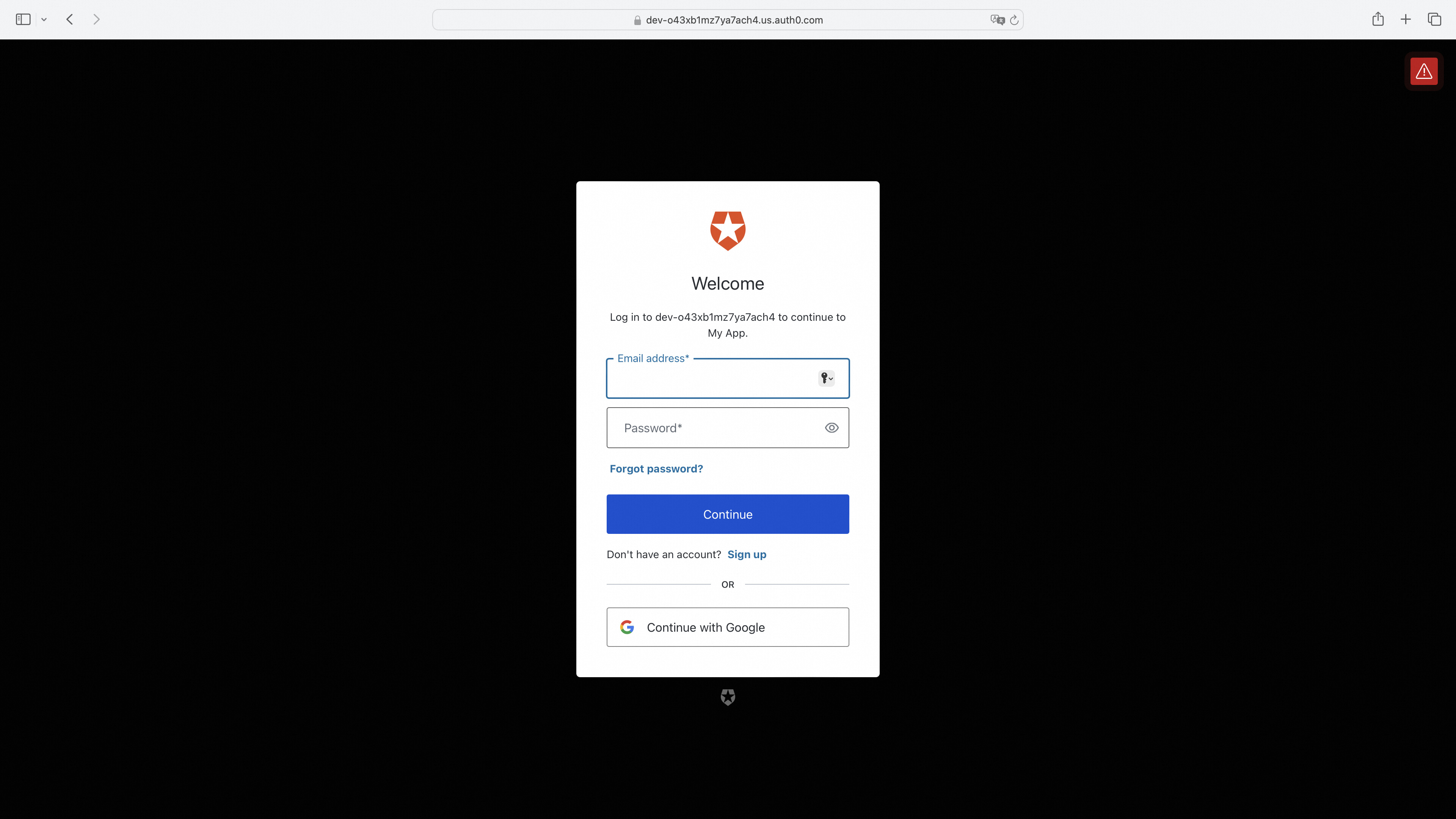
#### 访问服务页面,未登陆的话进行跳转
|
||
|
||
|
||
|
||
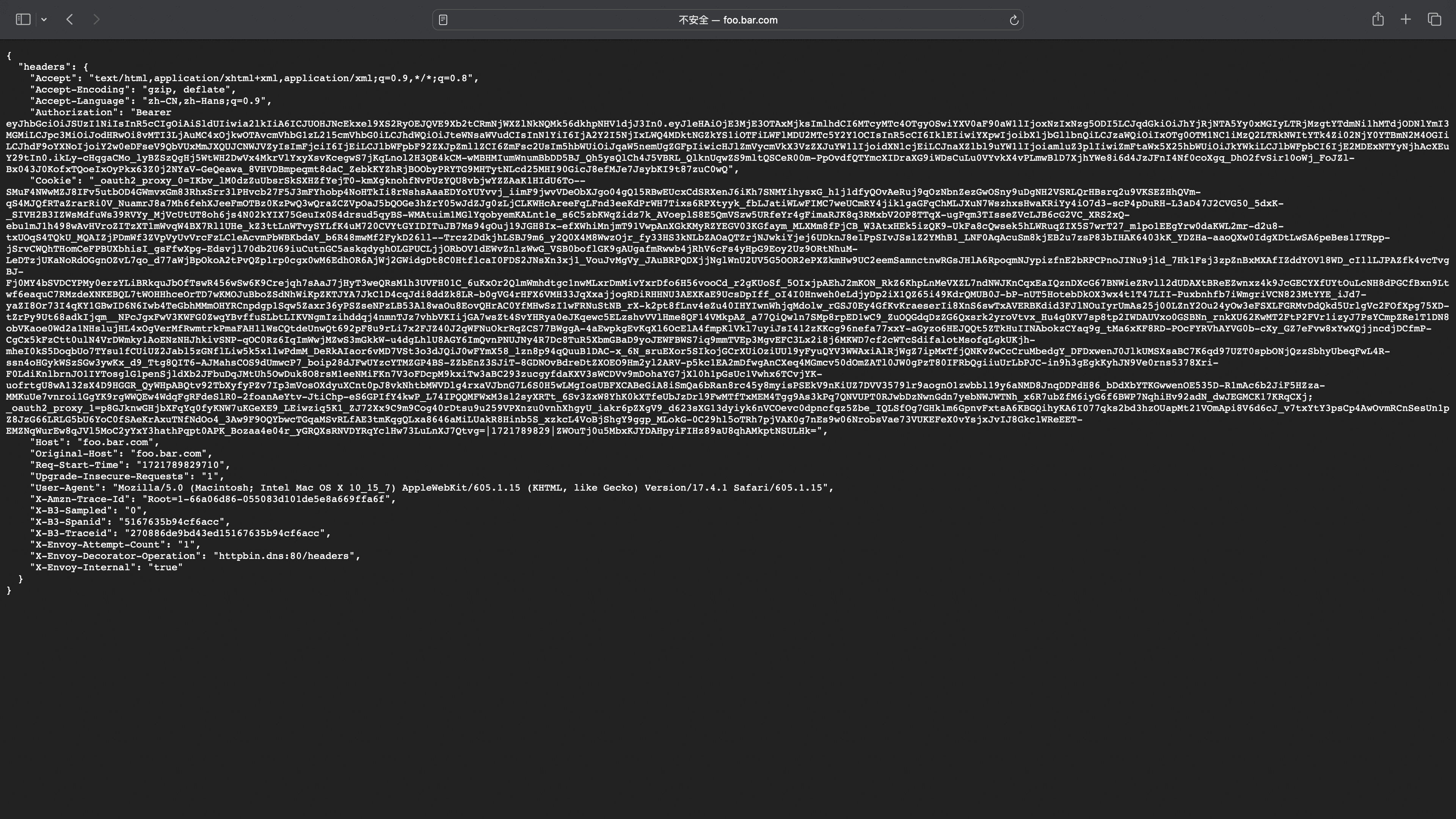
#### 登陆成功跳转到服务页面
|
||
|
||
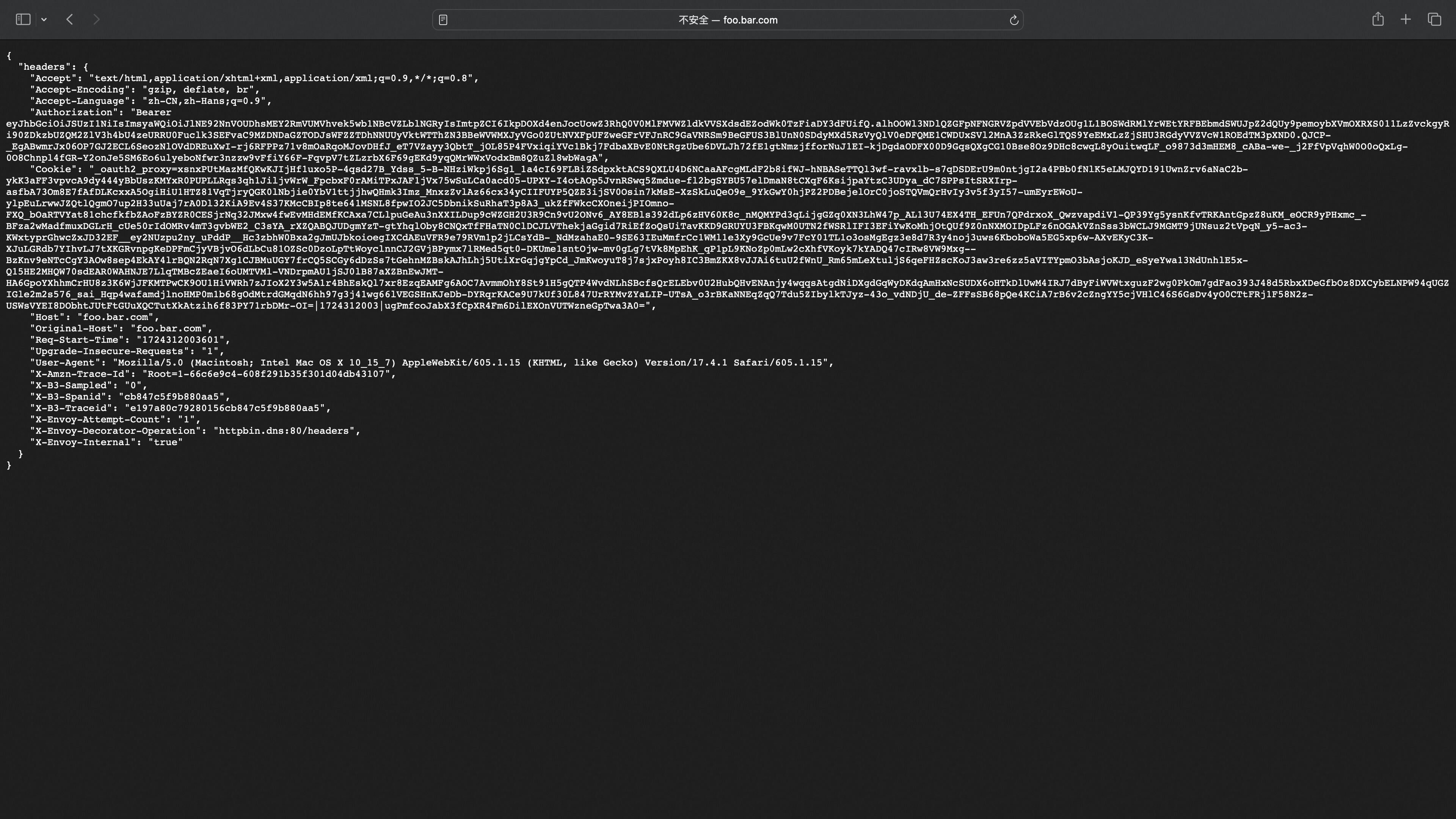
headers中可以看到携带了_oauth2_proxy 的cookie用于下次登陆访问,Authorization对应IDToken用于后端服务获得用户信息
|
||
|
||
|
||
|
||
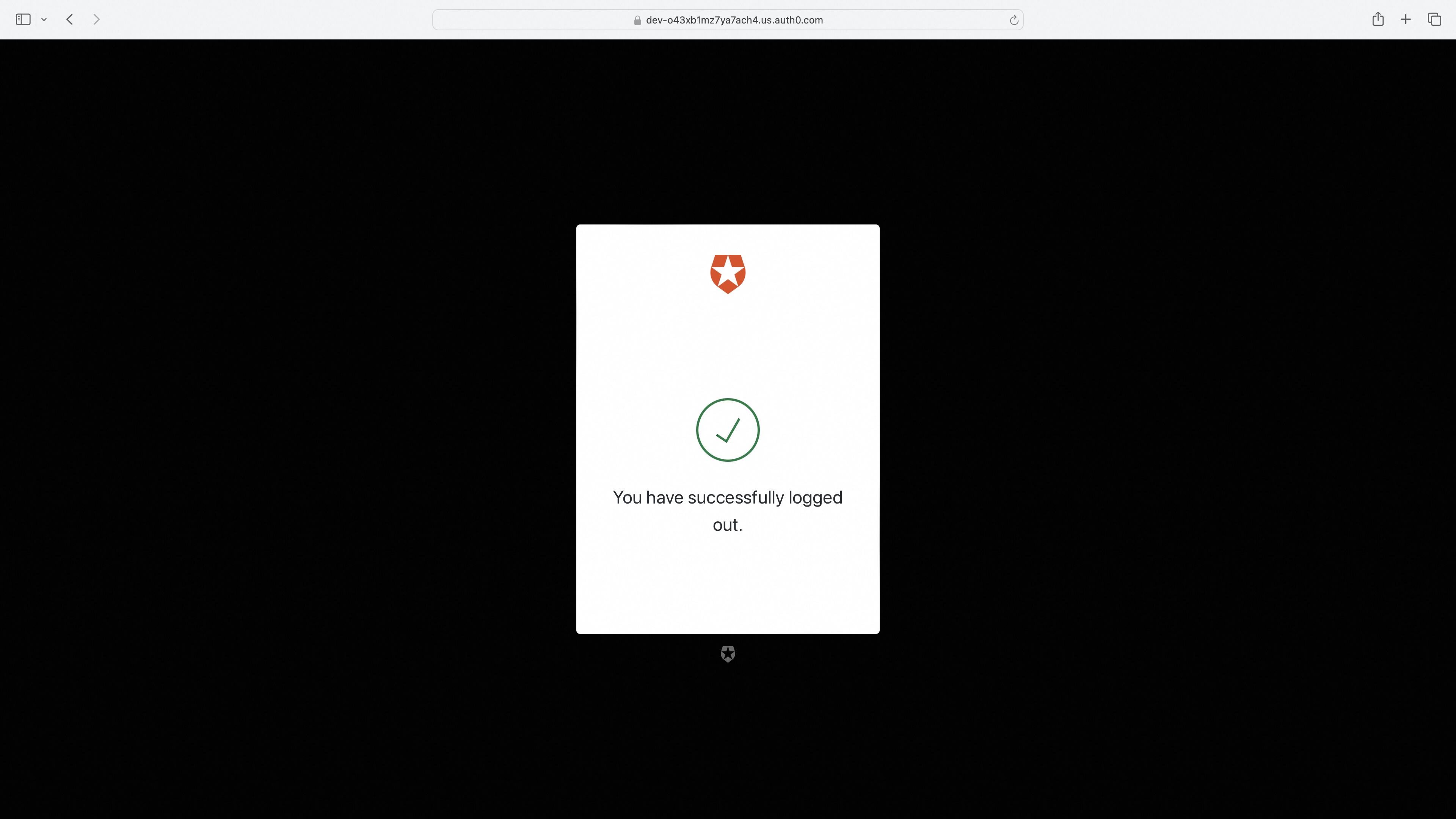
#### 访问登出跳转到登出页面
|
||
|
||
```
|
||
http://foo.bar.com/oauth2/sign_out?rd=https%3A%2F%2Fdev-o43xb1mz7ya7ach4.us.auth0.com%2Foidc%2Flogout
|
||
```
|
||
|
||
|
||
|
||
#### 访问登出跳转到登出页面(携带post_logout_redirect_uri参数跳转指定uri)
|
||
|
||
```
|
||
http://foo.bar.com/oauth2/sign_out?rd=https%3A%2F%2Fdev-o43xb1mz7ya7ach4.us.auth0.com%2Foidc%2Flogout%3Fpost_logout_redirect_uri%3Dhttp%3A%2F%2Ffoo.bar.com%2Ffoo
|
||
```
|
||
|
||
注:post_logout_redirect_uri跳转的uri需要在OIDC Provider Allowed URLs处配置才可以正常跳转
|
||
|
||
|
||
|
||
### keycloak 配置示例
|
||
|
||
#### Step 1: Get started with keycloak on docker
|
||
|
||
<https://www.keycloak.org/getting-started/getting-started-docker>
|
||
|
||
**注**:需填写Valid redirect URIs, Valid post logout URIs, Web origins配置项,否则 OIDC Provider 会认为用户跳转的重定向 URL 或登出 URL 无效
|
||
|
||
#### Step 2: Higress 配置服务来源
|
||
|
||
* 在Higress服务来源中创建Keycloak固定地址服务
|
||
|
||

|
||
|
||
#### Step 3: Wasm 插件配置
|
||
|
||
```yaml
|
||
redirect_url: 'http://foo.bar.com/oauth2/callback'
|
||
oidc_issuer_url: 'http://127.0.0.1:9090/realms/myrealm'
|
||
client_id: 'XXXXXXXXXXXXXXXX'
|
||
client_secret: 'XXXXXXXXXXXXXXXX'
|
||
scope: 'openid email'
|
||
cookie_secret: 'nqavJrGvRmQxWwGNptLdyUVKcBNZ2b18Guc1n_8DCfY='
|
||
service_name: 'keycloak.static'
|
||
service_port: 80
|
||
service_host: '127.0.0.1:9090'
|
||
match_type: 'blacklist'
|
||
match_list:
|
||
- match_rule_domain: '*.bar.com'
|
||
match_rule_path: '/headers'
|
||
match_rule_type: 'prefix'
|
||
```
|
||
|
||
#### 访问服务页面,未登陆的话进行跳转
|
||
|
||
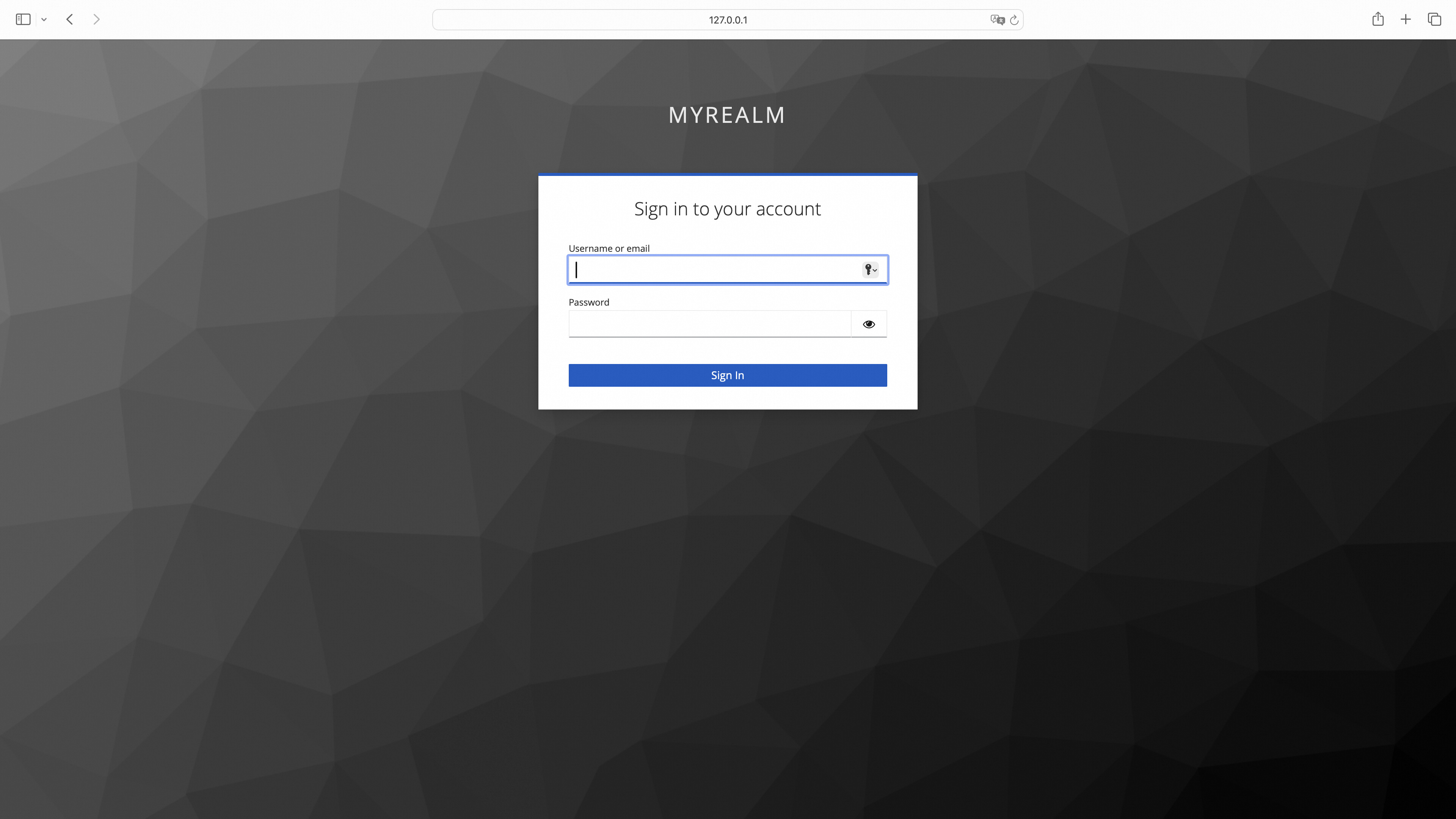
|
||
|
||
#### 登陆成功跳转到服务页面
|
||
|
||

|
||
|
||
#### 访问登出跳转到登出页面
|
||
|
||
```
|
||
http://foo.bar.com/oauth2/sign_out?rd=http%3A%2F%2F127.0.0.1:9090%2Frealms%2Fmyrealm%2Fprotocol%2Fopenid-connect%2Flogout
|
||
```
|
||
|
||
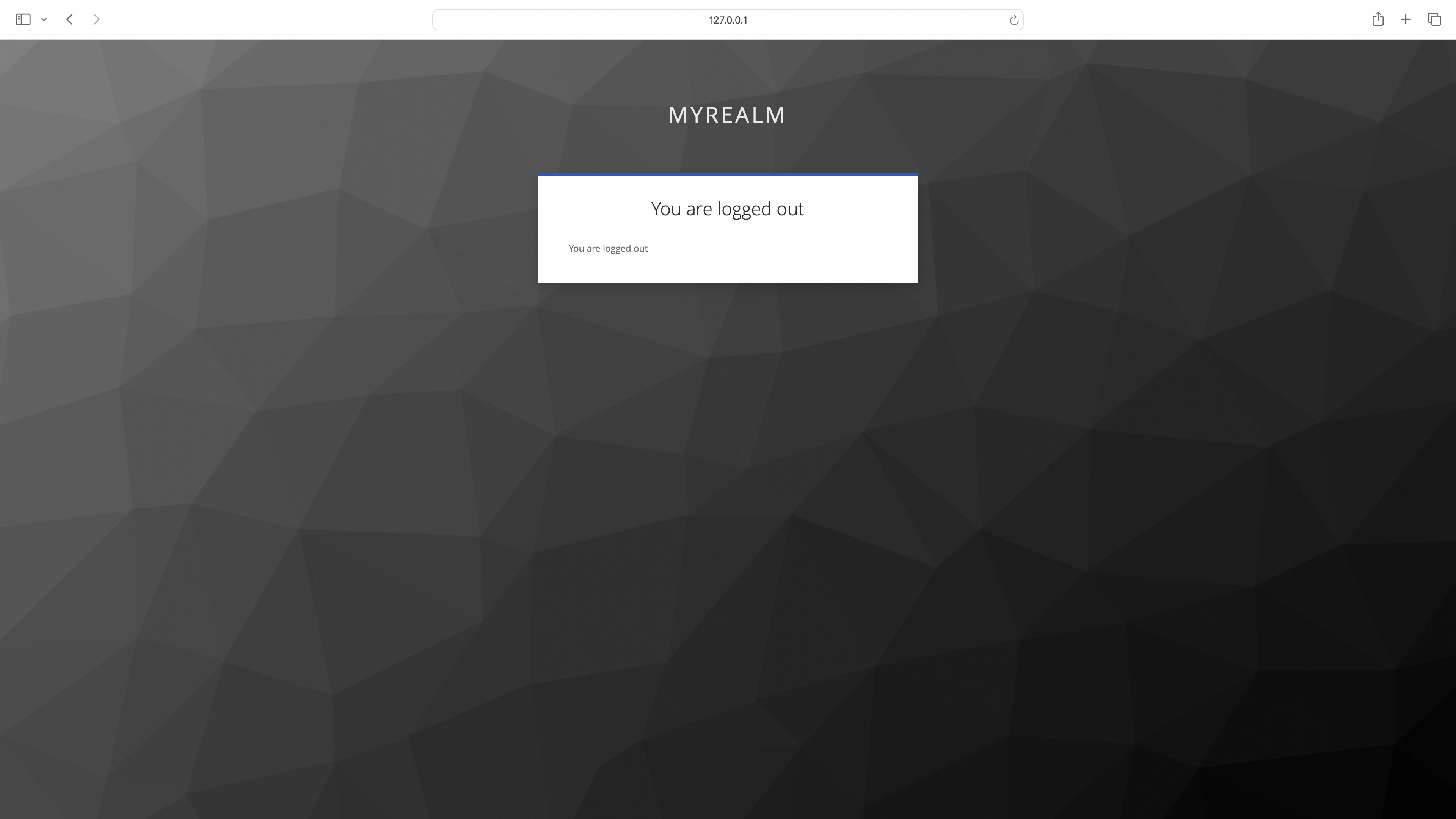
|
||
|
||
#### 访问登出跳转到登出页面(携带post_logout_redirect_uri参数跳转指定uri)
|
||
|
||
```
|
||
http://foo.bar.com/oauth2/sign_out?rd=http%3A%2F%2F127.0.0.1:9090%2Frealms%2Fmyrealm%2Fprotocol%2Fopenid-connect%2Flogout%3Fpost_logout_redirect_uri%3Dhttp%3A%2F%2Ffoo.bar.com%2Ffoo
|
||
```
|
||
|
||

|
||
|
||
### Aliyun 配置示例
|
||
|
||
#### Step 1: 配置 Aliyun OAuth应用
|
||
|
||
参考[Web应用登录阿里云](https://help.aliyun.com/zh/ram/user-guide/access-alibaba-cloud-apis-from-a-web-application)流程配置 OAuth 应用
|
||
|
||
#### Step 2: Higress 配置服务来源
|
||
|
||
* 在Higress服务来源中创建Aliyun DNS服务
|
||
|
||
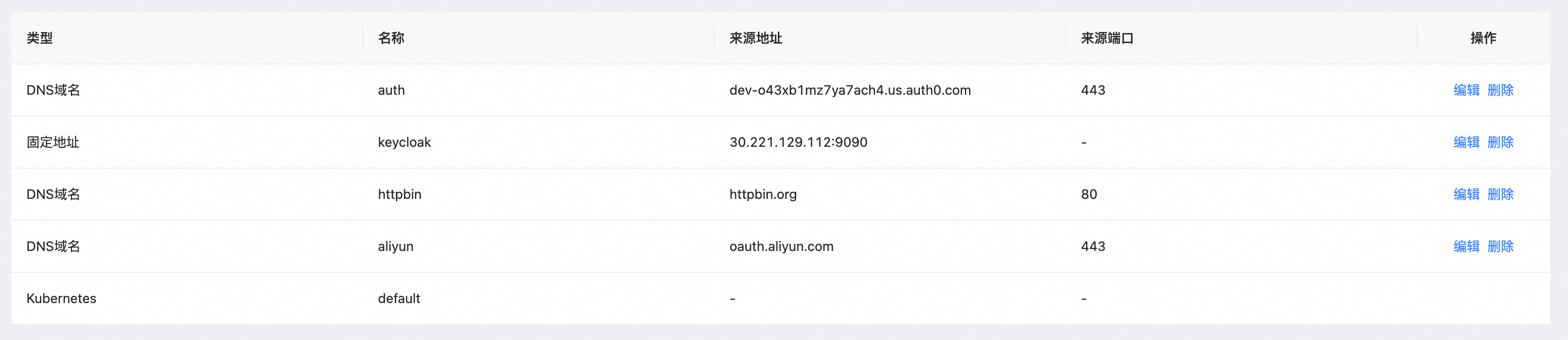
|
||
|
||
#### Step 3: Wasm 插件配置
|
||
|
||
```yaml
|
||
redirect_url: 'http://foo.bar.com/oauth2/callback'
|
||
provider: aliyun
|
||
oidc_issuer_url: 'https://oauth.aliyun.com/'
|
||
client_id: 'XXXXXXXXXXXXXXXX'
|
||
client_secret: 'XXXXXXXXXXXXXXXX'
|
||
scope: 'openid'
|
||
cookie_secret: 'nqavJrGvRmQxWwGNptLdyUVKcBNZ2b18Guc1n_8DCfY='
|
||
service_name: 'aliyun.dns'
|
||
service_port: 443
|
||
match_type: whitelist
|
||
match_list:
|
||
- match_rule_domain: 'foo.bar.com'
|
||
match_rule_path: /foo
|
||
match_rule_type: prefix
|
||
```
|
||
|
||
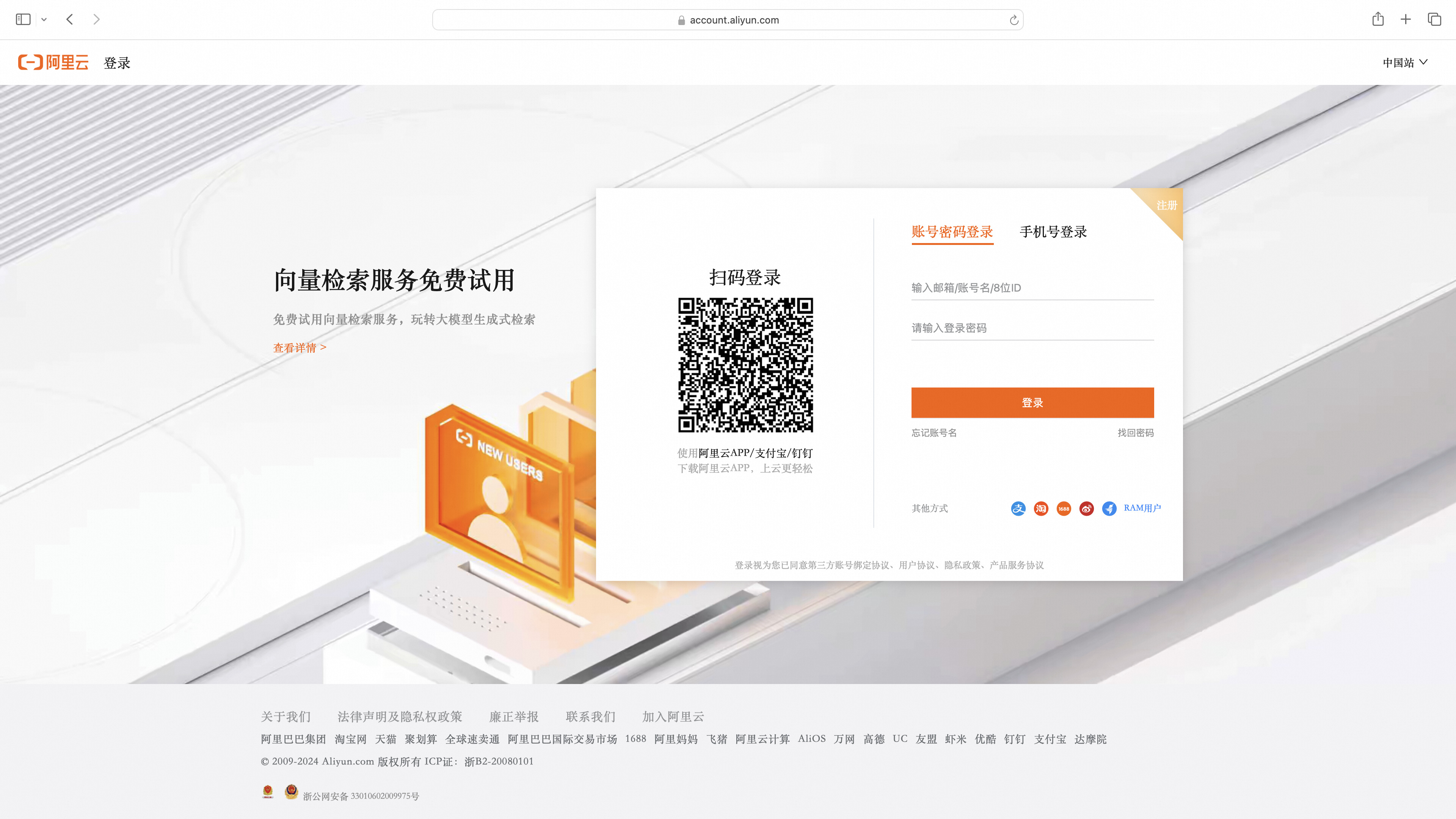
#### 访问服务页面,未登陆的话进行跳转
|
||
|
||
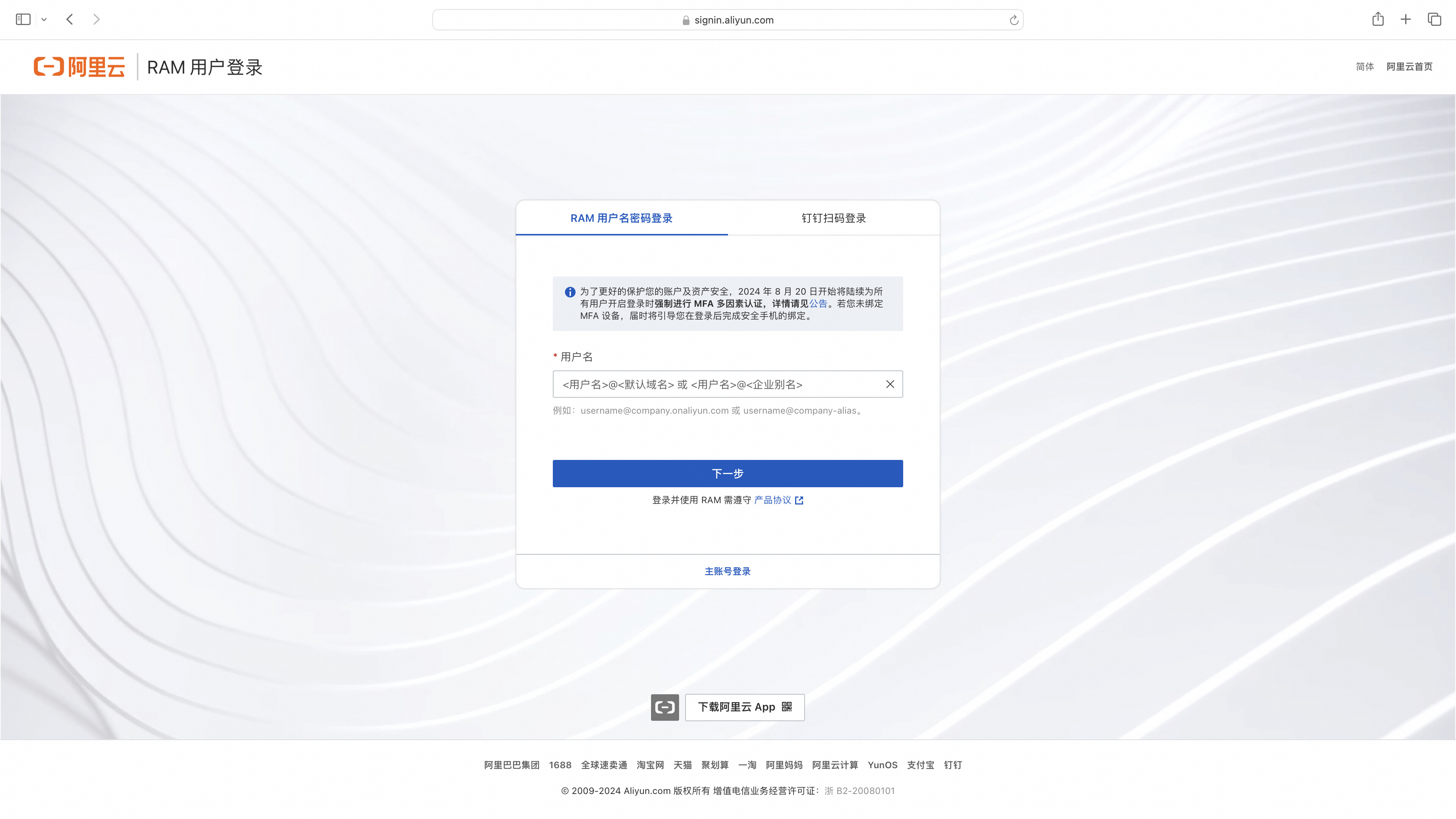
|
||
|
||
直接使用RAM用户登录或者点击主账户登录
|
||
|
||
|
||
|
||
#### 登陆成功跳转到服务页面
|
||
|
||
|
||
|
||
### OIDC 流程图
|
||
|
||
<p align="center">
|
||
<img src="https://gw.alicdn.com/imgextra/i3/O1CN01TJSh9c1VwR61Q2nek_!!6000000002717-55-tps-1807-2098.svg" alt="oidc_process" width="600" />
|
||
</p>
|
||
|
||
### OIDC 流程解析
|
||
|
||
#### 用户未登录
|
||
|
||
1. 模拟用户访问对应服务 API
|
||
|
||
```shell
|
||
curl --url "foo.bar.com/headers"
|
||
```
|
||
|
||
2. Higress 重定向到 OIDC Provider 登录页同时携带 client_id、response_type、scope 等 OIDC 认证的参数并设置 csrf cookie 防御CSRF 攻击
|
||
|
||
```shell
|
||
curl --url "https://dev-o43xb1mz7ya7ach4.us.auth0.com/authorize"\
|
||
--url-query "approval_prompt=force" \
|
||
--url-query "client_id=YagFqRD9tfNIaac5BamjhsSatjrAnsnZ" \
|
||
--url-query "redirect_uri=http%3A%2F%2Ffoo.bar.com%2Foauth2%2Fcallback" \
|
||
--url-query "response_type=code" \
|
||
--url-query "scope=openid+email+offline_access" \
|
||
--url-query "state=nT06xdCqn4IqemzBRV5hmO73U_hCjskrH_VupPqdcdw%3A%2Ffoo" \
|
||
--header "Set-Cookie: _oauth2_proxy_csrf=LPruATEDgcdmelr8zScD_ObhsbP4zSzvcgmPlcNDcJpFJ0OvhxP2hFotsU-kZnYxd5KsIjzeIXGTOjf8TKcbTHbDIt-aQoZORXI_0id3qeY0Jt78223DPeJ1xBqa8VO0UiEOUFOR53FGxirJOdKFxaAvxDFb1Ok=|1718962455|V1QGWyjQ4hMNOQ4Jtf17HeQJdVqHdt5d65uraFduMIU=; Path=/; Expires=Fri, 21 Jun 2024 08:06:20 GMT; HttpOnly"
|
||
```
|
||
|
||
3. 重定向到登录页
|
||
|
||

|
||
|
||
4. 用户输入用户名密码登录完成
|
||
|
||
5. 携带授权重定向到 Higress 并携带了 state 参数用于验证 csrf cookie ,授权码用于交换 token
|
||
|
||
```shell
|
||
curl --url "http://foo.bar.com/oauth2/callback" \
|
||
--url-query "state=nT06xdCqn4IqemzBRV5hmO73U_hCjskrH_VupPqdcdw%3A%2Ffoo" \
|
||
--url-query "code=0bdopoS2c2lx95u7iO0OH9kY1TvaEdJHo4lB6CT2_qVFm"
|
||
```
|
||
|
||
6. 校验 csrf cookie 中加密存储的 state 值与 url 参数中的 state 值必须相同
|
||
|
||
7. 利用授权交换 id_token 和 access_token
|
||
|
||
```shell
|
||
curl -X POST \
|
||
--url "https://dev-o43xb1mz7ya7ach4.us.auth0.com/oauth/token" \
|
||
--data "grant_type=authorization_code" \
|
||
--data "client_id=YagFqRD9tfNIaac5BamjhsSatjrAnsnZ" \
|
||
--data "client_secret=ekqv5XoZuMFtYms1NszEqRx03qct6BPvGeJUeptNG4y09PrY16BKT9IWezTrrhJJ" \
|
||
--data "redirect_uri=http%3A%2F%2Ffoo.bar.com%2Foauth2%2Fcallback" \
|
||
--data "code=0bdopoS2c2lx95u7iO0OH9kY1TvaEdJHo4lB6CT2_qVFm" \
|
||
```
|
||
|
||
返回的请求里包含了 id_token, access_token,refresh_token 用于后续刷新 token
|
||
|
||
```json
|
||
{
|
||
"access_token": "eyJhbGciOiJkaXIiLCJlbmMiOiJBMjU2R0NNIiwiaXNzIjoiaHR0cHM6Ly9kZXYtbzQzeGIxbXo3eWE3YWNoNC51cy5hdXRoMC5jb20vIn0..WP_WRVM-y3fM1sN4.fAQqtKoKZNG9Wj0OhtrMgtsjTJ2J72M2klDRd9SvUKGbiYsZNPmIl_qJUf81D3VIjD59o9xrOOJIzXTgsfFVA2x15g-jBlNh68N7dyhXu9237Tbplweu1jA25IZDSnjitQ3pbf7xJVIfPnWcrzl6uT8G1EP-omFcl6AQprV2FoKFMCGFCgeafuttppKe1a8mpJDj7AFLPs-344tT9mvCWmI4DuoLFh0PiqMMJBByoijRSxcSdXLPxZng84j8JVF7H6mFa-dj-icP-KLy6yvzEaRKz_uwBzQCzgYK434LIpqw_PRuN3ClEsenwRgIsNdVjvKcoAysfoZhmRy9BQaE0I7qTohSBFNX6A.mgGGeeWgugfXcUcsX4T5dQ",
|
||
"refresh_token": "GrZ1f2JvzjAZQzSXmyr1ScWbv8aMFBvzAXHBUSiILcDEG",
|
||
"id_token": "eyJhbGciOiJSUzI1NiIsInR5cCI6IkpXVCIsImtpZCI6Imc1Z1ExSF9ZbTY0WUlvVkQwSVpXTCJ9.eyJlbWFpbCI6IjE2MDExNTYyNjhAcXEuY29tIiwiZW1haWxfdmVyaWZpZWQiOmZhbHNlLCJpc3MiOiJodHRwczovL2Rldi1vNDN4YjFtejd5YTdhY2g0LnVzLmF1dGgwLmNvbS8iLCJhdWQiOiJZYWdGcVJEOXRmTklhYWM1QmFtamhzU2F0anJBbnNuWiIsImlhdCI6MTcxOTE5ODYzOCwiZXhwIjoxNzE5MjM0NjM4LCJzdWIiOiJhdXRoMHw2NjVkNzFlNzRjMTMxMTc3YmU2NmU2MDciLCJzaWQiOiJjdDJVOF9ZUS16VDdFOGkwRTNNeUstejc5ZGlWUWhhVSJ9.gfzXKJ0FeqzYqOUDLQHWcUG19IOLqkpLN09xTmIat0umrlGV5VNSumgWH3XJmmwnhdb8AThH3Jf-7kbRJzu4rM-BbGbFTRBTzNHeUajFOFrIgld5VENQ_M_sXHkTp0psWKSr9vF24kmilCfSbvC5lBKjt878ljZ7-xteWuaUYOMUdcJb4DSv0-zjX01sonJxYamTlhji3M4TAW7VwhwqyZt8dBhVSNaRw1wUKj-M1JrBDLyx65sroZtSqVA0udIrqMHEbWYb2de7JjzlqG003HRMzwOm7OXgEd5ZVFqgmBLosgixOU5DJ4A26nlqK92Sp6VqDMRvA-3ym8W_m-wJ_A",
|
||
"scope": "openid email offline_access",
|
||
"expires_in": 86400,
|
||
"token_type": "Bearer"
|
||
}
|
||
```
|
||
|
||
8. 将获得的 id_token, access_token, refresh_token 加密存储在cookie _oauth2_proxy中
|
||
|
||
9. 重定向到用户访问的后端服务并设置 cookie,用于后续用户登录状态的验证,同时清除 cookie _oauth2_proxy_csrf
|
||
|
||
```json
|
||
"Set-Cookie": [
|
||
"_oauth2_proxy_csrf=; Path=/; Expires=Mon, 24 Jun 2024 02:17:39 GMT; HttpOnly",
|
||
"_oauth2_proxy=8zM_Pcfpp_gesKFe4SMg08o5Iv0A8WAOQOmG1-vZBbQ56UggYVC0Cu-gFMEoxJZU5q1O5vqRlVBizlLetgVjRCksGVbttwl8tQ7h5YiyIubbbtvF1T4JzLh3QfzUUrwbB-VznOkh8qLbjAhddocecjBt4rMiDyceKXqMr4eO5TUEMx4vHtJYnTYalMeTYhGXk5MNSyrdZX9NnQnkdrCjiOQM13ggwob2nYwhGWaAlgzFSWkgkdtBy2Cl_YMWZ8_gKk9rDX289-JrJyGpr5k9O9RzRhZoY2iE3Mcr8-Q37RTji1Ga22QO-XkAcSaGqY1Qo7jLdmgZTYKC5JvtdLc4rj3vcbveYxU7R3Pt2vEribQjKTh4Sqb0aA03p4cxXyZN4SUfBW1NAOm4JLPUhKJy8frqC9_E0nVqPvpvnacaoQs8WkX2zp75xHoMa3SD6KZhQ5JUiPEiNkOaUsyafLvht6lLkNDhgzW3BP2czoe0DCDBLnsot0jH-qQpMZYkaGr-ZnRKI1OPl1vHls3mao5juOAW1VB2A9aughgc8SJ55IFZpMfFMdHdTDdMqPODkItX2PK44GX-pHeLxkOqrzp3GHtMInpL5QIQlTuux3erm3CG-ntlUE7JBtN2T9LEb8XfIFu58X9_vzMun4JQlje2Thi9_taI_z1DSaTtvNNb54wJfSPwYCCl4OsH-BacVmPQhH6TTZ6gP2Qsm5TR2o1U2D9fuVkSM-OPCG9l3tILambIQwC3vofMW6X8SIFSmhJUDvN7NbwxowBiZ6Y7GJRZlAk_GKDkpsdrdIvC67QqczZFphRVnm6qi-gPO41APCbcO6fgTwyOhbP3RrZZKWSIqWJYhNE3_Sfkf0565H7sC7Hc8XUUjJvP3WnjKS9x7KwzWa-dsUjV3-Q-VNl-rXTguVNAIirYK-qrMNMZGCRcJqcLnUF0V_J2lVmFyVsSlE3t0sDw2xmbkOwDptXFOjQL5Rb4esUMYdCBWFajBfvUtcZEFtYhD0kb6VcbjXO3NCVW5qKh_l9C9SRCc7TG1vcRAqUQlRXHacTGWfcWsuQkCJ3Mp_oWaDxs1GRDykQYxAn5sTICovThWEU2C6o75grWaNrkj5NU-0eHh3ryvxLmGLBOXZV9OQhtKShWmUgywSWMxOHOuZAqdAPULc8KheuGFjXYp-RnCbFYWePJmwzfQw89kSkj1KUZgMYwKEjSz62z2qc9KLczomv76ortQzvo4Hv9kaW6xVuQj5R5Oq6_WMBOqsmUMzcXpxCIOGjcdcZRBc0Fm09Uy9oV1PRqvAE4PGtfyrCaoqILBix8UIww63B07YGwzQ-hAXDysBK-Vca2x7GmGdXsNXXcTgu00bdsjtHZPDBBWGfL3g_rMAXr2vWyvK4CwNjcaPAmrlF3geHPwbIePT0hskBboX1v1bsuhzsai7rGM4r53pnb1ZEoTQDa1B-HyokFgo14XiwME0zE1ifpNzefjpkz1YY2krJlqfCydNwoKaTit4tD2yHlnxAeFF9iIrxzSKErNUFpmyLa7ge7V33vhEH-6k5oBTLE2Q2BrC6aAkLCcPwU9xv_SzBDQPRY0MEYv3kGF03Swo1crRbGh-aifYX9NiHDsmG6r1vAnx0MAOw2Jzuz2x6SSdfBrzlcoWBlrwiZzd9kAKq75n1Uy9uzZ8SRnkBrEZySHBwEbu196VklkRE0jqwC-e3wWNNuviSOfwkVeX-7QdOoO10yw9VK2sW52lFvIEf4chv_ta7bGfAZOWBjpktG6ZLD81SE6A88zpqG2SysSyNMp9hl-umG-5sFsjCn_c9E8bDvwkUOUVb9bNqhBDsZgR0BNPawiOZjmyfhzmwmWf-zgFzfFSV6BvOwNRi3sCOHTsWcuk9NBQ_YK8CpNkVl3WeIBSDfidimuC_QV9UWKs1GPk35ZRkM4zKtLY2JsBFWKaDy_P80TcOzcMBoP8gIBClXZ-WUqfE8s1yyc4jrq-qL1_wJ24ef1O9FktsbyZiDKXw2vnqsT8-g_hCeG-unrT1ZFscf8oNdqczARHX-K4vKH2k3uIqEx1M=|1719199056|2rsgdUIClHNEpxBLlHOVRYup6e4oKensQfljtmn4B80=; Path=/; Expires=Mon, 01 Jul 2024 03:17:36 GMT; HttpOnly"
|
||
]
|
||
```
|
||
|
||
10. 校验是否存在 cookie 存储了用户的 token 信息同时查看是否过期
|
||
|
||
11. 使用含有 Authorization 头部存储用户的 access_token 访问相应的 API
|
||
|
||
```shell
|
||
curl --url "foo.bar.com/headers"
|
||
--header "Authorization: Bearer eyJhbGciOiJkaXIiLCJlbmMiOiJBMjU2R0NNIiwiaXNzIjoiaHR0cHM6Ly9kZXYtbzQzeGIxbXo3eWE3YWNoNC51cy5hdXRoMC5jb20vIn0..WP_WRVM-y3fM1sN4.fAQqtKoKZNG9Wj0OhtrMgtsjTJ2J72M2klDRd9SvUKGbiYsZNPmIl_qJUf81D3VIjD59o9xrOOJIzXTgsfFVA2x15g-jBlNh68N7dyhXu9237Tbplweu1jA25IZDSnjitQ3pbf7xJVIfPnWcrzl6uT8G1EP-omFcl6AQprV2FoKFMCGFCgeafuttppKe1a8mpJDj7AFLPs-344tT9mvCWmI4DuoLFh0PiqMMJBByoijRSxcSdXLPxZng84j8JVF7H6mFa-dj-icP-KLy6yvzEaRKz_uwBzQCzgYK434LIpqw_PRuN3ClEsenwRgIsNdVjvKcoAysfoZhmRy9BQaE0I7qTohSBFNX6A.mgGGeeWgugfXcUcsX4T5dQ"
|
||
```
|
||
|
||
12. 后端服务根据 access_token 获取用户授权信息并返回对应的 HTTP 响应
|
||
|
||
```json
|
||
{
|
||
"email": "******",
|
||
"email_verified": false,
|
||
"iss": "https://dev-o43xb1mz7ya7ach4.us.auth0.com/",
|
||
"aud": "YagFqRD9tfNIaac5BamjhsSatjrAnsnZ",
|
||
"iat": 1719198638,
|
||
"exp": 1719234638,
|
||
"sub": "auth0|665d71e74c131177be66e607",
|
||
"sid": "ct2U8_YQ-zT7E8i0E3MyK-z79diVQhaU"
|
||
}
|
||
```
|
||
|
||
#### 用户令牌刷新
|
||
|
||
1. 模拟用户访问对应服务 API
|
||
|
||
```shell
|
||
curl --url "foo.bar.com/headers"
|
||
```
|
||
|
||
2. 验证令牌的过期时间
|
||
3. 如果在 cookie 中检测到存在 refresh_token,则可以访问相应的接口以交换新的 id_token 和 access_token
|
||
|
||
```shell
|
||
curl -X POST \
|
||
--url "https://dev-o43xb1mz7ya7ach4.us.auth0.com/oauth/token" \
|
||
--data "grant_type=refresh_token" \
|
||
--data "client_id=YagFqRD9tfNIaac5BamjhsSatjrAnsnZ" \
|
||
--data "client_secret=ekqv5XoZuMFtYms1NszEqRx03qct6BPvGeJUeptNG4y09PrY16BKT9IWezTrrhJJ" \
|
||
--data "refresh_token=GrZ1f2JvzjAZQzSXmyr1ScWbv8aMFBvzAXHBUSiILcDEG"
|
||
```
|
||
|
||
4. 携带 Authorization 的标头对应 access_token 访问对应 API
|
||
5. 后端服务根据 access_token 获取用户授权信息并返回对应的 HTTP 响应
|
||
|