mirror of
https://github.com/alibaba/higress.git
synced 2026-07-25 22:01:24 +08:00
Compare commits
1 Commits
main
...
update-hel
| Author | SHA1 | Date | |
|---|---|---|---|

|
7a62da18c0 |
@@ -1,94 +0,0 @@
|
||||
---
|
||||
name: higress-update-envoy-gateway
|
||||
description: Update Higress Envoy binary and gateway image dependencies for e2e validation. Use when Codex needs to build Envoy packages from the current Higress branch, upload those packages to higress-group/proxy releases, update Makefile.core.mk ENVOY_PACKAGE_URL_PATTERN and ENVOY_LATEST_IMAGE_TAG, run make build-gateway-local, retag the generated proxy/proxyv2 image as gateway, push the gateway image, or prepare a signed-off PR that lets Higress e2e tests consume a new Envoy build.
|
||||
---
|
||||
|
||||
# Higress Envoy Gateway Dependency Update
|
||||
|
||||
## Core Workflow
|
||||
|
||||
Run from the Higress repo root unless a step explicitly says otherwise.
|
||||
|
||||
1. Verify context:
|
||||
- Check `git status --short --branch`.
|
||||
- Do not remove unrelated user changes or generated artifacts.
|
||||
- Use `gh` for GitHub release/PR checks and always pass `--repo` for non-current repos.
|
||||
|
||||
2. Build Envoy packages from the current branch:
|
||||
```bash
|
||||
git submodule update --init
|
||||
make build-envoy
|
||||
```
|
||||
Expected artifacts land in `external/package/`, typically:
|
||||
- `envoy-alpha-<proxy-sha>.tar.gz`
|
||||
- `envoy-symbol-<proxy-sha>.tar.gz`
|
||||
- matching `.sha256` and `.dwp` files
|
||||
|
||||
3. Publish Envoy package release in `higress-group/proxy`:
|
||||
- Create a new release tag by incrementing the requested RC/test tag, for example `v2.2.4-rc.2-test-cpp-host`.
|
||||
- Match the reference release asset names, even if local filenames include SHAs:
|
||||
- local `envoy-alpha-<sha>.tar.gz` uploads as `envoy-amd64.tar.gz`
|
||||
- local `envoy-symbol-<sha>.tar.gz` uploads as `envoy-symbol-amd64.tar.gz`
|
||||
- Use temporary renamed copies rather than renaming source artifacts:
|
||||
```bash
|
||||
cp external/package/envoy-alpha-<sha>.tar.gz /tmp/envoy-amd64.tar.gz
|
||||
cp external/package/envoy-symbol-<sha>.tar.gz /tmp/envoy-symbol-amd64.tar.gz
|
||||
gh release create <release-tag> /tmp/envoy-amd64.tar.gz /tmp/envoy-symbol-amd64.tar.gz \
|
||||
--repo higress-group/proxy --target <target-branch> --title <release-tag> --generate-notes
|
||||
gh release view <release-tag> --repo higress-group/proxy --json tagName,targetCommitish,assets,url
|
||||
```
|
||||
- If following an existing reference release, inspect it first with `gh release view`.
|
||||
|
||||
4. Update Higress Makefile dependencies:
|
||||
- In `Makefile.core.mk`, set:
|
||||
```make
|
||||
export ENVOY_PACKAGE_URL_PATTERN?=https://github.com/higress-group/proxy/releases/download/<release-tag>/envoy-symbol-ARCH.tar.gz
|
||||
```
|
||||
- After building and pushing the gateway image, set:
|
||||
```make
|
||||
ENVOY_LATEST_IMAGE_TAG ?= <gateway-image-tag>
|
||||
```
|
||||
|
||||
5. Build the local gateway image:
|
||||
```bash
|
||||
make build-gateway-local
|
||||
```
|
||||
Watch the log to confirm Envoy downloads from the new release URL. The build target may emit an image under a proxy-style repository/name, commonly:
|
||||
- `higress-registry.cn-hangzhou.cr.aliyuncs.com/higress/proxyv2:<tag>`
|
||||
|
||||
6. Retag proxy image as gateway:
|
||||
```bash
|
||||
docker tag higress-registry.cn-hangzhou.cr.aliyuncs.com/higress/proxyv2:<tag> \
|
||||
higress-registry.cn-hangzhou.cr.aliyuncs.com/higress/gateway:<tag>
|
||||
docker images --format '{{.Repository}}:{{.Tag}} {{.ID}} {{.CreatedSince}}' \
|
||||
higress-registry.cn-hangzhou.cr.aliyuncs.com/higress/gateway
|
||||
```
|
||||
Verify the `gateway:<tag>` and `proxyv2:<tag>` image IDs match.
|
||||
|
||||
7. Push the gateway image when requested:
|
||||
```bash
|
||||
docker push higress-registry.cn-hangzhou.cr.aliyuncs.com/higress/gateway:<tag>
|
||||
```
|
||||
Record the pushed digest in the final response.
|
||||
|
||||
8. Commit and push Makefile changes:
|
||||
- Commit only intended tracked files. Do not add `plugins/golang-filter/golang-filter_amd64.so` or other build outputs unless explicitly requested.
|
||||
- Use DCO sign-off:
|
||||
```bash
|
||||
git add Makefile.core.mk
|
||||
git commit -s -m "Update gateway envoy dependencies"
|
||||
git push origin <branch>
|
||||
```
|
||||
- If DCO fails after a previous unsigned commit:
|
||||
```bash
|
||||
git commit --amend --no-edit --signoff
|
||||
git push --force-with-lease origin <branch>
|
||||
gh pr checks <pr-number> --repo higress-group/higress
|
||||
```
|
||||
|
||||
## Practical Notes
|
||||
|
||||
- `make build-gateway-local` may need Docker daemon access, network access, and write access to repo/submodule state.
|
||||
- If sandboxed commands fail with read-only filesystem errors, Docker socket permission errors, or network failures, rerun the same important command with elevated permissions and a concrete justification.
|
||||
- The default local gateway tag usually comes from the current Git revision shown in the build log as `TAG=<sha>`.
|
||||
- For e2e validation, the point of this workflow is to make `install-dev`, `install-dev-wasmplugin`, and local image update targets use the newly pushed gateway image through `ENVOY_LATEST_IMAGE_TAG`.
|
||||
@@ -1,4 +0,0 @@
|
||||
interface:
|
||||
display_name: "Higress Envoy Gateway"
|
||||
short_description: "Update Envoy packages and gateway tag"
|
||||
default_prompt: "Use $higress-update-envoy-gateway to update Higress Makefile Envoy dependencies and build a gateway image for e2e validation."
|
||||
@@ -1,35 +0,0 @@
|
||||
---
|
||||
name: issue-spec-apply
|
||||
description: Implement PROCESS comments for an issue-spec change and keep PR traceability synchronized.
|
||||
license: MIT
|
||||
compatibility: Requires issue-spec CLI.
|
||||
metadata:
|
||||
author: issue-spec
|
||||
version: "1.0"
|
||||
generatedBy: "issue-spec"
|
||||
---
|
||||
|
||||
# Issue Spec Apply
|
||||
|
||||
Use when the user asks for /issue-spec:apply, issue-spec apply, or implementing PROCESS/TASK scopes from an issue-spec change.
|
||||
|
||||
## Steps
|
||||
|
||||
1. Read proposal/design/implement issue context and list typed comments with issue-spec comment list --json.
|
||||
2. Confirm issue-spec auth status --json includes the expected GitHub backend. Local gh-authenticated sessions can use the native gh backend; keep ISSUE_SPEC_TOKEN="$(gh auth token)" only as an older-version or forced-rest compatibility path.
|
||||
3. Create or update PROCESS comments with owner agent, scope, dependencies, write ownership, and status.
|
||||
4. Split non-trivial work into independent worker PROCESS nodes when file/module ownership does not overlap; execute independent workers in parallel when available.
|
||||
5. Add dedicated review PROCESS nodes for non-trivial changes. Review PROCESS nodes should own review scopes such as CLI/API behavior, workflow docs, tests, compatibility, or security-sensitive surfaces.
|
||||
6. Link each PROCESS to its TASK comments with issue-spec link.
|
||||
7. Implement the code changes for one PROCESS scope at a time, or integrate completed worker outputs by dependency order.
|
||||
8. Link every worker and review PROCESS to the PR with issue-spec pr link-process.
|
||||
9. Add PR rationale comments on key changed lines with issue-spec pr rationale, each linked to a SPEC comment.
|
||||
10. Mark PROCESS comments done only after implementation/review work and focused verification evidence exist.
|
||||
|
||||
## Coordinator DAG Execution
|
||||
|
||||
1. Build the ready set from PROCESS nodes whose dependencies are done.
|
||||
2. Keep immediate blocking work local when the next step depends on it.
|
||||
3. Spawn or assign independent worker agents only when their write ownership is disjoint.
|
||||
4. Spawn or assign independent review agents only when their review scopes are disjoint.
|
||||
5. Integrate completed outputs by dependency order and update PROCESS evidence before marking done.
|
||||
@@ -1,24 +0,0 @@
|
||||
---
|
||||
name: issue-spec-archive
|
||||
description: Create the post-merge durable spec archive PR for an issue-spec change.
|
||||
license: MIT
|
||||
compatibility: Requires issue-spec CLI.
|
||||
metadata:
|
||||
author: issue-spec
|
||||
version: "1.0"
|
||||
generatedBy: "issue-spec"
|
||||
---
|
||||
|
||||
# Issue Spec Archive
|
||||
|
||||
Use when the user asks for /issue-spec:archive, issue-spec archive, or creating the post-merge durable spec PR.
|
||||
|
||||
## Steps
|
||||
|
||||
1. Confirm the implementation PR is merged.
|
||||
2. Create the durable spec PR:
|
||||
|
||||
issue-spec archive durable-spec --repo higress-group/higress --proposal <issue> --capability <capability> --create-pr --branch issue-spec/durable-spec-<capability> --json
|
||||
|
||||
3. Review the durable spec PR for long-lived behavior only. Do not copy process records, review findings, or verification logs into durable specs.
|
||||
4. After durable spec PR merge, keep proposal/design/implement issues as audit history unless the project policy says to close them.
|
||||
@@ -1,58 +0,0 @@
|
||||
---
|
||||
name: issue-spec-github
|
||||
description: Use GitHub CLI for GitHub issues, pull requests, CI runs, and API queries that issue-spec does not wrap.
|
||||
license: MIT
|
||||
compatibility: Requires GitHub CLI (gh).
|
||||
metadata:
|
||||
author: issue-spec
|
||||
version: "1.0"
|
||||
generatedBy: "issue-spec"
|
||||
---
|
||||
|
||||
# GitHub CLI
|
||||
|
||||
Use the `gh` CLI to interact with GitHub repositories, issues, pull requests, CI, and API endpoints.
|
||||
|
||||
## When To Use
|
||||
|
||||
- Checking PR status, reviews, mergeability, or CI checks.
|
||||
- Creating, viewing, updating, closing, or commenting on GitHub issues.
|
||||
- Listing or inspecting pull requests, workflow runs, releases, labels, or repository metadata.
|
||||
- Calling GitHub API endpoints with `gh api` when issue-spec does not provide a dedicated command.
|
||||
|
||||
## When Not To Use
|
||||
|
||||
- Local git operations such as commit, branch, fetch, merge, or push. Use `git` directly.
|
||||
- Non-GitHub repositories. Use the matching provider CLI instead.
|
||||
- Complex code review across local diffs. Read the repository files directly and use issue-spec review commands for traceable findings.
|
||||
|
||||
## Setup
|
||||
|
||||
```bash
|
||||
gh auth login
|
||||
gh auth status
|
||||
```
|
||||
|
||||
## Common Commands
|
||||
|
||||
```bash
|
||||
gh issue list --repo owner/repo --state open
|
||||
gh issue view 42 --repo owner/repo --json number,title,state,url,body
|
||||
gh issue comment 42 --repo owner/repo --body "Comment body"
|
||||
|
||||
gh pr list --repo owner/repo
|
||||
gh pr view 17 --repo owner/repo --json number,title,state,headRefName,baseRefName,url
|
||||
gh pr checks 17 --repo owner/repo
|
||||
|
||||
gh run list --repo owner/repo --limit 10
|
||||
gh run view <run-id> --repo owner/repo --log-failed
|
||||
|
||||
gh api repos/owner/repo/labels --jq '.[].name'
|
||||
```
|
||||
|
||||
## Notes
|
||||
|
||||
- Always pass `--repo owner/repo` when the current directory is not definitely inside the target repository.
|
||||
- Use GitHub URLs directly when convenient, for example `gh pr view https://github.com/owner/repo/pull/17`.
|
||||
- Prefer structured output with `--json` and `--jq` when another command or agent step consumes the result.
|
||||
- issue-spec owns the proposal, design, implement, typed comment, review, verify, and archive workflow state. Use `gh` for adjacent GitHub operations that are outside issue-spec's command surface.
|
||||
@@ -1,37 +0,0 @@
|
||||
---
|
||||
name: issue-spec-propose
|
||||
description: Create or continue proposal, SPEC, QUESTION, design, and TASK artifacts for an issue-spec change.
|
||||
license: MIT
|
||||
compatibility: Requires issue-spec CLI.
|
||||
metadata:
|
||||
author: issue-spec
|
||||
version: "1.0"
|
||||
generatedBy: "issue-spec"
|
||||
---
|
||||
|
||||
# Issue Spec Propose
|
||||
|
||||
Use when the user asks for /issue-spec:propose, issue-spec propose, creating a change proposal, drafting SPEC comments, or preparing design/tasks after questions converge.
|
||||
|
||||
## Steps
|
||||
|
||||
1. Create the proposal issue:
|
||||
|
||||
issue-spec issue create proposal --repo higress-group/higress --change <change-name> --body-file <proposal.md>
|
||||
|
||||
2. If the proposal body needs revision after discussion, update it in place:
|
||||
|
||||
issue-spec issue update --repo higress-group/higress --issue <proposal-issue> --body-file <proposal.md> --summary "<what changed>"
|
||||
|
||||
3. Add SPEC comments with issue-spec comment upsert --type SPEC. SPEC comments must use MUST/SHALL and WHEN/THEN scenarios.
|
||||
4. Add QUESTION comments for unresolved behavior with issue-spec question create and resolve blocking questions before design.
|
||||
5. Create the design issue after SPEC/QUESTION convergence:
|
||||
|
||||
issue-spec issue create design --repo higress-group/higress --change <change-name> --proposal <proposal-issue-or-url> --body-file <design.md>
|
||||
|
||||
6. Add TASK comments with issue-spec comment upsert --type TASK and link every TASK to covered SPEC comments with issue-spec link.
|
||||
7. Create the implement issue once tasks are ready:
|
||||
|
||||
issue-spec issue create implement --repo higress-group/higress --change <change-name> --proposal <proposal-issue-or-url> --design <design-issue-or-url> --body-file <implement.md>
|
||||
|
||||
8. Run issue-spec verify-links and fix missing backlinks before implementation.
|
||||
@@ -1,32 +0,0 @@
|
||||
---
|
||||
name: issue-spec-review
|
||||
description: Review an issue-spec implementation PR, create PR line findings, reply after fixes, and sync REVIEW comments.
|
||||
license: MIT
|
||||
compatibility: Requires issue-spec CLI.
|
||||
metadata:
|
||||
author: issue-spec
|
||||
version: "1.0"
|
||||
generatedBy: "issue-spec"
|
||||
---
|
||||
|
||||
# Issue Spec Review
|
||||
|
||||
Use when the user asks for /issue-spec:review, issue-spec review, or a PR review gate for an issue-spec implementation.
|
||||
|
||||
## Steps
|
||||
|
||||
1. Run issue-spec review sync --repo higress-group/higress --pr <number> --implement <issue> --id REVIEW-<n> --json to capture current rationale comments, findings, and checks.
|
||||
2. For non-trivial PRs, spawn or assign dedicated review agents as review PROCESS owners. Multiple review agents can run in parallel when their review scopes are independent.
|
||||
3. Give each review agent a concrete scope and expected output: actionable findings only, severity, file/line, linked SPEC, owner PROCESS, and suggested fix.
|
||||
4. Create actionable PR line findings with issue-spec review finding. Use P0/P1 for blockers and P2 for non-blocking follow-up.
|
||||
5. Assign every finding to a PROCESS owner. If no findings are found, record that result in REVIEW or VERIFY evidence.
|
||||
6. After the worker fixes a finding, reply to the original thread with issue-spec review reply --status resolved.
|
||||
7. Re-run review sync. P0/P1 findings must be resolved before final verify/archive.
|
||||
|
||||
## Review DAG Policy
|
||||
|
||||
1. Every non-trivial PR should have at least one dedicated review PROCESS node before final verify.
|
||||
2. Use multiple review agents in parallel when scopes are independent, for example CLI/API behavior, workflow docs, tests, compatibility, or security-sensitive surfaces.
|
||||
3. A review agent reports findings only; the coordinator converts actionable line findings into issue-spec review finding comments.
|
||||
4. P0/P1 findings block final verify until the owner PROCESS fixes them and issue-spec review reply records the resolution on the original thread.
|
||||
5. If a review agent finds no issues, record that result in REVIEW or VERIFY evidence before marking the review PROCESS done.
|
||||
@@ -1,28 +0,0 @@
|
||||
---
|
||||
name: issue-spec-verify
|
||||
description: Run final issue-spec verification across traceability, questions, review findings, PR rationale, PR checks, and durable spec draft.
|
||||
license: MIT
|
||||
compatibility: Requires issue-spec CLI.
|
||||
metadata:
|
||||
author: issue-spec
|
||||
version: "1.0"
|
||||
generatedBy: "issue-spec"
|
||||
---
|
||||
|
||||
# Issue Spec Verify
|
||||
|
||||
Use when the user asks for /issue-spec:verify, issue-spec verify, or final readiness evidence before merge/archive.
|
||||
|
||||
## Steps
|
||||
|
||||
1. Run focused project tests and record evidence in VERIFY comments.
|
||||
2. Run issue-spec verify-links --repo higress-group/higress --proposal <issue> --design <issue> --implement <issue> --json.
|
||||
3. Render a durable spec draft:
|
||||
|
||||
issue-spec archive durable-spec --repo higress-group/higress --proposal <issue> --capability <capability> --output /tmp/<capability>-spec.md --json
|
||||
|
||||
4. Run final verify:
|
||||
|
||||
issue-spec verify --repo higress-group/higress --proposal <issue> --design <issue> --implement <issue> --pr <pr> --durable-spec /tmp/<capability>-spec.md --json
|
||||
|
||||
5. Final verify must fail if blocking questions, missing links, missing PROCESS rationale, open P0/P1 findings, failed or pending PR checks, or durable spec omissions exist.
|
||||
@@ -1,53 +0,0 @@
|
||||
---
|
||||
name: issue-spec-workflow
|
||||
description: Use issue-spec to run an issue-native OpenSpec-style workflow with GitHub issues, typed comments, PR review comments, final verification, and durable spec archive PRs.
|
||||
license: MIT
|
||||
compatibility: Requires issue-spec CLI.
|
||||
metadata:
|
||||
author: issue-spec
|
||||
version: "1.0"
|
||||
generatedBy: "issue-spec"
|
||||
---
|
||||
|
||||
# Issue Spec Workflow
|
||||
|
||||
Use this skill for issue-native OpenSpec work. Active change artifacts live in GitHub issues and issue comments; durable specs are repository files created after implementation merge.
|
||||
|
||||
## Start
|
||||
|
||||
1. Run issue-spec auth status --json and confirm the active auth source and GitHub backend.
|
||||
2. Run issue-spec status --repo higress-group/higress --proposal <issue> --design <issue> --implement <issue> --json when issues already exist.
|
||||
3. For new work, create proposal, design, and implement issues with issue-spec issue create and pass --body-file with concrete markdown content.
|
||||
4. When an issue body changes, update it in place with issue-spec issue update --body-file and include --summary for the human-readable audit trail.
|
||||
5. Store requirements, tasks, process ownership, review, and verify evidence as typed comments.
|
||||
|
||||
## GitHub Backend
|
||||
|
||||
- Local agents may rely on native GitHub CLI support: when no ISSUE_SPEC_TOKEN, GH_TOKEN, GITHUB_TOKEN, keyring token, or issue-spec config token is present and gh auth status --active succeeds for the target host, issue-spec auto-selects the gh backend.
|
||||
- Explicit env or stored issue-spec tokens keep the rest backend under auto selection. Set ISSUE_SPEC_GITHUB_BACKEND=rest or ISSUE_SPEC_GITHUB_BACKEND=gh only when a workflow needs deterministic backend selection.
|
||||
- The gh backend proxies GitHub API operations through gh api and uses gh --hostname for Enterprise hosts. It does not replace local git commands.
|
||||
- ISSUE_SPEC_API_URL applies to the rest backend. Forced gh mode should be used only with hosts that gh can address.
|
||||
- Use ISSUE_SPEC_TOKEN="$(gh auth token)" only for older issue-spec versions or when deliberately forcing rest while sourcing the token from gh.
|
||||
|
||||
## Rules
|
||||
|
||||
- Create SPEC comments before design; each SPEC must be testable and include WHEN/THEN scenarios.
|
||||
- Do not leave active proposal/design/implement issue bodies as TBD placeholders.
|
||||
- Resolve blocking QUESTION comments before design/tasks, or explicitly record accepted assumptions.
|
||||
- Link SPEC <-> TASK and TASK <-> PROCESS with issue-spec link.
|
||||
- Link every PROCESS to the implementation PR with issue-spec pr link-process.
|
||||
- For non-trivial changes, include review PROCESS nodes in the DAG; review agents are scheduled like worker agents and can run in parallel when their review scopes are independent.
|
||||
- Small changes may stay coordinator-only, but record the serial execution decision in the implement or VERIFY evidence.
|
||||
- Before human review, add PR rationale comments with issue-spec pr rationale for every active PROCESS.
|
||||
- Use issue-spec review finding for PR line findings and issue-spec review reply to close the original thread.
|
||||
- Run issue-spec review sync and issue-spec verify before declaring ready.
|
||||
- After the implementation PR merges, create the separate durable spec PR with issue-spec archive durable-spec --create-pr.
|
||||
|
||||
## Coordinator DAG Execution
|
||||
|
||||
1. Treat PROCESS comments as DAG nodes with explicit owner, dependencies, write or review scope, PR link, and evidence.
|
||||
2. Select ready PROCESS nodes whose dependencies are done and whose scopes do not overlap.
|
||||
3. Dispatch independent worker PROCESS nodes in parallel when their file/module ownership is disjoint.
|
||||
4. Dispatch independent review PROCESS nodes in parallel for non-trivial PRs after PR rationale exists.
|
||||
5. Integrate completed worker outputs by dependency order; route P0/P1 review findings back to the owner PROCESS.
|
||||
6. Mark PROCESS nodes done only after their implementation or review evidence is recorded and blocking findings are resolved.
|
||||
@@ -1,31 +0,0 @@
|
||||
---
|
||||
name: "Issue Spec: Apply"
|
||||
description: "Implement PROCESS comments for an issue-spec change and keep PR traceability synchronized."
|
||||
category: "Workflow"
|
||||
tags: ["workflow", "issue-spec"]
|
||||
---
|
||||
|
||||
# Issue Spec Apply
|
||||
|
||||
Use when the user asks for /issue-spec:apply, issue-spec apply, or implementing PROCESS/TASK scopes from an issue-spec change.
|
||||
|
||||
## Steps
|
||||
|
||||
1. Read proposal/design/implement issue context and list typed comments with issue-spec comment list --json.
|
||||
2. Confirm issue-spec auth status --json includes the expected GitHub backend. Local gh-authenticated sessions can use the native gh backend; keep ISSUE_SPEC_TOKEN="$(gh auth token)" only as an older-version or forced-rest compatibility path.
|
||||
3. Create or update PROCESS comments with owner agent, scope, dependencies, write ownership, and status.
|
||||
4. Split non-trivial work into independent worker PROCESS nodes when file/module ownership does not overlap; execute independent workers in parallel when available.
|
||||
5. Add dedicated review PROCESS nodes for non-trivial changes. Review PROCESS nodes should own review scopes such as CLI/API behavior, workflow docs, tests, compatibility, or security-sensitive surfaces.
|
||||
6. Link each PROCESS to its TASK comments with issue-spec link.
|
||||
7. Implement the code changes for one PROCESS scope at a time, or integrate completed worker outputs by dependency order.
|
||||
8. Link every worker and review PROCESS to the PR with issue-spec pr link-process.
|
||||
9. Add PR rationale comments on key changed lines with issue-spec pr rationale, each linked to a SPEC comment.
|
||||
10. Mark PROCESS comments done only after implementation/review work and focused verification evidence exist.
|
||||
|
||||
## Coordinator DAG Execution
|
||||
|
||||
1. Build the ready set from PROCESS nodes whose dependencies are done.
|
||||
2. Keep immediate blocking work local when the next step depends on it.
|
||||
3. Spawn or assign independent worker agents only when their write ownership is disjoint.
|
||||
4. Spawn or assign independent review agents only when their review scopes are disjoint.
|
||||
5. Integrate completed outputs by dependency order and update PROCESS evidence before marking done.
|
||||
@@ -1,20 +0,0 @@
|
||||
---
|
||||
name: "Issue Spec: Archive"
|
||||
description: "Create the post-merge durable spec archive PR for an issue-spec change."
|
||||
category: "Workflow"
|
||||
tags: ["workflow", "issue-spec"]
|
||||
---
|
||||
|
||||
# Issue Spec Archive
|
||||
|
||||
Use when the user asks for /issue-spec:archive, issue-spec archive, or creating the post-merge durable spec PR.
|
||||
|
||||
## Steps
|
||||
|
||||
1. Confirm the implementation PR is merged.
|
||||
2. Create the durable spec PR:
|
||||
|
||||
issue-spec archive durable-spec --repo higress-group/higress --proposal <issue> --capability <capability> --create-pr --branch issue-spec/durable-spec-<capability> --json
|
||||
|
||||
3. Review the durable spec PR for long-lived behavior only. Do not copy process records, review findings, or verification logs into durable specs.
|
||||
4. After durable spec PR merge, keep proposal/design/implement issues as audit history unless the project policy says to close them.
|
||||
@@ -1,33 +0,0 @@
|
||||
---
|
||||
name: "Issue Spec: Propose"
|
||||
description: "Create or continue proposal, SPEC, QUESTION, design, and TASK artifacts for an issue-spec change."
|
||||
category: "Workflow"
|
||||
tags: ["workflow", "issue-spec"]
|
||||
---
|
||||
|
||||
# Issue Spec Propose
|
||||
|
||||
Use when the user asks for /issue-spec:propose, issue-spec propose, creating a change proposal, drafting SPEC comments, or preparing design/tasks after questions converge.
|
||||
|
||||
## Steps
|
||||
|
||||
1. Create the proposal issue:
|
||||
|
||||
issue-spec issue create proposal --repo higress-group/higress --change <change-name> --body-file <proposal.md>
|
||||
|
||||
2. If the proposal body needs revision after discussion, update it in place:
|
||||
|
||||
issue-spec issue update --repo higress-group/higress --issue <proposal-issue> --body-file <proposal.md> --summary "<what changed>"
|
||||
|
||||
3. Add SPEC comments with issue-spec comment upsert --type SPEC. SPEC comments must use MUST/SHALL and WHEN/THEN scenarios.
|
||||
4. Add QUESTION comments for unresolved behavior with issue-spec question create and resolve blocking questions before design.
|
||||
5. Create the design issue after SPEC/QUESTION convergence:
|
||||
|
||||
issue-spec issue create design --repo higress-group/higress --change <change-name> --proposal <proposal-issue-or-url> --body-file <design.md>
|
||||
|
||||
6. Add TASK comments with issue-spec comment upsert --type TASK and link every TASK to covered SPEC comments with issue-spec link.
|
||||
7. Create the implement issue once tasks are ready:
|
||||
|
||||
issue-spec issue create implement --repo higress-group/higress --change <change-name> --proposal <proposal-issue-or-url> --design <design-issue-or-url> --body-file <implement.md>
|
||||
|
||||
8. Run issue-spec verify-links and fix missing backlinks before implementation.
|
||||
@@ -1,28 +0,0 @@
|
||||
---
|
||||
name: "Issue Spec: Review"
|
||||
description: "Review an issue-spec implementation PR, create PR line findings, reply after fixes, and sync REVIEW comments."
|
||||
category: "Workflow"
|
||||
tags: ["workflow", "issue-spec"]
|
||||
---
|
||||
|
||||
# Issue Spec Review
|
||||
|
||||
Use when the user asks for /issue-spec:review, issue-spec review, or a PR review gate for an issue-spec implementation.
|
||||
|
||||
## Steps
|
||||
|
||||
1. Run issue-spec review sync --repo higress-group/higress --pr <number> --implement <issue> --id REVIEW-<n> --json to capture current rationale comments, findings, and checks.
|
||||
2. For non-trivial PRs, spawn or assign dedicated review agents as review PROCESS owners. Multiple review agents can run in parallel when their review scopes are independent.
|
||||
3. Give each review agent a concrete scope and expected output: actionable findings only, severity, file/line, linked SPEC, owner PROCESS, and suggested fix.
|
||||
4. Create actionable PR line findings with issue-spec review finding. Use P0/P1 for blockers and P2 for non-blocking follow-up.
|
||||
5. Assign every finding to a PROCESS owner. If no findings are found, record that result in REVIEW or VERIFY evidence.
|
||||
6. After the worker fixes a finding, reply to the original thread with issue-spec review reply --status resolved.
|
||||
7. Re-run review sync. P0/P1 findings must be resolved before final verify/archive.
|
||||
|
||||
## Review DAG Policy
|
||||
|
||||
1. Every non-trivial PR should have at least one dedicated review PROCESS node before final verify.
|
||||
2. Use multiple review agents in parallel when scopes are independent, for example CLI/API behavior, workflow docs, tests, compatibility, or security-sensitive surfaces.
|
||||
3. A review agent reports findings only; the coordinator converts actionable line findings into issue-spec review finding comments.
|
||||
4. P0/P1 findings block final verify until the owner PROCESS fixes them and issue-spec review reply records the resolution on the original thread.
|
||||
5. If a review agent finds no issues, record that result in REVIEW or VERIFY evidence before marking the review PROCESS done.
|
||||
@@ -1,24 +0,0 @@
|
||||
---
|
||||
name: "Issue Spec: Verify"
|
||||
description: "Run final issue-spec verification across traceability, questions, review findings, PR rationale, PR checks, and durable spec draft."
|
||||
category: "Workflow"
|
||||
tags: ["workflow", "issue-spec"]
|
||||
---
|
||||
|
||||
# Issue Spec Verify
|
||||
|
||||
Use when the user asks for /issue-spec:verify, issue-spec verify, or final readiness evidence before merge/archive.
|
||||
|
||||
## Steps
|
||||
|
||||
1. Run focused project tests and record evidence in VERIFY comments.
|
||||
2. Run issue-spec verify-links --repo higress-group/higress --proposal <issue> --design <issue> --implement <issue> --json.
|
||||
3. Render a durable spec draft:
|
||||
|
||||
issue-spec archive durable-spec --repo higress-group/higress --proposal <issue> --capability <capability> --output /tmp/<capability>-spec.md --json
|
||||
|
||||
4. Run final verify:
|
||||
|
||||
issue-spec verify --repo higress-group/higress --proposal <issue> --design <issue> --implement <issue> --pr <pr> --durable-spec /tmp/<capability>-spec.md --json
|
||||
|
||||
5. Final verify must fail if blocking questions, missing links, missing PROCESS rationale, open P0/P1 findings, failed or pending PR checks, or durable spec omissions exist.
|
||||
@@ -1,138 +0,0 @@
|
||||
# Agent Session Monitor - Quick Start
|
||||
|
||||
实时Agent对话观测程序,用于监控Higress访问日志,追踪多轮对话的token开销和模型使用情况。
|
||||
|
||||
## 快速开始
|
||||
|
||||
### 1. 运行Demo
|
||||
|
||||
```bash
|
||||
cd example
|
||||
bash demo.sh
|
||||
```
|
||||
|
||||
这将:
|
||||
- 解析示例日志文件
|
||||
- 列出所有session
|
||||
- 显示session详细信息(包括完整的messages、question、answer、reasoning、tool_calls)
|
||||
- 按模型和日期统计token开销
|
||||
- 导出FinOps报表
|
||||
|
||||
### 2. 启动Web界面(推荐)
|
||||
|
||||
```bash
|
||||
# 先解析日志生成session数据
|
||||
python3 main.py --log-path /var/log/higress/access.log --output-dir ./sessions
|
||||
|
||||
# 启动Web服务器
|
||||
python3 scripts/webserver.py --data-dir ./sessions --port 8888
|
||||
|
||||
# 浏览器访问
|
||||
open http://localhost:8888
|
||||
```
|
||||
|
||||
Web界面功能:
|
||||
- 📊 总览所有session,按模型分组统计
|
||||
- 🔍 点击session ID下钻查看完整对话
|
||||
- 💬 查看每轮的messages、question、answer、reasoning、tool_calls
|
||||
- 💰 实时计算token开销和成本
|
||||
- 🔄 每30秒自动刷新
|
||||
|
||||
### 3. 在Clawdbot对话中使用
|
||||
|
||||
当用户询问当前会话token消耗时,生成观测链接:
|
||||
|
||||
```
|
||||
你的当前会话ID: agent:main:discord:channel:1465367993012981988
|
||||
|
||||
查看详情:http://localhost:8888/session?id=agent:main:discord:channel:1465367993012981988
|
||||
|
||||
点击可以看到:
|
||||
✅ 完整对话历史(每轮messages)
|
||||
✅ Token消耗明细
|
||||
✅ 工具调用记录
|
||||
✅ 成本统计
|
||||
```
|
||||
|
||||
### 4. 使用CLI查询(可选)
|
||||
|
||||
```bash
|
||||
# 查看session详细信息
|
||||
python3 scripts/cli.py show <session-id>
|
||||
|
||||
# 列出所有session
|
||||
python3 scripts/cli.py list
|
||||
|
||||
# 按模型统计
|
||||
python3 scripts/cli.py stats-model
|
||||
|
||||
# 导出报表
|
||||
python3 scripts/cli.py export finops-report.json
|
||||
```
|
||||
|
||||
## 核心功能
|
||||
|
||||
✅ **完整对话追踪**:记录每轮对话的完整messages、question、answer、reasoning、tool_calls
|
||||
✅ **Token开销统计**:区分input/output/reasoning/cached token,实时计算成本
|
||||
✅ **Session聚合**:按session_id关联多轮对话
|
||||
✅ **Web可视化界面**:浏览器访问,总览+下钻查看session详情
|
||||
✅ **实时URL生成**:Clawdbot可根据当前会话ID生成观测链接
|
||||
✅ **FinOps报表**:导出JSON/CSV格式的成本分析报告
|
||||
|
||||
## 日志格式要求
|
||||
|
||||
Higress访问日志需要包含ai_log字段(JSON格式),示例:
|
||||
|
||||
```json
|
||||
{
|
||||
"__file_offset__": "1000",
|
||||
"timestamp": "2026-02-01T09:30:15Z",
|
||||
"ai_log": "{\"session_id\":\"sess_abc\",\"messages\":[...],\"question\":\"...\",\"answer\":\"...\",\"input_token\":250,\"output_token\":160,\"model\":\"Qwen3-rerank\"}"
|
||||
}
|
||||
```
|
||||
|
||||
ai_log字段支持的属性:
|
||||
- `session_id`: 会话标识(必需)
|
||||
- `messages`: 完整对话历史
|
||||
- `question`: 当前轮次问题
|
||||
- `answer`: AI回答
|
||||
- `reasoning`: 思考过程(DeepSeek等模型)
|
||||
- `tool_calls`: 工具调用列表
|
||||
- `input_token`: 输入token数
|
||||
- `output_token`: 输出token数
|
||||
- `model`: 模型名称
|
||||
- `response_type`: 响应类型
|
||||
|
||||
## 输出目录结构
|
||||
|
||||
```
|
||||
sessions/
|
||||
├── agent:main:discord:1465367993012981988.json
|
||||
└── agent:test:discord:9999999999999999999.json
|
||||
```
|
||||
|
||||
每个session文件包含:
|
||||
- 基本信息(创建时间、更新时间、模型)
|
||||
- Token统计(总输入、总输出、总reasoning、总cached)
|
||||
- 对话轮次列表(每轮的完整messages、question、answer、reasoning、tool_calls)
|
||||
|
||||
## 常见问题
|
||||
|
||||
**Q: 如何在Higress中配置session_id header?**
|
||||
A: 在ai-statistics插件中配置`session_id_header`,或使用默认header(x-openclaw-session-key、x-clawdbot-session-key等)。详见PR #3420。
|
||||
|
||||
**Q: 支持哪些模型的pricing?**
|
||||
A: 目前支持Qwen、DeepSeek、GPT-4、Claude等主流模型。可以在main.py的TOKEN_PRICING字典中添加新模型。
|
||||
|
||||
**Q: 如何实时监控日志文件变化?**
|
||||
A: 直接运行main.py即可,程序使用定时轮询机制(每秒自动检查一次),无需安装额外依赖。
|
||||
|
||||
**Q: CLI查询速度慢?**
|
||||
A: 大量session时,可以使用`--limit`限制结果数量,或按条件过滤(如`--sort-by cost`只查看成本最高的session)。
|
||||
|
||||
## 下一步
|
||||
|
||||
- 集成到Higress FinOps Dashboard
|
||||
- 支持更多模型的pricing
|
||||
- 添加趋势预测和异常检测
|
||||
- 支持多数据源聚合分析
|
||||
@@ -1,71 +0,0 @@
|
||||
# Agent Session Monitor
|
||||
|
||||
Real-time agent conversation monitoring for Clawdbot, designed to monitor Higress access logs and track token usage across multi-turn conversations.
|
||||
|
||||
## Features
|
||||
|
||||
- 🔍 **Complete Conversation Tracking**: Records messages, question, answer, reasoning, tool_calls for each turn
|
||||
- 💰 **Token Usage Statistics**: Distinguishes input/output/reasoning/cached tokens, calculates costs in real-time
|
||||
- 🌐 **Web Visualization**: Browser-based UI with overview and drill-down into session details
|
||||
- 🔗 **Real-time URL Generation**: Clawdbot can generate observation links based on current session ID
|
||||
- 🔄 **Log Rotation Support**: Automatically handles rotated log files (access.log, access.log.1, etc.)
|
||||
- 📊 **FinOps Reporting**: Export usage data in JSON/CSV formats
|
||||
|
||||
## Quick Start
|
||||
|
||||
### 1. Run Demo
|
||||
|
||||
```bash
|
||||
cd example
|
||||
bash demo.sh
|
||||
```
|
||||
|
||||
### 2. Start Web UI
|
||||
|
||||
```bash
|
||||
# Parse logs
|
||||
python3 main.py --log-path /var/log/higress/access.log --output-dir ./sessions
|
||||
|
||||
# Start web server
|
||||
python3 scripts/webserver.py --data-dir ./sessions --port 8888
|
||||
|
||||
# Access in browser
|
||||
open http://localhost:8888
|
||||
```
|
||||
|
||||
### 3. Use in Clawdbot
|
||||
|
||||
When users ask "How many tokens did this conversation use?", you can respond with:
|
||||
|
||||
```
|
||||
Your current session statistics:
|
||||
- Session ID: agent:main:discord:channel:1465367993012981988
|
||||
- View details: http://localhost:8888/session?id=agent:main:discord:channel:1465367993012981988
|
||||
|
||||
Click to see:
|
||||
✅ Complete conversation history
|
||||
✅ Token usage breakdown per turn
|
||||
✅ Tool call records
|
||||
✅ Cost statistics
|
||||
```
|
||||
|
||||
## Files
|
||||
|
||||
- `main.py`: Background monitor, parses Higress access logs
|
||||
- `scripts/webserver.py`: Web server, provides browser-based UI
|
||||
- `scripts/cli.py`: Command-line tools for queries and exports
|
||||
- `example/`: Demo examples and test data
|
||||
|
||||
## Dependencies
|
||||
|
||||
- Python 3.8+
|
||||
- No external dependencies (uses only standard library)
|
||||
|
||||
## Documentation
|
||||
|
||||
- `SKILL.md`: Main skill documentation
|
||||
- `QUICKSTART.md`: Quick start guide
|
||||
|
||||
## License
|
||||
|
||||
MIT
|
||||
@@ -1,376 +0,0 @@
|
||||
---
|
||||
name: agent-session-monitor
|
||||
description: Real-time agent conversation monitoring - monitors Higress access logs, aggregates conversations by session, tracks token usage. Supports web interface for viewing complete conversation history and costs. Use when users ask about current session token consumption, conversation history, or cost statistics.
|
||||
|
||||
---
|
||||
|
||||
## Overview
|
||||
|
||||
Real-time monitoring of Higress access logs, extracting ai_log JSON, grouping multi-turn conversations by session_id, and calculating token costs with visualization.
|
||||
|
||||
### Core Features
|
||||
|
||||
- **Real-time Log Monitoring**: Monitors Higress access log files, parses new ai_log entries in real-time
|
||||
- **Log Rotation Support**: Full logrotate support, automatically tracks access.log.1~5 etc.
|
||||
- **Incremental Parsing**: Inode-based tracking, processes only new content, no duplicates
|
||||
- **Session Grouping**: Associates multi-turn conversations by session_id (each turn is a separate request)
|
||||
- **Complete Conversation Tracking**: Records messages, question, answer, reasoning, tool_calls for each turn
|
||||
- **Token Usage Tracking**: Distinguishes input/output/reasoning/cached tokens
|
||||
- **Web Visualization**: Browser-based UI with overview and session drill-down
|
||||
- **Real-time URL Generation**: Clawdbot can generate observation links based on current session ID
|
||||
- **Background Processing**: Independent process, continuously parses access logs
|
||||
- **State Persistence**: Maintains parsing progress and session data across runs
|
||||
|
||||
## Usage
|
||||
|
||||
### 1. Background Monitoring (Continuous)
|
||||
|
||||
```bash
|
||||
# Parse Higress access logs (with log rotation support)
|
||||
python3 main.py --log-path /var/log/proxy/access.log --output-dir ./sessions
|
||||
|
||||
# Filter by session key
|
||||
python3 main.py --log-path /var/log/proxy/access.log --session-key <session-id>
|
||||
|
||||
# Scheduled task (incremental parsing every minute)
|
||||
* * * * * python3 /path/to/main.py --log-path /var/log/proxy/access.log --output-dir /var/lib/sessions
|
||||
```
|
||||
|
||||
### 2. Start Web UI (Recommended)
|
||||
|
||||
```bash
|
||||
# Start web server
|
||||
python3 scripts/webserver.py --data-dir ./sessions --port 8888
|
||||
|
||||
# Access in browser
|
||||
open http://localhost:8888
|
||||
```
|
||||
|
||||
Web UI features:
|
||||
- 📊 Overview: View all session statistics and group by model
|
||||
- 🔍 Session Details: Click session ID to drill down into complete conversation history
|
||||
- 💬 Conversation Log: Display messages, question, answer, reasoning, tool_calls for each turn
|
||||
- 💰 Cost Statistics: Real-time token usage and cost calculation
|
||||
- 🔄 Auto Refresh: Updates every 30 seconds
|
||||
|
||||
### 3. Use in Clawdbot Conversations
|
||||
|
||||
When users ask about current session token consumption or conversation history:
|
||||
|
||||
1. Get current session_id (from runtime or context)
|
||||
2. Generate web UI URL and return to user
|
||||
|
||||
Example response:
|
||||
|
||||
```
|
||||
Your current session statistics:
|
||||
- Session ID: agent:main:discord:channel:1465367993012981988
|
||||
- View details: http://localhost:8888/session?id=agent:main:discord:channel:1465367993012981988
|
||||
|
||||
Click the link to see:
|
||||
✅ Complete conversation history
|
||||
✅ Token usage breakdown per turn
|
||||
✅ Tool call records
|
||||
✅ Cost statistics
|
||||
```
|
||||
|
||||
### 4. CLI Queries (Optional)
|
||||
|
||||
```bash
|
||||
# View specific session details
|
||||
python3 scripts/cli.py show <session-id>
|
||||
|
||||
# List all sessions
|
||||
python3 scripts/cli.py list --sort-by cost --limit 10
|
||||
|
||||
# Statistics by model
|
||||
python3 scripts/cli.py stats-model
|
||||
|
||||
# Statistics by date (last 7 days)
|
||||
python3 scripts/cli.py stats-date --days 7
|
||||
|
||||
# Export reports
|
||||
python3 scripts/cli.py export finops-report.json
|
||||
```
|
||||
|
||||
## Configuration
|
||||
|
||||
### main.py (Background Monitor)
|
||||
|
||||
| Parameter | Description | Required | Default |
|
||||
|-----------|-------------|----------|---------|
|
||||
| `--log-path` | Higress access log file path | Yes | /var/log/higress/access.log |
|
||||
| `--output-dir` | Session data storage directory | No | ./sessions |
|
||||
| `--session-key` | Monitor only specified session key | No | Monitor all sessions |
|
||||
| `--state-file` | State file path (records read offsets) | No | <output-dir>/.state.json |
|
||||
| `--refresh-interval` | Log refresh interval (seconds) | No | 1 |
|
||||
|
||||
### webserver.py (Web UI)
|
||||
|
||||
| Parameter | Description | Required | Default |
|
||||
|-----------|-------------|----------|---------|
|
||||
| `--data-dir` | Session data directory | No | ./sessions |
|
||||
| `--port` | HTTP server port | No | 8888 |
|
||||
| `--host` | HTTP server address | No | 0.0.0.0 |
|
||||
|
||||
## Output Examples
|
||||
|
||||
### 1. Real-time Monitor
|
||||
|
||||
```
|
||||
🔍 Session Monitor - Active
|
||||
━━━━━━━━━━━━━━━━━━━━━━━━━━━━━━━━━━━━━━━━━━━━━━━━
|
||||
|
||||
📊 Active Sessions: 3
|
||||
|
||||
┌──────────────────────────┬─────────┬──────────┬───────────┐
|
||||
│ Session ID │ Msgs │ Input │ Output │
|
||||
├──────────────────────────┼─────────┼──────────┼───────────┤
|
||||
│ sess_abc123 │ 5 │ 1,250 │ 800 │
|
||||
│ sess_xyz789 │ 3 │ 890 │ 650 │
|
||||
│ sess_def456 │ 8 │ 2,100 │ 1,200 │
|
||||
└──────────────────────────┴─────────┴──────────┴───────────┘
|
||||
|
||||
📈 Token Statistics
|
||||
Total Input: 4240 tokens
|
||||
Total Output: 2650 tokens
|
||||
Total Cached: 0 tokens
|
||||
Total Cost: $0.00127
|
||||
━━━━━━━━━━━━━━━━━━━━━━━━━━━━━━━━━━━━━━━━━━━━━━━━━━━━
|
||||
```
|
||||
|
||||
### 2. CLI Session Details
|
||||
|
||||
```bash
|
||||
$ python3 scripts/cli.py show agent:main:discord:channel:1465367993012981988
|
||||
|
||||
======================================================================
|
||||
📊 Session Detail: agent:main:discord:channel:1465367993012981988
|
||||
======================================================================
|
||||
|
||||
🕐 Created: 2026-02-01T09:30:00+08:00
|
||||
🕑 Updated: 2026-02-01T10:35:12+08:00
|
||||
🤖 Model: Qwen3-rerank
|
||||
💬 Messages: 5
|
||||
|
||||
📈 Token Statistics:
|
||||
Input: 1,250 tokens
|
||||
Output: 800 tokens
|
||||
Reasoning: 150 tokens
|
||||
Total: 2,200 tokens
|
||||
|
||||
💰 Estimated Cost: $0.00126000 USD
|
||||
|
||||
📝 Conversation Rounds (5):
|
||||
──────────────────────────────────────────────────────────────────────
|
||||
|
||||
Round 1 @ 2026-02-01T09:30:15+08:00
|
||||
Tokens: 250 in → 160 out
|
||||
🔧 Tool calls: Yes
|
||||
Messages (2):
|
||||
[user] Check Beijing weather
|
||||
❓ Question: Check Beijing weather
|
||||
✅ Answer: Checking Beijing weather for you...
|
||||
🧠 Reasoning: User wants to know Beijing weather, I need to call weather API.
|
||||
🛠️ Tool Calls:
|
||||
- get_weather({"location":"Beijing"})
|
||||
```
|
||||
|
||||
### 3. Statistics by Model
|
||||
|
||||
```bash
|
||||
$ python3 scripts/cli.py stats-model
|
||||
|
||||
================================================================================
|
||||
📊 Statistics by Model
|
||||
================================================================================
|
||||
|
||||
Model Sessions Input Output Cost (USD)
|
||||
────────────────────────────────────────────────────────────────────────────
|
||||
Qwen3-rerank 12 15,230 9,840 $ 0.016800
|
||||
DeepSeek-R1 5 8,450 6,200 $ 0.010600
|
||||
Qwen-Max 3 4,200 3,100 $ 0.008300
|
||||
GPT-4 2 2,100 1,800 $ 0.017100
|
||||
────────────────────────────────────────────────────────────────────────────
|
||||
TOTAL 22 29,980 20,940 $ 0.052800
|
||||
|
||||
================================================================================
|
||||
```
|
||||
|
||||
### 4. Statistics by Date
|
||||
|
||||
```bash
|
||||
$ python3 scripts/cli.py stats-date --days 7
|
||||
|
||||
================================================================================
|
||||
📊 Statistics by Date (Last 7 days)
|
||||
================================================================================
|
||||
|
||||
Date Sessions Input Output Cost (USD) Models
|
||||
────────────────────────────────────────────────────────────────────────────
|
||||
2026-01-26 3 2,100 1,450 $ 0.0042 Qwen3-rerank
|
||||
2026-01-27 5 4,850 3,200 $ 0.0096 Qwen3-rerank, GPT-4
|
||||
2026-01-28 4 3,600 2,800 $ 0.0078 DeepSeek-R1, Qwen
|
||||
────────────────────────────────────────────────────────────────────────────
|
||||
TOTAL 22 29,980 20,940 $ 0.0528
|
||||
|
||||
================================================================================
|
||||
```
|
||||
|
||||
### 5. Web UI (Recommended)
|
||||
|
||||
Access `http://localhost:8888` to see:
|
||||
|
||||
**Home Page:**
|
||||
- 📊 Total sessions, token consumption, cost cards
|
||||
- 📋 Recent sessions list (clickable for details)
|
||||
- 📈 Statistics by model table
|
||||
|
||||
**Session Detail Page:**
|
||||
- 💬 Complete conversation log (messages, question, answer, reasoning, tool_calls per turn)
|
||||
- 🔧 Tool call history
|
||||
- 💰 Token usage breakdown and costs
|
||||
|
||||
**Features:**
|
||||
- 🔄 Auto-refresh every 30 seconds
|
||||
- 📱 Responsive design, mobile-friendly
|
||||
- 🎨 Clean UI, easy to read
|
||||
|
||||
## Session Data Structure
|
||||
|
||||
Each session is stored as an independent JSON file with complete conversation history and token statistics:
|
||||
|
||||
```json
|
||||
{
|
||||
"session_id": "agent:main:discord:channel:1465367993012981988",
|
||||
"created_at": "2026-02-01T10:30:00Z",
|
||||
"updated_at": "2026-02-01T10:35:12Z",
|
||||
"messages_count": 5,
|
||||
"total_input_tokens": 1250,
|
||||
"total_output_tokens": 800,
|
||||
"total_reasoning_tokens": 150,
|
||||
"total_cached_tokens": 0,
|
||||
"model": "Qwen3-rerank",
|
||||
"rounds": [
|
||||
{
|
||||
"round": 1,
|
||||
"timestamp": "2026-02-01T10:30:15Z",
|
||||
"input_tokens": 250,
|
||||
"output_tokens": 160,
|
||||
"reasoning_tokens": 0,
|
||||
"cached_tokens": 0,
|
||||
"model": "Qwen3-rerank",
|
||||
"has_tool_calls": true,
|
||||
"response_type": "normal",
|
||||
"messages": [
|
||||
{
|
||||
"role": "system",
|
||||
"content": "You are a helpful assistant..."
|
||||
},
|
||||
{
|
||||
"role": "user",
|
||||
"content": "Check Beijing weather"
|
||||
}
|
||||
],
|
||||
"question": "Check Beijing weather",
|
||||
"answer": "Checking Beijing weather for you...",
|
||||
"reasoning": "User wants to know Beijing weather, need to call weather API.",
|
||||
"tool_calls": [
|
||||
{
|
||||
"index": 0,
|
||||
"id": "call_abc123",
|
||||
"type": "function",
|
||||
"function": {
|
||||
"name": "get_weather",
|
||||
"arguments": "{\"location\":\"Beijing\"}"
|
||||
}
|
||||
}
|
||||
],
|
||||
"input_token_details": {"cached_tokens": 0},
|
||||
"output_token_details": {}
|
||||
}
|
||||
]
|
||||
}
|
||||
```
|
||||
|
||||
### Field Descriptions
|
||||
|
||||
**Session Level:**
|
||||
- `session_id`: Unique session identifier (from ai_log's session_id field)
|
||||
- `created_at`: Session creation time
|
||||
- `updated_at`: Last update time
|
||||
- `messages_count`: Number of conversation turns
|
||||
- `total_input_tokens`: Cumulative input tokens
|
||||
- `total_output_tokens`: Cumulative output tokens
|
||||
- `total_reasoning_tokens`: Cumulative reasoning tokens (DeepSeek, o1, etc.)
|
||||
- `total_cached_tokens`: Cumulative cached tokens (prompt caching)
|
||||
- `model`: Current model in use
|
||||
|
||||
**Round Level (rounds):**
|
||||
- `round`: Turn number
|
||||
- `timestamp`: Current turn timestamp
|
||||
- `input_tokens`: Input tokens for this turn
|
||||
- `output_tokens`: Output tokens for this turn
|
||||
- `reasoning_tokens`: Reasoning tokens (o1, etc.)
|
||||
- `cached_tokens`: Cached tokens (prompt caching)
|
||||
- `model`: Model used for this turn
|
||||
- `has_tool_calls`: Whether includes tool calls
|
||||
- `response_type`: Response type (normal/error, etc.)
|
||||
- `messages`: Complete conversation history (OpenAI messages format)
|
||||
- `question`: User's question for this turn (last user message)
|
||||
- `answer`: AI's answer for this turn
|
||||
- `reasoning`: AI's thinking process (if model supports)
|
||||
- `tool_calls`: Tool call list (if any)
|
||||
- `input_token_details`: Complete input token details (JSON)
|
||||
- `output_token_details`: Complete output token details (JSON)
|
||||
|
||||
## Log Format Requirements
|
||||
|
||||
Higress access logs must include ai_log field (JSON format). Example:
|
||||
|
||||
```json
|
||||
{
|
||||
"__file_offset__": "1000",
|
||||
"timestamp": "2026-02-01T09:30:15Z",
|
||||
"ai_log": "{\"session_id\":\"sess_abc\",\"messages\":[...],\"question\":\"...\",\"answer\":\"...\",\"input_token\":250,\"output_token\":160,\"model\":\"Qwen3-rerank\"}"
|
||||
}
|
||||
```
|
||||
|
||||
Supported ai_log attributes:
|
||||
- `session_id`: Session identifier (required)
|
||||
- `messages`: Complete conversation history
|
||||
- `question`: Question for current turn
|
||||
- `answer`: AI answer
|
||||
- `reasoning`: Thinking process (DeepSeek, o1, etc.)
|
||||
- `reasoning_tokens`: Reasoning token count (from PR #3424)
|
||||
- `cached_tokens`: Cached token count (from PR #3424)
|
||||
- `tool_calls`: Tool call list
|
||||
- `input_token`: Input token count
|
||||
- `output_token`: Output token count
|
||||
- `input_token_details`: Complete input token details (JSON)
|
||||
- `output_token_details`: Complete output token details (JSON)
|
||||
- `model`: Model name
|
||||
- `response_type`: Response type
|
||||
|
||||
## Implementation
|
||||
|
||||
### Technology Stack
|
||||
|
||||
- **Log Parsing**: Direct JSON parsing, no regex needed
|
||||
- **File Monitoring**: Polling-based (no watchdog dependency)
|
||||
- **Session Management**: In-memory + disk hybrid storage
|
||||
- **Token Calculation**: Model-specific pricing for GPT-4, Qwen, Claude, o1, etc.
|
||||
|
||||
### Privacy and Security
|
||||
|
||||
- ✅ Does not record conversation content in logs, only token statistics
|
||||
- ✅ Session data stored locally, not uploaded to external services
|
||||
- ✅ Supports log file path allowlist
|
||||
- ✅ Session key access control
|
||||
|
||||
### Performance Optimization
|
||||
|
||||
- Incremental log parsing, avoids full scans
|
||||
- In-memory session data with periodic persistence
|
||||
- Optimized log file reading (offset tracking)
|
||||
- Inode-based file identification (handles rotation efficiently)
|
||||
@@ -1,101 +0,0 @@
|
||||
#!/usr/bin/env python3
|
||||
"""
|
||||
演示如何在Clawdbot中生成Session观测URL
|
||||
"""
|
||||
|
||||
from urllib.parse import quote
|
||||
|
||||
def generate_session_url(session_id: str, base_url: str = "http://localhost:8888") -> dict:
|
||||
"""
|
||||
生成session观测URL
|
||||
|
||||
Args:
|
||||
session_id: 当前会话的session ID
|
||||
base_url: Web服务器基础URL
|
||||
|
||||
Returns:
|
||||
包含各种URL的字典
|
||||
"""
|
||||
# URL编码session_id(处理特殊字符)
|
||||
encoded_id = quote(session_id, safe='')
|
||||
|
||||
return {
|
||||
"session_detail": f"{base_url}/session?id={encoded_id}",
|
||||
"api_session": f"{base_url}/api/session?id={encoded_id}",
|
||||
"index": f"{base_url}/",
|
||||
"api_sessions": f"{base_url}/api/sessions",
|
||||
"api_stats": f"{base_url}/api/stats",
|
||||
}
|
||||
|
||||
|
||||
def format_response_message(session_id: str, base_url: str = "http://localhost:8888") -> str:
|
||||
"""
|
||||
生成给用户的回复消息
|
||||
|
||||
Args:
|
||||
session_id: 当前会话的session ID
|
||||
base_url: Web服务器基础URL
|
||||
|
||||
Returns:
|
||||
格式化的回复消息
|
||||
"""
|
||||
urls = generate_session_url(session_id, base_url)
|
||||
|
||||
return f"""你的当前会话信息:
|
||||
|
||||
📊 **Session ID**: `{session_id}`
|
||||
|
||||
🔗 **查看详情**: {urls['session_detail']}
|
||||
|
||||
点击链接可以看到:
|
||||
✅ 完整对话历史(每轮messages)
|
||||
✅ Token消耗明细(input/output/reasoning)
|
||||
✅ 工具调用记录
|
||||
✅ 实时成本统计
|
||||
|
||||
**更多链接:**
|
||||
- 📋 所有会话: {urls['index']}
|
||||
- 📥 API数据: {urls['api_session']}
|
||||
- 📊 总体统计: {urls['api_stats']}
|
||||
"""
|
||||
|
||||
|
||||
# 示例使用
|
||||
if __name__ == '__main__':
|
||||
# 模拟clawdbot的session ID
|
||||
demo_session_id = "agent:main:discord:channel:1465367993012981988"
|
||||
|
||||
print("=" * 70)
|
||||
print("🤖 Clawdbot Session Monitor Demo")
|
||||
print("=" * 70)
|
||||
print()
|
||||
|
||||
# 生成URL
|
||||
urls = generate_session_url(demo_session_id)
|
||||
|
||||
print("生成的URL:")
|
||||
print(f" Session详情: {urls['session_detail']}")
|
||||
print(f" API数据: {urls['api_session']}")
|
||||
print(f" 总览页面: {urls['index']}")
|
||||
print()
|
||||
|
||||
# 生成回复消息
|
||||
message = format_response_message(demo_session_id)
|
||||
|
||||
print("回复消息模板:")
|
||||
print("-" * 70)
|
||||
print(message)
|
||||
print("-" * 70)
|
||||
print()
|
||||
|
||||
print("✅ 在Clawdbot中,你可以直接返回上面的消息给用户")
|
||||
print()
|
||||
|
||||
# 测试特殊字符的session ID
|
||||
special_session_id = "agent:test:session/with?special&chars"
|
||||
special_urls = generate_session_url(special_session_id)
|
||||
|
||||
print("特殊字符处理示例:")
|
||||
print(f" 原始ID: {special_session_id}")
|
||||
print(f" URL: {special_urls['session_detail']}")
|
||||
print()
|
||||
@@ -1,101 +0,0 @@
|
||||
#!/bin/bash
|
||||
# Agent Session Monitor - 演示脚本
|
||||
|
||||
set -e
|
||||
|
||||
SKILL_DIR="$(dirname "$(dirname "$(realpath "$0")")")"
|
||||
EXAMPLE_DIR="$SKILL_DIR/example"
|
||||
LOG_FILE="$EXAMPLE_DIR/test_access.log"
|
||||
OUTPUT_DIR="$EXAMPLE_DIR/sessions"
|
||||
|
||||
echo "========================================"
|
||||
echo "Agent Session Monitor - Demo"
|
||||
echo "========================================"
|
||||
echo ""
|
||||
|
||||
# 清理旧数据
|
||||
if [ -d "$OUTPUT_DIR" ]; then
|
||||
echo "🧹 Cleaning up old session data..."
|
||||
rm -rf "$OUTPUT_DIR"
|
||||
fi
|
||||
|
||||
echo "📂 Log file: $LOG_FILE"
|
||||
echo "📁 Output dir: $OUTPUT_DIR"
|
||||
echo ""
|
||||
|
||||
# 步骤1:解析日志文件(单次模式)
|
||||
echo "========================================"
|
||||
echo "步骤1:解析日志文件"
|
||||
echo "========================================"
|
||||
python3 "$SKILL_DIR/main.py" \
|
||||
--log-path "$LOG_FILE" \
|
||||
--output-dir "$OUTPUT_DIR"
|
||||
|
||||
echo ""
|
||||
echo "✅ 日志解析完成!Session数据已保存到: $OUTPUT_DIR"
|
||||
echo ""
|
||||
|
||||
# 步骤2:列出所有session
|
||||
echo "========================================"
|
||||
echo "步骤2:列出所有session"
|
||||
echo "========================================"
|
||||
python3 "$SKILL_DIR/scripts/cli.py" list \
|
||||
--data-dir "$OUTPUT_DIR" \
|
||||
--limit 10
|
||||
|
||||
# 步骤3:查看第一个session的详细信息
|
||||
echo "========================================"
|
||||
echo "步骤3:查看session详细信息"
|
||||
echo "========================================"
|
||||
FIRST_SESSION=$(ls -1 "$OUTPUT_DIR"/*.json | head -1 | xargs -I {} basename {} .json)
|
||||
python3 "$SKILL_DIR/scripts/cli.py" show "$FIRST_SESSION" \
|
||||
--data-dir "$OUTPUT_DIR"
|
||||
|
||||
# 步骤4:按模型统计
|
||||
echo "========================================"
|
||||
echo "步骤4:按模型统计token开销"
|
||||
echo "========================================"
|
||||
python3 "$SKILL_DIR/scripts/cli.py" stats-model \
|
||||
--data-dir "$OUTPUT_DIR"
|
||||
|
||||
# 步骤5:按日期统计
|
||||
echo "========================================"
|
||||
echo "步骤5:按日期统计token开销"
|
||||
echo "========================================"
|
||||
python3 "$SKILL_DIR/scripts/cli.py" stats-date \
|
||||
--data-dir "$OUTPUT_DIR" \
|
||||
--days 7
|
||||
|
||||
# 步骤6:导出FinOps报表
|
||||
echo "========================================"
|
||||
echo "步骤6:导出FinOps报表"
|
||||
echo "========================================"
|
||||
python3 "$SKILL_DIR/scripts/cli.py" export "$EXAMPLE_DIR/finops-report.json" \
|
||||
--data-dir "$OUTPUT_DIR" \
|
||||
--format json
|
||||
|
||||
echo ""
|
||||
echo "✅ 报表已导出到: $EXAMPLE_DIR/finops-report.json"
|
||||
echo ""
|
||||
|
||||
# 显示报表内容
|
||||
if [ -f "$EXAMPLE_DIR/finops-report.json" ]; then
|
||||
echo "📊 FinOps报表内容:"
|
||||
echo "========================================"
|
||||
cat "$EXAMPLE_DIR/finops-report.json" | python3 -m json.tool | head -50
|
||||
echo "..."
|
||||
fi
|
||||
|
||||
echo ""
|
||||
echo "========================================"
|
||||
echo "✅ Demo完成!"
|
||||
echo "========================================"
|
||||
echo ""
|
||||
echo "💡 提示:"
|
||||
echo " - Session数据保存在: $OUTPUT_DIR/"
|
||||
echo " - FinOps报表: $EXAMPLE_DIR/finops-report.json"
|
||||
echo " - 使用 'python3 scripts/cli.py --help' 查看更多命令"
|
||||
echo ""
|
||||
echo "🌐 启动Web界面查看:"
|
||||
echo " python3 $SKILL_DIR/scripts/webserver.py --data-dir $OUTPUT_DIR --port 8888"
|
||||
echo " 然后访问: http://localhost:8888"
|
||||
@@ -1,76 +0,0 @@
|
||||
#!/bin/bash
|
||||
# Agent Session Monitor - Demo for PR #3424 token details
|
||||
|
||||
set -e
|
||||
|
||||
SKILL_DIR="$(dirname "$(dirname "$(realpath "$0")")")"
|
||||
EXAMPLE_DIR="$SKILL_DIR/example"
|
||||
LOG_FILE="$EXAMPLE_DIR/test_access_v2.log"
|
||||
OUTPUT_DIR="$EXAMPLE_DIR/sessions_v2"
|
||||
|
||||
echo "========================================"
|
||||
echo "Agent Session Monitor - Token Details Demo"
|
||||
echo "========================================"
|
||||
echo ""
|
||||
|
||||
# 清理旧数据
|
||||
if [ -d "$OUTPUT_DIR" ]; then
|
||||
echo "🧹 Cleaning up old session data..."
|
||||
rm -rf "$OUTPUT_DIR"
|
||||
fi
|
||||
|
||||
echo "📂 Log file: $LOG_FILE"
|
||||
echo "📁 Output dir: $OUTPUT_DIR"
|
||||
echo ""
|
||||
|
||||
# 步骤1:解析日志文件
|
||||
echo "========================================"
|
||||
echo "步骤1:解析日志文件(包含token details)"
|
||||
echo "========================================"
|
||||
python3 "$SKILL_DIR/main.py" \
|
||||
--log-path "$LOG_FILE" \
|
||||
--output-dir "$OUTPUT_DIR"
|
||||
|
||||
echo ""
|
||||
echo "✅ 日志解析完成!Session数据已保存到: $OUTPUT_DIR"
|
||||
echo ""
|
||||
|
||||
# 步骤2:查看使用prompt caching的session(gpt-4o)
|
||||
echo "========================================"
|
||||
echo "步骤2:查看GPT-4o session(包含cached tokens)"
|
||||
echo "========================================"
|
||||
python3 "$SKILL_DIR/scripts/cli.py" show "agent:main:discord:1465367993012981988" \
|
||||
--data-dir "$OUTPUT_DIR"
|
||||
|
||||
# 步骤3:查看使用reasoning的session(o1)
|
||||
echo "========================================"
|
||||
echo "步骤3:查看o1 session(包含reasoning tokens)"
|
||||
echo "========================================"
|
||||
python3 "$SKILL_DIR/scripts/cli.py" show "agent:main:discord:9999999999999999999" \
|
||||
--data-dir "$OUTPUT_DIR"
|
||||
|
||||
# 步骤4:按模型统计
|
||||
echo "========================================"
|
||||
echo "步骤4:按模型统计(包含新token类型)"
|
||||
echo "========================================"
|
||||
python3 "$SKILL_DIR/scripts/cli.py" stats-model \
|
||||
--data-dir "$OUTPUT_DIR"
|
||||
|
||||
echo ""
|
||||
echo "========================================"
|
||||
echo "✅ Demo完成!"
|
||||
echo "========================================"
|
||||
echo ""
|
||||
echo "💡 新功能说明:"
|
||||
echo " ✅ cached_tokens - 缓存命中的token数(prompt caching)"
|
||||
echo " ✅ reasoning_tokens - 推理token数(o1等模型)"
|
||||
echo " ✅ input_token_details - 完整输入token详情(JSON)"
|
||||
echo " ✅ output_token_details - 完整输出token详情(JSON)"
|
||||
echo ""
|
||||
echo "💰 成本计算已优化:"
|
||||
echo " - cached tokens通常比regular input便宜(50-90%折扣)"
|
||||
echo " - reasoning tokens单独计费(o1系列)"
|
||||
echo ""
|
||||
echo "🌐 启动Web界面查看:"
|
||||
echo " python3 $SKILL_DIR/scripts/webserver.py --data-dir $OUTPUT_DIR --port 8889"
|
||||
echo " 然后访问: http://localhost:8889"
|
||||
@@ -1,4 +0,0 @@
|
||||
{"__file_offset__":"1000","timestamp":"2026-02-01T09:30:15Z","ai_log":"{\"session_id\":\"agent:main:discord:1465367993012981988\",\"api\":\"Qwen3-rerank@higress\",\"api_type\":\"LLM\",\"chat_round\":1,\"consumer\":\"clawdbot\",\"input_token\":250,\"output_token\":160,\"model\":\"Qwen3-rerank\",\"response_type\":\"normal\",\"total_token\":410,\"messages\":[{\"role\":\"system\",\"content\":\"You are a helpful assistant.\"},{\"role\":\"user\",\"content\":\"查询北京天气\"}],\"question\":\"查询北京天气\",\"answer\":\"正在为您查询北京天气...\",\"reasoning\":\"用户想知道北京的天气,我需要调用天气查询工具。\",\"tool_calls\":[{\"index\":0,\"id\":\"call_abc123\",\"type\":\"function\",\"function\":{\"name\":\"get_weather\",\"arguments\":\"{\\\"location\\\":\\\"Beijing\\\"}\"}}]}"}
|
||||
{"__file_offset__":"2000","timestamp":"2026-02-01T09:32:00Z","ai_log":"{\"session_id\":\"agent:main:discord:1465367993012981988\",\"api\":\"Qwen3-rerank@higress\",\"api_type\":\"LLM\",\"chat_round\":2,\"consumer\":\"clawdbot\",\"input_token\":320,\"output_token\":180,\"model\":\"Qwen3-rerank\",\"response_type\":\"normal\",\"total_token\":500,\"messages\":[{\"role\":\"tool\",\"content\":\"{\\\"temperature\\\": 15, \\\"weather\\\": \\\"晴\\\"}\"}],\"question\":\"\",\"answer\":\"北京今天天气晴朗,温度15°C。\",\"reasoning\":\"\",\"tool_calls\":[]}"}
|
||||
{"__file_offset__":"3000","timestamp":"2026-02-01T09:35:12Z","ai_log":"{\"session_id\":\"agent:main:discord:1465367993012981988\",\"api\":\"Qwen3-rerank@higress\",\"api_type\":\"LLM\",\"chat_round\":3,\"consumer\":\"clawdbot\",\"input_token\":380,\"output_token\":220,\"model\":\"Qwen3-rerank\",\"response_type\":\"normal\",\"total_token\":600,\"messages\":[{\"role\":\"user\",\"content\":\"谢谢!\"},{\"role\":\"assistant\",\"content\":\"不客气!如果还有其他问题,随时问我。\"}],\"question\":\"谢谢!\",\"answer\":\"不客气!如果还有其他问题,随时问我。\",\"reasoning\":\"\",\"tool_calls\":[]}"}
|
||||
{"__file_offset__":"4000","timestamp":"2026-02-01T10:00:00Z","ai_log":"{\"session_id\":\"agent:test:discord:9999999999999999999\",\"api\":\"DeepSeek-R1@higress\",\"api_type\":\"LLM\",\"chat_round\":1,\"consumer\":\"clawdbot\",\"input_token\":50,\"output_token\":30,\"model\":\"DeepSeek-R1\",\"response_type\":\"normal\",\"total_token\":80,\"messages\":[{\"role\":\"user\",\"content\":\"计算2+2\"}],\"question\":\"计算2+2\",\"answer\":\"4\",\"reasoning\":\"这是一个简单的加法运算,2加2等于4。\",\"tool_calls\":[]}"}
|
||||
@@ -1,4 +0,0 @@
|
||||
{"__file_offset__":"1000","timestamp":"2026-02-01T10:00:00Z","ai_log":"{\"session_id\":\"agent:main:discord:1465367993012981988\",\"api\":\"gpt-4o\",\"api_type\":\"LLM\",\"chat_round\":1,\"consumer\":\"clawdbot\",\"input_token\":150,\"output_token\":100,\"reasoning_tokens\":0,\"cached_tokens\":120,\"input_token_details\":\"{\\\"cached_tokens\\\":120}\",\"output_token_details\":\"{}\",\"model\":\"gpt-4o\",\"response_type\":\"normal\",\"total_token\":250,\"messages\":[{\"role\":\"system\",\"content\":\"You are a helpful assistant.\"},{\"role\":\"user\",\"content\":\"你好\"}],\"question\":\"你好\",\"answer\":\"你好!有什么我可以帮助你的吗?\",\"reasoning\":\"\",\"tool_calls\":[]}"}
|
||||
{"__file_offset__":"2000","timestamp":"2026-02-01T10:01:00Z","ai_log":"{\"session_id\":\"agent:main:discord:1465367993012981988\",\"api\":\"gpt-4o\",\"api_type\":\"LLM\",\"chat_round\":2,\"consumer\":\"clawdbot\",\"input_token\":200,\"output_token\":150,\"reasoning_tokens\":0,\"cached_tokens\":80,\"input_token_details\":\"{\\\"cached_tokens\\\":80}\",\"output_token_details\":\"{}\",\"model\":\"gpt-4o\",\"response_type\":\"normal\",\"total_token\":350,\"messages\":[{\"role\":\"user\",\"content\":\"介绍一下你的能力\"}],\"question\":\"介绍一下你的能力\",\"answer\":\"我可以帮助你回答问题、写作、编程等...\",\"reasoning\":\"\",\"tool_calls\":[]}"}
|
||||
{"__file_offset__":"3000","timestamp":"2026-02-01T10:02:00Z","ai_log":"{\"session_id\":\"agent:main:discord:9999999999999999999\",\"api\":\"o1\",\"api_type\":\"LLM\",\"chat_round\":1,\"consumer\":\"clawdbot\",\"input_token\":100,\"output_token\":80,\"reasoning_tokens\":500,\"cached_tokens\":0,\"input_token_details\":\"{}\",\"output_token_details\":\"{\\\"reasoning_tokens\\\":500}\",\"model\":\"o1\",\"response_type\":\"normal\",\"total_token\":580,\"messages\":[{\"role\":\"user\",\"content\":\"解释量子纠缠\"}],\"question\":\"解释量子纠缠\",\"answer\":\"量子纠缠是量子力学中的一种现象...\",\"reasoning\":\"这是一个复杂的物理概念,我需要仔细思考如何用简单的方式解释...\",\"tool_calls\":[]}"}
|
||||
{"__file_offset__":"4000","timestamp":"2026-02-01T10:03:00Z","ai_log":"{\"session_id\":\"agent:main:discord:1465367993012981988\",\"api\":\"gpt-4o\",\"api_type\":\"LLM\",\"chat_round\":3,\"consumer\":\"clawdbot\",\"input_token\":300,\"output_token\":200,\"reasoning_tokens\":0,\"cached_tokens\":200,\"input_token_details\":\"{\\\"cached_tokens\\\":200}\",\"output_token_details\":\"{}\",\"model\":\"gpt-4o\",\"response_type\":\"normal\",\"total_token\":500,\"messages\":[{\"role\":\"user\",\"content\":\"写一个Python函数计算斐波那契数列\"}],\"question\":\"写一个Python函数计算斐波那契数列\",\"answer\":\"```python\\ndef fibonacci(n):\\n if n <= 1:\\n return n\\n return fibonacci(n-1) + fibonacci(n-2)\\n```\",\"reasoning\":\"\",\"tool_calls\":[]}"}
|
||||
@@ -1,137 +0,0 @@
|
||||
#!/bin/bash
|
||||
# 测试日志轮转功能
|
||||
|
||||
set -e
|
||||
|
||||
SKILL_DIR="$(dirname "$(dirname "$(realpath "$0")")")"
|
||||
EXAMPLE_DIR="$SKILL_DIR/example"
|
||||
TEST_DIR="$EXAMPLE_DIR/rotation_test"
|
||||
LOG_FILE="$TEST_DIR/access.log"
|
||||
OUTPUT_DIR="$TEST_DIR/sessions"
|
||||
|
||||
echo "========================================"
|
||||
echo "Log Rotation Test"
|
||||
echo "========================================"
|
||||
echo ""
|
||||
|
||||
# 清理旧测试数据
|
||||
rm -rf "$TEST_DIR"
|
||||
mkdir -p "$TEST_DIR"
|
||||
|
||||
echo "📁 Test directory: $TEST_DIR"
|
||||
echo ""
|
||||
|
||||
# 模拟日志轮转场景
|
||||
echo "========================================"
|
||||
echo "步骤1:创建初始日志文件"
|
||||
echo "========================================"
|
||||
|
||||
# 创建第一批日志(10条)
|
||||
for i in {1..10}; do
|
||||
echo "{\"timestamp\":\"2026-02-01T10:0${i}:00Z\",\"ai_log\":\"{\\\"session_id\\\":\\\"session_001\\\",\\\"model\\\":\\\"gpt-4o\\\",\\\"input_token\\\":$((100+i)),\\\"output_token\\\":$((50+i)),\\\"cached_tokens\\\":$((30+i))}\"}" >> "$LOG_FILE"
|
||||
done
|
||||
|
||||
echo "✅ Created $LOG_FILE with 10 lines"
|
||||
echo ""
|
||||
|
||||
# 首次解析
|
||||
echo "========================================"
|
||||
echo "步骤2:首次解析(应该处理10条记录)"
|
||||
echo "========================================"
|
||||
python3 "$SKILL_DIR/main.py" \
|
||||
--log-path "$LOG_FILE" \
|
||||
--output-dir "$OUTPUT_DIR" \
|
||||
|
||||
|
||||
echo ""
|
||||
|
||||
# 检查session数据
|
||||
echo "Session数据:"
|
||||
cat "$OUTPUT_DIR/session_001.json" | python3 -c "import sys, json; d=json.load(sys.stdin); print(f\" Messages: {d['messages_count']}, Total Input: {d['total_input_tokens']}\")"
|
||||
echo ""
|
||||
|
||||
# 模拟日志轮转
|
||||
echo "========================================"
|
||||
echo "步骤3:模拟日志轮转"
|
||||
echo "========================================"
|
||||
mv "$LOG_FILE" "$LOG_FILE.1"
|
||||
echo "✅ Rotated: access.log -> access.log.1"
|
||||
echo ""
|
||||
|
||||
# 创建新的日志文件(5条新记录)
|
||||
for i in {11..15}; do
|
||||
echo "{\"timestamp\":\"2026-02-01T10:${i}:00Z\",\"ai_log\":\"{\\\"session_id\\\":\\\"session_001\\\",\\\"model\\\":\\\"gpt-4o\\\",\\\"input_token\\\":$((100+i)),\\\"output_token\\\":$((50+i)),\\\"cached_tokens\\\":$((30+i))}\"}" >> "$LOG_FILE"
|
||||
done
|
||||
|
||||
echo "✅ Created new $LOG_FILE with 5 lines"
|
||||
echo ""
|
||||
|
||||
# 再次解析(应该只处理新的5条)
|
||||
echo "========================================"
|
||||
echo "步骤4:再次解析(应该只处理新的5条)"
|
||||
echo "========================================"
|
||||
python3 "$SKILL_DIR/main.py" \
|
||||
--log-path "$LOG_FILE" \
|
||||
--output-dir "$OUTPUT_DIR" \
|
||||
|
||||
|
||||
echo ""
|
||||
|
||||
# 检查session数据
|
||||
echo "Session数据:"
|
||||
cat "$OUTPUT_DIR/session_001.json" | python3 -c "import sys, json; d=json.load(sys.stdin); print(f\" Messages: {d['messages_count']}, Total Input: {d['total_input_tokens']} (应该是15条记录)\")"
|
||||
echo ""
|
||||
|
||||
# 再次轮转
|
||||
echo "========================================"
|
||||
echo "步骤5:再次轮转"
|
||||
echo "========================================"
|
||||
mv "$LOG_FILE.1" "$LOG_FILE.2"
|
||||
mv "$LOG_FILE" "$LOG_FILE.1"
|
||||
echo "✅ Rotated: access.log -> access.log.1"
|
||||
echo "✅ Rotated: access.log.1 -> access.log.2"
|
||||
echo ""
|
||||
|
||||
# 创建新的日志文件(3条新记录)
|
||||
for i in {16..18}; do
|
||||
echo "{\"timestamp\":\"2026-02-01T10:${i}:00Z\",\"ai_log\":\"{\\\"session_id\\\":\\\"session_001\\\",\\\"model\\\":\\\"gpt-4o\\\",\\\"input_token\\\":$((100+i)),\\\"output_token\\\":$((50+i)),\\\"cached_tokens\\\":$((30+i))}\"}" >> "$LOG_FILE"
|
||||
done
|
||||
|
||||
echo "✅ Created new $LOG_FILE with 3 lines"
|
||||
echo ""
|
||||
|
||||
# 再次解析(应该只处理新的3条)
|
||||
echo "========================================"
|
||||
echo "步骤6:再次解析(应该只处理新的3条)"
|
||||
echo "========================================"
|
||||
python3 "$SKILL_DIR/main.py" \
|
||||
--log-path "$LOG_FILE" \
|
||||
--output-dir "$OUTPUT_DIR" \
|
||||
|
||||
|
||||
echo ""
|
||||
|
||||
# 检查session数据
|
||||
echo "Session数据:"
|
||||
cat "$OUTPUT_DIR/session_001.json" | python3 -c "import sys, json; d=json.load(sys.stdin); print(f\" Messages: {d['messages_count']}, Total Input: {d['total_input_tokens']} (应该是18条记录)\")"
|
||||
echo ""
|
||||
|
||||
# 检查状态文件
|
||||
echo "========================================"
|
||||
echo "步骤7:查看状态文件"
|
||||
echo "========================================"
|
||||
echo "状态文件内容:"
|
||||
cat "$OUTPUT_DIR/.state.json" | python3 -m json.tool | head -20
|
||||
echo ""
|
||||
|
||||
echo "========================================"
|
||||
echo "✅ 测试完成!"
|
||||
echo "========================================"
|
||||
echo ""
|
||||
echo "💡 验证要点:"
|
||||
echo " 1. 首次解析处理了10条记录"
|
||||
echo " 2. 轮转后只处理新增的5条记录(总计15条)"
|
||||
echo " 3. 再次轮转后只处理新增的3条记录(总计18条)"
|
||||
echo " 4. 状态文件记录了每个文件的inode和offset"
|
||||
echo ""
|
||||
echo "📂 测试数据保存在: $TEST_DIR/"
|
||||
@@ -1,639 +0,0 @@
|
||||
#!/usr/bin/env python3
|
||||
"""
|
||||
Agent Session Monitor - 实时Agent对话观测程序
|
||||
监控Higress访问日志,按session聚合对话,追踪token开销
|
||||
"""
|
||||
|
||||
import argparse
|
||||
import json
|
||||
import re
|
||||
import os
|
||||
import sys
|
||||
import time
|
||||
from collections import defaultdict
|
||||
from datetime import datetime
|
||||
from pathlib import Path
|
||||
from typing import Dict, List, Optional
|
||||
|
||||
# 使用定时轮询机制,不依赖watchdog
|
||||
|
||||
# ============================================================================
|
||||
# 配置
|
||||
# ============================================================================
|
||||
|
||||
# Token定价(单位:美元/1M tokens)
|
||||
TOKEN_PRICING = {
|
||||
"Qwen": {
|
||||
"input": 0.0002, # $0.2/1M
|
||||
"output": 0.0006,
|
||||
"cached": 0.0001, # cached tokens通常是input的50%
|
||||
},
|
||||
"Qwen3-rerank": {
|
||||
"input": 0.0003,
|
||||
"output": 0.0012,
|
||||
"cached": 0.00015,
|
||||
},
|
||||
"Qwen-Max": {
|
||||
"input": 0.0005,
|
||||
"output": 0.002,
|
||||
"cached": 0.00025,
|
||||
},
|
||||
"GPT-4": {
|
||||
"input": 0.003,
|
||||
"output": 0.006,
|
||||
"cached": 0.0015,
|
||||
},
|
||||
"GPT-4o": {
|
||||
"input": 0.0025,
|
||||
"output": 0.01,
|
||||
"cached": 0.00125, # GPT-4o prompt caching: 50% discount
|
||||
},
|
||||
"GPT-4-32k": {
|
||||
"input": 0.01,
|
||||
"output": 0.03,
|
||||
"cached": 0.005,
|
||||
},
|
||||
"o1": {
|
||||
"input": 0.015,
|
||||
"output": 0.06,
|
||||
"cached": 0.0075,
|
||||
"reasoning": 0.06, # o1 reasoning tokens same as output
|
||||
},
|
||||
"o1-mini": {
|
||||
"input": 0.003,
|
||||
"output": 0.012,
|
||||
"cached": 0.0015,
|
||||
"reasoning": 0.012,
|
||||
},
|
||||
"Claude": {
|
||||
"input": 0.015,
|
||||
"output": 0.075,
|
||||
"cached": 0.0015, # Claude prompt caching: 90% discount
|
||||
},
|
||||
"DeepSeek-R1": {
|
||||
"input": 0.004,
|
||||
"output": 0.012,
|
||||
"reasoning": 0.002,
|
||||
"cached": 0.002,
|
||||
}
|
||||
}
|
||||
|
||||
DEFAULT_LOG_PATH = "/var/log/higress/access.log"
|
||||
DEFAULT_OUTPUT_DIR = "./sessions"
|
||||
|
||||
# ============================================================================
|
||||
# Session管理器
|
||||
# ============================================================================
|
||||
|
||||
class SessionManager:
|
||||
"""管理多个会话的token统计"""
|
||||
|
||||
def __init__(self, output_dir: str, load_existing: bool = True):
|
||||
self.output_dir = Path(output_dir)
|
||||
self.output_dir.mkdir(parents=True, exist_ok=True)
|
||||
self.sessions: Dict[str, dict] = {}
|
||||
|
||||
# 加载已有的session数据
|
||||
if load_existing:
|
||||
self._load_existing_sessions()
|
||||
|
||||
def _load_existing_sessions(self):
|
||||
"""加载已有的session数据"""
|
||||
loaded_count = 0
|
||||
for session_file in self.output_dir.glob("*.json"):
|
||||
try:
|
||||
with open(session_file, 'r', encoding='utf-8') as f:
|
||||
session = json.load(f)
|
||||
session_id = session.get('session_id')
|
||||
if session_id:
|
||||
self.sessions[session_id] = session
|
||||
loaded_count += 1
|
||||
except Exception as e:
|
||||
print(f"Warning: Failed to load session {session_file}: {e}", file=sys.stderr)
|
||||
|
||||
if loaded_count > 0:
|
||||
print(f"📦 Loaded {loaded_count} existing session(s)")
|
||||
|
||||
def update_session(self, session_id: str, ai_log: dict) -> dict:
|
||||
"""更新或创建session"""
|
||||
if session_id not in self.sessions:
|
||||
self.sessions[session_id] = {
|
||||
"session_id": session_id,
|
||||
"created_at": datetime.now().isoformat(),
|
||||
"updated_at": datetime.now().isoformat(),
|
||||
"messages_count": 0,
|
||||
"total_input_tokens": 0,
|
||||
"total_output_tokens": 0,
|
||||
"total_reasoning_tokens": 0,
|
||||
"total_cached_tokens": 0,
|
||||
"rounds": [],
|
||||
"model": ai_log.get("model", "unknown")
|
||||
}
|
||||
|
||||
session = self.sessions[session_id]
|
||||
|
||||
# 更新统计
|
||||
model = ai_log.get("model", "unknown")
|
||||
session["model"] = model
|
||||
session["updated_at"] = datetime.now().isoformat()
|
||||
|
||||
# Token统计
|
||||
session["total_input_tokens"] += ai_log.get("input_token", 0)
|
||||
session["total_output_tokens"] += ai_log.get("output_token", 0)
|
||||
|
||||
# 检查reasoning tokens(优先使用ai_log中的reasoning_tokens字段)
|
||||
reasoning_tokens = ai_log.get("reasoning_tokens", 0)
|
||||
if reasoning_tokens == 0 and "reasoning" in ai_log and ai_log["reasoning"]:
|
||||
# 如果没有reasoning_tokens字段,估算reasoning的token数(大致按字符数/4)
|
||||
reasoning_text = ai_log["reasoning"]
|
||||
reasoning_tokens = len(reasoning_text) // 4
|
||||
session["total_reasoning_tokens"] += reasoning_tokens
|
||||
|
||||
# 检查cached tokens(prompt caching)
|
||||
cached_tokens = ai_log.get("cached_tokens", 0)
|
||||
session["total_cached_tokens"] += cached_tokens
|
||||
|
||||
# 检查是否有tool_calls(工具调用)
|
||||
has_tool_calls = "tool_calls" in ai_log and ai_log["tool_calls"]
|
||||
|
||||
# 更新消息数
|
||||
session["messages_count"] += 1
|
||||
|
||||
# 解析token details(如果有)
|
||||
input_token_details = {}
|
||||
output_token_details = {}
|
||||
|
||||
if "input_token_details" in ai_log:
|
||||
try:
|
||||
# input_token_details可能是字符串或字典
|
||||
details = ai_log["input_token_details"]
|
||||
if isinstance(details, str):
|
||||
import json
|
||||
input_token_details = json.loads(details)
|
||||
else:
|
||||
input_token_details = details
|
||||
except (json.JSONDecodeError, TypeError):
|
||||
pass
|
||||
|
||||
if "output_token_details" in ai_log:
|
||||
try:
|
||||
# output_token_details可能是字符串或字典
|
||||
details = ai_log["output_token_details"]
|
||||
if isinstance(details, str):
|
||||
import json
|
||||
output_token_details = json.loads(details)
|
||||
else:
|
||||
output_token_details = details
|
||||
except (json.JSONDecodeError, TypeError):
|
||||
pass
|
||||
|
||||
# 添加轮次记录(包含完整的llm请求和响应信息)
|
||||
round_data = {
|
||||
"round": session["messages_count"],
|
||||
"timestamp": datetime.now().isoformat(),
|
||||
"input_tokens": ai_log.get("input_token", 0),
|
||||
"output_tokens": ai_log.get("output_token", 0),
|
||||
"reasoning_tokens": reasoning_tokens,
|
||||
"cached_tokens": cached_tokens,
|
||||
"model": model,
|
||||
"has_tool_calls": has_tool_calls,
|
||||
"response_type": ai_log.get("response_type", "normal"),
|
||||
# 完整的对话信息
|
||||
"messages": ai_log.get("messages", []),
|
||||
"question": ai_log.get("question", ""),
|
||||
"answer": ai_log.get("answer", ""),
|
||||
"reasoning": ai_log.get("reasoning", ""),
|
||||
"tool_calls": ai_log.get("tool_calls", []),
|
||||
# Token详情
|
||||
"input_token_details": input_token_details,
|
||||
"output_token_details": output_token_details,
|
||||
}
|
||||
session["rounds"].append(round_data)
|
||||
|
||||
# 保存到文件
|
||||
self._save_session(session)
|
||||
|
||||
return session
|
||||
|
||||
def _save_session(self, session: dict):
|
||||
"""保存session数据到文件"""
|
||||
session_file = self.output_dir / f"{session['session_id']}.json"
|
||||
with open(session_file, 'w', encoding='utf-8') as f:
|
||||
json.dump(session, f, ensure_ascii=False, indent=2)
|
||||
|
||||
def get_all_sessions(self) -> List[dict]:
|
||||
"""获取所有session"""
|
||||
return list(self.sessions.values())
|
||||
|
||||
def get_session(self, session_id: str) -> Optional[dict]:
|
||||
"""获取指定session"""
|
||||
return self.sessions.get(session_id)
|
||||
|
||||
def get_summary(self) -> dict:
|
||||
"""获取总体统计"""
|
||||
total_input = sum(s["total_input_tokens"] for s in self.sessions.values())
|
||||
total_output = sum(s["total_output_tokens"] for s in self.sessions.values())
|
||||
total_reasoning = sum(s.get("total_reasoning_tokens", 0) for s in self.sessions.values())
|
||||
total_cached = sum(s.get("total_cached_tokens", 0) for s in self.sessions.values())
|
||||
|
||||
# 计算成本
|
||||
total_cost = 0
|
||||
for session in self.sessions.values():
|
||||
model = session.get("model", "unknown")
|
||||
input_tokens = session["total_input_tokens"]
|
||||
output_tokens = session["total_output_tokens"]
|
||||
reasoning_tokens = session.get("total_reasoning_tokens", 0)
|
||||
cached_tokens = session.get("total_cached_tokens", 0)
|
||||
|
||||
pricing = TOKEN_PRICING.get(model, TOKEN_PRICING.get("GPT-4", {}))
|
||||
|
||||
# 基础成本计算
|
||||
# 注意:cached_tokens已经包含在input_tokens中,需要分开计算
|
||||
regular_input_tokens = input_tokens - cached_tokens
|
||||
input_cost = regular_input_tokens * pricing.get("input", 0) / 1000000
|
||||
output_cost = output_tokens * pricing.get("output", 0) / 1000000
|
||||
|
||||
# reasoning成本
|
||||
reasoning_cost = 0
|
||||
if "reasoning" in pricing and reasoning_tokens > 0:
|
||||
reasoning_cost = reasoning_tokens * pricing["reasoning"] / 1000000
|
||||
|
||||
# cached成本(通常比input便宜)
|
||||
cached_cost = 0
|
||||
if "cached" in pricing and cached_tokens > 0:
|
||||
cached_cost = cached_tokens * pricing["cached"] / 1000000
|
||||
|
||||
total_cost += input_cost + output_cost + reasoning_cost + cached_cost
|
||||
|
||||
return {
|
||||
"total_sessions": len(self.sessions),
|
||||
"total_input_tokens": total_input,
|
||||
"total_output_tokens": total_output,
|
||||
"total_reasoning_tokens": total_reasoning,
|
||||
"total_cached_tokens": total_cached,
|
||||
"total_tokens": total_input + total_output + total_reasoning + total_cached,
|
||||
"total_cost_usd": round(total_cost, 4),
|
||||
"active_session_ids": list(self.sessions.keys())
|
||||
}
|
||||
|
||||
|
||||
# ============================================================================
|
||||
# 日志解析器
|
||||
# ============================================================================
|
||||
|
||||
class LogParser:
|
||||
"""解析Higress访问日志,提取ai_log,支持日志轮转"""
|
||||
|
||||
def __init__(self, state_file: str = None):
|
||||
self.state_file = Path(state_file) if state_file else None
|
||||
self.file_offsets = {} # {文件路径: 已读取的字节偏移}
|
||||
self._load_state()
|
||||
|
||||
def _load_state(self):
|
||||
"""加载上次的读取状态"""
|
||||
if self.state_file and self.state_file.exists():
|
||||
try:
|
||||
with open(self.state_file, 'r') as f:
|
||||
self.file_offsets = json.load(f)
|
||||
except Exception as e:
|
||||
print(f"Warning: Failed to load state file: {e}", file=sys.stderr)
|
||||
|
||||
def _save_state(self):
|
||||
"""保存当前的读取状态"""
|
||||
if self.state_file:
|
||||
try:
|
||||
self.state_file.parent.mkdir(parents=True, exist_ok=True)
|
||||
with open(self.state_file, 'w') as f:
|
||||
json.dump(self.file_offsets, f, indent=2)
|
||||
except Exception as e:
|
||||
print(f"Warning: Failed to save state file: {e}", file=sys.stderr)
|
||||
|
||||
def parse_log_line(self, line: str) -> Optional[dict]:
|
||||
"""解析单行日志,提取ai_log JSON"""
|
||||
try:
|
||||
# 直接解析整个日志行为JSON
|
||||
log_obj = json.loads(line.strip())
|
||||
|
||||
# 获取ai_log字段(这是一个JSON字符串)
|
||||
if 'ai_log' in log_obj:
|
||||
ai_log_str = log_obj['ai_log']
|
||||
|
||||
# 解析内层JSON
|
||||
ai_log = json.loads(ai_log_str)
|
||||
return ai_log
|
||||
except (json.JSONDecodeError, ValueError, KeyError):
|
||||
# 静默忽略非JSON行或缺少ai_log字段的行
|
||||
pass
|
||||
|
||||
return None
|
||||
|
||||
def parse_rotated_logs(self, log_pattern: str, session_manager) -> None:
|
||||
"""解析日志文件及其轮转文件
|
||||
|
||||
Args:
|
||||
log_pattern: 日志文件路径,如 /var/log/proxy/access.log
|
||||
session_manager: Session管理器
|
||||
"""
|
||||
base_path = Path(log_pattern)
|
||||
|
||||
# 自动扫描所有轮转的日志文件(从旧到新)
|
||||
log_files = []
|
||||
|
||||
# 自动扫描轮转文件(最多扫描到 .100,超过这个数量的日志应该很少见)
|
||||
for i in range(100, 0, -1):
|
||||
rotated_path = Path(f"{log_pattern}.{i}")
|
||||
if rotated_path.exists():
|
||||
log_files.append(str(rotated_path))
|
||||
|
||||
# 添加当前日志文件
|
||||
if base_path.exists():
|
||||
log_files.append(str(base_path))
|
||||
|
||||
if not log_files:
|
||||
print(f"❌ No log files found for pattern: {log_pattern}")
|
||||
return
|
||||
|
||||
print(f"📂 Found {len(log_files)} log file(s):")
|
||||
for f in log_files:
|
||||
print(f" - {f}")
|
||||
print()
|
||||
|
||||
# 按顺序解析每个文件(从旧到新)
|
||||
for log_file in log_files:
|
||||
self._parse_file_incremental(log_file, session_manager)
|
||||
|
||||
# 保存状态
|
||||
self._save_state()
|
||||
|
||||
def _parse_file_incremental(self, file_path: str, session_manager) -> None:
|
||||
"""增量解析单个日志文件"""
|
||||
try:
|
||||
file_stat = os.stat(file_path)
|
||||
file_size = file_stat.st_size
|
||||
file_inode = file_stat.st_ino
|
||||
|
||||
# 使用inode作为主键
|
||||
inode_key = str(file_inode)
|
||||
last_offset = self.file_offsets.get(inode_key, 0)
|
||||
|
||||
# 如果文件变小了,说明是新文件(被truncate或新创建),从头开始读
|
||||
if file_size < last_offset:
|
||||
print(f" 📝 File truncated or recreated, reading from start: {file_path}")
|
||||
last_offset = 0
|
||||
|
||||
# 如果offset相同,说明没有新内容
|
||||
if file_size == last_offset:
|
||||
print(f" ⏭️ No new content in: {file_path} (inode:{inode_key})")
|
||||
return
|
||||
|
||||
print(f" 📖 Reading {file_path} from offset {last_offset} to {file_size} (inode:{inode_key})")
|
||||
|
||||
with open(file_path, 'r', encoding='utf-8', errors='ignore') as f:
|
||||
f.seek(last_offset)
|
||||
lines_processed = 0
|
||||
|
||||
for line in f:
|
||||
ai_log = self.parse_log_line(line)
|
||||
if ai_log:
|
||||
session_id = ai_log.get("session_id", "default")
|
||||
session_manager.update_session(session_id, ai_log)
|
||||
lines_processed += 1
|
||||
|
||||
# 每处理1000行打印一次进度
|
||||
if lines_processed % 1000 == 0:
|
||||
print(f" Processed {lines_processed} lines, {len(session_manager.sessions)} sessions")
|
||||
|
||||
# 更新offset(使用inode作为key)
|
||||
current_offset = f.tell()
|
||||
self.file_offsets[inode_key] = current_offset
|
||||
|
||||
print(f" ✅ Processed {lines_processed} new lines from {file_path}")
|
||||
|
||||
except FileNotFoundError:
|
||||
print(f" ❌ File not found: {file_path}")
|
||||
except Exception as e:
|
||||
print(f" ❌ Error parsing {file_path}: {e}")
|
||||
|
||||
|
||||
# ============================================================================
|
||||
# 实时显示器
|
||||
# ============================================================================
|
||||
|
||||
class RealtimeMonitor:
|
||||
"""实时监控显示和交互(定时轮询模式)"""
|
||||
|
||||
def __init__(self, session_manager: SessionManager, log_parser=None, log_path: str = None, refresh_interval: int = 1):
|
||||
self.session_manager = session_manager
|
||||
self.log_parser = log_parser
|
||||
self.log_path = log_path
|
||||
self.refresh_interval = refresh_interval
|
||||
self.running = True
|
||||
self.last_poll_time = 0
|
||||
|
||||
def start(self):
|
||||
"""启动实时监控(定时轮询日志文件)"""
|
||||
print(f"\n{'=' * 50}")
|
||||
print(f"🔍 Agent Session Monitor - Real-time View")
|
||||
print(f"{'=' * 50}")
|
||||
print()
|
||||
print("Press Ctrl+C to stop...")
|
||||
print()
|
||||
|
||||
try:
|
||||
while self.running:
|
||||
# 定时轮询日志文件(检查新增内容和轮转)
|
||||
current_time = time.time()
|
||||
if self.log_parser and self.log_path and (current_time - self.last_poll_time >= self.refresh_interval):
|
||||
self.log_parser.parse_rotated_logs(self.log_path, self.session_manager)
|
||||
self.last_poll_time = current_time
|
||||
|
||||
# 显示状态
|
||||
self._display_status()
|
||||
time.sleep(self.refresh_interval)
|
||||
except KeyboardInterrupt:
|
||||
print("\n\n👋 Stopping monitor...")
|
||||
self.running = False
|
||||
self._display_summary()
|
||||
|
||||
def _display_status(self):
|
||||
"""显示当前状态"""
|
||||
summary = self.session_manager.get_summary()
|
||||
|
||||
# 清屏
|
||||
os.system('clear' if os.name == 'posix' else 'cls')
|
||||
|
||||
print(f"{'=' * 50}")
|
||||
print(f"🔍 Session Monitor - Active")
|
||||
print(f"{'=' * 50}")
|
||||
print()
|
||||
print(f"📊 Active Sessions: {summary['total_sessions']}")
|
||||
print()
|
||||
|
||||
# 显示活跃session的token统计
|
||||
if summary['active_session_ids']:
|
||||
print("┌──────────────────────────┬─────────┬──────────┬───────────┐")
|
||||
print("│ Session ID │ Msgs │ Input │ Output │")
|
||||
print("├──────────────────────────┼─────────┼──────────┼───────────┤")
|
||||
|
||||
for session_id in summary['active_session_ids'][:10]: # 最多显示10个
|
||||
session = self.session_manager.get_session(session_id)
|
||||
if session:
|
||||
sid = session_id[:24] if len(session_id) > 24 else session_id
|
||||
print(f"│ {sid:<24} │ {session['messages_count']:>7} │ {session['total_input_tokens']:>8,} │ {session['total_output_tokens']:>9,} │")
|
||||
|
||||
print("└──────────────────────────┴─────────┴──────────┴───────────┘")
|
||||
|
||||
print()
|
||||
print(f"📈 Token Statistics")
|
||||
print(f" Total Input: {summary['total_input_tokens']:,} tokens")
|
||||
print(f" Total Output: {summary['total_output_tokens']:,} tokens")
|
||||
if summary['total_reasoning_tokens'] > 0:
|
||||
print(f" Total Reasoning: {summary['total_reasoning_tokens']:,} tokens")
|
||||
print(f" Total Cached: {summary['total_cached_tokens']:,} tokens")
|
||||
print(f" Total Cost: ${summary['total_cost_usd']:.4f}")
|
||||
|
||||
def _display_summary(self):
|
||||
"""显示最终汇总"""
|
||||
summary = self.session_manager.get_summary()
|
||||
|
||||
print()
|
||||
print(f"{'=' * 50}")
|
||||
print(f"📊 Session Monitor - Summary")
|
||||
print(f"{'=' * 50}")
|
||||
print()
|
||||
print(f"📈 Final Statistics")
|
||||
print(f" Total Sessions: {summary['total_sessions']}")
|
||||
print(f" Total Input: {summary['total_input_tokens']:,} tokens")
|
||||
print(f" Total Output: {summary['total_output_tokens']:,} tokens")
|
||||
if summary['total_reasoning_tokens'] > 0:
|
||||
print(f" Total Reasoning: {summary['total_reasoning_tokens']:,} tokens")
|
||||
print(f" Total Cached: {summary['total_cached_tokens']:,} tokens")
|
||||
print(f" Total Tokens: {summary['total_tokens']:,} tokens")
|
||||
print(f" Total Cost: ${summary['total_cost_usd']:.4f}")
|
||||
print(f"{'=' * 50}")
|
||||
print()
|
||||
|
||||
|
||||
# ============================================================================
|
||||
# 主程序
|
||||
# ============================================================================
|
||||
|
||||
def main():
|
||||
parser = argparse.ArgumentParser(
|
||||
description="Agent Session Monitor - 实时监控多轮Agent对话的token开销",
|
||||
formatter_class=argparse.RawDescriptionHelpFormatter,
|
||||
epilog="""
|
||||
示例:
|
||||
# 监控默认日志
|
||||
%(prog)s
|
||||
|
||||
# 监控指定日志文件
|
||||
%(prog)s --log-path /var/log/higress/access.log
|
||||
|
||||
# 设置预算为500K tokens
|
||||
%(prog)s --budget 500000
|
||||
|
||||
# 监控特定session
|
||||
%(prog)s --session-key agent:main:discord:channel:1465367993012981988
|
||||
""",
|
||||
allow_abbrev=False
|
||||
)
|
||||
|
||||
parser.add_argument(
|
||||
'--log-path',
|
||||
default=DEFAULT_LOG_PATH,
|
||||
help=f'Higress访问日志文件路径(默认: {DEFAULT_LOG_PATH})'
|
||||
)
|
||||
|
||||
parser.add_argument(
|
||||
'--output-dir',
|
||||
default=DEFAULT_OUTPUT_DIR,
|
||||
help=f'Session数据存储目录(默认: {DEFAULT_OUTPUT_DIR})'
|
||||
)
|
||||
|
||||
parser.add_argument(
|
||||
'--session-key',
|
||||
help='只监控包含指定session key的日志'
|
||||
)
|
||||
|
||||
parser.add_argument(
|
||||
'--refresh-interval',
|
||||
type=int,
|
||||
default=1,
|
||||
help=f'实时监控刷新间隔(秒,默认: 1)'
|
||||
)
|
||||
|
||||
parser.add_argument(
|
||||
'--state-file',
|
||||
help='状态文件路径,用于记录已读取的offset(默认: <output-dir>/.state.json)'
|
||||
)
|
||||
|
||||
args = parser.parse_args()
|
||||
|
||||
# 初始化组件
|
||||
session_manager = SessionManager(output_dir=args.output_dir)
|
||||
|
||||
# 状态文件路径
|
||||
state_file = args.state_file or str(Path(args.output_dir) / '.state.json')
|
||||
|
||||
log_parser = LogParser(state_file=state_file)
|
||||
|
||||
print(f"{'=' * 60}")
|
||||
print(f"🔍 Agent Session Monitor")
|
||||
print(f"{'=' * 60}")
|
||||
print()
|
||||
print(f"📂 Log path: {args.log_path}")
|
||||
print(f"📁 Output dir: {args.output_dir}")
|
||||
if args.session_key:
|
||||
print(f"🔑 Session key filter: {args.session_key}")
|
||||
print(f"{'=' * 60}")
|
||||
print()
|
||||
|
||||
# 模式选择:实时监控或单次解析
|
||||
if len(sys.argv) == 1:
|
||||
# 默认模式:实时监控(定时轮询)
|
||||
print("📺 Mode: Real-time monitoring (polling mode with log rotation support)")
|
||||
print(f" Refresh interval: {args.refresh_interval} second(s)")
|
||||
print()
|
||||
|
||||
# 首次解析现有日志文件(包括轮转的文件)
|
||||
log_parser.parse_rotated_logs(args.log_path, session_manager)
|
||||
|
||||
# 启动实时监控(定时轮询模式)
|
||||
monitor = RealtimeMonitor(
|
||||
session_manager,
|
||||
log_parser=log_parser,
|
||||
log_path=args.log_path,
|
||||
refresh_interval=args.refresh_interval
|
||||
)
|
||||
monitor.start()
|
||||
|
||||
else:
|
||||
# 单次解析模式
|
||||
print("📊 Mode: One-time log parsing (with log rotation support)")
|
||||
print()
|
||||
log_parser.parse_rotated_logs(args.log_path, session_manager)
|
||||
|
||||
# 显示汇总
|
||||
summary = session_manager.get_summary()
|
||||
print(f"\n{'=' * 50}")
|
||||
print(f"📊 Session Summary")
|
||||
print(f"{'=' * 50}")
|
||||
print()
|
||||
print(f"📈 Final Statistics")
|
||||
print(f" Total Sessions: {summary['total_sessions']}")
|
||||
print(f" Total Input: {summary['total_input_tokens']:,} tokens")
|
||||
print(f" Total Output: {summary['total_output_tokens']:,} tokens")
|
||||
if summary['total_reasoning_tokens'] > 0:
|
||||
print(f" Total Reasoning: {summary['total_reasoning_tokens']:,} tokens")
|
||||
print(f" Total Cached: {summary['total_cached_tokens']:,} tokens")
|
||||
print(f" Total Tokens: {summary['total_tokens']:,} tokens")
|
||||
print(f" Total Cost: ${summary['total_cost_usd']:.4f}")
|
||||
print(f"{'=' * 50}")
|
||||
print()
|
||||
print(f"💾 Session data saved to: {args.output_dir}/")
|
||||
print(f" Run with --output-dir to specify custom directory")
|
||||
|
||||
|
||||
if __name__ == '__main__':
|
||||
main()
|
||||
@@ -1,600 +0,0 @@
|
||||
#!/usr/bin/env python3
|
||||
"""
|
||||
Agent Session Monitor CLI - 查询和分析agent对话数据
|
||||
支持:
|
||||
1. 实时查询指定session的完整llm请求和响应
|
||||
2. 按模型统计token开销
|
||||
3. 按日期统计token开销
|
||||
4. 生成FinOps报表
|
||||
"""
|
||||
|
||||
import argparse
|
||||
import json
|
||||
import sys
|
||||
from collections import defaultdict
|
||||
from datetime import datetime, timedelta
|
||||
from pathlib import Path
|
||||
from typing import Dict, List, Optional
|
||||
import re
|
||||
|
||||
# Token定价(单位:美元/1M tokens)
|
||||
TOKEN_PRICING = {
|
||||
"Qwen": {
|
||||
"input": 0.0002, # $0.2/1M
|
||||
"output": 0.0006,
|
||||
"cached": 0.0001, # cached tokens通常是input的50%
|
||||
},
|
||||
"Qwen3-rerank": {
|
||||
"input": 0.0003,
|
||||
"output": 0.0012,
|
||||
"cached": 0.00015,
|
||||
},
|
||||
"Qwen-Max": {
|
||||
"input": 0.0005,
|
||||
"output": 0.002,
|
||||
"cached": 0.00025,
|
||||
},
|
||||
"GPT-4": {
|
||||
"input": 0.003,
|
||||
"output": 0.006,
|
||||
"cached": 0.0015,
|
||||
},
|
||||
"GPT-4o": {
|
||||
"input": 0.0025,
|
||||
"output": 0.01,
|
||||
"cached": 0.00125, # GPT-4o prompt caching: 50% discount
|
||||
},
|
||||
"GPT-4-32k": {
|
||||
"input": 0.01,
|
||||
"output": 0.03,
|
||||
"cached": 0.005,
|
||||
},
|
||||
"o1": {
|
||||
"input": 0.015,
|
||||
"output": 0.06,
|
||||
"cached": 0.0075,
|
||||
"reasoning": 0.06, # o1 reasoning tokens same as output
|
||||
},
|
||||
"o1-mini": {
|
||||
"input": 0.003,
|
||||
"output": 0.012,
|
||||
"cached": 0.0015,
|
||||
"reasoning": 0.012,
|
||||
},
|
||||
"Claude": {
|
||||
"input": 0.015,
|
||||
"output": 0.075,
|
||||
"cached": 0.0015, # Claude prompt caching: 90% discount
|
||||
},
|
||||
"DeepSeek-R1": {
|
||||
"input": 0.004,
|
||||
"output": 0.012,
|
||||
"reasoning": 0.002,
|
||||
"cached": 0.002,
|
||||
}
|
||||
}
|
||||
|
||||
|
||||
class SessionAnalyzer:
|
||||
"""Session数据分析器"""
|
||||
|
||||
def __init__(self, data_dir: str):
|
||||
self.data_dir = Path(data_dir)
|
||||
if not self.data_dir.exists():
|
||||
raise FileNotFoundError(f"Session data directory not found: {data_dir}")
|
||||
|
||||
def load_session(self, session_id: str) -> Optional[dict]:
|
||||
"""加载指定session的完整数据"""
|
||||
session_file = self.data_dir / f"{session_id}.json"
|
||||
if not session_file.exists():
|
||||
return None
|
||||
|
||||
with open(session_file, 'r', encoding='utf-8') as f:
|
||||
return json.load(f)
|
||||
|
||||
def load_all_sessions(self) -> List[dict]:
|
||||
"""加载所有session数据"""
|
||||
sessions = []
|
||||
for session_file in self.data_dir.glob("*.json"):
|
||||
try:
|
||||
with open(session_file, 'r', encoding='utf-8') as f:
|
||||
session = json.load(f)
|
||||
sessions.append(session)
|
||||
except Exception as e:
|
||||
print(f"Warning: Failed to load {session_file}: {e}", file=sys.stderr)
|
||||
return sessions
|
||||
|
||||
def display_session_detail(self, session_id: str, show_messages: bool = True):
|
||||
"""显示session的详细信息"""
|
||||
session = self.load_session(session_id)
|
||||
if not session:
|
||||
print(f"❌ Session not found: {session_id}")
|
||||
return
|
||||
|
||||
print(f"\n{'='*70}")
|
||||
print(f"📊 Session Detail: {session_id}")
|
||||
print(f"{'='*70}\n")
|
||||
|
||||
# 基本信息
|
||||
print(f"🕐 Created: {session['created_at']}")
|
||||
print(f"🕑 Updated: {session['updated_at']}")
|
||||
print(f"🤖 Model: {session['model']}")
|
||||
print(f"💬 Messages: {session['messages_count']}")
|
||||
print()
|
||||
|
||||
# Token统计
|
||||
print(f"📈 Token Statistics:")
|
||||
|
||||
total_input = session['total_input_tokens']
|
||||
total_output = session['total_output_tokens']
|
||||
total_reasoning = session.get('total_reasoning_tokens', 0)
|
||||
total_cached = session.get('total_cached_tokens', 0)
|
||||
|
||||
# 区分regular input和cached input
|
||||
regular_input = total_input - total_cached
|
||||
|
||||
if total_cached > 0:
|
||||
print(f" Input: {regular_input:>10,} tokens (regular)")
|
||||
print(f" Cached: {total_cached:>10,} tokens (from cache)")
|
||||
print(f" Total Input:{total_input:>10,} tokens")
|
||||
else:
|
||||
print(f" Input: {total_input:>10,} tokens")
|
||||
|
||||
print(f" Output: {total_output:>10,} tokens")
|
||||
|
||||
if total_reasoning > 0:
|
||||
print(f" Reasoning: {total_reasoning:>10,} tokens")
|
||||
|
||||
# 总计(不重复计算cached)
|
||||
total_tokens = total_input + total_output + total_reasoning
|
||||
print(f" ────────────────────────")
|
||||
print(f" Total: {total_tokens:>10,} tokens")
|
||||
print()
|
||||
|
||||
# 成本计算
|
||||
cost = self._calculate_cost(session)
|
||||
print(f"💰 Estimated Cost: ${cost:.8f} USD")
|
||||
print()
|
||||
|
||||
# 对话轮次
|
||||
if show_messages and 'rounds' in session:
|
||||
print(f"📝 Conversation Rounds ({len(session['rounds'])}):")
|
||||
print(f"{'─'*70}")
|
||||
|
||||
for i, round_data in enumerate(session['rounds'], 1):
|
||||
timestamp = round_data.get('timestamp', 'N/A')
|
||||
input_tokens = round_data.get('input_tokens', 0)
|
||||
output_tokens = round_data.get('output_tokens', 0)
|
||||
has_tool_calls = round_data.get('has_tool_calls', False)
|
||||
response_type = round_data.get('response_type', 'normal')
|
||||
|
||||
print(f"\n Round {i} @ {timestamp}")
|
||||
print(f" Tokens: {input_tokens:,} in → {output_tokens:,} out")
|
||||
|
||||
if has_tool_calls:
|
||||
print(f" 🔧 Tool calls: Yes")
|
||||
|
||||
if response_type != 'normal':
|
||||
print(f" Type: {response_type}")
|
||||
|
||||
# 显示完整的messages(如果有)
|
||||
if 'messages' in round_data:
|
||||
messages = round_data['messages']
|
||||
print(f" Messages ({len(messages)}):")
|
||||
for msg in messages[-3:]: # 只显示最后3条
|
||||
role = msg.get('role', 'unknown')
|
||||
content = msg.get('content', '')
|
||||
content_preview = content[:100] + '...' if len(content) > 100 else content
|
||||
print(f" [{role}] {content_preview}")
|
||||
|
||||
# 显示question/answer/reasoning(如果有)
|
||||
if 'question' in round_data:
|
||||
q = round_data['question']
|
||||
q_preview = q[:150] + '...' if len(q) > 150 else q
|
||||
print(f" ❓ Question: {q_preview}")
|
||||
|
||||
if 'answer' in round_data:
|
||||
a = round_data['answer']
|
||||
a_preview = a[:150] + '...' if len(a) > 150 else a
|
||||
print(f" ✅ Answer: {a_preview}")
|
||||
|
||||
if 'reasoning' in round_data and round_data['reasoning']:
|
||||
r = round_data['reasoning']
|
||||
r_preview = r[:150] + '...' if len(r) > 150 else r
|
||||
print(f" 🧠 Reasoning: {r_preview}")
|
||||
|
||||
if 'tool_calls' in round_data and round_data['tool_calls']:
|
||||
print(f" 🛠️ Tool Calls:")
|
||||
for tool_call in round_data['tool_calls']:
|
||||
func_name = tool_call.get('function', {}).get('name', 'unknown')
|
||||
args = tool_call.get('function', {}).get('arguments', '')
|
||||
print(f" - {func_name}({args[:80]}...)")
|
||||
|
||||
# 显示token details(如果有)
|
||||
if round_data.get('input_token_details'):
|
||||
print(f" 📊 Input Token Details: {round_data['input_token_details']}")
|
||||
|
||||
if round_data.get('output_token_details'):
|
||||
print(f" 📊 Output Token Details: {round_data['output_token_details']}")
|
||||
|
||||
print(f"\n{'─'*70}")
|
||||
|
||||
print(f"\n{'='*70}\n")
|
||||
|
||||
def _calculate_cost(self, session: dict) -> float:
|
||||
"""计算session的成本"""
|
||||
model = session.get('model', 'unknown')
|
||||
pricing = TOKEN_PRICING.get(model, TOKEN_PRICING.get("GPT-4", {}))
|
||||
|
||||
input_tokens = session['total_input_tokens']
|
||||
output_tokens = session['total_output_tokens']
|
||||
reasoning_tokens = session.get('total_reasoning_tokens', 0)
|
||||
cached_tokens = session.get('total_cached_tokens', 0)
|
||||
|
||||
# 区分regular input和cached input
|
||||
regular_input_tokens = input_tokens - cached_tokens
|
||||
|
||||
input_cost = regular_input_tokens * pricing.get('input', 0) / 1000000
|
||||
output_cost = output_tokens * pricing.get('output', 0) / 1000000
|
||||
|
||||
reasoning_cost = 0
|
||||
if 'reasoning' in pricing and reasoning_tokens > 0:
|
||||
reasoning_cost = reasoning_tokens * pricing['reasoning'] / 1000000
|
||||
|
||||
cached_cost = 0
|
||||
if 'cached' in pricing and cached_tokens > 0:
|
||||
cached_cost = cached_tokens * pricing['cached'] / 1000000
|
||||
|
||||
return input_cost + output_cost + reasoning_cost + cached_cost
|
||||
|
||||
def stats_by_model(self) -> Dict[str, dict]:
|
||||
"""按模型统计token开销"""
|
||||
sessions = self.load_all_sessions()
|
||||
|
||||
stats = defaultdict(lambda: {
|
||||
'session_count': 0,
|
||||
'total_input': 0,
|
||||
'total_output': 0,
|
||||
'total_reasoning': 0,
|
||||
'total_cost': 0.0
|
||||
})
|
||||
|
||||
for session in sessions:
|
||||
model = session.get('model', 'unknown')
|
||||
stats[model]['session_count'] += 1
|
||||
stats[model]['total_input'] += session['total_input_tokens']
|
||||
stats[model]['total_output'] += session['total_output_tokens']
|
||||
stats[model]['total_reasoning'] += session.get('total_reasoning_tokens', 0)
|
||||
stats[model]['total_cost'] += self._calculate_cost(session)
|
||||
|
||||
return dict(stats)
|
||||
|
||||
def stats_by_date(self, days: int = 30) -> Dict[str, dict]:
|
||||
"""按日期统计token开销(最近N天)"""
|
||||
sessions = self.load_all_sessions()
|
||||
|
||||
stats = defaultdict(lambda: {
|
||||
'session_count': 0,
|
||||
'total_input': 0,
|
||||
'total_output': 0,
|
||||
'total_reasoning': 0,
|
||||
'total_cost': 0.0,
|
||||
'models': set()
|
||||
})
|
||||
|
||||
cutoff_date = datetime.now() - timedelta(days=days)
|
||||
|
||||
for session in sessions:
|
||||
created_at = datetime.fromisoformat(session['created_at'])
|
||||
if created_at < cutoff_date:
|
||||
continue
|
||||
|
||||
date_key = created_at.strftime('%Y-%m-%d')
|
||||
stats[date_key]['session_count'] += 1
|
||||
stats[date_key]['total_input'] += session['total_input_tokens']
|
||||
stats[date_key]['total_output'] += session['total_output_tokens']
|
||||
stats[date_key]['total_reasoning'] += session.get('total_reasoning_tokens', 0)
|
||||
stats[date_key]['total_cost'] += self._calculate_cost(session)
|
||||
stats[date_key]['models'].add(session.get('model', 'unknown'))
|
||||
|
||||
# 转换sets为lists以便JSON序列化
|
||||
for date_key in stats:
|
||||
stats[date_key]['models'] = list(stats[date_key]['models'])
|
||||
|
||||
return dict(stats)
|
||||
|
||||
def display_model_stats(self):
|
||||
"""显示按模型的统计"""
|
||||
stats = self.stats_by_model()
|
||||
|
||||
print(f"\n{'='*80}")
|
||||
print(f"📊 Statistics by Model")
|
||||
print(f"{'='*80}\n")
|
||||
|
||||
print(f"{'Model':<20} {'Sessions':<10} {'Input':<15} {'Output':<15} {'Cost (USD)':<12}")
|
||||
print(f"{'─'*80}")
|
||||
|
||||
# 按成本降序排列
|
||||
sorted_models = sorted(stats.items(), key=lambda x: x[1]['total_cost'], reverse=True)
|
||||
|
||||
for model, data in sorted_models:
|
||||
print(f"{model:<20} "
|
||||
f"{data['session_count']:<10} "
|
||||
f"{data['total_input']:>12,} "
|
||||
f"{data['total_output']:>12,} "
|
||||
f"${data['total_cost']:>10.6f}")
|
||||
|
||||
# 总计
|
||||
total_sessions = sum(d['session_count'] for d in stats.values())
|
||||
total_input = sum(d['total_input'] for d in stats.values())
|
||||
total_output = sum(d['total_output'] for d in stats.values())
|
||||
total_cost = sum(d['total_cost'] for d in stats.values())
|
||||
|
||||
print(f"{'─'*80}")
|
||||
print(f"{'TOTAL':<20} "
|
||||
f"{total_sessions:<10} "
|
||||
f"{total_input:>12,} "
|
||||
f"{total_output:>12,} "
|
||||
f"${total_cost:>10.6f}")
|
||||
|
||||
print(f"\n{'='*80}\n")
|
||||
|
||||
def display_date_stats(self, days: int = 30):
|
||||
"""显示按日期的统计"""
|
||||
stats = self.stats_by_date(days)
|
||||
|
||||
print(f"\n{'='*80}")
|
||||
print(f"📊 Statistics by Date (Last {days} days)")
|
||||
print(f"{'='*80}\n")
|
||||
|
||||
print(f"{'Date':<12} {'Sessions':<10} {'Input':<15} {'Output':<15} {'Cost (USD)':<12} {'Models':<20}")
|
||||
print(f"{'─'*80}")
|
||||
|
||||
# 按日期升序排列
|
||||
sorted_dates = sorted(stats.items())
|
||||
|
||||
for date, data in sorted_dates:
|
||||
models_str = ', '.join(data['models'][:3]) # 最多显示3个模型
|
||||
if len(data['models']) > 3:
|
||||
models_str += f" +{len(data['models'])-3}"
|
||||
|
||||
print(f"{date:<12} "
|
||||
f"{data['session_count']:<10} "
|
||||
f"{data['total_input']:>12,} "
|
||||
f"{data['total_output']:>12,} "
|
||||
f"${data['total_cost']:>10.4f} "
|
||||
f"{models_str}")
|
||||
|
||||
# 总计
|
||||
total_sessions = sum(d['session_count'] for d in stats.values())
|
||||
total_input = sum(d['total_input'] for d in stats.values())
|
||||
total_output = sum(d['total_output'] for d in stats.values())
|
||||
total_cost = sum(d['total_cost'] for d in stats.values())
|
||||
|
||||
print(f"{'─'*80}")
|
||||
print(f"{'TOTAL':<12} "
|
||||
f"{total_sessions:<10} "
|
||||
f"{total_input:>12,} "
|
||||
f"{total_output:>12,} "
|
||||
f"${total_cost:>10.4f}")
|
||||
|
||||
print(f"\n{'='*80}\n")
|
||||
|
||||
def list_sessions(self, limit: int = 20, sort_by: str = 'updated'):
|
||||
"""列出所有session"""
|
||||
sessions = self.load_all_sessions()
|
||||
|
||||
# 排序
|
||||
if sort_by == 'updated':
|
||||
sessions.sort(key=lambda s: s.get('updated_at', ''), reverse=True)
|
||||
elif sort_by == 'cost':
|
||||
sessions.sort(key=lambda s: self._calculate_cost(s), reverse=True)
|
||||
elif sort_by == 'tokens':
|
||||
sessions.sort(key=lambda s: s['total_input_tokens'] + s['total_output_tokens'], reverse=True)
|
||||
|
||||
print(f"\n{'='*100}")
|
||||
print(f"📋 Sessions (sorted by {sort_by}, showing {min(limit, len(sessions))} of {len(sessions)})")
|
||||
print(f"{'='*100}\n")
|
||||
|
||||
print(f"{'Session ID':<30} {'Updated':<20} {'Model':<15} {'Msgs':<6} {'Tokens':<12} {'Cost':<10}")
|
||||
print(f"{'─'*100}")
|
||||
|
||||
for session in sessions[:limit]:
|
||||
session_id = session['session_id'][:28] + '..' if len(session['session_id']) > 30 else session['session_id']
|
||||
updated = session.get('updated_at', 'N/A')[:19]
|
||||
model = session.get('model', 'unknown')[:13]
|
||||
msg_count = session.get('messages_count', 0)
|
||||
total_tokens = session['total_input_tokens'] + session['total_output_tokens']
|
||||
cost = self._calculate_cost(session)
|
||||
|
||||
print(f"{session_id:<30} {updated:<20} {model:<15} {msg_count:<6} {total_tokens:>10,} ${cost:>8.4f}")
|
||||
|
||||
print(f"\n{'='*100}\n")
|
||||
|
||||
def export_finops_report(self, output_file: str, format: str = 'json'):
|
||||
"""导出FinOps报表"""
|
||||
model_stats = self.stats_by_model()
|
||||
date_stats = self.stats_by_date(30)
|
||||
|
||||
report = {
|
||||
'generated_at': datetime.now().isoformat(),
|
||||
'summary': {
|
||||
'total_sessions': sum(d['session_count'] for d in model_stats.values()),
|
||||
'total_input_tokens': sum(d['total_input'] for d in model_stats.values()),
|
||||
'total_output_tokens': sum(d['total_output'] for d in model_stats.values()),
|
||||
'total_cost_usd': sum(d['total_cost'] for d in model_stats.values()),
|
||||
},
|
||||
'by_model': model_stats,
|
||||
'by_date': date_stats,
|
||||
}
|
||||
|
||||
output_path = Path(output_file)
|
||||
|
||||
if format == 'json':
|
||||
with open(output_path, 'w', encoding='utf-8') as f:
|
||||
json.dump(report, f, ensure_ascii=False, indent=2)
|
||||
print(f"✅ FinOps report exported to: {output_path}")
|
||||
|
||||
elif format == 'csv':
|
||||
import csv
|
||||
|
||||
# 按模型导出CSV
|
||||
model_csv = output_path.with_suffix('.model.csv')
|
||||
with open(model_csv, 'w', newline='', encoding='utf-8') as f:
|
||||
writer = csv.writer(f)
|
||||
writer.writerow(['Model', 'Sessions', 'Input Tokens', 'Output Tokens', 'Cost (USD)'])
|
||||
for model, data in model_stats.items():
|
||||
writer.writerow([
|
||||
model,
|
||||
data['session_count'],
|
||||
data['total_input'],
|
||||
data['total_output'],
|
||||
f"{data['total_cost']:.6f}"
|
||||
])
|
||||
|
||||
# 按日期导出CSV
|
||||
date_csv = output_path.with_suffix('.date.csv')
|
||||
with open(date_csv, 'w', newline='', encoding='utf-8') as f:
|
||||
writer = csv.writer(f)
|
||||
writer.writerow(['Date', 'Sessions', 'Input Tokens', 'Output Tokens', 'Cost (USD)', 'Models'])
|
||||
for date, data in sorted(date_stats.items()):
|
||||
writer.writerow([
|
||||
date,
|
||||
data['session_count'],
|
||||
data['total_input'],
|
||||
data['total_output'],
|
||||
f"{data['total_cost']:.6f}",
|
||||
', '.join(data['models'])
|
||||
])
|
||||
|
||||
print(f"✅ FinOps report exported to:")
|
||||
print(f" Model stats: {model_csv}")
|
||||
print(f" Date stats: {date_csv}")
|
||||
|
||||
|
||||
def main():
|
||||
parser = argparse.ArgumentParser(
|
||||
description="Agent Session Monitor CLI - 查询和分析agent对话数据",
|
||||
formatter_class=argparse.RawDescriptionHelpFormatter,
|
||||
epilog="""
|
||||
Commands:
|
||||
show <session-id> 显示session的详细信息
|
||||
list 列出所有session
|
||||
stats-model 按模型统计token开销
|
||||
stats-date 按日期统计token开销(默认30天)
|
||||
export 导出FinOps报表
|
||||
|
||||
Examples:
|
||||
# 查看特定session的详细对话
|
||||
%(prog)s show agent:main:discord:channel:1465367993012981988
|
||||
|
||||
# 列出最近20个session(按更新时间)
|
||||
%(prog)s list
|
||||
|
||||
# 列出token开销最高的10个session
|
||||
%(prog)s list --sort-by cost --limit 10
|
||||
|
||||
# 按模型统计token开销
|
||||
%(prog)s stats-model
|
||||
|
||||
# 按日期统计token开销(最近7天)
|
||||
%(prog)s stats-date --days 7
|
||||
|
||||
# 导出FinOps报表(JSON格式)
|
||||
%(prog)s export finops-report.json
|
||||
|
||||
# 导出FinOps报表(CSV格式)
|
||||
%(prog)s export finops-report --format csv
|
||||
"""
|
||||
)
|
||||
|
||||
parser.add_argument(
|
||||
'command',
|
||||
choices=['show', 'list', 'stats-model', 'stats-date', 'export'],
|
||||
help='命令'
|
||||
)
|
||||
|
||||
parser.add_argument(
|
||||
'args',
|
||||
nargs='*',
|
||||
help='命令参数(例如:session-id或输出文件名)'
|
||||
)
|
||||
|
||||
parser.add_argument(
|
||||
'--data-dir',
|
||||
default='./sessions',
|
||||
help='Session数据目录(默认: ./sessions)'
|
||||
)
|
||||
|
||||
parser.add_argument(
|
||||
'--limit',
|
||||
type=int,
|
||||
default=20,
|
||||
help='list命令的结果限制(默认: 20)'
|
||||
)
|
||||
|
||||
parser.add_argument(
|
||||
'--sort-by',
|
||||
choices=['updated', 'cost', 'tokens'],
|
||||
default='updated',
|
||||
help='list命令的排序方式(默认: updated)'
|
||||
)
|
||||
|
||||
parser.add_argument(
|
||||
'--days',
|
||||
type=int,
|
||||
default=30,
|
||||
help='stats-date命令的天数(默认: 30)'
|
||||
)
|
||||
|
||||
parser.add_argument(
|
||||
'--format',
|
||||
choices=['json', 'csv'],
|
||||
default='json',
|
||||
help='export命令的输出格式(默认: json)'
|
||||
)
|
||||
|
||||
parser.add_argument(
|
||||
'--no-messages',
|
||||
action='store_true',
|
||||
help='show命令:不显示对话内容'
|
||||
)
|
||||
|
||||
args = parser.parse_args()
|
||||
|
||||
try:
|
||||
analyzer = SessionAnalyzer(args.data_dir)
|
||||
|
||||
if args.command == 'show':
|
||||
if not args.args:
|
||||
parser.error("show命令需要session-id参数")
|
||||
session_id = args.args[0]
|
||||
analyzer.display_session_detail(session_id, show_messages=not args.no_messages)
|
||||
|
||||
elif args.command == 'list':
|
||||
analyzer.list_sessions(limit=args.limit, sort_by=args.sort_by)
|
||||
|
||||
elif args.command == 'stats-model':
|
||||
analyzer.display_model_stats()
|
||||
|
||||
elif args.command == 'stats-date':
|
||||
analyzer.display_date_stats(days=args.days)
|
||||
|
||||
elif args.command == 'export':
|
||||
if not args.args:
|
||||
parser.error("export命令需要输出文件名参数")
|
||||
output_file = args.args[0]
|
||||
analyzer.export_finops_report(output_file, format=args.format)
|
||||
|
||||
except FileNotFoundError as e:
|
||||
print(f"❌ Error: {e}", file=sys.stderr)
|
||||
sys.exit(1)
|
||||
except Exception as e:
|
||||
print(f"❌ Unexpected error: {e}", file=sys.stderr)
|
||||
import traceback
|
||||
traceback.print_exc()
|
||||
sys.exit(1)
|
||||
|
||||
|
||||
if __name__ == '__main__':
|
||||
main()
|
||||
@@ -1,755 +0,0 @@
|
||||
#!/usr/bin/env python3
|
||||
"""
|
||||
Agent Session Monitor - Web Server
|
||||
提供浏览器访问的观测界面
|
||||
"""
|
||||
|
||||
import argparse
|
||||
import json
|
||||
import sys
|
||||
from pathlib import Path
|
||||
from http.server import HTTPServer, BaseHTTPRequestHandler
|
||||
from urllib.parse import urlparse, parse_qs
|
||||
from collections import defaultdict
|
||||
from datetime import datetime, timedelta
|
||||
import re
|
||||
|
||||
# 添加父目录到path以导入cli模块
|
||||
sys.path.insert(0, str(Path(__file__).parent.parent))
|
||||
|
||||
try:
|
||||
from scripts.cli import SessionAnalyzer, TOKEN_PRICING
|
||||
except ImportError:
|
||||
# 如果导入失败,定义简单版本
|
||||
TOKEN_PRICING = {
|
||||
"Qwen3-rerank": {"input": 0.0003, "output": 0.0012},
|
||||
"DeepSeek-R1": {"input": 0.004, "output": 0.012, "reasoning": 0.002},
|
||||
}
|
||||
|
||||
|
||||
class SessionMonitorHandler(BaseHTTPRequestHandler):
|
||||
"""HTTP请求处理器"""
|
||||
|
||||
def __init__(self, *args, data_dir=None, **kwargs):
|
||||
self.data_dir = Path(data_dir) if data_dir else Path("./sessions")
|
||||
super().__init__(*args, **kwargs)
|
||||
|
||||
def do_GET(self):
|
||||
"""处理GET请求"""
|
||||
parsed_path = urlparse(self.path)
|
||||
path = parsed_path.path
|
||||
query = parse_qs(parsed_path.query)
|
||||
|
||||
if path == '/' or path == '/index.html':
|
||||
self.serve_index()
|
||||
elif path == '/session':
|
||||
session_id = query.get('id', [None])[0]
|
||||
if session_id:
|
||||
self.serve_session_detail(session_id)
|
||||
else:
|
||||
self.send_error(400, "Missing session id")
|
||||
elif path == '/api/sessions':
|
||||
self.serve_api_sessions()
|
||||
elif path == '/api/session':
|
||||
session_id = query.get('id', [None])[0]
|
||||
if session_id:
|
||||
self.serve_api_session(session_id)
|
||||
else:
|
||||
self.send_error(400, "Missing session id")
|
||||
elif path == '/api/stats':
|
||||
self.serve_api_stats()
|
||||
else:
|
||||
self.send_error(404, "Not Found")
|
||||
|
||||
def serve_index(self):
|
||||
"""首页 - 总览"""
|
||||
html = self.generate_index_html()
|
||||
self.send_html(html)
|
||||
|
||||
def serve_session_detail(self, session_id: str):
|
||||
"""Session详情页"""
|
||||
html = self.generate_session_html(session_id)
|
||||
self.send_html(html)
|
||||
|
||||
def serve_api_sessions(self):
|
||||
"""API: 获取所有session列表"""
|
||||
sessions = self.load_all_sessions()
|
||||
|
||||
# 简化数据
|
||||
data = []
|
||||
for session in sessions:
|
||||
data.append({
|
||||
'session_id': session['session_id'],
|
||||
'model': session.get('model', 'unknown'),
|
||||
'messages_count': session.get('messages_count', 0),
|
||||
'total_tokens': session['total_input_tokens'] + session['total_output_tokens'],
|
||||
'updated_at': session.get('updated_at', ''),
|
||||
'cost': self.calculate_cost(session)
|
||||
})
|
||||
|
||||
# 按更新时间降序排序
|
||||
data.sort(key=lambda x: x['updated_at'], reverse=True)
|
||||
|
||||
self.send_json(data)
|
||||
|
||||
def serve_api_session(self, session_id: str):
|
||||
"""API: 获取指定session的详细数据"""
|
||||
session = self.load_session(session_id)
|
||||
if session:
|
||||
session['cost'] = self.calculate_cost(session)
|
||||
self.send_json(session)
|
||||
else:
|
||||
self.send_error(404, "Session not found")
|
||||
|
||||
def serve_api_stats(self):
|
||||
"""API: 获取统计数据"""
|
||||
sessions = self.load_all_sessions()
|
||||
|
||||
# 按模型统计
|
||||
by_model = defaultdict(lambda: {
|
||||
'count': 0,
|
||||
'input_tokens': 0,
|
||||
'output_tokens': 0,
|
||||
'cost': 0.0
|
||||
})
|
||||
|
||||
# 按日期统计
|
||||
by_date = defaultdict(lambda: {
|
||||
'count': 0,
|
||||
'input_tokens': 0,
|
||||
'output_tokens': 0,
|
||||
'cost': 0.0,
|
||||
'models': set()
|
||||
})
|
||||
|
||||
total_cost = 0.0
|
||||
|
||||
for session in sessions:
|
||||
model = session.get('model', 'unknown')
|
||||
cost = self.calculate_cost(session)
|
||||
total_cost += cost
|
||||
|
||||
# 按模型
|
||||
by_model[model]['count'] += 1
|
||||
by_model[model]['input_tokens'] += session['total_input_tokens']
|
||||
by_model[model]['output_tokens'] += session['total_output_tokens']
|
||||
by_model[model]['cost'] += cost
|
||||
|
||||
# 按日期
|
||||
created_at = session.get('created_at', '')
|
||||
date_key = created_at[:10] if len(created_at) >= 10 else 'unknown'
|
||||
by_date[date_key]['count'] += 1
|
||||
by_date[date_key]['input_tokens'] += session['total_input_tokens']
|
||||
by_date[date_key]['output_tokens'] += session['total_output_tokens']
|
||||
by_date[date_key]['cost'] += cost
|
||||
by_date[date_key]['models'].add(model)
|
||||
|
||||
# 转换sets为lists
|
||||
for date in by_date:
|
||||
by_date[date]['models'] = list(by_date[date]['models'])
|
||||
|
||||
stats = {
|
||||
'total_sessions': len(sessions),
|
||||
'total_cost': total_cost,
|
||||
'by_model': dict(by_model),
|
||||
'by_date': dict(sorted(by_date.items(), reverse=True))
|
||||
}
|
||||
|
||||
self.send_json(stats)
|
||||
|
||||
def load_session(self, session_id: str):
|
||||
"""加载指定session"""
|
||||
session_file = self.data_dir / f"{session_id}.json"
|
||||
if session_file.exists():
|
||||
with open(session_file, 'r', encoding='utf-8') as f:
|
||||
return json.load(f)
|
||||
return None
|
||||
|
||||
def load_all_sessions(self):
|
||||
"""加载所有session"""
|
||||
sessions = []
|
||||
for session_file in self.data_dir.glob("*.json"):
|
||||
try:
|
||||
with open(session_file, 'r', encoding='utf-8') as f:
|
||||
sessions.append(json.load(f))
|
||||
except Exception as e:
|
||||
print(f"Warning: Failed to load {session_file}: {e}", file=sys.stderr)
|
||||
return sessions
|
||||
|
||||
def calculate_cost(self, session: dict) -> float:
|
||||
"""计算session成本"""
|
||||
model = session.get('model', 'unknown')
|
||||
pricing = TOKEN_PRICING.get(model, TOKEN_PRICING.get("GPT-4", {"input": 0.003, "output": 0.006}))
|
||||
|
||||
input_tokens = session['total_input_tokens']
|
||||
output_tokens = session['total_output_tokens']
|
||||
reasoning_tokens = session.get('total_reasoning_tokens', 0)
|
||||
cached_tokens = session.get('total_cached_tokens', 0)
|
||||
|
||||
# 区分regular input和cached input
|
||||
regular_input_tokens = input_tokens - cached_tokens
|
||||
|
||||
input_cost = regular_input_tokens * pricing.get('input', 0) / 1000000
|
||||
output_cost = output_tokens * pricing.get('output', 0) / 1000000
|
||||
|
||||
reasoning_cost = 0
|
||||
if 'reasoning' in pricing and reasoning_tokens > 0:
|
||||
reasoning_cost = reasoning_tokens * pricing['reasoning'] / 1000000
|
||||
|
||||
cached_cost = 0
|
||||
if 'cached' in pricing and cached_tokens > 0:
|
||||
cached_cost = cached_tokens * pricing['cached'] / 1000000
|
||||
|
||||
return input_cost + output_cost + reasoning_cost + cached_cost
|
||||
|
||||
def send_html(self, html: str):
|
||||
"""发送HTML响应"""
|
||||
self.send_response(200)
|
||||
self.send_header('Content-type', 'text/html; charset=utf-8')
|
||||
self.end_headers()
|
||||
self.wfile.write(html.encode('utf-8'))
|
||||
|
||||
def send_json(self, data):
|
||||
"""发送JSON响应"""
|
||||
self.send_response(200)
|
||||
self.send_header('Content-type', 'application/json; charset=utf-8')
|
||||
self.send_header('Access-Control-Allow-Origin', '*')
|
||||
self.end_headers()
|
||||
self.wfile.write(json.dumps(data, ensure_ascii=False, indent=2).encode('utf-8'))
|
||||
|
||||
def generate_index_html(self) -> str:
|
||||
"""生成首页HTML"""
|
||||
return '''<!DOCTYPE html>
|
||||
<html lang="zh-CN">
|
||||
<head>
|
||||
<meta charset="UTF-8">
|
||||
<meta name="viewport" content="width=device-width, initial-scale=1.0">
|
||||
<title>Agent Session Monitor</title>
|
||||
<style>
|
||||
* { margin: 0; padding: 0; box-sizing: border-box; }
|
||||
body {
|
||||
font-family: -apple-system, BlinkMacSystemFont, "Segoe UI", Roboto, sans-serif;
|
||||
background: #f5f5f5;
|
||||
padding: 20px;
|
||||
}
|
||||
.container { max-width: 1400px; margin: 0 auto; }
|
||||
header {
|
||||
background: white;
|
||||
padding: 30px;
|
||||
border-radius: 8px;
|
||||
box-shadow: 0 2px 8px rgba(0,0,0,0.1);
|
||||
margin-bottom: 20px;
|
||||
}
|
||||
h1 { color: #333; margin-bottom: 10px; }
|
||||
.subtitle { color: #666; font-size: 14px; }
|
||||
|
||||
.stats-grid {
|
||||
display: grid;
|
||||
grid-template-columns: repeat(auto-fit, minmax(250px, 1fr));
|
||||
gap: 20px;
|
||||
margin-bottom: 20px;
|
||||
}
|
||||
.stat-card {
|
||||
background: white;
|
||||
padding: 20px;
|
||||
border-radius: 8px;
|
||||
box-shadow: 0 2px 8px rgba(0,0,0,0.1);
|
||||
}
|
||||
.stat-label { color: #666; font-size: 14px; margin-bottom: 8px; }
|
||||
.stat-value { color: #333; font-size: 32px; font-weight: bold; }
|
||||
.stat-unit { color: #999; font-size: 16px; margin-left: 4px; }
|
||||
|
||||
.section {
|
||||
background: white;
|
||||
padding: 30px;
|
||||
border-radius: 8px;
|
||||
box-shadow: 0 2px 8px rgba(0,0,0,0.1);
|
||||
margin-bottom: 20px;
|
||||
}
|
||||
h2 { color: #333; margin-bottom: 20px; font-size: 20px; }
|
||||
|
||||
table { width: 100%; border-collapse: collapse; }
|
||||
thead { background: #f8f9fa; }
|
||||
th, td { padding: 12px; text-align: left; border-bottom: 1px solid #e9ecef; }
|
||||
th { font-weight: 600; color: #666; font-size: 14px; }
|
||||
td { color: #333; }
|
||||
tbody tr:hover { background: #f8f9fa; }
|
||||
|
||||
.session-link {
|
||||
color: #007bff;
|
||||
text-decoration: none;
|
||||
font-family: monospace;
|
||||
font-size: 13px;
|
||||
}
|
||||
.session-link:hover { text-decoration: underline; }
|
||||
|
||||
.badge {
|
||||
display: inline-block;
|
||||
padding: 4px 8px;
|
||||
border-radius: 4px;
|
||||
font-size: 12px;
|
||||
font-weight: 500;
|
||||
}
|
||||
.badge-qwen { background: #e3f2fd; color: #1976d2; }
|
||||
.badge-deepseek { background: #f3e5f5; color: #7b1fa2; }
|
||||
.badge-gpt { background: #e8f5e9; color: #388e3c; }
|
||||
.badge-claude { background: #fff3e0; color: #f57c00; }
|
||||
|
||||
.loading { text-align: center; padding: 40px; color: #666; }
|
||||
.error { color: #d32f2f; padding: 20px; }
|
||||
|
||||
.refresh-btn {
|
||||
background: #007bff;
|
||||
color: white;
|
||||
border: none;
|
||||
padding: 10px 20px;
|
||||
border-radius: 4px;
|
||||
cursor: pointer;
|
||||
font-size: 14px;
|
||||
}
|
||||
.refresh-btn:hover { background: #0056b3; }
|
||||
</style>
|
||||
</head>
|
||||
<body>
|
||||
<div class="container">
|
||||
<header>
|
||||
<h1>🔍 Agent Session Monitor</h1>
|
||||
<p class="subtitle">实时观测Clawdbot对话过程和Token开销</p>
|
||||
</header>
|
||||
|
||||
<div class="stats-grid" id="stats-grid">
|
||||
<div class="stat-card">
|
||||
<div class="stat-label">总会话数</div>
|
||||
<div class="stat-value">-</div>
|
||||
</div>
|
||||
<div class="stat-card">
|
||||
<div class="stat-label">总Token消耗</div>
|
||||
<div class="stat-value">-</div>
|
||||
</div>
|
||||
<div class="stat-card">
|
||||
<div class="stat-label">总成本</div>
|
||||
<div class="stat-value">-</div>
|
||||
</div>
|
||||
</div>
|
||||
|
||||
<div class="section">
|
||||
<h2>📊 最近会话</h2>
|
||||
<button class="refresh-btn" onclick="loadSessions()">🔄 刷新</button>
|
||||
<div id="sessions-table">
|
||||
<div class="loading">加载中...</div>
|
||||
</div>
|
||||
</div>
|
||||
|
||||
<div class="section">
|
||||
<h2>📈 按模型统计</h2>
|
||||
<div id="model-stats">
|
||||
<div class="loading">加载中...</div>
|
||||
</div>
|
||||
</div>
|
||||
</div>
|
||||
|
||||
<script>
|
||||
function loadSessions() {
|
||||
fetch('/api/sessions')
|
||||
.then(r => r.json())
|
||||
.then(sessions => {
|
||||
const html = `
|
||||
<table>
|
||||
<thead>
|
||||
<tr>
|
||||
<th>Session ID</th>
|
||||
<th>模型</th>
|
||||
<th>消息数</th>
|
||||
<th>总Token</th>
|
||||
<th>成本</th>
|
||||
<th>更新时间</th>
|
||||
</tr>
|
||||
</thead>
|
||||
<tbody>
|
||||
${sessions.slice(0, 50).map(s => `
|
||||
<tr>
|
||||
<td><a href="/session?id=${encodeURIComponent(s.session_id)}" class="session-link">${s.session_id}</a></td>
|
||||
<td>${getModelBadge(s.model)}</td>
|
||||
<td>${s.messages_count}</td>
|
||||
<td>${s.total_tokens.toLocaleString()}</td>
|
||||
<td>$${s.cost.toFixed(6)}</td>
|
||||
<td>${new Date(s.updated_at).toLocaleString()}</td>
|
||||
</tr>
|
||||
`).join('')}
|
||||
</tbody>
|
||||
</table>
|
||||
`;
|
||||
document.getElementById('sessions-table').innerHTML = html;
|
||||
})
|
||||
.catch(err => {
|
||||
document.getElementById('sessions-table').innerHTML = `<div class="error">加载失败: ${err.message}</div>`;
|
||||
});
|
||||
}
|
||||
|
||||
function loadStats() {
|
||||
fetch('/api/stats')
|
||||
.then(r => r.json())
|
||||
.then(stats => {
|
||||
// 更新顶部统计卡片
|
||||
const cards = document.querySelectorAll('.stat-card');
|
||||
cards[0].querySelector('.stat-value').textContent = stats.total_sessions;
|
||||
|
||||
const totalTokens = Object.values(stats.by_model).reduce((sum, m) => sum + m.input_tokens + m.output_tokens, 0);
|
||||
cards[1].querySelector('.stat-value').innerHTML = totalTokens.toLocaleString() + '<span class="stat-unit">tokens</span>';
|
||||
|
||||
cards[2].querySelector('.stat-value').innerHTML = '$' + stats.total_cost.toFixed(4);
|
||||
|
||||
// 模型统计表格
|
||||
const modelHtml = `
|
||||
<table>
|
||||
<thead>
|
||||
<tr>
|
||||
<th>模型</th>
|
||||
<th>会话数</th>
|
||||
<th>输入Token</th>
|
||||
<th>输出Token</th>
|
||||
<th>成本</th>
|
||||
</tr>
|
||||
</thead>
|
||||
<tbody>
|
||||
${Object.entries(stats.by_model).map(([model, data]) => `
|
||||
<tr>
|
||||
<td>${getModelBadge(model)}</td>
|
||||
<td>${data.count}</td>
|
||||
<td>${data.input_tokens.toLocaleString()}</td>
|
||||
<td>${data.output_tokens.toLocaleString()}</td>
|
||||
<td>$${data.cost.toFixed(6)}</td>
|
||||
</tr>
|
||||
`).join('')}
|
||||
</tbody>
|
||||
</table>
|
||||
`;
|
||||
document.getElementById('model-stats').innerHTML = modelHtml;
|
||||
})
|
||||
.catch(err => {
|
||||
console.error('Failed to load stats:', err);
|
||||
});
|
||||
}
|
||||
|
||||
function getModelBadge(model) {
|
||||
let cls = 'badge';
|
||||
if (model.includes('Qwen')) cls += ' badge-qwen';
|
||||
else if (model.includes('DeepSeek')) cls += ' badge-deepseek';
|
||||
else if (model.includes('GPT')) cls += ' badge-gpt';
|
||||
else if (model.includes('Claude')) cls += ' badge-claude';
|
||||
return `<span class="${cls}">${model}</span>`;
|
||||
}
|
||||
|
||||
// 初始加载
|
||||
loadSessions();
|
||||
loadStats();
|
||||
|
||||
// 每30秒自动刷新
|
||||
setInterval(() => {
|
||||
loadSessions();
|
||||
loadStats();
|
||||
}, 30000);
|
||||
</script>
|
||||
</body>
|
||||
</html>'''
|
||||
|
||||
def generate_session_html(self, session_id: str) -> str:
|
||||
"""生成Session详情页HTML"""
|
||||
session = self.load_session(session_id)
|
||||
if not session:
|
||||
return f'<html><body><h1>Session not found: {session_id}</h1></body></html>'
|
||||
|
||||
cost = self.calculate_cost(session)
|
||||
|
||||
# 生成对话轮次HTML
|
||||
rounds_html = []
|
||||
for r in session.get('rounds', []):
|
||||
messages_html = ''
|
||||
if r.get('messages'):
|
||||
messages_html = '<div class="messages">'
|
||||
for msg in r['messages'][-5:]: # 最多显示5条
|
||||
role = msg.get('role', 'unknown')
|
||||
content = msg.get('content', '')
|
||||
messages_html += f'<div class="message message-{role}"><strong>[{role}]</strong> {self.escape_html(content)}</div>'
|
||||
messages_html += '</div>'
|
||||
|
||||
tool_calls_html = ''
|
||||
if r.get('tool_calls'):
|
||||
tool_calls_html = '<div class="tool-calls"><strong>🛠️ Tool Calls:</strong><ul>'
|
||||
for tc in r['tool_calls']:
|
||||
func_name = tc.get('function', {}).get('name', 'unknown')
|
||||
tool_calls_html += f'<li>{func_name}()</li>'
|
||||
tool_calls_html += '</ul></div>'
|
||||
|
||||
# Token详情显示
|
||||
token_details_html = ''
|
||||
if r.get('input_token_details') or r.get('output_token_details'):
|
||||
token_details_html = '<div class="token-details"><strong>📊 Token Details:</strong><ul>'
|
||||
if r.get('input_token_details'):
|
||||
token_details_html += f'<li>Input: {r["input_token_details"]}</li>'
|
||||
if r.get('output_token_details'):
|
||||
token_details_html += f'<li>Output: {r["output_token_details"]}</li>'
|
||||
token_details_html += '</ul></div>'
|
||||
|
||||
# Token类型标签
|
||||
token_badges = ''
|
||||
if r.get('cached_tokens', 0) > 0:
|
||||
token_badges += f' <span class="token-badge token-badge-cached">📦 {r["cached_tokens"]:,} cached</span>'
|
||||
if r.get('reasoning_tokens', 0) > 0:
|
||||
token_badges += f' <span class="token-badge token-badge-reasoning">🧠 {r["reasoning_tokens"]:,} reasoning</span>'
|
||||
|
||||
rounds_html.append(f'''
|
||||
<div class="round">
|
||||
<div class="round-header">
|
||||
<span class="round-number">Round {r['round']}</span>
|
||||
<span class="round-time">{r['timestamp']}</span>
|
||||
<span class="round-tokens">{r['input_tokens']:,} in → {r['output_tokens']:,} out{token_badges}</span>
|
||||
</div>
|
||||
{messages_html}
|
||||
{f'<div class="question"><strong>❓ Question:</strong> {self.escape_html(r.get("question", ""))}</div>' if r.get('question') else ''}
|
||||
{f'<div class="answer"><strong>✅ Answer:</strong> {self.escape_html(r.get("answer", ""))}</div>' if r.get('answer') else ''}
|
||||
{f'<div class="reasoning"><strong>🧠 Reasoning:</strong> {self.escape_html(r.get("reasoning", ""))}</div>' if r.get('reasoning') else ''}
|
||||
{tool_calls_html}
|
||||
{token_details_html}
|
||||
</div>
|
||||
''')
|
||||
|
||||
return f'''<!DOCTYPE html>
|
||||
<html lang="zh-CN">
|
||||
<head>
|
||||
<meta charset="UTF-8">
|
||||
<meta name="viewport" content="width=device-width, initial-scale=1.0">
|
||||
<title>{session_id} - Session Monitor</title>
|
||||
<style>
|
||||
* {{ margin: 0; padding: 0; box-sizing: border-box; }}
|
||||
body {{
|
||||
font-family: -apple-system, BlinkMacSystemFont, "Segoe UI", Roboto, sans-serif;
|
||||
background: #f5f5f5;
|
||||
padding: 20px;
|
||||
}}
|
||||
.container {{ max-width: 1200px; margin: 0 auto; }}
|
||||
|
||||
header {{
|
||||
background: white;
|
||||
padding: 30px;
|
||||
border-radius: 8px;
|
||||
box-shadow: 0 2px 8px rgba(0,0,0,0.1);
|
||||
margin-bottom: 20px;
|
||||
}}
|
||||
h1 {{ color: #333; margin-bottom: 10px; font-size: 24px; }}
|
||||
.back-link {{ color: #007bff; text-decoration: none; margin-bottom: 10px; display: inline-block; }}
|
||||
.back-link:hover {{ text-decoration: underline; }}
|
||||
|
||||
.info-grid {{
|
||||
display: grid;
|
||||
grid-template-columns: repeat(auto-fit, minmax(200px, 1fr));
|
||||
gap: 15px;
|
||||
margin-top: 20px;
|
||||
}}
|
||||
.info-item {{ padding: 10px 0; }}
|
||||
.info-label {{ color: #666; font-size: 14px; }}
|
||||
.info-value {{ color: #333; font-size: 18px; font-weight: 600; margin-top: 4px; }}
|
||||
|
||||
.section {{
|
||||
background: white;
|
||||
padding: 30px;
|
||||
border-radius: 8px;
|
||||
box-shadow: 0 2px 8px rgba(0,0,0,0.1);
|
||||
margin-bottom: 20px;
|
||||
}}
|
||||
h2 {{ color: #333; margin-bottom: 20px; font-size: 20px; }}
|
||||
|
||||
.round {{
|
||||
border-left: 3px solid #007bff;
|
||||
padding: 20px;
|
||||
margin-bottom: 20px;
|
||||
background: #f8f9fa;
|
||||
border-radius: 4px;
|
||||
}}
|
||||
.round-header {{
|
||||
display: flex;
|
||||
justify-content: space-between;
|
||||
margin-bottom: 15px;
|
||||
font-size: 14px;
|
||||
}}
|
||||
.round-number {{ font-weight: 600; color: #007bff; }}
|
||||
.round-time {{ color: #666; }}
|
||||
.round-tokens {{ color: #333; }}
|
||||
|
||||
.messages {{ margin: 15px 0; }}
|
||||
.message {{
|
||||
padding: 10px;
|
||||
margin: 5px 0;
|
||||
border-radius: 4px;
|
||||
font-size: 14px;
|
||||
line-height: 1.6;
|
||||
}}
|
||||
.message-system {{ background: #fff3cd; }}
|
||||
.message-user {{ background: #d1ecf1; }}
|
||||
.message-assistant {{ background: #d4edda; }}
|
||||
.message-tool {{ background: #e2e3e5; }}
|
||||
|
||||
.question, .answer, .reasoning, .tool-calls {{
|
||||
margin: 10px 0;
|
||||
padding: 10px;
|
||||
background: white;
|
||||
border-radius: 4px;
|
||||
font-size: 14px;
|
||||
line-height: 1.6;
|
||||
}}
|
||||
.question {{ border-left: 3px solid #ffc107; }}
|
||||
.answer {{ border-left: 3px solid #28a745; }}
|
||||
.reasoning {{ border-left: 3px solid #17a2b8; }}
|
||||
.tool-calls {{ border-left: 3px solid #6c757d; }}
|
||||
.tool-calls ul {{ margin-left: 20px; margin-top: 5px; }}
|
||||
|
||||
.token-details {{
|
||||
margin: 10px 0;
|
||||
padding: 10px;
|
||||
background: white;
|
||||
border-radius: 4px;
|
||||
font-size: 13px;
|
||||
border-left: 3px solid #17a2b8;
|
||||
}}
|
||||
.token-details ul {{ margin-left: 20px; margin-top: 5px; color: #666; }}
|
||||
|
||||
.token-badge {{
|
||||
display: inline-block;
|
||||
padding: 2px 6px;
|
||||
border-radius: 3px;
|
||||
font-size: 11px;
|
||||
margin-left: 5px;
|
||||
}}
|
||||
.token-badge-cached {{
|
||||
background: #d4edda;
|
||||
color: #155724;
|
||||
}}
|
||||
.token-badge-reasoning {{
|
||||
background: #cce5ff;
|
||||
color: #004085;
|
||||
}}
|
||||
|
||||
.badge {{
|
||||
display: inline-block;
|
||||
padding: 4px 8px;
|
||||
border-radius: 4px;
|
||||
font-size: 12px;
|
||||
font-weight: 500;
|
||||
background: #e3f2fd;
|
||||
color: #1976d2;
|
||||
}}
|
||||
</style>
|
||||
</head>
|
||||
<body>
|
||||
<div class="container">
|
||||
<header>
|
||||
<a href="/" class="back-link">← 返回列表</a>
|
||||
<h1>📊 Session Detail</h1>
|
||||
<p style="color: #666; font-family: monospace; font-size: 14px; margin-top: 10px;">{session_id}</p>
|
||||
|
||||
<div class="info-grid">
|
||||
<div class="info-item">
|
||||
<div class="info-label">模型</div>
|
||||
<div class="info-value"><span class="badge">{session.get('model', 'unknown')}</span></div>
|
||||
</div>
|
||||
<div class="info-item">
|
||||
<div class="info-label">消息数</div>
|
||||
<div class="info-value">{session.get('messages_count', 0)}</div>
|
||||
</div>
|
||||
<div class="info-item">
|
||||
<div class="info-label">总Token</div>
|
||||
<div class="info-value">{session['total_input_tokens'] + session['total_output_tokens']:,}</div>
|
||||
</div>
|
||||
<div class="info-item">
|
||||
<div class="info-label">成本</div>
|
||||
<div class="info-value">${cost:.6f}</div>
|
||||
</div>
|
||||
</div>
|
||||
</header>
|
||||
|
||||
<div class="section">
|
||||
<h2>💬 对话记录 ({len(session.get('rounds', []))} 轮)</h2>
|
||||
{"".join(rounds_html) if rounds_html else '<p style="color: #666;">暂无对话记录</p>'}
|
||||
</div>
|
||||
</div>
|
||||
</body>
|
||||
</html>'''
|
||||
|
||||
def escape_html(self, text: str) -> str:
|
||||
"""转义HTML特殊字符"""
|
||||
return (text.replace('&', '&')
|
||||
.replace('<', '<')
|
||||
.replace('>', '>')
|
||||
.replace('"', '"')
|
||||
.replace("'", '''))
|
||||
|
||||
def log_message(self, format, *args):
|
||||
"""重写日志方法,简化输出"""
|
||||
pass # 不打印每个请求
|
||||
|
||||
|
||||
def create_handler(data_dir):
|
||||
"""创建带数据目录的处理器"""
|
||||
def handler(*args, **kwargs):
|
||||
return SessionMonitorHandler(*args, data_dir=data_dir, **kwargs)
|
||||
return handler
|
||||
|
||||
|
||||
def main():
|
||||
parser = argparse.ArgumentParser(
|
||||
description="Agent Session Monitor - Web Server",
|
||||
formatter_class=argparse.RawDescriptionHelpFormatter
|
||||
)
|
||||
|
||||
parser.add_argument(
|
||||
'--data-dir',
|
||||
default='./sessions',
|
||||
help='Session数据目录(默认: ./sessions)'
|
||||
)
|
||||
|
||||
parser.add_argument(
|
||||
'--port',
|
||||
type=int,
|
||||
default=8888,
|
||||
help='HTTP服务器端口(默认: 8888)'
|
||||
)
|
||||
|
||||
parser.add_argument(
|
||||
'--host',
|
||||
default='0.0.0.0',
|
||||
help='HTTP服务器地址(默认: 0.0.0.0)'
|
||||
)
|
||||
|
||||
args = parser.parse_args()
|
||||
|
||||
# 检查数据目录是否存在
|
||||
data_dir = Path(args.data_dir)
|
||||
if not data_dir.exists():
|
||||
print(f"❌ Error: Data directory not found: {data_dir}")
|
||||
print(f" Please run main.py first to generate session data.")
|
||||
sys.exit(1)
|
||||
|
||||
# 创建HTTP服务器
|
||||
handler_class = create_handler(args.data_dir)
|
||||
server = HTTPServer((args.host, args.port), handler_class)
|
||||
|
||||
print(f"{'=' * 60}")
|
||||
print(f"🌐 Agent Session Monitor - Web Server")
|
||||
print(f"{'=' * 60}")
|
||||
print()
|
||||
print(f"📂 Data directory: {args.data_dir}")
|
||||
print(f"🌍 Server address: http://{args.host}:{args.port}")
|
||||
print()
|
||||
print(f"✅ Server started. Press Ctrl+C to stop.")
|
||||
print(f"{'=' * 60}")
|
||||
print()
|
||||
|
||||
try:
|
||||
server.serve_forever()
|
||||
except KeyboardInterrupt:
|
||||
print("\n\n👋 Shutting down server...")
|
||||
server.shutdown()
|
||||
|
||||
|
||||
if __name__ == '__main__':
|
||||
main()
|
||||
@@ -1,139 +0,0 @@
|
||||
---
|
||||
name: higress-auto-router
|
||||
description: "Configure automatic model routing using the get-ai-gateway.sh CLI tool for Higress AI Gateway. Use when: (1) User wants to configure automatic model routing, (2) User mentions 'route to', 'switch model', 'use model when', 'auto routing', (3) User describes scenarios that should trigger specific models, (4) User wants to add, list, or remove routing rules."
|
||||
---
|
||||
|
||||
# Higress Auto Router
|
||||
|
||||
Configure automatic model routing using the get-ai-gateway.sh CLI tool for intelligent model selection based on message content triggers.
|
||||
|
||||
## Prerequisites
|
||||
|
||||
- Higress AI Gateway running (container name: `higress-ai-gateway`)
|
||||
- get-ai-gateway.sh script downloaded
|
||||
|
||||
## CLI Commands
|
||||
|
||||
### Add a Routing Rule
|
||||
|
||||
```bash
|
||||
./get-ai-gateway.sh route add --model <model-name> --trigger "<trigger-phrases>"
|
||||
```
|
||||
|
||||
**Options:**
|
||||
- `--model MODEL` (required): Target model to route to
|
||||
- `--trigger PHRASE`: Trigger phrase(s), separated by `|` (e.g., `"深入思考|deep thinking"`)
|
||||
- `--pattern REGEX`: Custom regex pattern (alternative to `--trigger`)
|
||||
|
||||
**Examples:**
|
||||
|
||||
```bash
|
||||
# Route complex reasoning to Claude
|
||||
./get-ai-gateway.sh route add \
|
||||
--model claude-opus-4.5 \
|
||||
--trigger "深入思考|deep thinking"
|
||||
|
||||
# Route coding tasks to Qwen Coder
|
||||
./get-ai-gateway.sh route add \
|
||||
--model qwen-coder \
|
||||
--trigger "写代码|code:|coding:"
|
||||
|
||||
# Route creative writing
|
||||
./get-ai-gateway.sh route add \
|
||||
--model gpt-4o \
|
||||
--trigger "创意写作|creative:"
|
||||
|
||||
# Use custom regex pattern
|
||||
./get-ai-gateway.sh route add \
|
||||
--model deepseek-chat \
|
||||
--pattern "(?i)^(数学题|math:)"
|
||||
```
|
||||
|
||||
### List Routing Rules
|
||||
|
||||
```bash
|
||||
./get-ai-gateway.sh route list
|
||||
```
|
||||
|
||||
Output:
|
||||
```
|
||||
Default model: qwen-turbo
|
||||
|
||||
ID Pattern Model
|
||||
----------------------------------------------------------------------
|
||||
0 (?i)^(深入思考|deep thinking) claude-opus-4.5
|
||||
1 (?i)^(写代码|code:|coding:) qwen-coder
|
||||
```
|
||||
|
||||
### Remove a Routing Rule
|
||||
|
||||
```bash
|
||||
./get-ai-gateway.sh route remove --rule-id <id>
|
||||
```
|
||||
|
||||
**Example:**
|
||||
```bash
|
||||
# Remove rule with ID 0
|
||||
./get-ai-gateway.sh route remove --rule-id 0
|
||||
```
|
||||
|
||||
## Common Trigger Mappings
|
||||
|
||||
| Scenario | Suggested Triggers | Recommended Model |
|
||||
|----------|-------------------|-------------------|
|
||||
| Complex reasoning | `深入思考\|deep thinking` | claude-opus-4.5, o1 |
|
||||
| Coding tasks | `写代码\|code:\|coding:` | qwen-coder, deepseek-coder |
|
||||
| Creative writing | `创意写作\|creative:` | gpt-4o, claude-sonnet |
|
||||
| Translation | `翻译:\|translate:` | gpt-4o, qwen-max |
|
||||
| Math problems | `数学题\|math:` | deepseek-r1, o1-mini |
|
||||
| Quick answers | `快速回答\|quick:` | qwen-turbo, gpt-4o-mini |
|
||||
|
||||
## Usage Flow
|
||||
|
||||
1. **User Request:** "我希望在解决困难问题时路由到claude-opus-4.5"
|
||||
|
||||
2. **Execute CLI:**
|
||||
```bash
|
||||
./get-ai-gateway.sh route add \
|
||||
--model claude-opus-4.5 \
|
||||
--trigger "深入思考|deep thinking"
|
||||
```
|
||||
|
||||
3. **Response to User:**
|
||||
```
|
||||
✅ 自动路由配置完成!
|
||||
|
||||
触发方式:以 "深入思考" 或 "deep thinking" 开头
|
||||
目标模型:claude-opus-4.5
|
||||
|
||||
使用示例:
|
||||
- 深入思考 这道算法题应该怎么解?
|
||||
- deep thinking What's the best architecture?
|
||||
|
||||
提示:确保请求中 model 参数为 'higress/auto'
|
||||
```
|
||||
|
||||
## How Auto-Routing Works
|
||||
|
||||
1. User sends request with `model: "higress/auto"`
|
||||
2. Higress checks message content against routing rules
|
||||
3. If a trigger pattern matches, routes to the specified model
|
||||
4. If no match, uses the default model (e.g., `qwen-turbo`)
|
||||
|
||||
## Configuration File
|
||||
|
||||
Rules are stored in the container at:
|
||||
```
|
||||
/data/wasmplugins/model-router.internal.yaml
|
||||
```
|
||||
|
||||
The CLI tool automatically:
|
||||
- Edits the configuration file
|
||||
- Triggers hot-reload (no container restart needed)
|
||||
- Validates YAML syntax
|
||||
|
||||
## Error Handling
|
||||
|
||||
- **Container not running:** Start with `./get-ai-gateway.sh start`
|
||||
- **Rule ID not found:** Use `route list` to see valid IDs
|
||||
- **Invalid model:** Check configured providers in Higress Console
|
||||
@@ -1,198 +0,0 @@
|
||||
# Higress 社区治理日报 - Clawdbot Skill
|
||||
|
||||
这个 skill 让 AI 助手通过 Clawdbot 自动追踪 Higress 项目的 GitHub 活动,并生成结构化的每日社区治理报告。
|
||||
|
||||
## 架构概览
|
||||
|
||||
```
|
||||
┌─────────────────┐ ┌─────────────────┐ ┌─────────────────┐
|
||||
│ Clawdbot │────▶│ AI + Skill │────▶│ GitHub API │
|
||||
│ (Gateway) │ │ │ │ (gh CLI) │
|
||||
└─────────────────┘ └─────────────────┘ └─────────────────┘
|
||||
│ │
|
||||
│ ▼
|
||||
│ ┌─────────────────┐
|
||||
│ │ 数据文件 │
|
||||
│ │ - tracking.json│
|
||||
│ │ - knowledge.md │
|
||||
│ └─────────────────┘
|
||||
│ │
|
||||
▼ ▼
|
||||
┌─────────────────┐ ┌─────────────────┐
|
||||
│ Discord/Slack │◀────│ 日报输出 │
|
||||
│ Channel │ │ │
|
||||
└─────────────────┘ └─────────────────┘
|
||||
```
|
||||
|
||||
## 什么是 Clawdbot?
|
||||
|
||||
[Clawdbot](https://github.com/clawdbot/clawdbot) 是一个 AI Agent 网关,可以将 Claude、GPT、GLM 等 AI 模型连接到各种消息平台(Discord、Slack、Telegram 等)和工具(GitHub CLI、浏览器、文件系统等)。
|
||||
|
||||
通过 Clawdbot,AI 助手可以:
|
||||
- 接收来自 Discord 等平台的消息
|
||||
- 执行 shell 命令(如 `gh` CLI)
|
||||
- 读写文件
|
||||
- 定时执行任务(cron)
|
||||
- 将生成的内容发送回消息平台
|
||||
|
||||
## 工作流程
|
||||
|
||||
### 1. 定时触发
|
||||
|
||||
通过 Clawdbot 的 cron 功能,每天定时触发日报生成:
|
||||
|
||||
```
|
||||
# Clawdbot 配置示例
|
||||
cron:
|
||||
- schedule: "0 9 * * *" # 每天早上 9 点
|
||||
task: "生成 Higress 昨日日报并发送到 #issue-pr-notify 频道"
|
||||
```
|
||||
|
||||
### 2. Skill 加载
|
||||
|
||||
当 AI 助手收到生成日报的指令时,会自动加载此 skill(SKILL.md),获取:
|
||||
- 数据获取方法(gh CLI 命令)
|
||||
- 数据结构定义
|
||||
- 日报格式模板
|
||||
- 知识库维护规则
|
||||
|
||||
### 3. 数据获取
|
||||
|
||||
AI 助手使用 GitHub CLI 获取数据:
|
||||
|
||||
```bash
|
||||
# 获取昨日新建的 issues
|
||||
gh search issues --repo alibaba/higress --created yesterday --json number,title,author,url,body,state,labels
|
||||
|
||||
# 获取昨日新建的 PRs
|
||||
gh search prs --repo alibaba/higress --created yesterday --json number,title,author,url,body,state
|
||||
|
||||
# 获取特定 issue 的评论
|
||||
gh api repos/alibaba/higress/issues/{number}/comments
|
||||
```
|
||||
|
||||
### 4. 状态追踪
|
||||
|
||||
AI 助手维护一个 JSON 文件追踪每个 issue 的状态:
|
||||
|
||||
```json
|
||||
{
|
||||
"issues": [
|
||||
{
|
||||
"number": 3398,
|
||||
"title": "浏览器发起的options请求报401",
|
||||
"lastCommentCount": 13,
|
||||
"status": "waiting_for_user",
|
||||
"waitingFor": "用户验证解决方案"
|
||||
}
|
||||
]
|
||||
}
|
||||
```
|
||||
|
||||
### 5. 知识沉淀
|
||||
|
||||
当 issue 被解决时,AI 助手会将问题模式和解决方案记录到知识库:
|
||||
|
||||
```markdown
|
||||
## KB-001: OPTIONS 预检请求被认证拦截
|
||||
|
||||
**问题**: 浏览器 OPTIONS 请求返回 401
|
||||
**根因**: key-auth 在 AUTHN 阶段执行,先于 CORS
|
||||
**解决方案**: 为 OPTIONS 请求创建单独路由,不启用认证插件
|
||||
**关联 Issue**: #3398
|
||||
```
|
||||
|
||||
### 6. 日报生成
|
||||
|
||||
最终生成结构化日报,包含:
|
||||
- 📋 概览统计
|
||||
- 📌 新增 Issues
|
||||
- 🔀 新增 PRs
|
||||
- 🔔 Issue 动态(新评论、已解决)
|
||||
- ⏰ 跟进提醒
|
||||
- 📚 知识沉淀
|
||||
|
||||
### 7. 消息推送
|
||||
|
||||
AI 助手通过 Clawdbot 将日报发送到指定的 Discord 频道。
|
||||
|
||||
## 快速开始
|
||||
|
||||
### 前置要求
|
||||
|
||||
1. 安装并配置 [Clawdbot](https://github.com/clawdbot/clawdbot)
|
||||
2. 配置 GitHub CLI (`gh`) 并登录
|
||||
3. 配置消息平台(如 Discord)
|
||||
|
||||
### 配置 Skill
|
||||
|
||||
将此 skill 目录复制到 Clawdbot 的 skills 目录:
|
||||
|
||||
```bash
|
||||
cp -r .claude/skills/higress-daily-report ~/.clawdbot/skills/
|
||||
```
|
||||
|
||||
### 使用方式
|
||||
|
||||
**手动触发:**
|
||||
```
|
||||
生成 Higress 昨日日报
|
||||
```
|
||||
|
||||
**定时触发(推荐):**
|
||||
在 Clawdbot 配置中添加 cron 任务,每天自动生成并推送日报。
|
||||
|
||||
## 文件说明
|
||||
|
||||
```
|
||||
higress-daily-report/
|
||||
├── README.md # 本文件
|
||||
├── SKILL.md # Skill 定义(AI 助手读取)
|
||||
└── scripts/
|
||||
└── generate-report.sh # 辅助脚本(可选)
|
||||
```
|
||||
|
||||
## 自定义
|
||||
|
||||
### 修改日报格式
|
||||
|
||||
编辑 `SKILL.md` 中的「日报格式」章节。
|
||||
|
||||
### 添加新的追踪维度
|
||||
|
||||
在 `SKILL.md` 的数据结构中添加新字段。
|
||||
|
||||
### 调整知识库规则
|
||||
|
||||
修改 `SKILL.md` 中的「知识沉淀」章节。
|
||||
|
||||
## 示例日报
|
||||
|
||||
```markdown
|
||||
📊 Higress 项目每日报告 - 2026-01-29
|
||||
|
||||
📋 概览
|
||||
• 新增 Issues: 2 个
|
||||
• 新增 PRs: 3 个
|
||||
• 待跟进: 1 个
|
||||
|
||||
📌 新增 Issues
|
||||
• #3399: 网关启动失败问题
|
||||
- 作者: user123
|
||||
- 标签: bug
|
||||
|
||||
🔔 Issue 动态
|
||||
✅ 已解决
|
||||
• #3398: OPTIONS 请求 401 问题
|
||||
- 知识库: KB-001
|
||||
|
||||
⏰ 跟进提醒
|
||||
🟡 等待反馈
|
||||
• #3396: 等待用户提供配置信息(2天)
|
||||
```
|
||||
|
||||
## 相关链接
|
||||
|
||||
- [Clawdbot 文档](https://docs.clawd.bot)
|
||||
- [Higress 项目](https://github.com/alibaba/higress)
|
||||
- [GitHub CLI 文档](https://cli.github.com/manual/)
|
||||
@@ -1,257 +0,0 @@
|
||||
---
|
||||
name: higress-daily-report
|
||||
description: 生成 Higress 项目每日报告,追踪 issue/PR 动态,沉淀问题处理经验,驱动社区问题闭环。用于生成日报、跟进 issue、记录解决方案。
|
||||
---
|
||||
|
||||
# Higress Daily Report
|
||||
|
||||
驱动 Higress 社区问题处理的智能工作流。
|
||||
|
||||
## 核心目标
|
||||
|
||||
1. **每日感知** - 追踪新 issues/PRs 和评论动态
|
||||
2. **进度跟踪** - 确保每个 issue 被持续跟进直到关闭
|
||||
3. **知识沉淀** - 积累问题分析和解决方案,提升处理能力
|
||||
4. **闭环驱动** - 通过日报推动问题解决,避免遗忘
|
||||
|
||||
## 数据文件
|
||||
|
||||
| 文件 | 用途 |
|
||||
|------|------|
|
||||
| `/root/clawd/memory/higress-issue-tracking.json` | Issue 追踪状态(评论数、跟进状态) |
|
||||
| `/root/clawd/memory/higress-knowledge-base.md` | 知识库:问题模式、解决方案、经验教训 |
|
||||
| `/root/clawd/reports/report_YYYY-MM-DD.md` | 每日报告存档 |
|
||||
|
||||
## 工作流程
|
||||
|
||||
### 1. 获取每日数据
|
||||
|
||||
```bash
|
||||
# 获取昨日 issues
|
||||
gh search issues --repo alibaba/higress --created yesterday --json number,title,author,url,body,state,labels --limit 50
|
||||
|
||||
# 获取昨日 PRs
|
||||
gh search prs --repo alibaba/higress --created yesterday --json number,title,author,url,body,state,additions,deletions,reviewDecision --limit 50
|
||||
```
|
||||
|
||||
### 2. Issue 追踪状态管理
|
||||
|
||||
**追踪数据结构** (`higress-issue-tracking.json`):
|
||||
|
||||
```json
|
||||
{
|
||||
"date": "2026-01-28",
|
||||
"issues": [
|
||||
{
|
||||
"number": 3398,
|
||||
"title": "Issue 标题",
|
||||
"state": "open",
|
||||
"author": "username",
|
||||
"url": "https://github.com/...",
|
||||
"created_at": "2026-01-27",
|
||||
"comment_count": 11,
|
||||
"last_comment_by": "johnlanni",
|
||||
"last_comment_at": "2026-01-28",
|
||||
"follow_up_status": "waiting_user",
|
||||
"follow_up_note": "等待用户提供请求日志",
|
||||
"priority": "high",
|
||||
"category": "cors",
|
||||
"solution_ref": "KB-001"
|
||||
}
|
||||
]
|
||||
}
|
||||
```
|
||||
|
||||
**跟进状态枚举**:
|
||||
- `new` - 新 issue,待分析
|
||||
- `analyzing` - 正在分析中
|
||||
- `waiting_user` - 等待用户反馈
|
||||
- `waiting_review` - 等待 PR review
|
||||
- `in_progress` - 修复进行中
|
||||
- `resolved` - 已解决(待关闭)
|
||||
- `closed` - 已关闭
|
||||
- `wontfix` - 不予修复
|
||||
- `stale` - 超过 7 天无活动
|
||||
|
||||
### 3. 知识库结构
|
||||
|
||||
**知识库** (`higress-knowledge-base.md`) 用于沉淀经验:
|
||||
|
||||
```markdown
|
||||
# Higress 问题知识库
|
||||
|
||||
## 问题模式索引
|
||||
|
||||
### 认证与跨域类
|
||||
- KB-001: OPTIONS 预检请求被认证拦截
|
||||
- KB-002: CORS 配置不生效
|
||||
|
||||
### 路由配置类
|
||||
- KB-010: 路由状态 address 为空
|
||||
- KB-011: 服务发现失败
|
||||
|
||||
### 部署运维类
|
||||
- KB-020: Helm 安装问题
|
||||
- KB-021: 升级兼容性问题
|
||||
|
||||
---
|
||||
|
||||
## KB-001: OPTIONS 预检请求被认证拦截
|
||||
|
||||
**问题特征**:
|
||||
- 浏览器 OPTIONS 请求返回 401
|
||||
- 已配置 CORS 和认证插件
|
||||
|
||||
**根因分析**:
|
||||
Higress 插件执行阶段优先级:AUTHN (310) > AUTHZ (340) > STATS
|
||||
- key-auth 在 AUTHN 阶段执行
|
||||
- CORS 在 AUTHZ 阶段执行
|
||||
- OPTIONS 请求先被 key-auth 拦截,CORS 无机会处理
|
||||
|
||||
**解决方案**:
|
||||
1. **推荐**:修改 CORS 插件 stage 从 AUTHZ 改为 AUTHN
|
||||
2. **Workaround**:创建 OPTIONS 专用路由,不启用认证
|
||||
3. **Workaround**:使用实例级 CORS 配置
|
||||
|
||||
**关联 Issue**:#3398
|
||||
|
||||
**学到的经验**:
|
||||
- 排查跨域问题时,首先确认插件执行顺序
|
||||
- Higress 阶段优先级由 phase 决定,不是 priority 数值
|
||||
```
|
||||
|
||||
### 4. 日报生成规则
|
||||
|
||||
**报告结构**:
|
||||
|
||||
```markdown
|
||||
# 📊 Higress 项目每日报告 - YYYY-MM-DD
|
||||
|
||||
## 📋 概览
|
||||
- 统计时间: YYYY-MM-DD
|
||||
- 新增 Issues: X 个
|
||||
- 新增 PRs: X 个
|
||||
- 待跟进 Issues: X 个
|
||||
- 本周关闭: X 个
|
||||
|
||||
## 📌 新增 Issues
|
||||
(按优先级排序,包含分类标签)
|
||||
|
||||
## 🔀 新增 PRs
|
||||
(包含代码变更量和 review 状态)
|
||||
|
||||
## 🔔 Issue 动态
|
||||
(有新评论的 issues,标注最新进展)
|
||||
|
||||
## ⏰ 跟进提醒
|
||||
|
||||
### 🔴 需要立即处理
|
||||
(等待我方回复超过 24h 的 issues)
|
||||
|
||||
### 🟡 等待用户反馈
|
||||
(等待用户回复的 issues,标注等待天数)
|
||||
|
||||
### 🟢 进行中
|
||||
(正在处理的 issues)
|
||||
|
||||
### ⚪ 已过期
|
||||
(超过 7 天无活动的 issues,需决定是否关闭)
|
||||
|
||||
## 📚 本周知识沉淀
|
||||
(新增的知识库条目摘要)
|
||||
```
|
||||
|
||||
### 5. 智能分析能力
|
||||
|
||||
生成日报时,对每个新 issue 进行初步分析:
|
||||
|
||||
1. **问题分类** - 根据标题和内容判断类别
|
||||
2. **知识库匹配** - 检索相似问题的解决方案
|
||||
3. **优先级评估** - 根据影响范围和紧急程度
|
||||
4. **建议回复** - 基于知识库生成初步回复建议
|
||||
|
||||
### 6. Issue 跟进触发
|
||||
|
||||
当用户在 Discord 中提到以下关键词时触发跟进记录:
|
||||
|
||||
**完成跟进**:
|
||||
- "已跟进 #xxx"
|
||||
- "已回复 #xxx"
|
||||
- "issue #xxx 已处理"
|
||||
|
||||
**记录解决方案**:
|
||||
- "issue #xxx 的问题是..."
|
||||
- "#xxx 根因是..."
|
||||
- "#xxx 解决方案..."
|
||||
|
||||
触发后更新追踪状态和知识库。
|
||||
|
||||
## 执行检查清单
|
||||
|
||||
每次生成日报时:
|
||||
|
||||
- [ ] 获取昨日新 issues 和 PRs
|
||||
- [ ] 加载追踪数据,检查评论变化
|
||||
- [ ] 对比 `last_comment_by` 判断是等待用户还是等待我方
|
||||
- [ ] 超过 7 天无活动的 issue 标记为 stale
|
||||
- [ ] 检索知识库,为新 issue 匹配相似问题
|
||||
- [ ] 生成报告并保存到 `/root/clawd/reports/`
|
||||
- [ ] 更新追踪数据
|
||||
- [ ] 发送到 Discord channel:1465549185632702591
|
||||
- [ ] 格式:使用列表而非表格(Discord 不支持 Markdown 表格)
|
||||
|
||||
## 知识库维护
|
||||
|
||||
### 新增条目时机
|
||||
|
||||
1. Issue 被成功解决后
|
||||
2. 发现新的问题模式
|
||||
3. 踩坑后的经验总结
|
||||
|
||||
### 条目模板
|
||||
|
||||
```markdown
|
||||
## KB-XXX: 问题简述
|
||||
|
||||
**问题特征**:
|
||||
- 症状1
|
||||
- 症状2
|
||||
|
||||
**根因分析**:
|
||||
(技术原因说明)
|
||||
|
||||
**解决方案**:
|
||||
1. 推荐方案
|
||||
2. 备选方案
|
||||
|
||||
**关联 Issue**:#xxx
|
||||
|
||||
**学到的经验**:
|
||||
- 经验1
|
||||
- 经验2
|
||||
```
|
||||
|
||||
## 命令参考
|
||||
|
||||
```bash
|
||||
# 查看 issue 详情和评论
|
||||
gh issue view <number> --repo alibaba/higress --json number,title,state,comments,author,createdAt,labels,url
|
||||
|
||||
# 查看 issue 评论
|
||||
gh issue view <number> --repo alibaba/higress --comments
|
||||
|
||||
# 发送 issue 评论
|
||||
gh issue comment <number> --repo alibaba/higress --body "评论内容"
|
||||
|
||||
# 关闭 issue
|
||||
gh issue close <number> --repo alibaba/higress --reason completed
|
||||
|
||||
# 添加标签
|
||||
gh issue edit <number> --repo alibaba/higress --add-label "bug"
|
||||
```
|
||||
|
||||
## Discord 输出
|
||||
|
||||
- 频道: `channel:1465549185632702591`
|
||||
- 格式: 纯文本 + emoji + 链接(用 `<url>` 抑制预览)
|
||||
- 长度: 单条消息不超过 2000 字符,超过则分多条发送
|
||||
@@ -1,273 +0,0 @@
|
||||
#!/bin/bash
|
||||
# Higress Daily Report Generator
|
||||
# Generates daily report for alibaba/higress repository
|
||||
|
||||
# set -e # 临时禁用以调试
|
||||
|
||||
REPO="alibaba/higress"
|
||||
CHANNEL="1465549185632702591"
|
||||
DATE=$(date +"%Y-%m-%d")
|
||||
REPORT_DIR="/root/clawd/reports"
|
||||
TRACKING_DIR="/root/clawd/memory"
|
||||
RECORD_FILE="${TRACKING_DIR}/higress-issue-process-record.md"
|
||||
|
||||
mkdir -p "$REPORT_DIR" "$TRACKING_DIR"
|
||||
|
||||
echo "=== Higress Daily Report - $DATE ==="
|
||||
|
||||
# Get yesterday's date
|
||||
YESTERDAY=$(date -d "yesterday" +"%Y-%m-%d" 2>/dev/null || date -v-1d +"%Y-%m-%d")
|
||||
|
||||
echo "Fetching issues created on $YESTERDAY..."
|
||||
|
||||
# Fetch issues created yesterday
|
||||
ISSUES=$(gh search issues --repo "${REPO}" --state open --created "${YESTERDAY}..${YESTERDAY}" --json number,title,labels,author,url,body,state --limit 50 2>/dev/null)
|
||||
|
||||
if [ -z "$ISSUES" ]; then
|
||||
ISSUES_COUNT=0
|
||||
else
|
||||
ISSUES_COUNT=$(echo "$ISSUES" | jq 'length' 2>/dev/null || echo "0")
|
||||
fi
|
||||
|
||||
# Fetch PRs created yesterday
|
||||
PRS=$(gh search prs --repo "${REPO}" --state open --created "${YESTERDAY}..${YESTERDAY}" --json number,title,labels,author,url,reviewDecision,additions,deletions,body,state --limit 50 2>/dev/null)
|
||||
|
||||
if [ -z "$PRS" ]; then
|
||||
PRS_COUNT=0
|
||||
else
|
||||
PRS_COUNT=$(echo "$PRS" | jq 'length' 2>/dev/null || echo "0")
|
||||
fi
|
||||
|
||||
echo "Found: $ISSUES_COUNT issues, $PRS_COUNT PRs"
|
||||
|
||||
# Build report
|
||||
REPORT="📊 **Higress 项目每日报告 - ${DATE}**
|
||||
|
||||
**📋 概览**
|
||||
- 统计时间: ${YESTERDAY} 全天
|
||||
- 新增 Issues: **${ISSUES_COUNT}** 个
|
||||
- 新增 PRs: **${PRS_COUNT}** 个
|
||||
|
||||
---
|
||||
|
||||
"
|
||||
|
||||
# Process issues
|
||||
if [ "$ISSUES_COUNT" -gt 0 ]; then
|
||||
REPORT="${REPORT}**📌 Issues 详情**
|
||||
|
||||
"
|
||||
|
||||
# Use a temporary file to avoid subshell variable scoping issues
|
||||
ISSUE_DETAILS=$(mktemp)
|
||||
|
||||
echo "$ISSUES" | jq -r '.[] | @json' | while IFS= read -r ISSUE; do
|
||||
NUM=$(echo "$ISSUE" | jq -r '.number')
|
||||
TITLE=$(echo "$ISSUE" | jq -r '.title')
|
||||
URL=$(echo "$ISSUE" | jq -r '.url')
|
||||
AUTHOR=$(echo "$ISSUE" | jq -r '.author.login')
|
||||
BODY=$(echo "$ISSUE" | jq -r '.body // ""')
|
||||
LABELS=$(echo "$ISSUE" | jq -r '.labels[]?.name // ""' | head -1)
|
||||
|
||||
# Determine emoji
|
||||
EMOJI="📝"
|
||||
echo "$LABELS" | grep -q "priority/high" && EMOJI="🔴"
|
||||
echo "$LABELS" | grep -q "type/bug" && EMOJI="🐛"
|
||||
echo "$LABELS" | grep -q "type/enhancement" && EMOJI="✨"
|
||||
|
||||
# Extract content
|
||||
CONTENT=$(echo "$BODY" | head -n 8 | sed 's/```.*```//g' | sed 's/`//g' | tr '\n' ' ' | head -c 300)
|
||||
|
||||
if [ -z "$CONTENT" ]; then
|
||||
CONTENT="无详细描述"
|
||||
fi
|
||||
|
||||
if [ ${#CONTENT} -eq 300 ]; then
|
||||
CONTENT="${CONTENT}..."
|
||||
fi
|
||||
|
||||
# Append to temporary file
|
||||
echo "${EMOJI} **[#${NUM}](${URL})**: ${TITLE}
|
||||
👤 @${AUTHOR}
|
||||
📝 ${CONTENT}
|
||||
" >> "$ISSUE_DETAILS"
|
||||
done
|
||||
|
||||
# Read from temp file and append to REPORT
|
||||
REPORT="${REPORT}$(cat $ISSUE_DETAILS)"
|
||||
|
||||
rm -f "$ISSUE_DETAILS"
|
||||
fi
|
||||
|
||||
REPORT="${REPORT}
|
||||
---
|
||||
|
||||
"
|
||||
|
||||
# Process PRs
|
||||
if [ "$PRS_COUNT" -gt 0 ]; then
|
||||
REPORT="${REPORT}**🔀 PRs 详情**
|
||||
|
||||
"
|
||||
|
||||
# Use a temporary file to avoid subshell variable scoping issues
|
||||
PR_DETAILS=$(mktemp)
|
||||
|
||||
echo "$PRS" | jq -r '.[] | @json' | while IFS= read -r PR; do
|
||||
NUM=$(echo "$PR" | jq -r '.number')
|
||||
TITLE=$(echo "$PR" | jq -r '.title')
|
||||
URL=$(echo "$PR" | jq -r '.url')
|
||||
AUTHOR=$(echo "$PR" | jq -r '.author.login')
|
||||
ADDITIONS=$(echo "$PR" | jq -r '.additions')
|
||||
DELETIONS=$(echo "$PR" | jq -r '.deletions')
|
||||
REVIEW=$(echo "$PR" | jq -r '.reviewDecision // "pending"')
|
||||
BODY=$(echo "$PR" | jq -r '.body // ""')
|
||||
|
||||
# Determine status
|
||||
STATUS="👀"
|
||||
[ "$REVIEW" = "APPROVED" ] && STATUS="✅"
|
||||
[ "$REVIEW" = "CHANGES_REQUESTED" ] && STATUS="🔄"
|
||||
|
||||
# Calculate size
|
||||
TOTAL=$((ADDITIONS + DELETIONS))
|
||||
SIZE="M"
|
||||
[ $TOTAL -lt 100 ] && SIZE="XS"
|
||||
[ $TOTAL -lt 500 ] && SIZE="S"
|
||||
[ $TOTAL -lt 1000 ] && SIZE="M"
|
||||
[ $TOTAL -lt 5000 ] && SIZE="L"
|
||||
[ $TOTAL -ge 5000 ] && SIZE="XL"
|
||||
|
||||
# Extract content
|
||||
CONTENT=$(echo "$BODY" | head -n 8 | sed 's/```.*```//g' | sed 's/`//g' | tr '\n' ' ' | head -c 300)
|
||||
|
||||
if [ -z "$CONTENT" ]; then
|
||||
CONTENT="无详细描述"
|
||||
fi
|
||||
|
||||
if [ ${#CONTENT} -eq 300 ]; then
|
||||
CONTENT="${CONTENT}..."
|
||||
fi
|
||||
|
||||
# Append to temporary file
|
||||
echo "${STATUS} **[#${NUM}](${URL})**: ${TITLE} ${SIZE}
|
||||
👤 @${AUTHOR} | ${STATUS} | 变更: +${ADDITIONS}/-${DELETIONS}
|
||||
📝 ${CONTENT}
|
||||
" >> "$PR_DETAILS"
|
||||
done
|
||||
|
||||
# Read from temp file and append to REPORT
|
||||
REPORT="${REPORT}$(cat $PR_DETAILS)"
|
||||
|
||||
rm -f "$PR_DETAILS"
|
||||
fi
|
||||
|
||||
# Check for new comments on tracked issues
|
||||
TRACKING_FILE="${TRACKING_DIR}/higress-issue-tracking.json"
|
||||
|
||||
echo ""
|
||||
echo "Checking for new comments on tracked issues..."
|
||||
|
||||
# Load previous tracking data
|
||||
if [ -f "$TRACKING_FILE" ]; then
|
||||
PREV_TRACKING=$(cat "$TRACKING_FILE")
|
||||
PREV_ISSUES=$(echo "$PREV_TRACKING" | jq -r '.issues[]?.number // empty' 2>/dev/null)
|
||||
|
||||
if [ -n "$PREV_ISSUES" ]; then
|
||||
REPORT="${REPORT}**🔔 Issue跟进(新评论)**"
|
||||
|
||||
HAS_NEW_COMMENTS=false
|
||||
|
||||
for issue_num in $PREV_ISSUES; do
|
||||
# Get current comment count
|
||||
CURRENT_INFO=$(gh issue view "$issue_num" --repo "$REPO" --json number,title,state,comments,url 2>/dev/null)
|
||||
if [ -n "$CURRENT_INFO" ]; then
|
||||
CURRENT_COUNT=$(echo "$CURRENT_INFO" | jq '.comments | length')
|
||||
CURRENT_TITLE=$(echo "$CURRENT_INFO" | jq -r '.title')
|
||||
CURRENT_STATE=$(echo "$CURRENT_INFO" | jq -r '.state')
|
||||
ISSUE_URL=$(echo "$CURRENT_INFO" | jq -r '.url')
|
||||
PREV_COUNT=$(echo "$PREV_TRACKING" | jq -r ".issues[] | select(.number == $issue_num) | .comment_count // 0")
|
||||
|
||||
if [ -z "$PREV_COUNT" ]; then
|
||||
PREV_COUNT=0
|
||||
fi
|
||||
|
||||
NEW_COMMENTS=$((CURRENT_COUNT - PREV_COUNT))
|
||||
|
||||
if [ "$NEW_COMMENTS" -gt 0 ]; then
|
||||
HAS_NEW_COMMENTS=true
|
||||
REPORT="${REPORT}
|
||||
|
||||
• [#${issue_num}](${ISSUE_URL}) ${CURRENT_TITLE}
|
||||
📬 +${NEW_COMMENTS}条新评论(总计: ${CURRENT_COUNT}) | 状态: ${CURRENT_STATE}"
|
||||
fi
|
||||
fi
|
||||
done
|
||||
|
||||
if [ "$HAS_NEW_COMMENTS" = false ]; then
|
||||
REPORT="${REPORT}
|
||||
|
||||
• 暂无新评论"
|
||||
fi
|
||||
|
||||
REPORT="${REPORT}
|
||||
|
||||
---
|
||||
"
|
||||
fi
|
||||
fi
|
||||
|
||||
# Save current tracking data for tomorrow
|
||||
echo "Saving issue tracking data for follow-up..."
|
||||
|
||||
if [ -z "$ISSUES" ]; then
|
||||
TRACKING_DATA='{"date":"'"$DATE"'","issues":[]}'
|
||||
else
|
||||
TRACKING_DATA=$(echo "$ISSUES" | jq '{
|
||||
date: "'"$DATE"'",
|
||||
issues: [.[] | {
|
||||
number: .number,
|
||||
title: .title,
|
||||
state: .state,
|
||||
comment_count: 0,
|
||||
url: .url
|
||||
}]
|
||||
}')
|
||||
fi
|
||||
|
||||
echo "$TRACKING_DATA" > "$TRACKING_FILE"
|
||||
echo "Tracking data saved to $TRACKING_FILE"
|
||||
|
||||
# Save report to file
|
||||
REPORT_FILE="${REPORT_DIR}/report_${DATE}.md"
|
||||
echo "$REPORT" > "$REPORT_FILE"
|
||||
echo "Report saved to $REPORT_FILE"
|
||||
|
||||
# Follow-up reminder
|
||||
FOLLOWUP_ISSUES=$(echo "$PREV_TRACKING" | jq -r '[.issues[] | select(.comment_count > 0 or .state == "open")] | "#\(.number) [\(.title)]"' 2>/dev/null || echo "")
|
||||
|
||||
if [ -n "$FOLLOWUP_ISSUES" ]; then
|
||||
REPORT="${REPORT}
|
||||
|
||||
**📌 需要跟进的Issues**
|
||||
|
||||
以下Issues需要跟进处理:
|
||||
${FOLLOWUP_ISSUES}
|
||||
|
||||
---
|
||||
|
||||
"
|
||||
fi
|
||||
|
||||
# Footer
|
||||
REPORT="${REPORT}
|
||||
---
|
||||
📅 生成时间: $(date +"%Y-%m-%d %H:%M:%S %Z")
|
||||
🔗 项目: https://github.com/${REPO}
|
||||
🤖 本报告由 AI 辅助生成,所有链接均可点击跳转
|
||||
"
|
||||
|
||||
# Send report
|
||||
echo "Sending report to Discord..."
|
||||
echo "$REPORT" | /root/.nvm/versions/node/v24.13.0/bin/clawdbot message send --channel discord -t "$CHANNEL" -m "$(cat -)"
|
||||
|
||||
echo "Done!"
|
||||
@@ -1,259 +0,0 @@
|
||||
---
|
||||
name: higress-openclaw-integration
|
||||
description: "Deploy and configure Higress AI Gateway for OpenClaw integration. Use when: (1) User wants to deploy Higress AI Gateway, (2) User wants to configure OpenClaw to use more model providers, (3) User mentions 'higress', 'ai gateway', 'model gateway', 'AI网关', (4) User wants to set up model routing or auto-routing, (5) User needs to manage LLM provider API keys."
|
||||
---
|
||||
|
||||
# Higress AI Gateway Integration
|
||||
|
||||
Deploy Higress AI Gateway and configure OpenClaw to use it as a unified model provider.
|
||||
|
||||
## Quick Start
|
||||
|
||||
### Step 1: Collect Information from User
|
||||
|
||||
**Ask the user for the following information upfront:**
|
||||
|
||||
1. **Which LLM provider(s) to use?** (at least one required)
|
||||
|
||||
**Commonly Used Providers:**
|
||||
|
||||
| Provider | Parameter | Notes |
|
||||
|----------|-----------|-------|
|
||||
| 智谱 / z.ai | `--zhipuai-key` | Models: glm-*, Code Plan mode enabled by default |
|
||||
| Claude Code | `--claude-code-key` | **Requires OAuth token from `claude setup-token`** |
|
||||
| Moonshot (Kimi) | `--moonshot-key` | Models: moonshot-*, kimi-* |
|
||||
| Minimax | `--minimax-key` | Models: abab-* |
|
||||
| 阿里云通义千问 (Dashscope) | `--dashscope-key` | Models: qwen* |
|
||||
| OpenAI | `--openai-key` | Models: gpt-*, o1-*, o3-* |
|
||||
| DeepSeek | `--deepseek-key` | Models: deepseep-* |
|
||||
| Grok | `--grok-key` | Models: grok-* |
|
||||
|
||||
**Other Providers:**
|
||||
|
||||
| Provider | Parameter | Notes |
|
||||
|----------|-----------|-------|
|
||||
| Claude | `--claude-key` | Models: claude-* |
|
||||
| Google Gemini | `--gemini-key` | Models: gemini-* |
|
||||
| OpenRouter | `--openrouter-key` | Supports all models (catch-all) |
|
||||
| Groq | `--groq-key` | Fast inference |
|
||||
| Doubao (豆包) | `--doubao-key` | Models: doubao-* |
|
||||
| Mistral | `--mistral-key` | Models: mistral-* |
|
||||
| Baichuan (百川) | `--baichuan-key` | Models: Baichuan* |
|
||||
| 01.AI (Yi) | `--yi-key` | Models: yi-* |
|
||||
| Stepfun (阶跃星辰) | `--stepfun-key` | Models: step-* |
|
||||
| Cohere | `--cohere-key` | Models: command* |
|
||||
| Fireworks AI | `--fireworks-key` | - |
|
||||
| Together AI | `--togetherai-key` | - |
|
||||
| GitHub Models | `--github-key` | - |
|
||||
|
||||
**Cloud Providers (require additional config):**
|
||||
- Azure OpenAI: `--azure-key` (requires service URL)
|
||||
- AWS Bedrock: `--bedrock-key` (requires region and access key)
|
||||
- Google Vertex AI: `--vertex-key` (requires project ID and region)
|
||||
|
||||
**Brand Name Display (z.ai / 智谱):**
|
||||
- If user communicates in Chinese: display as "智谱"
|
||||
- If user communicates in English: display as "z.ai"
|
||||
|
||||
2. **Enable auto-routing?** (recommended)
|
||||
- If yes: `--auto-routing --auto-routing-default-model <model-name>`
|
||||
- Auto-routing allows using `model="higress/auto"` to automatically route requests based on message content
|
||||
|
||||
3. **Custom ports?** (optional, defaults: HTTP=8080, HTTPS=8443, Console=8001)
|
||||
|
||||
### Step 2: Deploy Gateway
|
||||
|
||||
**Auto-detect region for z.ai / 智谱 domain configuration:**
|
||||
|
||||
When user selects z.ai / 智谱 provider, detect their region:
|
||||
|
||||
```bash
|
||||
# Run region detection script (scripts/detect-region.sh relative to skill directory)
|
||||
REGION=$(bash scripts/detect-region.sh)
|
||||
# Output: "china" or "international"
|
||||
```
|
||||
|
||||
**Based on detection result:**
|
||||
|
||||
- If `REGION="china"`: use default domain `open.bigmodel.cn`, no extra parameter needed
|
||||
- If `REGION="international"`: automatically add `--zhipuai-domain api.z.ai` to deployment command
|
||||
|
||||
**After deployment (for international users):**
|
||||
Notify user in English: "The z.ai endpoint domain has been set to api.z.ai. If you want to change it, let me know and I can update the configuration."
|
||||
|
||||
```bash
|
||||
# Create installation directory
|
||||
mkdir -p higress-install
|
||||
cd higress-install
|
||||
|
||||
# Download script (if not exists)
|
||||
curl -fsSL https://higress.ai/ai-gateway/install.sh -o get-ai-gateway.sh
|
||||
chmod +x get-ai-gateway.sh
|
||||
|
||||
# Deploy with user's configuration
|
||||
# For z.ai / 智谱: always include --zhipuai-code-plan-mode
|
||||
# For non-China users: include --zhipuai-domain api.z.ai
|
||||
./get-ai-gateway.sh start --non-interactive \
|
||||
--<provider>-key <api-key> \
|
||||
[--auto-routing --auto-routing-default-model <model>]
|
||||
```
|
||||
|
||||
**z.ai / 智谱 Options:**
|
||||
| Option | Description |
|
||||
|--------|-------------|
|
||||
| `--zhipuai-code-plan-mode` | Enable Code Plan mode (enabled by default) |
|
||||
| `--zhipuai-domain <domain>` | Custom domain, default: `open.bigmodel.cn` (China), `api.z.ai` (international) |
|
||||
|
||||
**Example (China user):**
|
||||
```bash
|
||||
./get-ai-gateway.sh start --non-interactive \
|
||||
--zhipuai-key sk-xxx \
|
||||
--zhipuai-code-plan-mode \
|
||||
--auto-routing \
|
||||
--auto-routing-default-model glm-5
|
||||
```
|
||||
|
||||
**Example (International user):**
|
||||
```bash
|
||||
./get-ai-gateway.sh start --non-interactive \
|
||||
--zhipuai-key sk-xxx \
|
||||
--zhipuai-domain api.z.ai \
|
||||
--zhipuai-code-plan-mode \
|
||||
--auto-routing \
|
||||
--auto-routing-default-model glm-5
|
||||
```
|
||||
|
||||
### Step 3: Install OpenClaw Plugin
|
||||
|
||||
Install the Higress provider plugin for OpenClaw:
|
||||
|
||||
```bash
|
||||
# Copy plugin files (PLUGIN_SRC is relative to skill directory: scripts/plugin)
|
||||
PLUGIN_SRC="scripts/plugin"
|
||||
PLUGIN_DEST="$HOME/.openclaw/extensions/higress"
|
||||
|
||||
mkdir -p "$PLUGIN_DEST"
|
||||
cp -r "$PLUGIN_SRC"/* "$PLUGIN_DEST/"
|
||||
```
|
||||
|
||||
**Tell user to run the following commands manually in their terminal (interactive commands, cannot be executed by AI agent):**
|
||||
|
||||
```bash
|
||||
# Step 1: Enable the plugin
|
||||
openclaw plugins enable higress
|
||||
|
||||
# Step 2: Configure provider (interactive - will prompt for Gateway URL, API Key, models, etc.)
|
||||
openclaw models auth login --provider higress --set-default
|
||||
|
||||
# Step 3: Restart OpenClaw gateway to apply changes
|
||||
openclaw gateway restart
|
||||
```
|
||||
|
||||
The `openclaw models auth login` command will interactively prompt for:
|
||||
1. Gateway URL (default: `http://localhost:8080`)
|
||||
2. Console URL (default: `http://localhost:8001`)
|
||||
3. API Key (optional for local deployments)
|
||||
4. Model list (auto-detected or manually specified)
|
||||
5. Auto-routing default model (if using `higress/auto`)
|
||||
|
||||
After configuration and restart, Higress models are available in OpenClaw with `higress/` prefix (e.g., `higress/glm-5`, `higress/auto`).
|
||||
|
||||
**Future Configuration Updates (No Restart Needed)**
|
||||
|
||||
After the initial setup, you can manage your configuration through conversation with OpenClaw:
|
||||
|
||||
- **Add New Providers**: Add new LLM providers (e.g., DeepSeek, OpenAI, Claude) and their models dynamically.
|
||||
- **Update API Keys**: Update existing provider API keys without service restart.
|
||||
- **Configure Auto-routing**: If you've set up multiple models, ask OpenClaw to configure auto-routing rules. Requests will be intelligently routed based on your message content, using the most suitable model automatically.
|
||||
|
||||
All configuration changes are hot-loaded through Higress — no `openclaw gateway restart` required. Iterate on your model provider setup dynamically without service interruption!
|
||||
|
||||
## Post-Deployment Management
|
||||
|
||||
### Add/Update API Keys (Hot-reload)
|
||||
|
||||
```bash
|
||||
./get-ai-gateway.sh config add --provider <provider> --key <api-key>
|
||||
./get-ai-gateway.sh config list
|
||||
./get-ai-gateway.sh config remove --provider <provider>
|
||||
```
|
||||
|
||||
Provider aliases: `dashscope`/`qwen`, `moonshot`/`kimi`, `zhipuai`/`zhipu`
|
||||
|
||||
### Update z.ai Domain (Hot-reload)
|
||||
|
||||
If user wants to change the z.ai domain after deployment:
|
||||
|
||||
```bash
|
||||
# Update domain configuration
|
||||
./get-ai-gateway.sh config add --provider zhipuai --extra-config "zhipuDomain=api.z.ai"
|
||||
# Or revert to China endpoint
|
||||
./get-ai-gateway.sh config add --provider zhipuai --extra-config "zhipuDomain=open.bigmodel.cn"
|
||||
```
|
||||
|
||||
### Add Routing Rules (for auto-routing)
|
||||
|
||||
```bash
|
||||
# Add rule: route to specific model when message starts with trigger
|
||||
./get-ai-gateway.sh route add --model <model> --trigger "keyword1|keyword2"
|
||||
|
||||
# Examples
|
||||
./get-ai-gateway.sh route add --model glm-4-flash --trigger "quick|fast"
|
||||
./get-ai-gateway.sh route add --model claude-opus-4 --trigger "think|complex"
|
||||
./get-ai-gateway.sh route add --model deepseek-coder --trigger "code|debug"
|
||||
|
||||
# List/remove rules
|
||||
./get-ai-gateway.sh route list
|
||||
./get-ai-gateway.sh route remove --rule-id 0
|
||||
```
|
||||
|
||||
### Stop/Delete Gateway
|
||||
|
||||
```bash
|
||||
./get-ai-gateway.sh stop
|
||||
./get-ai-gateway.sh delete
|
||||
```
|
||||
|
||||
## Endpoints
|
||||
|
||||
| Endpoint | URL |
|
||||
|----------|-----|
|
||||
| Chat Completions | http://localhost:8080/v1/chat/completions |
|
||||
| Console | http://localhost:8001 |
|
||||
| Logs | `./higress-install/logs/access.log` |
|
||||
|
||||
## Testing
|
||||
|
||||
```bash
|
||||
# Test with specific model
|
||||
curl 'http://localhost:8080/v1/chat/completions' \
|
||||
-H 'Content-Type: application/json' \
|
||||
-d '{"model": "<model-name>", "messages": [{"role": "user", "content": "Hello"}]}'
|
||||
|
||||
# Test auto-routing (if enabled)
|
||||
curl 'http://localhost:8080/v1/chat/completions' \
|
||||
-H 'Content-Type: application/json' \
|
||||
-d '{"model": "higress/auto", "messages": [{"role": "user", "content": "What is AI?"}]}'
|
||||
```
|
||||
|
||||
## Troubleshooting
|
||||
|
||||
| Issue | Solution |
|
||||
|-------|----------|
|
||||
| Container fails to start | Check `docker logs higress-ai-gateway` |
|
||||
| Port already in use | Use `--http-port`, `--console-port` to change ports |
|
||||
| API key error | Run `./get-ai-gateway.sh config list` to verify keys |
|
||||
| Auto-routing not working | Ensure `--auto-routing` was set during deployment |
|
||||
| Slow image download | Script auto-selects nearest registry based on timezone |
|
||||
|
||||
## Important Notes
|
||||
|
||||
1. **Claude Code Mode**: Requires OAuth token from `claude setup-token` command, not a regular API key
|
||||
2. **z.ai Code Plan Mode**: Enabled by default, uses `/api/coding/paas/v4/chat/completions` endpoint, optimized for coding tasks
|
||||
3. **z.ai Domain Selection**:
|
||||
- China users: `open.bigmodel.cn` (default)
|
||||
- International users: `api.z.ai` (auto-detected based on timezone)
|
||||
- Users can update domain anytime after deployment
|
||||
4. **Auto-routing**: Must be enabled during initial deployment (`--auto-routing`); routing rules can be added later
|
||||
5. **OpenClaw Integration**: The `openclaw models auth login` and `openclaw gateway restart` commands are **interactive** and must be run by the user manually in their terminal
|
||||
6. **Hot-reload**: API key changes take effect immediately; no container restart needed
|
||||
@@ -1,325 +0,0 @@
|
||||
# Higress AI Gateway - Troubleshooting
|
||||
|
||||
Common issues and solutions for Higress AI Gateway deployment and operation.
|
||||
|
||||
## Container Issues
|
||||
|
||||
### Container fails to start
|
||||
|
||||
**Check Docker is running:**
|
||||
```bash
|
||||
docker info
|
||||
```
|
||||
|
||||
**Check port availability:**
|
||||
```bash
|
||||
netstat -tlnp | grep 8080
|
||||
```
|
||||
|
||||
**View container logs:**
|
||||
```bash
|
||||
docker logs higress-ai-gateway
|
||||
```
|
||||
|
||||
### Gateway not responding
|
||||
|
||||
**Check container status:**
|
||||
```bash
|
||||
docker ps -a
|
||||
```
|
||||
|
||||
**Verify port mapping:**
|
||||
```bash
|
||||
docker port higress-ai-gateway
|
||||
```
|
||||
|
||||
**Test locally:**
|
||||
```bash
|
||||
curl http://localhost:8080/v1/models
|
||||
```
|
||||
|
||||
## File System Issues
|
||||
|
||||
### "too many open files" error from API server
|
||||
|
||||
**Symptom:**
|
||||
```
|
||||
panic: unable to create REST storage for a resource due to too many open files, will die
|
||||
```
|
||||
or
|
||||
```
|
||||
command failed err="failed to create shared file watcher: too many open files"
|
||||
```
|
||||
|
||||
**Root Cause:**
|
||||
|
||||
The system's `fs.inotify.max_user_instances` limit is too low. This commonly occurs on systems with many Docker containers, as each container can consume inotify instances.
|
||||
|
||||
**Check current limit:**
|
||||
```bash
|
||||
cat /proc/sys/fs/inotify/max_user_instances
|
||||
```
|
||||
|
||||
Default is often 128, which is insufficient when running multiple containers.
|
||||
|
||||
**Solution:**
|
||||
|
||||
Increase the inotify instance limit to 8192:
|
||||
|
||||
```bash
|
||||
# Temporarily (until next reboot)
|
||||
sudo sysctl -w fs.inotify.max_user_instances=8192
|
||||
|
||||
# Permanently (survives reboots)
|
||||
echo "fs.inotify.max_user_instances = 8192" | sudo tee -a /etc/sysctl.conf
|
||||
sudo sysctl -p
|
||||
```
|
||||
|
||||
**Verify:**
|
||||
```bash
|
||||
cat /proc/sys/fs/inotify/max_user_instances
|
||||
# Should output: 8192
|
||||
```
|
||||
|
||||
**Restart the container:**
|
||||
```bash
|
||||
docker restart higress-ai-gateway
|
||||
```
|
||||
|
||||
**Additional inotify tunables** (if still experiencing issues):
|
||||
```bash
|
||||
# Increase max watches per user
|
||||
sudo sysctl -w fs.inotify.max_user_watches=524288
|
||||
|
||||
# Increase max queued events
|
||||
sudo sysctl -w fs.inotify.max_queued_events=32768
|
||||
```
|
||||
|
||||
To make these permanent as well:
|
||||
```bash
|
||||
echo "fs.inotify.max_user_watches = 524288" | sudo tee -a /etc/sysctl.conf
|
||||
echo "fs.inotify.max_queued_events = 32768" | sudo tee -a /etc/sysctl.conf
|
||||
sudo sysctl -p
|
||||
```
|
||||
|
||||
## Plugin Issues
|
||||
|
||||
### Plugin not recognized
|
||||
|
||||
**Verify plugin installation:**
|
||||
|
||||
For Clawdbot:
|
||||
```bash
|
||||
ls -la ~/.clawdbot/extensions/higress-ai-gateway
|
||||
```
|
||||
|
||||
For OpenClaw:
|
||||
```bash
|
||||
ls -la ~/.openclaw/extensions/higress-ai-gateway
|
||||
```
|
||||
|
||||
**Check package.json:**
|
||||
|
||||
Ensure `package.json` contains the correct extension field:
|
||||
- Clawdbot: `"clawdbot.extensions"`
|
||||
- OpenClaw: `"openclaw.extensions"`
|
||||
|
||||
**Restart the runtime:**
|
||||
```bash
|
||||
# Restart Clawdbot gateway
|
||||
clawdbot gateway restart
|
||||
|
||||
# Or OpenClaw gateway
|
||||
openclaw gateway restart
|
||||
```
|
||||
|
||||
## Routing Issues
|
||||
|
||||
### Auto-routing not working
|
||||
|
||||
**Confirm model is in list:**
|
||||
```bash
|
||||
# Check if higress/auto is available
|
||||
clawdbot models list | grep "higress/auto"
|
||||
```
|
||||
|
||||
**Check routing rules exist:**
|
||||
```bash
|
||||
./get-ai-gateway.sh route list
|
||||
```
|
||||
|
||||
**Verify default model is configured:**
|
||||
```bash
|
||||
./get-ai-gateway.sh config list
|
||||
```
|
||||
|
||||
**Check gateway logs:**
|
||||
```bash
|
||||
docker logs higress-ai-gateway | grep -i routing
|
||||
```
|
||||
|
||||
**View access logs:**
|
||||
```bash
|
||||
tail -f ./higress/logs/access.log
|
||||
```
|
||||
|
||||
## Configuration Issues
|
||||
|
||||
### Timezone detection fails
|
||||
|
||||
**Manually check timezone:**
|
||||
```bash
|
||||
timedatectl show --property=Timezone --value
|
||||
```
|
||||
|
||||
**Or check timezone file:**
|
||||
```bash
|
||||
cat /etc/timezone
|
||||
```
|
||||
|
||||
**Fallback behavior:**
|
||||
- If detection fails, defaults to Hangzhou mirror
|
||||
- Manual override: Set `IMAGE_REPO` environment variable
|
||||
|
||||
**Manual repository selection:**
|
||||
```bash
|
||||
# For China/Asia
|
||||
IMAGE_REPO="higress-registry.cn-hangzhou.cr.aliyuncs.com/higress/all-in-one"
|
||||
|
||||
# For Southeast Asia
|
||||
IMAGE_REPO="higress-registry.ap-southeast-7.cr.aliyuncs.com/higress/all-in-one"
|
||||
|
||||
# For North America
|
||||
IMAGE_REPO="higress-registry.us-west-1.cr.aliyuncs.com/higress/all-in-one"
|
||||
|
||||
# Use in deployment
|
||||
IMAGE_REPO="$IMAGE_REPO" ./get-ai-gateway.sh start --non-interactive ...
|
||||
```
|
||||
|
||||
## Performance Issues
|
||||
|
||||
### Slow image downloads
|
||||
|
||||
**Check selected repository:**
|
||||
```bash
|
||||
echo $IMAGE_REPO
|
||||
```
|
||||
|
||||
**Manually select closest mirror:**
|
||||
|
||||
See [Configuration Issues → Timezone detection fails](#timezone-detection-fails) for manual repository selection.
|
||||
|
||||
### High memory usage
|
||||
|
||||
**Check container stats:**
|
||||
```bash
|
||||
docker stats higress-ai-gateway
|
||||
```
|
||||
|
||||
**View resource limits:**
|
||||
```bash
|
||||
docker inspect higress-ai-gateway | grep -A 10 "HostConfig"
|
||||
```
|
||||
|
||||
**Set memory limits:**
|
||||
```bash
|
||||
# Stop container
|
||||
./get-ai-gateway.sh stop
|
||||
|
||||
# Manually restart with limits
|
||||
docker run -d \
|
||||
--name higress-ai-gateway \
|
||||
--memory="4g" \
|
||||
--memory-swap="4g" \
|
||||
...
|
||||
```
|
||||
|
||||
## Log Analysis
|
||||
|
||||
### Access logs location
|
||||
|
||||
```bash
|
||||
# Default location
|
||||
./higress/logs/access.log
|
||||
|
||||
# View real-time logs
|
||||
tail -f ./higress/logs/access.log
|
||||
```
|
||||
|
||||
### Container logs
|
||||
|
||||
```bash
|
||||
# View all logs
|
||||
docker logs higress-ai-gateway
|
||||
|
||||
# Follow logs
|
||||
docker logs -f higress-ai-gateway
|
||||
|
||||
# Last 100 lines
|
||||
docker logs --tail 100 higress-ai-gateway
|
||||
|
||||
# With timestamps
|
||||
docker logs -t higress-ai-gateway
|
||||
```
|
||||
|
||||
## Network Issues
|
||||
|
||||
### Cannot connect to gateway
|
||||
|
||||
**Verify container is running:**
|
||||
```bash
|
||||
docker ps | grep higress-ai-gateway
|
||||
```
|
||||
|
||||
**Check port bindings:**
|
||||
```bash
|
||||
docker port higress-ai-gateway
|
||||
```
|
||||
|
||||
**Test from inside container:**
|
||||
```bash
|
||||
docker exec higress-ai-gateway curl localhost:8080/v1/models
|
||||
```
|
||||
|
||||
**Check firewall rules:**
|
||||
```bash
|
||||
# Check if port is accessible
|
||||
sudo ufw status | grep 8080
|
||||
|
||||
# Allow port (if needed)
|
||||
sudo ufw allow 8080/tcp
|
||||
```
|
||||
|
||||
### DNS resolution issues
|
||||
|
||||
**Test from container:**
|
||||
```bash
|
||||
docker exec higress-ai-gateway ping -c 3 api.openai.com
|
||||
```
|
||||
|
||||
**Check DNS settings:**
|
||||
```bash
|
||||
docker exec higress-ai-gateway cat /etc/resolv.conf
|
||||
```
|
||||
|
||||
## Getting Help
|
||||
|
||||
If you're still experiencing issues:
|
||||
|
||||
1. **Collect logs:**
|
||||
```bash
|
||||
docker logs higress-ai-gateway > gateway.log 2>&1
|
||||
cat ./higress/logs/access.log > access.log
|
||||
```
|
||||
|
||||
2. **Check system info:**
|
||||
```bash
|
||||
docker version
|
||||
docker info
|
||||
uname -a
|
||||
cat /proc/sys/fs/inotify/max_user_instances
|
||||
```
|
||||
|
||||
3. **Report issue:**
|
||||
- Repository: https://github.com/higress-group/higress-standalone
|
||||
- Include: logs, system info, deployment command used
|
||||
@@ -1,15 +0,0 @@
|
||||
#!/bin/bash
|
||||
# Detect if user is in China region based on timezone
|
||||
# Returns: "china" or "international"
|
||||
|
||||
TIMEZONE=$(cat /etc/timezone 2>/dev/null || timedatectl show --property=Timezone --value 2>/dev/null || echo "Unknown")
|
||||
|
||||
# Check if timezone indicates China region (including Hong Kong)
|
||||
if [[ "$TIMEZONE" == "Asia/Shanghai" ]] || \
|
||||
[[ "$TIMEZONE" == "Asia/Hong_Kong" ]] || \
|
||||
[[ "$TIMEZONE" == *"China"* ]] || \
|
||||
[[ "$TIMEZONE" == *"Beijing"* ]]; then
|
||||
echo "china"
|
||||
else
|
||||
echo "international"
|
||||
fi
|
||||
@@ -1,61 +0,0 @@
|
||||
# Higress AI Gateway Plugin
|
||||
|
||||
OpenClaw model provider plugin for Higress AI Gateway with auto-routing support.
|
||||
|
||||
## What is this?
|
||||
|
||||
This is a TypeScript-based provider plugin that enables OpenClaw to use Higress AI Gateway as a model provider. It provides:
|
||||
|
||||
- **Auto-routing support**: Use `higress/auto` to intelligently route requests based on message content
|
||||
- **Dynamic model discovery**: Auto-detect available models from Higress Console
|
||||
- **Smart URL handling**: Automatic URL normalization and validation
|
||||
- **Flexible authentication**: Support for both local and remote gateway deployments
|
||||
|
||||
## Files
|
||||
|
||||
- **index.ts**: Main plugin implementation
|
||||
- **package.json**: NPM package metadata and OpenClaw extension declaration
|
||||
- **openclaw.plugin.json**: Plugin manifest for OpenClaw
|
||||
|
||||
## Installation
|
||||
|
||||
This plugin is automatically installed when you use the `higress-openclaw-integration` skill. See parent SKILL.md for complete installation instructions.
|
||||
|
||||
### Manual Installation
|
||||
|
||||
If you need to install manually:
|
||||
|
||||
```bash
|
||||
# Copy plugin files
|
||||
mkdir -p "$HOME/.openclaw/extensions/higress"
|
||||
cp -r ./* "$HOME/.openclaw/extensions/higress/"
|
||||
|
||||
# Configure provider
|
||||
openclaw plugins enable higress
|
||||
openclaw models auth login --provider higress
|
||||
```
|
||||
|
||||
## Usage
|
||||
|
||||
After installation, configure Higress as a model provider:
|
||||
|
||||
```bash
|
||||
openclaw models auth login --provider higress
|
||||
```
|
||||
|
||||
The plugin will prompt for:
|
||||
1. Gateway URL (default: http://localhost:8080)
|
||||
2. Console URL (default: http://localhost:8001)
|
||||
3. API Key (optional for local deployments)
|
||||
4. Model list (auto-detected or manually specified)
|
||||
5. Auto-routing default model (if using higress/auto)
|
||||
|
||||
|
||||
## Related Resources
|
||||
|
||||
- **Parent Skill**: [higress-openclaw-integration](../SKILL.md)
|
||||
- **Auto-routing Configuration**: [higress-auto-router](../../higress-auto-router/SKILL.md)
|
||||
|
||||
## License
|
||||
|
||||
Apache-2.0
|
||||
@@ -1,302 +0,0 @@
|
||||
import { emptyPluginConfigSchema } from "openclaw/plugin-sdk";
|
||||
|
||||
const DEFAULT_GATEWAY_URL = "http://localhost:8080";
|
||||
const DEFAULT_CONSOLE_URL = "http://localhost:8001";
|
||||
|
||||
// Model-specific context window and max tokens configurations
|
||||
const MODEL_CONFIG: Record<string, { contextWindow: number; maxTokens: number }> = {
|
||||
"gpt-5.4": { contextWindow: 1_000_000, maxTokens: 128_000 },
|
||||
"gpt-5.4-mini": { contextWindow: 400_000, maxTokens: 128_000 },
|
||||
"gpt-5.4-nano": { contextWindow: 400_000, maxTokens: 128_000 },
|
||||
"claude-opus-4-6": { contextWindow: 1_000_000, maxTokens: 128_000 },
|
||||
"claude-sonnet-4-6": { contextWindow: 1_000_000, maxTokens: 64_000 },
|
||||
"claude-haiku-4-5": { contextWindow: 200_000, maxTokens: 64_000 },
|
||||
"qwen3.5-plus": { contextWindow: 960_000, maxTokens: 64_000 },
|
||||
"deepseek-chat": { contextWindow: 256_000, maxTokens: 128_000 },
|
||||
"deepseek-reasoner": { contextWindow: 256_000, maxTokens: 128_000 },
|
||||
"kimi-k2.5": { contextWindow: 256_000, maxTokens: 128_000 },
|
||||
"glm-5": { contextWindow: 200_000, maxTokens: 128_000 },
|
||||
"MiniMax-M2.5": { contextWindow: 200_000, maxTokens: 128_000 },
|
||||
};
|
||||
|
||||
// Default values for unknown models
|
||||
const DEFAULT_CONTEXT_WINDOW = 200_000;
|
||||
const DEFAULT_MAX_TOKENS = 128_000;
|
||||
|
||||
// Common models that Higress AI Gateway typically supports
|
||||
const DEFAULT_MODEL_IDS = [
|
||||
// Auto-routing special model
|
||||
"higress/auto",
|
||||
// Commonly models
|
||||
"kimi-k2.5",
|
||||
"glm-5",
|
||||
"MiniMax-M2.5",
|
||||
"qwen3.5-plus",
|
||||
// Anthropic models
|
||||
"claude-opus-4-6",
|
||||
"claude-sonnet-4-6",
|
||||
"claude-haiku-4-5",
|
||||
// OpenAI models
|
||||
"gpt-5.4",
|
||||
"gpt-5.4-mini",
|
||||
"gpt-5.4-nano",
|
||||
// DeepSeek models
|
||||
"deepseek-chat",
|
||||
"deepseek-reasoner",
|
||||
] as const;
|
||||
|
||||
function normalizeBaseUrl(value: string): string {
|
||||
const trimmed = value.trim();
|
||||
if (!trimmed) return DEFAULT_GATEWAY_URL;
|
||||
let normalized = trimmed;
|
||||
while (normalized.endsWith("/")) normalized = normalized.slice(0, -1);
|
||||
if (!normalized.endsWith("/v1")) normalized = `${normalized}/v1`;
|
||||
return normalized;
|
||||
}
|
||||
|
||||
function validateUrl(value: string): string | undefined {
|
||||
const normalized = normalizeBaseUrl(value);
|
||||
try {
|
||||
new URL(normalized);
|
||||
} catch {
|
||||
return "Enter a valid URL";
|
||||
}
|
||||
return undefined;
|
||||
}
|
||||
|
||||
function parseModelIds(input: string): string[] {
|
||||
const parsed = input
|
||||
.split(/[\n,]/)
|
||||
.map((model) => model.trim())
|
||||
.filter(Boolean);
|
||||
return Array.from(new Set(parsed));
|
||||
}
|
||||
|
||||
function buildModelDefinition(modelId: string) {
|
||||
const isAutoModel = modelId === "higress/auto";
|
||||
const config = MODEL_CONFIG[modelId] || { contextWindow: DEFAULT_CONTEXT_WINDOW, maxTokens: DEFAULT_MAX_TOKENS };
|
||||
|
||||
return {
|
||||
id: modelId,
|
||||
name: isAutoModel ? "Higress Auto Router" : modelId,
|
||||
api: "openai-completions",
|
||||
reasoning: true,
|
||||
input: ["text", "image"],
|
||||
cost: { input: 0, output: 0, cacheRead: 0, cacheWrite: 0 },
|
||||
contextWindow: config.contextWindow,
|
||||
maxTokens: config.maxTokens,
|
||||
};
|
||||
}
|
||||
|
||||
async function testGatewayConnection(gatewayUrl: string): Promise<boolean> {
|
||||
try {
|
||||
// gatewayUrl already ends with /v1 from normalizeBaseUrl()
|
||||
// Use chat/completions endpoint with empty body to test connection
|
||||
// Higress doesn't support /models endpoint
|
||||
const response = await fetch(`${gatewayUrl}/chat/completions`, {
|
||||
method: "POST",
|
||||
headers: { "Content-Type": "application/json" },
|
||||
body: JSON.stringify({}),
|
||||
signal: AbortSignal.timeout(5000),
|
||||
});
|
||||
// Any response (including 400/401/422) means gateway is reachable
|
||||
return true;
|
||||
} catch {
|
||||
return false;
|
||||
}
|
||||
}
|
||||
|
||||
async function fetchAvailableModels(consoleUrl: string): Promise<string[]> {
|
||||
try {
|
||||
// Try to get models from Higress Console API
|
||||
const response = await fetch(`${consoleUrl}/v1/ai/routes`, {
|
||||
method: "GET",
|
||||
headers: { "Content-Type": "application/json" },
|
||||
signal: AbortSignal.timeout(5000),
|
||||
});
|
||||
if (response.ok) {
|
||||
const data = (await response.json()) as { data?: { model?: string }[] };
|
||||
if (data.data && Array.isArray(data.data)) {
|
||||
return data.data
|
||||
.map((route: { model?: string }) => route.model)
|
||||
.filter((m): m is string => typeof m === "string");
|
||||
}
|
||||
}
|
||||
} catch {
|
||||
// Ignore errors, use defaults
|
||||
}
|
||||
return [];
|
||||
}
|
||||
|
||||
const higressPlugin = {
|
||||
id: "higress",
|
||||
name: "Higress AI Gateway",
|
||||
description: "Model provider plugin for Higress AI Gateway with auto-routing support",
|
||||
configSchema: emptyPluginConfigSchema(),
|
||||
register(api) {
|
||||
api.registerProvider({
|
||||
id: "higress",
|
||||
label: "Higress AI Gateway",
|
||||
docsPath: "/providers/models",
|
||||
aliases: ["higress-gateway", "higress-ai"],
|
||||
auth: [
|
||||
{
|
||||
id: "api-key",
|
||||
label: "API Key",
|
||||
hint: "Configure Higress AI Gateway endpoint with optional API key",
|
||||
kind: "custom",
|
||||
run: async (ctx) => {
|
||||
// Step 1: Get Gateway URL
|
||||
const gatewayUrlInput = await ctx.prompter.text({
|
||||
message: "Higress AI Gateway URL",
|
||||
initialValue: DEFAULT_GATEWAY_URL,
|
||||
validate: validateUrl,
|
||||
});
|
||||
const gatewayUrl = normalizeBaseUrl(gatewayUrlInput);
|
||||
|
||||
// Step 2: Get Console URL (for auto-router configuration)
|
||||
const consoleUrlInput = await ctx.prompter.text({
|
||||
message: "Higress Console URL (for auto-router config)",
|
||||
initialValue: DEFAULT_CONSOLE_URL,
|
||||
validate: validateUrl,
|
||||
});
|
||||
const consoleUrl = normalizeBaseUrl(consoleUrlInput);
|
||||
|
||||
// Step 3: Test connection (create a new spinner)
|
||||
const spin = ctx.prompter.progress("Testing gateway connection…");
|
||||
const isConnected = await testGatewayConnection(gatewayUrl);
|
||||
if (!isConnected) {
|
||||
spin.stop("Gateway connection failed");
|
||||
await ctx.prompter.note(
|
||||
[
|
||||
"Could not connect to Higress AI Gateway.",
|
||||
"Make sure the gateway is running and the URL is correct.",
|
||||
].join("\n"),
|
||||
"Connection Warning",
|
||||
);
|
||||
} else {
|
||||
spin.stop("Gateway connected");
|
||||
}
|
||||
|
||||
// Step 4: Get API Key (optional for local gateway)
|
||||
const apiKeyInput = await ctx.prompter.text({
|
||||
message: "API Key (leave empty if not required)",
|
||||
initialValue: "",
|
||||
}) || '';
|
||||
const apiKey = apiKeyInput.trim() || "higress-local";
|
||||
|
||||
// Step 5: Fetch available models (create a new spinner)
|
||||
const spin2 = ctx.prompter.progress("Fetching available models…");
|
||||
const fetchedModels = await fetchAvailableModels(consoleUrl);
|
||||
const defaultModels = fetchedModels.length > 0
|
||||
? ["higress/auto", ...fetchedModels]
|
||||
: DEFAULT_MODEL_IDS;
|
||||
spin2.stop();
|
||||
|
||||
// Step 6: Let user customize model list
|
||||
const modelInput = await ctx.prompter.text({
|
||||
message: "Model IDs (comma-separated, higress/auto enables auto-routing)",
|
||||
initialValue: defaultModels.slice(0, 10).join(", "),
|
||||
validate: (value) =>
|
||||
parseModelIds(value).length > 0 ? undefined : "Enter at least one model id",
|
||||
});
|
||||
|
||||
const modelIds = parseModelIds(modelInput);
|
||||
const hasAutoModel = modelIds.includes("higress/auto");
|
||||
|
||||
// Always add higress/ provider prefix to create model reference
|
||||
const defaultModelId = hasAutoModel
|
||||
? "higress/auto"
|
||||
: (modelIds[0] ?? "glm-5");
|
||||
const defaultModelRef = `higress/${defaultModelId}`;
|
||||
|
||||
// Step 7: Configure default model for auto-routing
|
||||
let autoRoutingDefaultModel = "glm-5";
|
||||
if (hasAutoModel) {
|
||||
const autoRoutingModelInput = await ctx.prompter.text({
|
||||
message: "Default model for auto-routing (when no rule matches)",
|
||||
initialValue: "glm-5",
|
||||
});
|
||||
autoRoutingDefaultModel = autoRoutingModelInput.trim(); // FIX: Add trim() here
|
||||
}
|
||||
|
||||
return {
|
||||
profiles: [
|
||||
{
|
||||
profileId: `higress:${apiKey === "higress-local" ? "local" : "default"}`,
|
||||
credential: {
|
||||
type: "token",
|
||||
provider: "higress",
|
||||
token: apiKey,
|
||||
},
|
||||
},
|
||||
],
|
||||
configPatch: {
|
||||
models: {
|
||||
providers: {
|
||||
higress: {
|
||||
// gatewayUrl already ends with /v1 from normalizeBaseUrl()
|
||||
baseUrl: gatewayUrl,
|
||||
apiKey: apiKey,
|
||||
api: "openai-completions",
|
||||
authHeader: apiKey !== "higress-local",
|
||||
models: modelIds.map((modelId) => buildModelDefinition(modelId)),
|
||||
},
|
||||
},
|
||||
},
|
||||
agents: {
|
||||
defaults: {
|
||||
models: Object.fromEntries(
|
||||
modelIds.map((modelId) => {
|
||||
// Always add higress/ provider prefix to create model reference
|
||||
const modelRef = `higress/${modelId}`;
|
||||
return [modelRef, {}];
|
||||
}),
|
||||
),
|
||||
},
|
||||
},
|
||||
plugins: {
|
||||
entries: {
|
||||
"higress": {
|
||||
enabled: true,
|
||||
config: {
|
||||
gatewayUrl,
|
||||
consoleUrl,
|
||||
autoRoutingDefaultModel,
|
||||
},
|
||||
},
|
||||
},
|
||||
},
|
||||
},
|
||||
defaultModel: defaultModelRef,
|
||||
notes: [
|
||||
"Higress AI Gateway is now configured as a model provider.",
|
||||
hasAutoModel
|
||||
? `Auto-routing enabled: use model "higress/auto" to route based on message content.`
|
||||
: "Add 'higress/auto' to models to enable auto-routing.",
|
||||
// gatewayUrl already ends with /v1 from normalizeBaseUrl()
|
||||
`Gateway endpoint: ${gatewayUrl}/chat/completions`,
|
||||
`Console: ${consoleUrl}`,
|
||||
"",
|
||||
"💡 Future Configuration Updates (No Restart Needed):",
|
||||
" • Add New Providers: Add LLM providers (DeepSeek, OpenAI, Claude, etc.) dynamically.",
|
||||
" • Update API Keys: Update existing provider keys without restart.",
|
||||
" • Configure Auto-Routing: Ask OpenClaw to set up intelligent routing rules.",
|
||||
" All changes hot-load via Higress — no gateway restart required!",
|
||||
"",
|
||||
"🎯 Recommended Skills (install via OpenClaw conversation):",
|
||||
"",
|
||||
"1. Auto-Routing Skill:",
|
||||
" Configure automatic model routing based on message content",
|
||||
" https://github.com/alibaba/higress/tree/main/.claude/skills/higress-auto-router",
|
||||
' Say: "Install higress-auto-router skill"',
|
||||
],
|
||||
};
|
||||
},
|
||||
},
|
||||
],
|
||||
});
|
||||
},
|
||||
};
|
||||
|
||||
export default higressPlugin;
|
||||
@@ -1,10 +0,0 @@
|
||||
{
|
||||
"id": "higress",
|
||||
"name": "Higress AI Gateway",
|
||||
"description": "Model provider plugin for Higress AI Gateway with auto-routing support",
|
||||
"providers": ["higress"],
|
||||
"configSchema": {
|
||||
"type": "object",
|
||||
"additionalProperties": true
|
||||
}
|
||||
}
|
||||
@@ -1,22 +0,0 @@
|
||||
{
|
||||
"name": "@higress/higress",
|
||||
"version": "1.0.0",
|
||||
"description": "Higress AI Gateway model provider plugin for OpenClaw with auto-routing support",
|
||||
"main": "index.ts",
|
||||
"openclaw": {
|
||||
"extensions": ["./index.ts"]
|
||||
},
|
||||
"keywords": [
|
||||
"openclaw",
|
||||
"higress",
|
||||
"ai-gateway",
|
||||
"model-router",
|
||||
"auto-routing"
|
||||
],
|
||||
"author": "Higress Team",
|
||||
"license": "Apache-2.0",
|
||||
"repository": {
|
||||
"type": "git",
|
||||
"url": "https://github.com/alibaba/higress"
|
||||
}
|
||||
}
|
||||
@@ -1 +0,0 @@
|
||||
../../.agents/skills/higress-update-envoy-gateway
|
||||
@@ -1,251 +0,0 @@
|
||||
---
|
||||
name: higress-wasm-go-plugin
|
||||
description: Develop Higress WASM plugins using Go 1.24+. Use when creating, modifying, or debugging Higress gateway plugins for HTTP request/response processing, external service calls, Redis integration, or custom gateway logic.
|
||||
---
|
||||
|
||||
# Higress WASM Go Plugin Development
|
||||
|
||||
Develop Higress gateway WASM plugins using Go language with the `wasm-go` SDK.
|
||||
|
||||
## Quick Start
|
||||
|
||||
### Project Setup
|
||||
|
||||
```bash
|
||||
# Create project directory
|
||||
mkdir my-plugin && cd my-plugin
|
||||
|
||||
# Initialize Go module
|
||||
go mod init my-plugin
|
||||
|
||||
# Set proxy (China)
|
||||
go env -w GOPROXY=https://proxy.golang.com.cn,direct
|
||||
|
||||
# Download dependencies
|
||||
go get github.com/higress-group/proxy-wasm-go-sdk@go-1.24
|
||||
go get github.com/higress-group/wasm-go@main
|
||||
go get github.com/tidwall/gjson
|
||||
```
|
||||
|
||||
### Minimal Plugin Template
|
||||
|
||||
```go
|
||||
package main
|
||||
|
||||
import (
|
||||
"github.com/higress-group/wasm-go/pkg/wrapper"
|
||||
"github.com/higress-group/proxy-wasm-go-sdk/proxywasm"
|
||||
"github.com/higress-group/proxy-wasm-go-sdk/proxywasm/types"
|
||||
"github.com/tidwall/gjson"
|
||||
)
|
||||
|
||||
func main() {}
|
||||
|
||||
func init() {
|
||||
wrapper.SetCtx(
|
||||
"my-plugin",
|
||||
wrapper.ParseConfig(parseConfig),
|
||||
wrapper.ProcessRequestHeaders(onHttpRequestHeaders),
|
||||
)
|
||||
}
|
||||
|
||||
type MyConfig struct {
|
||||
Enabled bool
|
||||
}
|
||||
|
||||
func parseConfig(json gjson.Result, config *MyConfig) error {
|
||||
config.Enabled = json.Get("enabled").Bool()
|
||||
return nil
|
||||
}
|
||||
|
||||
func onHttpRequestHeaders(ctx wrapper.HttpContext, config MyConfig) types.Action {
|
||||
if config.Enabled {
|
||||
proxywasm.AddHttpRequestHeader("x-my-header", "hello")
|
||||
}
|
||||
return types.HeaderContinue
|
||||
}
|
||||
```
|
||||
|
||||
### Compile
|
||||
|
||||
```bash
|
||||
go mod tidy
|
||||
GOOS=wasip1 GOARCH=wasm go build -buildmode=c-shared -o main.wasm ./
|
||||
```
|
||||
|
||||
## Core Concepts
|
||||
|
||||
### Plugin Lifecycle
|
||||
|
||||
1. **init()** - Register plugin with `wrapper.SetCtx()`
|
||||
2. **parseConfig** - Parse YAML config (auto-converted to JSON)
|
||||
3. **HTTP processing phases** - Handle requests/responses
|
||||
|
||||
### HTTP Processing Phases
|
||||
|
||||
| Phase | Trigger | Handler |
|
||||
|-------|---------|---------|
|
||||
| Request Headers | Gateway receives client request headers | `ProcessRequestHeaders` |
|
||||
| Request Body | Gateway receives client request body | `ProcessRequestBody` |
|
||||
| Response Headers | Gateway receives backend response headers | `ProcessResponseHeaders` |
|
||||
| Response Body | Gateway receives backend response body | `ProcessResponseBody` |
|
||||
| Stream Done | HTTP stream completes | `ProcessStreamDone` |
|
||||
|
||||
### Action Return Values
|
||||
|
||||
| Action | Behavior |
|
||||
|--------|----------|
|
||||
| `types.HeaderContinue` | Continue to next filter |
|
||||
| `types.HeaderStopIteration` | Stop header processing, wait for body |
|
||||
| `types.HeaderStopAllIterationAndWatermark` | Stop all processing, buffer data, call `proxywasm.ResumeHttpRequest/Response()` to resume |
|
||||
|
||||
## API Reference
|
||||
|
||||
### HttpContext Methods
|
||||
|
||||
```go
|
||||
// Request info (cached, safe to call in any phase)
|
||||
ctx.Scheme() // :scheme
|
||||
ctx.Host() // :authority
|
||||
ctx.Path() // :path
|
||||
ctx.Method() // :method
|
||||
|
||||
// Body handling
|
||||
ctx.HasRequestBody() // Check if request has body
|
||||
ctx.HasResponseBody() // Check if response has body
|
||||
ctx.DontReadRequestBody() // Skip reading request body
|
||||
ctx.DontReadResponseBody() // Skip reading response body
|
||||
ctx.BufferRequestBody() // Buffer instead of stream
|
||||
ctx.BufferResponseBody() // Buffer instead of stream
|
||||
|
||||
// Content detection
|
||||
ctx.IsWebsocket() // Check WebSocket upgrade
|
||||
ctx.IsBinaryRequestBody() // Check binary content
|
||||
ctx.IsBinaryResponseBody() // Check binary content
|
||||
|
||||
// Context storage
|
||||
ctx.SetContext(key, value)
|
||||
ctx.GetContext(key)
|
||||
ctx.GetStringContext(key, defaultValue)
|
||||
ctx.GetBoolContext(key, defaultValue)
|
||||
|
||||
// Custom logging
|
||||
ctx.SetUserAttribute(key, value)
|
||||
ctx.WriteUserAttributeToLog()
|
||||
```
|
||||
|
||||
### Header/Body Operations (proxywasm)
|
||||
|
||||
```go
|
||||
// Request headers
|
||||
proxywasm.GetHttpRequestHeader(name)
|
||||
proxywasm.AddHttpRequestHeader(name, value)
|
||||
proxywasm.ReplaceHttpRequestHeader(name, value)
|
||||
proxywasm.RemoveHttpRequestHeader(name)
|
||||
proxywasm.GetHttpRequestHeaders()
|
||||
proxywasm.ReplaceHttpRequestHeaders(headers)
|
||||
|
||||
// Response headers
|
||||
proxywasm.GetHttpResponseHeader(name)
|
||||
proxywasm.AddHttpResponseHeader(name, value)
|
||||
proxywasm.ReplaceHttpResponseHeader(name, value)
|
||||
proxywasm.RemoveHttpResponseHeader(name)
|
||||
proxywasm.GetHttpResponseHeaders()
|
||||
proxywasm.ReplaceHttpResponseHeaders(headers)
|
||||
|
||||
// Request body (only in body phase)
|
||||
proxywasm.GetHttpRequestBody(start, size)
|
||||
proxywasm.ReplaceHttpRequestBody(body)
|
||||
proxywasm.AppendHttpRequestBody(data)
|
||||
proxywasm.PrependHttpRequestBody(data)
|
||||
|
||||
// Response body (only in body phase)
|
||||
proxywasm.GetHttpResponseBody(start, size)
|
||||
proxywasm.ReplaceHttpResponseBody(body)
|
||||
proxywasm.AppendHttpResponseBody(data)
|
||||
proxywasm.PrependHttpResponseBody(data)
|
||||
|
||||
// Direct response
|
||||
proxywasm.SendHttpResponse(statusCode, headers, body, grpcStatus)
|
||||
|
||||
// Flow control
|
||||
proxywasm.ResumeHttpRequest() // Resume paused request
|
||||
proxywasm.ResumeHttpResponse() // Resume paused response
|
||||
```
|
||||
|
||||
## Common Patterns
|
||||
|
||||
### External HTTP Call
|
||||
|
||||
See [references/http-client.md](references/http-client.md) for complete HTTP client patterns.
|
||||
|
||||
```go
|
||||
func parseConfig(json gjson.Result, config *MyConfig) error {
|
||||
serviceName := json.Get("serviceName").String()
|
||||
servicePort := json.Get("servicePort").Int()
|
||||
config.client = wrapper.NewClusterClient(wrapper.FQDNCluster{
|
||||
FQDN: serviceName,
|
||||
Port: servicePort,
|
||||
})
|
||||
return nil
|
||||
}
|
||||
|
||||
func onHttpRequestHeaders(ctx wrapper.HttpContext, config MyConfig) types.Action {
|
||||
err := config.client.Get("/api/check", nil, func(statusCode int, headers http.Header, body []byte) {
|
||||
if statusCode != 200 {
|
||||
proxywasm.SendHttpResponse(403, nil, []byte("Forbidden"), -1)
|
||||
return
|
||||
}
|
||||
proxywasm.ResumeHttpRequest()
|
||||
}, 3000) // timeout ms
|
||||
|
||||
if err != nil {
|
||||
return types.HeaderContinue // fallback on error
|
||||
}
|
||||
return types.HeaderStopAllIterationAndWatermark
|
||||
}
|
||||
```
|
||||
|
||||
### Redis Integration
|
||||
|
||||
See [references/redis-client.md](references/redis-client.md) for complete Redis patterns.
|
||||
|
||||
```go
|
||||
func parseConfig(json gjson.Result, config *MyConfig) error {
|
||||
config.redis = wrapper.NewRedisClusterClient(wrapper.FQDNCluster{
|
||||
FQDN: json.Get("redisService").String(),
|
||||
Port: json.Get("redisPort").Int(),
|
||||
})
|
||||
return config.redis.Init(
|
||||
json.Get("username").String(),
|
||||
json.Get("password").String(),
|
||||
json.Get("timeout").Int(),
|
||||
)
|
||||
}
|
||||
```
|
||||
|
||||
### Multi-level Config
|
||||
|
||||
插件配置支持在控制台不同级别设置:全局、域名级、路由级。控制面会自动处理配置的优先级和匹配逻辑,插件代码中通过 `parseConfig` 解析到的就是当前请求匹配到的配置。
|
||||
|
||||
## Local Testing
|
||||
|
||||
See [references/local-testing.md](references/local-testing.md) for Docker Compose setup.
|
||||
|
||||
## Advanced Topics
|
||||
|
||||
See [references/advanced-patterns.md](references/advanced-patterns.md) for:
|
||||
- Streaming body processing
|
||||
- Route call pattern
|
||||
- Tick functions (periodic tasks)
|
||||
- Leader election
|
||||
- Memory management
|
||||
- Custom logging
|
||||
|
||||
## Best Practices
|
||||
|
||||
1. **Never call Resume after SendHttpResponse** - Response auto-resumes
|
||||
2. **Check HasRequestBody() before returning HeaderStopIteration** - Avoids blocking
|
||||
3. **Use cached ctx methods** - `ctx.Path()` works in any phase, `GetHttpRequestHeader(":path")` only in header phase
|
||||
4. **Handle external call failures gracefully** - Return `HeaderContinue` on error to avoid blocking
|
||||
5. **Set appropriate timeouts** - Default HTTP call timeout is 500ms
|
||||
@@ -1,253 +0,0 @@
|
||||
# Advanced Patterns
|
||||
|
||||
## Streaming Body Processing
|
||||
|
||||
Process body chunks as they arrive without buffering:
|
||||
|
||||
```go
|
||||
func init() {
|
||||
wrapper.SetCtx(
|
||||
"streaming-plugin",
|
||||
wrapper.ParseConfig(parseConfig),
|
||||
wrapper.ProcessStreamingRequestBody(onStreamingRequestBody),
|
||||
wrapper.ProcessStreamingResponseBody(onStreamingResponseBody),
|
||||
)
|
||||
}
|
||||
|
||||
func onStreamingRequestBody(ctx wrapper.HttpContext, config MyConfig, chunk []byte, isLastChunk bool) []byte {
|
||||
// Modify chunk and return
|
||||
modified := bytes.ReplaceAll(chunk, []byte("old"), []byte("new"))
|
||||
return modified
|
||||
}
|
||||
|
||||
func onStreamingResponseBody(ctx wrapper.HttpContext, config MyConfig, chunk []byte, isLastChunk bool) []byte {
|
||||
// Can call external services with NeedPauseStreamingResponse()
|
||||
return chunk
|
||||
}
|
||||
```
|
||||
|
||||
## Buffered Body Processing
|
||||
|
||||
Buffer entire body before processing:
|
||||
|
||||
```go
|
||||
func init() {
|
||||
wrapper.SetCtx(
|
||||
"buffered-plugin",
|
||||
wrapper.ParseConfig(parseConfig),
|
||||
wrapper.ProcessRequestBody(onRequestBody),
|
||||
wrapper.ProcessResponseBody(onResponseBody),
|
||||
)
|
||||
}
|
||||
|
||||
func onRequestBody(ctx wrapper.HttpContext, config MyConfig, body []byte) types.Action {
|
||||
// Full request body available
|
||||
var data map[string]interface{}
|
||||
json.Unmarshal(body, &data)
|
||||
|
||||
// Modify and replace
|
||||
data["injected"] = "value"
|
||||
newBody, _ := json.Marshal(data)
|
||||
proxywasm.ReplaceHttpRequestBody(newBody)
|
||||
|
||||
return types.ActionContinue
|
||||
}
|
||||
```
|
||||
|
||||
## Route Call Pattern
|
||||
|
||||
Call the current route's upstream with modified request:
|
||||
|
||||
```go
|
||||
func onRequestBody(ctx wrapper.HttpContext, config MyConfig, body []byte) types.Action {
|
||||
err := ctx.RouteCall("POST", "/modified-path", [][2]string{
|
||||
{"Content-Type", "application/json"},
|
||||
{"X-Custom", "header"},
|
||||
}, body, func(statusCode int, headers [][2]string, body []byte) {
|
||||
// Handle response from upstream
|
||||
proxywasm.SendHttpResponse(statusCode, headers, body, -1)
|
||||
})
|
||||
|
||||
if err != nil {
|
||||
proxywasm.SendHttpResponse(500, nil, []byte("Route call failed"), -1)
|
||||
}
|
||||
return types.ActionContinue
|
||||
}
|
||||
```
|
||||
|
||||
## Tick Functions (Periodic Tasks)
|
||||
|
||||
Register periodic background tasks:
|
||||
|
||||
```go
|
||||
func parseConfig(json gjson.Result, config *MyConfig) error {
|
||||
// Register tick functions during config parsing
|
||||
wrapper.RegisterTickFunc(1000, func() {
|
||||
// Executes every 1 second
|
||||
log.Info("1s tick")
|
||||
})
|
||||
|
||||
wrapper.RegisterTickFunc(5000, func() {
|
||||
// Executes every 5 seconds
|
||||
log.Info("5s tick")
|
||||
})
|
||||
|
||||
return nil
|
||||
}
|
||||
```
|
||||
|
||||
## Leader Election
|
||||
|
||||
For tasks that should run on only one VM instance:
|
||||
|
||||
```go
|
||||
func init() {
|
||||
wrapper.SetCtx(
|
||||
"leader-plugin",
|
||||
wrapper.PrePluginStartOrReload(onPluginStart),
|
||||
wrapper.ParseConfig(parseConfig),
|
||||
)
|
||||
}
|
||||
|
||||
func onPluginStart(ctx wrapper.PluginContext) error {
|
||||
ctx.DoLeaderElection()
|
||||
return nil
|
||||
}
|
||||
|
||||
func parseConfig(json gjson.Result, config *MyConfig) error {
|
||||
wrapper.RegisterTickFunc(10000, func() {
|
||||
if ctx.IsLeader() {
|
||||
// Only leader executes this
|
||||
log.Info("Leader task")
|
||||
}
|
||||
})
|
||||
return nil
|
||||
}
|
||||
```
|
||||
|
||||
## Plugin Context Storage
|
||||
|
||||
Store data across requests at plugin level:
|
||||
|
||||
```go
|
||||
type MyConfig struct {
|
||||
// Config fields
|
||||
}
|
||||
|
||||
func init() {
|
||||
wrapper.SetCtx(
|
||||
"context-plugin",
|
||||
wrapper.ParseConfigWithContext(parseConfigWithContext),
|
||||
wrapper.ProcessRequestHeaders(onHttpRequestHeaders),
|
||||
)
|
||||
}
|
||||
|
||||
func parseConfigWithContext(ctx wrapper.PluginContext, json gjson.Result, config *MyConfig) error {
|
||||
// Store in plugin context (survives across requests)
|
||||
ctx.SetContext("initTime", time.Now().Unix())
|
||||
return nil
|
||||
}
|
||||
```
|
||||
|
||||
## Rule-Level Config Isolation
|
||||
|
||||
Enable graceful degradation when rule config parsing fails:
|
||||
|
||||
```go
|
||||
func init() {
|
||||
wrapper.SetCtx(
|
||||
"isolated-plugin",
|
||||
wrapper.PrePluginStartOrReload(func(ctx wrapper.PluginContext) error {
|
||||
ctx.EnableRuleLevelConfigIsolation()
|
||||
return nil
|
||||
}),
|
||||
wrapper.ParseOverrideConfig(parseGlobal, parseRule),
|
||||
)
|
||||
}
|
||||
|
||||
func parseGlobal(json gjson.Result, config *MyConfig) error {
|
||||
// Parse global config
|
||||
return nil
|
||||
}
|
||||
|
||||
func parseRule(json gjson.Result, global MyConfig, config *MyConfig) error {
|
||||
// Parse per-rule config, inheriting from global
|
||||
*config = global // Copy global defaults
|
||||
// Override with rule-specific values
|
||||
return nil
|
||||
}
|
||||
```
|
||||
|
||||
## Memory Management
|
||||
|
||||
Configure automatic VM rebuild to prevent memory leaks:
|
||||
|
||||
```go
|
||||
func init() {
|
||||
wrapper.SetCtxWithOptions(
|
||||
"memory-managed-plugin",
|
||||
wrapper.ParseConfig(parseConfig),
|
||||
wrapper.WithRebuildAfterRequests(10000), // Rebuild after 10k requests
|
||||
wrapper.WithRebuildMaxMemBytes(100*1024*1024), // Rebuild at 100MB
|
||||
wrapper.WithMaxRequestsPerIoCycle(20), // Limit concurrent requests
|
||||
)
|
||||
}
|
||||
```
|
||||
|
||||
## Custom Logging
|
||||
|
||||
Add structured fields to access logs:
|
||||
|
||||
```go
|
||||
func onHttpRequestHeaders(ctx wrapper.HttpContext, config MyConfig) types.Action {
|
||||
// Set custom attributes
|
||||
ctx.SetUserAttribute("user_id", "12345")
|
||||
ctx.SetUserAttribute("request_type", "api")
|
||||
|
||||
return types.HeaderContinue
|
||||
}
|
||||
|
||||
func onHttpResponseHeaders(ctx wrapper.HttpContext, config MyConfig) types.Action {
|
||||
// Write to access log
|
||||
ctx.WriteUserAttributeToLog()
|
||||
|
||||
// Or write to trace spans
|
||||
ctx.WriteUserAttributeToTrace()
|
||||
|
||||
return types.HeaderContinue
|
||||
}
|
||||
```
|
||||
|
||||
## Disable Re-routing
|
||||
|
||||
Prevent Envoy from recalculating routes after header modification:
|
||||
|
||||
```go
|
||||
func onHttpRequestHeaders(ctx wrapper.HttpContext, config MyConfig) types.Action {
|
||||
// Call BEFORE modifying headers
|
||||
ctx.DisableReroute()
|
||||
|
||||
// Now safe to modify headers without triggering re-route
|
||||
proxywasm.ReplaceHttpRequestHeader(":path", "/new-path")
|
||||
|
||||
return types.HeaderContinue
|
||||
}
|
||||
```
|
||||
|
||||
## Buffer Limits
|
||||
|
||||
Set per-request buffer limits to control memory usage:
|
||||
|
||||
```go
|
||||
func onHttpRequestHeaders(ctx wrapper.HttpContext, config MyConfig) types.Action {
|
||||
// Allow larger request bodies for this request
|
||||
ctx.SetRequestBodyBufferLimit(10 * 1024 * 1024) // 10MB
|
||||
return types.HeaderContinue
|
||||
}
|
||||
|
||||
func onHttpResponseHeaders(ctx wrapper.HttpContext, config MyConfig) types.Action {
|
||||
// Allow larger response bodies
|
||||
ctx.SetResponseBodyBufferLimit(50 * 1024 * 1024) // 50MB
|
||||
return types.HeaderContinue
|
||||
}
|
||||
```
|
||||
@@ -1,179 +0,0 @@
|
||||
# HTTP Client Reference
|
||||
|
||||
## Cluster Types
|
||||
|
||||
### FQDNCluster (Most Common)
|
||||
|
||||
For services registered in Higress with FQDN:
|
||||
|
||||
```go
|
||||
wrapper.NewClusterClient(wrapper.FQDNCluster{
|
||||
FQDN: "my-service.dns", // Service FQDN with suffix
|
||||
Port: 8080,
|
||||
Host: "optional-host-header", // Optional
|
||||
})
|
||||
```
|
||||
|
||||
Common FQDN suffixes:
|
||||
- `.dns` - DNS service
|
||||
- `.static` - Static IP service (port defaults to 80)
|
||||
- `.nacos` - Nacos service
|
||||
|
||||
### K8sCluster
|
||||
|
||||
For Kubernetes services:
|
||||
|
||||
```go
|
||||
wrapper.NewClusterClient(wrapper.K8sCluster{
|
||||
ServiceName: "my-service",
|
||||
Namespace: "default",
|
||||
Port: 8080,
|
||||
Version: "", // Optional subset version
|
||||
})
|
||||
// Generates: outbound|8080||my-service.default.svc.cluster.local
|
||||
```
|
||||
|
||||
### NacosCluster
|
||||
|
||||
For Nacos registry services:
|
||||
|
||||
```go
|
||||
wrapper.NewClusterClient(wrapper.NacosCluster{
|
||||
ServiceName: "my-service",
|
||||
Group: "DEFAULT-GROUP",
|
||||
NamespaceID: "public",
|
||||
Port: 8080,
|
||||
IsExtRegistry: false, // true for EDAS/SAE
|
||||
})
|
||||
```
|
||||
|
||||
### StaticIpCluster
|
||||
|
||||
For static IP services:
|
||||
|
||||
```go
|
||||
wrapper.NewClusterClient(wrapper.StaticIpCluster{
|
||||
ServiceName: "my-service",
|
||||
Port: 8080,
|
||||
})
|
||||
// Generates: outbound|8080||my-service.static
|
||||
```
|
||||
|
||||
### DnsCluster
|
||||
|
||||
For DNS-resolved services:
|
||||
|
||||
```go
|
||||
wrapper.NewClusterClient(wrapper.DnsCluster{
|
||||
ServiceName: "my-service",
|
||||
Domain: "api.example.com",
|
||||
Port: 443,
|
||||
})
|
||||
```
|
||||
|
||||
### RouteCluster
|
||||
|
||||
Use current route's upstream:
|
||||
|
||||
```go
|
||||
wrapper.NewClusterClient(wrapper.RouteCluster{
|
||||
Host: "optional-host-override",
|
||||
})
|
||||
```
|
||||
|
||||
### TargetCluster
|
||||
|
||||
Direct cluster name specification:
|
||||
|
||||
```go
|
||||
wrapper.NewClusterClient(wrapper.TargetCluster{
|
||||
Cluster: "outbound|8080||my-service.dns",
|
||||
Host: "api.example.com",
|
||||
})
|
||||
```
|
||||
|
||||
## HTTP Methods
|
||||
|
||||
```go
|
||||
client.Get(path, headers, callback, timeout...)
|
||||
client.Post(path, headers, body, callback, timeout...)
|
||||
client.Put(path, headers, body, callback, timeout...)
|
||||
client.Patch(path, headers, body, callback, timeout...)
|
||||
client.Delete(path, headers, body, callback, timeout...)
|
||||
client.Head(path, headers, callback, timeout...)
|
||||
client.Options(path, headers, callback, timeout...)
|
||||
client.Call(method, path, headers, body, callback, timeout...)
|
||||
```
|
||||
|
||||
## Callback Signature
|
||||
|
||||
```go
|
||||
func(statusCode int, responseHeaders http.Header, responseBody []byte)
|
||||
```
|
||||
|
||||
## Complete Example
|
||||
|
||||
```go
|
||||
type MyConfig struct {
|
||||
client wrapper.HttpClient
|
||||
requestPath string
|
||||
tokenHeader string
|
||||
}
|
||||
|
||||
func parseConfig(json gjson.Result, config *MyConfig) error {
|
||||
config.tokenHeader = json.Get("tokenHeader").String()
|
||||
if config.tokenHeader == "" {
|
||||
return errors.New("missing tokenHeader")
|
||||
}
|
||||
|
||||
config.requestPath = json.Get("requestPath").String()
|
||||
if config.requestPath == "" {
|
||||
return errors.New("missing requestPath")
|
||||
}
|
||||
|
||||
serviceName := json.Get("serviceName").String()
|
||||
servicePort := json.Get("servicePort").Int()
|
||||
if servicePort == 0 {
|
||||
if strings.HasSuffix(serviceName, ".static") {
|
||||
servicePort = 80
|
||||
}
|
||||
}
|
||||
|
||||
config.client = wrapper.NewClusterClient(wrapper.FQDNCluster{
|
||||
FQDN: serviceName,
|
||||
Port: servicePort,
|
||||
})
|
||||
return nil
|
||||
}
|
||||
|
||||
func onHttpRequestHeaders(ctx wrapper.HttpContext, config MyConfig) types.Action {
|
||||
err := config.client.Get(config.requestPath, nil,
|
||||
func(statusCode int, responseHeaders http.Header, responseBody []byte) {
|
||||
if statusCode != http.StatusOK {
|
||||
log.Errorf("http call failed, status: %d", statusCode)
|
||||
proxywasm.SendHttpResponse(http.StatusInternalServerError, nil,
|
||||
[]byte("http call failed"), -1)
|
||||
return
|
||||
}
|
||||
|
||||
token := responseHeaders.Get(config.tokenHeader)
|
||||
if token != "" {
|
||||
proxywasm.AddHttpRequestHeader(config.tokenHeader, token)
|
||||
}
|
||||
proxywasm.ResumeHttpRequest()
|
||||
})
|
||||
|
||||
if err != nil {
|
||||
log.Errorf("http call dispatch failed: %v", err)
|
||||
return types.HeaderContinue
|
||||
}
|
||||
return types.HeaderStopAllIterationAndWatermark
|
||||
}
|
||||
```
|
||||
|
||||
## Important Notes
|
||||
|
||||
1. **Cannot use net/http** - Must use wrapper's HTTP client
|
||||
2. **Default timeout is 500ms** - Pass explicit timeout for longer calls
|
||||
3. **Callback is async** - Must return `HeaderStopAllIterationAndWatermark` and call `ResumeHttpRequest()` in callback
|
||||
4. **Error handling** - If dispatch fails, return `HeaderContinue` to avoid blocking
|
||||
@@ -1,189 +0,0 @@
|
||||
# Local Testing with Docker Compose
|
||||
|
||||
## Prerequisites
|
||||
|
||||
- Docker installed
|
||||
- Compiled `main.wasm` file
|
||||
|
||||
## Setup
|
||||
|
||||
Create these files in your plugin directory:
|
||||
|
||||
### docker-compose.yaml
|
||||
|
||||
```yaml
|
||||
version: '3.7'
|
||||
services:
|
||||
envoy:
|
||||
image: higress-registry.cn-hangzhou.cr.aliyuncs.com/higress/gateway:v2.1.5
|
||||
entrypoint: /usr/local/bin/envoy
|
||||
command: -c /etc/envoy/envoy.yaml --component-log-level wasm:debug
|
||||
depends_on:
|
||||
- httpbin
|
||||
networks:
|
||||
- wasmtest
|
||||
ports:
|
||||
- "10000:10000"
|
||||
volumes:
|
||||
- ./envoy.yaml:/etc/envoy/envoy.yaml
|
||||
- ./main.wasm:/etc/envoy/main.wasm
|
||||
|
||||
httpbin:
|
||||
image: kennethreitz/httpbin:latest
|
||||
networks:
|
||||
- wasmtest
|
||||
ports:
|
||||
- "12345:80"
|
||||
|
||||
networks:
|
||||
wasmtest: {}
|
||||
```
|
||||
|
||||
### envoy.yaml
|
||||
|
||||
```yaml
|
||||
admin:
|
||||
address:
|
||||
socket_address:
|
||||
protocol: TCP
|
||||
address: 0.0.0.0
|
||||
port_value: 9901
|
||||
|
||||
static_resources:
|
||||
listeners:
|
||||
- name: listener_0
|
||||
address:
|
||||
socket_address:
|
||||
protocol: TCP
|
||||
address: 0.0.0.0
|
||||
port_value: 10000
|
||||
filter_chains:
|
||||
- filters:
|
||||
- name: envoy.filters.network.http_connection_manager
|
||||
typed_config:
|
||||
"@type": type.googleapis.com/envoy.extensions.filters.network.http_connection_manager.v3.HttpConnectionManager
|
||||
scheme_header_transformation:
|
||||
scheme_to_overwrite: https
|
||||
stat_prefix: ingress_http
|
||||
route_config:
|
||||
name: local_route
|
||||
virtual_hosts:
|
||||
- name: local_service
|
||||
domains: ["*"]
|
||||
routes:
|
||||
- match:
|
||||
prefix: "/"
|
||||
route:
|
||||
cluster: httpbin
|
||||
http_filters:
|
||||
- name: wasmdemo
|
||||
typed_config:
|
||||
"@type": type.googleapis.com/udpa.type.v1.TypedStruct
|
||||
type_url: type.googleapis.com/envoy.extensions.filters.http.wasm.v3.Wasm
|
||||
value:
|
||||
config:
|
||||
name: wasmdemo
|
||||
vm_config:
|
||||
runtime: envoy.wasm.runtime.v8
|
||||
code:
|
||||
local:
|
||||
filename: /etc/envoy/main.wasm
|
||||
configuration:
|
||||
"@type": "type.googleapis.com/google.protobuf.StringValue"
|
||||
value: |
|
||||
{
|
||||
"mockEnable": false
|
||||
}
|
||||
- name: envoy.filters.http.router
|
||||
typed_config:
|
||||
"@type": type.googleapis.com/envoy.extensions.filters.http.router.v3.Router
|
||||
|
||||
clusters:
|
||||
- name: httpbin
|
||||
connect_timeout: 30s
|
||||
type: LOGICAL_DNS
|
||||
dns_lookup_family: V4_ONLY
|
||||
lb_policy: ROUND_ROBIN
|
||||
load_assignment:
|
||||
cluster_name: httpbin
|
||||
endpoints:
|
||||
- lb_endpoints:
|
||||
- endpoint:
|
||||
address:
|
||||
socket_address:
|
||||
address: httpbin
|
||||
port_value: 80
|
||||
```
|
||||
|
||||
## Running
|
||||
|
||||
```bash
|
||||
# Start
|
||||
docker compose up
|
||||
|
||||
# Test without gateway (baseline)
|
||||
curl http://127.0.0.1:12345/get
|
||||
|
||||
# Test with gateway (plugin applied)
|
||||
curl http://127.0.0.1:10000/get
|
||||
|
||||
# Stop
|
||||
docker compose down
|
||||
```
|
||||
|
||||
## Modifying Plugin Config
|
||||
|
||||
1. Edit the `configuration.value` section in `envoy.yaml`
|
||||
2. Restart: `docker compose restart envoy`
|
||||
|
||||
## Viewing Logs
|
||||
|
||||
```bash
|
||||
# Follow Envoy logs
|
||||
docker compose logs -f envoy
|
||||
|
||||
# WASM debug logs (enabled by --component-log-level wasm:debug)
|
||||
```
|
||||
|
||||
## Adding External Services
|
||||
|
||||
To test external HTTP/Redis calls, add services to docker-compose.yaml:
|
||||
|
||||
```yaml
|
||||
services:
|
||||
# ... existing services ...
|
||||
|
||||
redis:
|
||||
image: redis:7-alpine
|
||||
networks:
|
||||
- wasmtest
|
||||
ports:
|
||||
- "6379:6379"
|
||||
|
||||
auth-service:
|
||||
image: your-auth-service:latest
|
||||
networks:
|
||||
- wasmtest
|
||||
```
|
||||
|
||||
Then add clusters to envoy.yaml:
|
||||
|
||||
```yaml
|
||||
clusters:
|
||||
# ... existing clusters ...
|
||||
|
||||
- name: outbound|6379||redis.static
|
||||
connect_timeout: 5s
|
||||
type: LOGICAL_DNS
|
||||
dns_lookup_family: V4_ONLY
|
||||
lb_policy: ROUND_ROBIN
|
||||
load_assignment:
|
||||
cluster_name: redis
|
||||
endpoints:
|
||||
- lb_endpoints:
|
||||
- endpoint:
|
||||
address:
|
||||
socket_address:
|
||||
address: redis
|
||||
port_value: 6379
|
||||
```
|
||||
@@ -1,215 +0,0 @@
|
||||
# Redis Client Reference
|
||||
|
||||
## Initialization
|
||||
|
||||
```go
|
||||
type MyConfig struct {
|
||||
redis wrapper.RedisClient
|
||||
qpm int
|
||||
}
|
||||
|
||||
func parseConfig(json gjson.Result, config *MyConfig) error {
|
||||
serviceName := json.Get("serviceName").String()
|
||||
servicePort := json.Get("servicePort").Int()
|
||||
if servicePort == 0 {
|
||||
servicePort = 6379
|
||||
}
|
||||
|
||||
config.redis = wrapper.NewRedisClusterClient(wrapper.FQDNCluster{
|
||||
FQDN: serviceName,
|
||||
Port: servicePort,
|
||||
})
|
||||
|
||||
return config.redis.Init(
|
||||
json.Get("username").String(),
|
||||
json.Get("password").String(),
|
||||
json.Get("timeout").Int(), // milliseconds
|
||||
// Optional settings:
|
||||
// wrapper.WithDataBase(1),
|
||||
// wrapper.WithBufferFlushTimeout(3*time.Millisecond),
|
||||
// wrapper.WithMaxBufferSizeBeforeFlush(1024),
|
||||
// wrapper.WithDisableBuffer(), // For latency-sensitive scenarios
|
||||
)
|
||||
}
|
||||
```
|
||||
|
||||
## Callback Signature
|
||||
|
||||
```go
|
||||
func(response resp.Value)
|
||||
|
||||
// Check for errors
|
||||
if response.Error() != nil {
|
||||
// Handle error
|
||||
}
|
||||
|
||||
// Get values
|
||||
response.Integer() // int
|
||||
response.String() // string
|
||||
response.Bool() // bool
|
||||
response.Array() // []resp.Value
|
||||
response.Bytes() // []byte
|
||||
```
|
||||
|
||||
## Available Commands
|
||||
|
||||
### Key Operations
|
||||
|
||||
```go
|
||||
redis.Del(key, callback)
|
||||
redis.Exists(key, callback)
|
||||
redis.Expire(key, ttlSeconds, callback)
|
||||
redis.Persist(key, callback)
|
||||
```
|
||||
|
||||
### String Operations
|
||||
|
||||
```go
|
||||
redis.Get(key, callback)
|
||||
redis.Set(key, value, callback)
|
||||
redis.SetEx(key, value, ttlSeconds, callback)
|
||||
redis.SetNX(key, value, ttlSeconds, callback) // ttl=0 means no expiry
|
||||
redis.MGet(keys, callback)
|
||||
redis.MSet(kvMap, callback)
|
||||
redis.Incr(key, callback)
|
||||
redis.Decr(key, callback)
|
||||
redis.IncrBy(key, delta, callback)
|
||||
redis.DecrBy(key, delta, callback)
|
||||
```
|
||||
|
||||
### List Operations
|
||||
|
||||
```go
|
||||
redis.LLen(key, callback)
|
||||
redis.RPush(key, values, callback)
|
||||
redis.RPop(key, callback)
|
||||
redis.LPush(key, values, callback)
|
||||
redis.LPop(key, callback)
|
||||
redis.LIndex(key, index, callback)
|
||||
redis.LRange(key, start, stop, callback)
|
||||
redis.LRem(key, count, value, callback)
|
||||
redis.LInsertBefore(key, pivot, value, callback)
|
||||
redis.LInsertAfter(key, pivot, value, callback)
|
||||
```
|
||||
|
||||
### Hash Operations
|
||||
|
||||
```go
|
||||
redis.HExists(key, field, callback)
|
||||
redis.HDel(key, fields, callback)
|
||||
redis.HLen(key, callback)
|
||||
redis.HGet(key, field, callback)
|
||||
redis.HSet(key, field, value, callback)
|
||||
redis.HMGet(key, fields, callback)
|
||||
redis.HMSet(key, kvMap, callback)
|
||||
redis.HKeys(key, callback)
|
||||
redis.HVals(key, callback)
|
||||
redis.HGetAll(key, callback)
|
||||
redis.HIncrBy(key, field, delta, callback)
|
||||
redis.HIncrByFloat(key, field, delta, callback)
|
||||
```
|
||||
|
||||
### Set Operations
|
||||
|
||||
```go
|
||||
redis.SCard(key, callback)
|
||||
redis.SAdd(key, values, callback)
|
||||
redis.SRem(key, values, callback)
|
||||
redis.SIsMember(key, value, callback)
|
||||
redis.SMembers(key, callback)
|
||||
redis.SDiff(key1, key2, callback)
|
||||
redis.SDiffStore(dest, key1, key2, callback)
|
||||
redis.SInter(key1, key2, callback)
|
||||
redis.SInterStore(dest, key1, key2, callback)
|
||||
redis.SUnion(key1, key2, callback)
|
||||
redis.SUnionStore(dest, key1, key2, callback)
|
||||
```
|
||||
|
||||
### Sorted Set Operations
|
||||
|
||||
```go
|
||||
redis.ZCard(key, callback)
|
||||
redis.ZAdd(key, memberScoreMap, callback)
|
||||
redis.ZCount(key, min, max, callback)
|
||||
redis.ZIncrBy(key, member, delta, callback)
|
||||
redis.ZScore(key, member, callback)
|
||||
redis.ZRank(key, member, callback)
|
||||
redis.ZRevRank(key, member, callback)
|
||||
redis.ZRem(key, members, callback)
|
||||
redis.ZRange(key, start, stop, callback)
|
||||
redis.ZRevRange(key, start, stop, callback)
|
||||
```
|
||||
|
||||
### Lua Script
|
||||
|
||||
```go
|
||||
redis.Eval(script, numkeys, keys, args, callback)
|
||||
```
|
||||
|
||||
### Raw Command
|
||||
|
||||
```go
|
||||
redis.Command([]interface{}{"SET", "key", "value"}, callback)
|
||||
```
|
||||
|
||||
## Rate Limiting Example
|
||||
|
||||
```go
|
||||
func onHttpRequestHeaders(ctx wrapper.HttpContext, config MyConfig) types.Action {
|
||||
now := time.Now()
|
||||
minuteAligned := now.Truncate(time.Minute)
|
||||
timeStamp := strconv.FormatInt(minuteAligned.Unix(), 10)
|
||||
|
||||
err := config.redis.Incr(timeStamp, func(response resp.Value) {
|
||||
if response.Error() != nil {
|
||||
log.Errorf("redis error: %v", response.Error())
|
||||
proxywasm.ResumeHttpRequest()
|
||||
return
|
||||
}
|
||||
|
||||
count := response.Integer()
|
||||
ctx.SetContext("timeStamp", timeStamp)
|
||||
ctx.SetContext("callTimeLeft", strconv.Itoa(config.qpm - count))
|
||||
|
||||
if count == 1 {
|
||||
// First request in this minute, set expiry
|
||||
config.redis.Expire(timeStamp, 60, func(response resp.Value) {
|
||||
if response.Error() != nil {
|
||||
log.Errorf("expire error: %v", response.Error())
|
||||
}
|
||||
proxywasm.ResumeHttpRequest()
|
||||
})
|
||||
} else if count > config.qpm {
|
||||
proxywasm.SendHttpResponse(429, [][2]string{
|
||||
{"timeStamp", timeStamp},
|
||||
{"callTimeLeft", "0"},
|
||||
}, []byte("Too many requests\n"), -1)
|
||||
} else {
|
||||
proxywasm.ResumeHttpRequest()
|
||||
}
|
||||
})
|
||||
|
||||
if err != nil {
|
||||
log.Errorf("redis call failed: %v", err)
|
||||
return types.HeaderContinue
|
||||
}
|
||||
return types.HeaderStopAllIterationAndWatermark
|
||||
}
|
||||
|
||||
func onHttpResponseHeaders(ctx wrapper.HttpContext, config MyConfig) types.Action {
|
||||
if ts := ctx.GetContext("timeStamp"); ts != nil {
|
||||
proxywasm.AddHttpResponseHeader("timeStamp", ts.(string))
|
||||
}
|
||||
if left := ctx.GetContext("callTimeLeft"); left != nil {
|
||||
proxywasm.AddHttpResponseHeader("callTimeLeft", left.(string))
|
||||
}
|
||||
return types.HeaderContinue
|
||||
}
|
||||
```
|
||||
|
||||
## Important Notes
|
||||
|
||||
1. **Check Ready()** - `redis.Ready()` returns false if init failed
|
||||
2. **Auto-reconnect** - Client handles NOAUTH errors and re-authenticates automatically
|
||||
3. **Buffering** - Default 3ms flush timeout and 1024 byte buffer; use `WithDisableBuffer()` for latency-sensitive scenarios
|
||||
4. **Error handling** - Always check `response.Error()` in callbacks
|
||||
@@ -1,35 +0,0 @@
|
||||
---
|
||||
name: issue-spec-apply
|
||||
description: Implement PROCESS comments for an issue-spec change and keep PR traceability synchronized.
|
||||
license: MIT
|
||||
compatibility: Requires issue-spec CLI.
|
||||
metadata:
|
||||
author: issue-spec
|
||||
version: "1.0"
|
||||
generatedBy: "issue-spec"
|
||||
---
|
||||
|
||||
# Issue Spec Apply
|
||||
|
||||
Use when the user asks for /issue-spec:apply, issue-spec apply, or implementing PROCESS/TASK scopes from an issue-spec change.
|
||||
|
||||
## Steps
|
||||
|
||||
1. Read proposal/design/implement issue context and list typed comments with issue-spec comment list --json.
|
||||
2. Confirm issue-spec auth status --json includes the expected GitHub backend. Local gh-authenticated sessions can use the native gh backend; keep ISSUE_SPEC_TOKEN="$(gh auth token)" only as an older-version or forced-rest compatibility path.
|
||||
3. Create or update PROCESS comments with owner agent, scope, dependencies, write ownership, and status.
|
||||
4. Split non-trivial work into independent worker PROCESS nodes when file/module ownership does not overlap; execute independent workers in parallel when available.
|
||||
5. Add dedicated review PROCESS nodes for non-trivial changes. Review PROCESS nodes should own review scopes such as CLI/API behavior, workflow docs, tests, compatibility, or security-sensitive surfaces.
|
||||
6. Link each PROCESS to its TASK comments with issue-spec link.
|
||||
7. Implement the code changes for one PROCESS scope at a time, or integrate completed worker outputs by dependency order.
|
||||
8. Link every worker and review PROCESS to the PR with issue-spec pr link-process.
|
||||
9. Add PR rationale comments on key changed lines with issue-spec pr rationale, each linked to a SPEC comment.
|
||||
10. Mark PROCESS comments done only after implementation/review work and focused verification evidence exist.
|
||||
|
||||
## Coordinator DAG Execution
|
||||
|
||||
1. Build the ready set from PROCESS nodes whose dependencies are done.
|
||||
2. Keep immediate blocking work local when the next step depends on it.
|
||||
3. Spawn or assign independent worker agents only when their write ownership is disjoint.
|
||||
4. Spawn or assign independent review agents only when their review scopes are disjoint.
|
||||
5. Integrate completed outputs by dependency order and update PROCESS evidence before marking done.
|
||||
@@ -1,24 +0,0 @@
|
||||
---
|
||||
name: issue-spec-archive
|
||||
description: Create the post-merge durable spec archive PR for an issue-spec change.
|
||||
license: MIT
|
||||
compatibility: Requires issue-spec CLI.
|
||||
metadata:
|
||||
author: issue-spec
|
||||
version: "1.0"
|
||||
generatedBy: "issue-spec"
|
||||
---
|
||||
|
||||
# Issue Spec Archive
|
||||
|
||||
Use when the user asks for /issue-spec:archive, issue-spec archive, or creating the post-merge durable spec PR.
|
||||
|
||||
## Steps
|
||||
|
||||
1. Confirm the implementation PR is merged.
|
||||
2. Create the durable spec PR:
|
||||
|
||||
issue-spec archive durable-spec --repo higress-group/higress --proposal <issue> --capability <capability> --create-pr --branch issue-spec/durable-spec-<capability> --json
|
||||
|
||||
3. Review the durable spec PR for long-lived behavior only. Do not copy process records, review findings, or verification logs into durable specs.
|
||||
4. After durable spec PR merge, keep proposal/design/implement issues as audit history unless the project policy says to close them.
|
||||
@@ -1,58 +0,0 @@
|
||||
---
|
||||
name: issue-spec-github
|
||||
description: Use GitHub CLI for GitHub issues, pull requests, CI runs, and API queries that issue-spec does not wrap.
|
||||
license: MIT
|
||||
compatibility: Requires GitHub CLI (gh).
|
||||
metadata:
|
||||
author: issue-spec
|
||||
version: "1.0"
|
||||
generatedBy: "issue-spec"
|
||||
---
|
||||
|
||||
# GitHub CLI
|
||||
|
||||
Use the `gh` CLI to interact with GitHub repositories, issues, pull requests, CI, and API endpoints.
|
||||
|
||||
## When To Use
|
||||
|
||||
- Checking PR status, reviews, mergeability, or CI checks.
|
||||
- Creating, viewing, updating, closing, or commenting on GitHub issues.
|
||||
- Listing or inspecting pull requests, workflow runs, releases, labels, or repository metadata.
|
||||
- Calling GitHub API endpoints with `gh api` when issue-spec does not provide a dedicated command.
|
||||
|
||||
## When Not To Use
|
||||
|
||||
- Local git operations such as commit, branch, fetch, merge, or push. Use `git` directly.
|
||||
- Non-GitHub repositories. Use the matching provider CLI instead.
|
||||
- Complex code review across local diffs. Read the repository files directly and use issue-spec review commands for traceable findings.
|
||||
|
||||
## Setup
|
||||
|
||||
```bash
|
||||
gh auth login
|
||||
gh auth status
|
||||
```
|
||||
|
||||
## Common Commands
|
||||
|
||||
```bash
|
||||
gh issue list --repo owner/repo --state open
|
||||
gh issue view 42 --repo owner/repo --json number,title,state,url,body
|
||||
gh issue comment 42 --repo owner/repo --body "Comment body"
|
||||
|
||||
gh pr list --repo owner/repo
|
||||
gh pr view 17 --repo owner/repo --json number,title,state,headRefName,baseRefName,url
|
||||
gh pr checks 17 --repo owner/repo
|
||||
|
||||
gh run list --repo owner/repo --limit 10
|
||||
gh run view <run-id> --repo owner/repo --log-failed
|
||||
|
||||
gh api repos/owner/repo/labels --jq '.[].name'
|
||||
```
|
||||
|
||||
## Notes
|
||||
|
||||
- Always pass `--repo owner/repo` when the current directory is not definitely inside the target repository.
|
||||
- Use GitHub URLs directly when convenient, for example `gh pr view https://github.com/owner/repo/pull/17`.
|
||||
- Prefer structured output with `--json` and `--jq` when another command or agent step consumes the result.
|
||||
- issue-spec owns the proposal, design, implement, typed comment, review, verify, and archive workflow state. Use `gh` for adjacent GitHub operations that are outside issue-spec's command surface.
|
||||
@@ -1,37 +0,0 @@
|
||||
---
|
||||
name: issue-spec-propose
|
||||
description: Create or continue proposal, SPEC, QUESTION, design, and TASK artifacts for an issue-spec change.
|
||||
license: MIT
|
||||
compatibility: Requires issue-spec CLI.
|
||||
metadata:
|
||||
author: issue-spec
|
||||
version: "1.0"
|
||||
generatedBy: "issue-spec"
|
||||
---
|
||||
|
||||
# Issue Spec Propose
|
||||
|
||||
Use when the user asks for /issue-spec:propose, issue-spec propose, creating a change proposal, drafting SPEC comments, or preparing design/tasks after questions converge.
|
||||
|
||||
## Steps
|
||||
|
||||
1. Create the proposal issue:
|
||||
|
||||
issue-spec issue create proposal --repo higress-group/higress --change <change-name> --body-file <proposal.md>
|
||||
|
||||
2. If the proposal body needs revision after discussion, update it in place:
|
||||
|
||||
issue-spec issue update --repo higress-group/higress --issue <proposal-issue> --body-file <proposal.md> --summary "<what changed>"
|
||||
|
||||
3. Add SPEC comments with issue-spec comment upsert --type SPEC. SPEC comments must use MUST/SHALL and WHEN/THEN scenarios.
|
||||
4. Add QUESTION comments for unresolved behavior with issue-spec question create and resolve blocking questions before design.
|
||||
5. Create the design issue after SPEC/QUESTION convergence:
|
||||
|
||||
issue-spec issue create design --repo higress-group/higress --change <change-name> --proposal <proposal-issue-or-url> --body-file <design.md>
|
||||
|
||||
6. Add TASK comments with issue-spec comment upsert --type TASK and link every TASK to covered SPEC comments with issue-spec link.
|
||||
7. Create the implement issue once tasks are ready:
|
||||
|
||||
issue-spec issue create implement --repo higress-group/higress --change <change-name> --proposal <proposal-issue-or-url> --design <design-issue-or-url> --body-file <implement.md>
|
||||
|
||||
8. Run issue-spec verify-links and fix missing backlinks before implementation.
|
||||
@@ -1,32 +0,0 @@
|
||||
---
|
||||
name: issue-spec-review
|
||||
description: Review an issue-spec implementation PR, create PR line findings, reply after fixes, and sync REVIEW comments.
|
||||
license: MIT
|
||||
compatibility: Requires issue-spec CLI.
|
||||
metadata:
|
||||
author: issue-spec
|
||||
version: "1.0"
|
||||
generatedBy: "issue-spec"
|
||||
---
|
||||
|
||||
# Issue Spec Review
|
||||
|
||||
Use when the user asks for /issue-spec:review, issue-spec review, or a PR review gate for an issue-spec implementation.
|
||||
|
||||
## Steps
|
||||
|
||||
1. Run issue-spec review sync --repo higress-group/higress --pr <number> --implement <issue> --id REVIEW-<n> --json to capture current rationale comments, findings, and checks.
|
||||
2. For non-trivial PRs, spawn or assign dedicated review agents as review PROCESS owners. Multiple review agents can run in parallel when their review scopes are independent.
|
||||
3. Give each review agent a concrete scope and expected output: actionable findings only, severity, file/line, linked SPEC, owner PROCESS, and suggested fix.
|
||||
4. Create actionable PR line findings with issue-spec review finding. Use P0/P1 for blockers and P2 for non-blocking follow-up.
|
||||
5. Assign every finding to a PROCESS owner. If no findings are found, record that result in REVIEW or VERIFY evidence.
|
||||
6. After the worker fixes a finding, reply to the original thread with issue-spec review reply --status resolved.
|
||||
7. Re-run review sync. P0/P1 findings must be resolved before final verify/archive.
|
||||
|
||||
## Review DAG Policy
|
||||
|
||||
1. Every non-trivial PR should have at least one dedicated review PROCESS node before final verify.
|
||||
2. Use multiple review agents in parallel when scopes are independent, for example CLI/API behavior, workflow docs, tests, compatibility, or security-sensitive surfaces.
|
||||
3. A review agent reports findings only; the coordinator converts actionable line findings into issue-spec review finding comments.
|
||||
4. P0/P1 findings block final verify until the owner PROCESS fixes them and issue-spec review reply records the resolution on the original thread.
|
||||
5. If a review agent finds no issues, record that result in REVIEW or VERIFY evidence before marking the review PROCESS done.
|
||||
@@ -1,28 +0,0 @@
|
||||
---
|
||||
name: issue-spec-verify
|
||||
description: Run final issue-spec verification across traceability, questions, review findings, PR rationale, PR checks, and durable spec draft.
|
||||
license: MIT
|
||||
compatibility: Requires issue-spec CLI.
|
||||
metadata:
|
||||
author: issue-spec
|
||||
version: "1.0"
|
||||
generatedBy: "issue-spec"
|
||||
---
|
||||
|
||||
# Issue Spec Verify
|
||||
|
||||
Use when the user asks for /issue-spec:verify, issue-spec verify, or final readiness evidence before merge/archive.
|
||||
|
||||
## Steps
|
||||
|
||||
1. Run focused project tests and record evidence in VERIFY comments.
|
||||
2. Run issue-spec verify-links --repo higress-group/higress --proposal <issue> --design <issue> --implement <issue> --json.
|
||||
3. Render a durable spec draft:
|
||||
|
||||
issue-spec archive durable-spec --repo higress-group/higress --proposal <issue> --capability <capability> --output /tmp/<capability>-spec.md --json
|
||||
|
||||
4. Run final verify:
|
||||
|
||||
issue-spec verify --repo higress-group/higress --proposal <issue> --design <issue> --implement <issue> --pr <pr> --durable-spec /tmp/<capability>-spec.md --json
|
||||
|
||||
5. Final verify must fail if blocking questions, missing links, missing PROCESS rationale, open P0/P1 findings, failed or pending PR checks, or durable spec omissions exist.
|
||||
@@ -1,53 +0,0 @@
|
||||
---
|
||||
name: issue-spec-workflow
|
||||
description: Use issue-spec to run an issue-native OpenSpec-style workflow with GitHub issues, typed comments, PR review comments, final verification, and durable spec archive PRs.
|
||||
license: MIT
|
||||
compatibility: Requires issue-spec CLI.
|
||||
metadata:
|
||||
author: issue-spec
|
||||
version: "1.0"
|
||||
generatedBy: "issue-spec"
|
||||
---
|
||||
|
||||
# Issue Spec Workflow
|
||||
|
||||
Use this skill for issue-native OpenSpec work. Active change artifacts live in GitHub issues and issue comments; durable specs are repository files created after implementation merge.
|
||||
|
||||
## Start
|
||||
|
||||
1. Run issue-spec auth status --json and confirm the active auth source and GitHub backend.
|
||||
2. Run issue-spec status --repo higress-group/higress --proposal <issue> --design <issue> --implement <issue> --json when issues already exist.
|
||||
3. For new work, create proposal, design, and implement issues with issue-spec issue create and pass --body-file with concrete markdown content.
|
||||
4. When an issue body changes, update it in place with issue-spec issue update --body-file and include --summary for the human-readable audit trail.
|
||||
5. Store requirements, tasks, process ownership, review, and verify evidence as typed comments.
|
||||
|
||||
## GitHub Backend
|
||||
|
||||
- Local agents may rely on native GitHub CLI support: when no ISSUE_SPEC_TOKEN, GH_TOKEN, GITHUB_TOKEN, keyring token, or issue-spec config token is present and gh auth status --active succeeds for the target host, issue-spec auto-selects the gh backend.
|
||||
- Explicit env or stored issue-spec tokens keep the rest backend under auto selection. Set ISSUE_SPEC_GITHUB_BACKEND=rest or ISSUE_SPEC_GITHUB_BACKEND=gh only when a workflow needs deterministic backend selection.
|
||||
- The gh backend proxies GitHub API operations through gh api and uses gh --hostname for Enterprise hosts. It does not replace local git commands.
|
||||
- ISSUE_SPEC_API_URL applies to the rest backend. Forced gh mode should be used only with hosts that gh can address.
|
||||
- Use ISSUE_SPEC_TOKEN="$(gh auth token)" only for older issue-spec versions or when deliberately forcing rest while sourcing the token from gh.
|
||||
|
||||
## Rules
|
||||
|
||||
- Create SPEC comments before design; each SPEC must be testable and include WHEN/THEN scenarios.
|
||||
- Do not leave active proposal/design/implement issue bodies as TBD placeholders.
|
||||
- Resolve blocking QUESTION comments before design/tasks, or explicitly record accepted assumptions.
|
||||
- Link SPEC <-> TASK and TASK <-> PROCESS with issue-spec link.
|
||||
- Link every PROCESS to the implementation PR with issue-spec pr link-process.
|
||||
- For non-trivial changes, include review PROCESS nodes in the DAG; review agents are scheduled like worker agents and can run in parallel when their review scopes are independent.
|
||||
- Small changes may stay coordinator-only, but record the serial execution decision in the implement or VERIFY evidence.
|
||||
- Before human review, add PR rationale comments with issue-spec pr rationale for every active PROCESS.
|
||||
- Use issue-spec review finding for PR line findings and issue-spec review reply to close the original thread.
|
||||
- Run issue-spec review sync and issue-spec verify before declaring ready.
|
||||
- After the implementation PR merges, create the separate durable spec PR with issue-spec archive durable-spec --create-pr.
|
||||
|
||||
## Coordinator DAG Execution
|
||||
|
||||
1. Treat PROCESS comments as DAG nodes with explicit owner, dependencies, write or review scope, PR link, and evidence.
|
||||
2. Select ready PROCESS nodes whose dependencies are done and whose scopes do not overlap.
|
||||
3. Dispatch independent worker PROCESS nodes in parallel when their file/module ownership is disjoint.
|
||||
4. Dispatch independent review PROCESS nodes in parallel for non-trivial PRs after PR rationale exists.
|
||||
5. Integrate completed worker outputs by dependency order; route P0/P1 review findings back to the owner PROCESS.
|
||||
6. Mark PROCESS nodes done only after their implementation or review evidence is recorded and blocking findings are resolved.
|
||||
@@ -1,495 +0,0 @@
|
||||
# Nginx to Higress Migration Skill
|
||||
|
||||
Complete end-to-end solution for migrating from ingress-nginx to Higress gateway, featuring intelligent compatibility validation, automated migration toolchain, and AI-driven capability enhancement.
|
||||
|
||||
## Overview
|
||||
|
||||
This skill is built on real-world production migration experience, providing:
|
||||
- 🔍 **Configuration Analysis & Compatibility Assessment**: Automated scanning of nginx Ingress configurations to identify migration risks
|
||||
- 🧪 **Kind Cluster Simulation**: Local fast verification of configuration compatibility to ensure safe migration
|
||||
- 🚀 **Gradual Migration Strategy**: Phased migration approach to minimize business risk
|
||||
- 🤖 **AI-Driven Capability Enhancement**: Automated WASM plugin development to fill gaps in Higress functionality
|
||||
|
||||
## Core Advantages
|
||||
|
||||
### 🎯 Simple Mode: Zero-Configuration Migration
|
||||
|
||||
**For standard Ingress resources with common nginx annotations:**
|
||||
|
||||
✅ **100% Annotation Compatibility** - All standard `nginx.ingress.kubernetes.io/*` annotations work out-of-the-box
|
||||
✅ **Zero Configuration Changes** - Apply your existing Ingress YAML directly to Higress
|
||||
✅ **Instant Migration** - No learning curve, no manual conversion, no risk
|
||||
✅ **Parallel Deployment** - Install Higress alongside nginx for safe testing
|
||||
|
||||
**Example:**
|
||||
```yaml
|
||||
# Your existing nginx Ingress - works immediately on Higress
|
||||
apiVersion: networking.k8s.io/v1
|
||||
kind: Ingress
|
||||
metadata:
|
||||
annotations:
|
||||
nginx.ingress.kubernetes.io/rewrite-target: /api/$2
|
||||
nginx.ingress.kubernetes.io/rate-limit: "100"
|
||||
nginx.ingress.kubernetes.io/cors-allow-origin: "*"
|
||||
spec:
|
||||
ingressClassName: nginx # Same class name, both controllers watch it
|
||||
rules:
|
||||
- host: api.example.com
|
||||
http:
|
||||
paths:
|
||||
- path: /v1(/|$)(.*)
|
||||
pathType: Prefix
|
||||
backend:
|
||||
service:
|
||||
name: backend
|
||||
port:
|
||||
number: 8080
|
||||
```
|
||||
|
||||
**No conversion needed. No manual rewrite. Just deploy and validate.**
|
||||
|
||||
### ⚙️ Complex Mode: Full DevOps Automation for Custom Plugins
|
||||
|
||||
**When nginx snippets or custom Lua logic require WASM plugins:**
|
||||
|
||||
✅ **Automated Requirement Analysis** - AI extracts functionality from nginx snippets
|
||||
✅ **Code Generation** - Type-safe Go code with proxy-wasm SDK automatically generated
|
||||
✅ **Build & Validation** - Compile, test, and package as OCI images
|
||||
✅ **Production Deployment** - Push to registry and deploy WasmPlugin CRD
|
||||
|
||||
**Complete workflow automation:**
|
||||
```
|
||||
nginx snippet → AI analysis → Go WASM code → Build → Test → Deploy → Validate
|
||||
↓ ↓ ↓ ↓ ↓ ↓ ↓
|
||||
minutes seconds seconds seconds 1min instant instant
|
||||
```
|
||||
|
||||
**Example: Custom IP-based routing + HMAC signature validation**
|
||||
|
||||
**Original nginx snippet:**
|
||||
```nginx
|
||||
location /payment {
|
||||
access_by_lua_block {
|
||||
local client_ip = ngx.var.remote_addr
|
||||
local signature = ngx.req.get_headers()["X-Signature"]
|
||||
-- Complex IP routing and HMAC validation logic
|
||||
if not validate_signature(signature) then
|
||||
ngx.exit(403)
|
||||
end
|
||||
}
|
||||
}
|
||||
```
|
||||
|
||||
**AI-generated WASM plugin** (automatic):
|
||||
1. Analyze requirement: IP routing + HMAC-SHA256 validation
|
||||
2. Generate Go code with proper error handling
|
||||
3. Build, test, deploy - **fully automated**
|
||||
|
||||
**Result**: Original functionality preserved, business logic unchanged, zero manual coding required.
|
||||
|
||||
## Migration Workflow
|
||||
|
||||
### Mode 1: Simple Migration (Standard Ingress)
|
||||
|
||||
**Prerequisites**: Your Ingress uses standard annotations (check with `kubectl get ingress -A -o yaml`)
|
||||
|
||||
**Steps:**
|
||||
```bash
|
||||
# 1. Install Higress alongside nginx (same ingressClass)
|
||||
helm install higress higress/higress \
|
||||
-n higress-system --create-namespace \
|
||||
--set global.ingressClass=nginx \
|
||||
--set global.enableStatus=false
|
||||
|
||||
# 2. Generate validation tests
|
||||
./scripts/generate-migration-test.sh > test.sh
|
||||
|
||||
# 3. Run tests against Higress gateway
|
||||
./test.sh ${HIGRESS_IP}
|
||||
|
||||
# 4. If all tests pass → switch traffic (DNS/LB)
|
||||
# nginx continues running as fallback
|
||||
```
|
||||
|
||||
**Timeline**: 30 minutes for 50+ Ingress resources (including validation)
|
||||
|
||||
### Mode 2: Complex Migration (Custom Snippets/Lua)
|
||||
|
||||
**Prerequisites**: Your Ingress uses `server-snippet`, `configuration-snippet`, or Lua logic
|
||||
|
||||
**Steps:**
|
||||
```bash
|
||||
# 1. Analyze incompatible features
|
||||
./scripts/analyze-ingress.sh
|
||||
|
||||
# 2. For each snippet:
|
||||
# - AI reads the snippet
|
||||
# - Designs WASM plugin architecture
|
||||
# - Generates type-safe Go code
|
||||
# - Builds and validates
|
||||
|
||||
# 3. Deploy plugins
|
||||
kubectl apply -f generated-wasm-plugins/
|
||||
|
||||
# 4. Validate + switch traffic
|
||||
```
|
||||
|
||||
**Timeline**: 1-2 hours including AI-driven plugin development
|
||||
|
||||
## AI Execution Example
|
||||
|
||||
**User**: "Migrate my nginx Ingress to Higress"
|
||||
|
||||
**AI Agent Workflow**:
|
||||
|
||||
1. **Discovery**
|
||||
```bash
|
||||
kubectl get ingress -A -o yaml > backup.yaml
|
||||
kubectl get configmap -n ingress-nginx ingress-nginx-controller -o yaml
|
||||
```
|
||||
|
||||
2. **Compatibility Analysis**
|
||||
- ✅ Standard annotations: direct migration
|
||||
- ⚠️ Snippet annotations: require WASM plugins
|
||||
- Identify patterns: rate limiting, auth, routing logic
|
||||
|
||||
3. **Parallel Deployment**
|
||||
```bash
|
||||
helm install higress higress/higress -n higress-system \
|
||||
--set global.ingressClass=nginx \
|
||||
--set global.enableStatus=false
|
||||
```
|
||||
|
||||
4. **Automated Testing**
|
||||
```bash
|
||||
./scripts/generate-migration-test.sh > test.sh
|
||||
./test.sh ${HIGRESS_IP}
|
||||
# ✅ 60/60 routes passed
|
||||
```
|
||||
|
||||
5. **Plugin Development** (if needed)
|
||||
- Read `higress-wasm-go-plugin` skill
|
||||
- Generate Go code for custom logic
|
||||
- Build, validate, deploy
|
||||
- Re-test affected routes
|
||||
|
||||
6. **Gradual Cutover**
|
||||
- Phase 1: 10% traffic → validate
|
||||
- Phase 2: 50% traffic → monitor
|
||||
- Phase 3: 100% traffic → decommission nginx
|
||||
|
||||
## Production Case Studies
|
||||
|
||||
### Case 1: E-Commerce API Gateway (60+ Ingress Resources)
|
||||
|
||||
**Environment**:
|
||||
- 60+ Ingress resources
|
||||
- 3-node HA cluster
|
||||
- TLS termination for 15+ domains
|
||||
- Rate limiting, CORS, JWT auth
|
||||
|
||||
**Migration**:
|
||||
```yaml
|
||||
# Example Ingress (one of 60+)
|
||||
apiVersion: networking.k8s.io/v1
|
||||
kind: Ingress
|
||||
metadata:
|
||||
name: product-api
|
||||
annotations:
|
||||
nginx.ingress.kubernetes.io/rewrite-target: /$2
|
||||
nginx.ingress.kubernetes.io/rate-limit: "1000"
|
||||
nginx.ingress.kubernetes.io/cors-allow-origin: "https://shop.example.com"
|
||||
nginx.ingress.kubernetes.io/auth-url: "http://auth-service/validate"
|
||||
spec:
|
||||
ingressClassName: nginx
|
||||
tls:
|
||||
- hosts:
|
||||
- api.example.com
|
||||
secretName: api-tls
|
||||
rules:
|
||||
- host: api.example.com
|
||||
http:
|
||||
paths:
|
||||
- path: /api(/|$)(.*)
|
||||
pathType: Prefix
|
||||
backend:
|
||||
service:
|
||||
name: product-service
|
||||
port:
|
||||
number: 8080
|
||||
```
|
||||
|
||||
**Validation in Kind cluster**:
|
||||
```bash
|
||||
# Apply directly without modification
|
||||
kubectl apply -f product-api-ingress.yaml
|
||||
|
||||
# Test all functionality
|
||||
curl https://api.example.com/api/products/123
|
||||
# ✅ URL rewrite: /products/123 (correct)
|
||||
# ✅ Rate limiting: active
|
||||
# ✅ CORS headers: injected
|
||||
# ✅ Auth validation: working
|
||||
# ✅ TLS certificate: valid
|
||||
```
|
||||
|
||||
**Results**:
|
||||
| Metric | Value | Notes |
|
||||
|--------|-------|-------|
|
||||
| Ingress resources migrated | 60+ | Zero modification |
|
||||
| Annotation types supported | 20+ | 100% compatibility |
|
||||
| TLS certificates | 15+ | Direct secret reuse |
|
||||
| Configuration changes | **0** | No YAML edits needed |
|
||||
| Migration time | **30 min** | Including validation |
|
||||
| Downtime | **0 sec** | Zero-downtime cutover |
|
||||
| Rollback needed | **0** | All tests passed |
|
||||
|
||||
### Case 2: Financial Services with Custom Auth Logic
|
||||
|
||||
**Challenge**: Payment service required custom IP-based routing + HMAC-SHA256 request signing validation (implemented as nginx Lua snippet)
|
||||
|
||||
**Original nginx configuration**:
|
||||
```nginx
|
||||
location /payment/process {
|
||||
access_by_lua_block {
|
||||
local client_ip = ngx.var.remote_addr
|
||||
local signature = ngx.req.get_headers()["X-Payment-Signature"]
|
||||
local timestamp = ngx.req.get_headers()["X-Timestamp"]
|
||||
|
||||
-- IP allowlist check
|
||||
if not is_allowed_ip(client_ip) then
|
||||
ngx.log(ngx.ERR, "Blocked IP: " .. client_ip)
|
||||
ngx.exit(403)
|
||||
end
|
||||
|
||||
-- HMAC-SHA256 signature validation
|
||||
local payload = ngx.var.request_uri .. timestamp
|
||||
local expected_sig = compute_hmac_sha256(payload, secret_key)
|
||||
|
||||
if signature ~= expected_sig then
|
||||
ngx.log(ngx.ERR, "Invalid signature from: " .. client_ip)
|
||||
ngx.exit(403)
|
||||
end
|
||||
}
|
||||
}
|
||||
```
|
||||
|
||||
**AI-Driven Plugin Development**:
|
||||
|
||||
1. **Requirement Analysis** (AI reads snippet)
|
||||
- IP allowlist validation
|
||||
- HMAC-SHA256 signature verification
|
||||
- Request timestamp validation
|
||||
- Error logging requirements
|
||||
|
||||
2. **Auto-Generated WASM Plugin** (Go)
|
||||
```go
|
||||
// Auto-generated by AI agent
|
||||
package main
|
||||
|
||||
import (
|
||||
"crypto/hmac"
|
||||
"crypto/sha256"
|
||||
"encoding/hex"
|
||||
"github.com/tetratelabs/proxy-wasm-go-sdk/proxywasm"
|
||||
)
|
||||
|
||||
type PaymentAuthPlugin struct {
|
||||
proxywasm.DefaultPluginContext
|
||||
}
|
||||
|
||||
func (ctx *PaymentAuthPlugin) OnHttpRequestHeaders(numHeaders int, endOfStream bool) types.Action {
|
||||
// IP allowlist check
|
||||
clientIP, _ := proxywasm.GetProperty([]string{"source", "address"})
|
||||
if !isAllowedIP(string(clientIP)) {
|
||||
proxywasm.LogError("Blocked IP: " + string(clientIP))
|
||||
proxywasm.SendHttpResponse(403, nil, []byte("Forbidden"), -1)
|
||||
return types.ActionPause
|
||||
}
|
||||
|
||||
// HMAC signature validation
|
||||
signature, _ := proxywasm.GetHttpRequestHeader("X-Payment-Signature")
|
||||
timestamp, _ := proxywasm.GetHttpRequestHeader("X-Timestamp")
|
||||
uri, _ := proxywasm.GetProperty([]string{"request", "path"})
|
||||
|
||||
payload := string(uri) + timestamp
|
||||
expectedSig := computeHMAC(payload, secretKey)
|
||||
|
||||
if signature != expectedSig {
|
||||
proxywasm.LogError("Invalid signature from: " + string(clientIP))
|
||||
proxywasm.SendHttpResponse(403, nil, []byte("Invalid signature"), -1)
|
||||
return types.ActionPause
|
||||
}
|
||||
|
||||
return types.ActionContinue
|
||||
}
|
||||
```
|
||||
|
||||
3. **Automated Build & Deployment**
|
||||
```bash
|
||||
# AI agent executes automatically:
|
||||
go mod tidy
|
||||
GOOS=wasip1 GOARCH=wasm go build -o payment-auth.wasm
|
||||
docker build -t registry.example.com/payment-auth:v1 .
|
||||
docker push registry.example.com/payment-auth:v1
|
||||
|
||||
kubectl apply -f - <<EOF
|
||||
apiVersion: extensions.higress.io/v1alpha1
|
||||
kind: WasmPlugin
|
||||
metadata:
|
||||
name: payment-auth
|
||||
namespace: higress-system
|
||||
spec:
|
||||
url: oci://registry.example.com/payment-auth:v1
|
||||
phase: AUTHN
|
||||
priority: 100
|
||||
EOF
|
||||
```
|
||||
|
||||
**Results**:
|
||||
- ✅ Original functionality preserved (IP check + HMAC validation)
|
||||
- ✅ Improved security (type-safe code, compiled WASM)
|
||||
- ✅ Better performance (native WASM vs interpreted Lua)
|
||||
- ✅ Full automation (requirement → deployment in <10 minutes)
|
||||
- ✅ Zero business logic changes required
|
||||
|
||||
### Case 3: Multi-Tenant SaaS Platform (Custom Routing)
|
||||
|
||||
**Challenge**: Route requests to different backend clusters based on tenant ID in JWT token
|
||||
|
||||
**AI Solution**:
|
||||
- Extract tenant ID from JWT claims
|
||||
- Generate WASM plugin for dynamic upstream selection
|
||||
- Deploy with zero manual coding
|
||||
|
||||
**Timeline**: 15 minutes (analysis → code → deploy → validate)
|
||||
|
||||
## Key Statistics
|
||||
|
||||
### Migration Efficiency
|
||||
|
||||
| Metric | Simple Mode | Complex Mode |
|
||||
|--------|-------------|--------------|
|
||||
| Configuration compatibility | 100% | 95%+ |
|
||||
| Manual code changes required | 0 | 0 (AI-generated) |
|
||||
| Average migration time | 30 min | 1-2 hours |
|
||||
| Downtime required | 0 | 0 |
|
||||
| Rollback complexity | Trivial | Simple |
|
||||
|
||||
### Production Validation
|
||||
|
||||
- **Total Ingress resources migrated**: 200+
|
||||
- **Environments**: Financial services, e-commerce, SaaS platforms
|
||||
- **Success rate**: 100% (all production deployments successful)
|
||||
- **Average configuration compatibility**: 98%
|
||||
- **Plugin development time saved**: 80% (AI-driven automation)
|
||||
|
||||
## When to Use Each Mode
|
||||
|
||||
### Use Simple Mode When:
|
||||
- ✅ Using standard Ingress annotations
|
||||
- ✅ No custom Lua scripts or snippets
|
||||
- ✅ Standard features: TLS, routing, rate limiting, CORS, auth
|
||||
- ✅ Need fastest migration path
|
||||
|
||||
### Use Complex Mode When:
|
||||
- ⚠️ Using `server-snippet`, `configuration-snippet`, `http-snippet`
|
||||
- ⚠️ Custom Lua logic in annotations
|
||||
- ⚠️ Advanced nginx features (variables, complex rewrites)
|
||||
- ⚠️ Need to preserve custom business logic
|
||||
|
||||
## Prerequisites
|
||||
|
||||
### For Simple Mode:
|
||||
- kubectl with cluster access
|
||||
- helm 3.x
|
||||
|
||||
### For Complex Mode (additional):
|
||||
- Go 1.24+ (for WASM plugin development)
|
||||
- Docker (for plugin image builds)
|
||||
- Image registry access (Harbor, DockerHub, ACR, etc.)
|
||||
|
||||
## Quick Start
|
||||
|
||||
### 1. Analyze Your Current Setup
|
||||
```bash
|
||||
# Clone this skill
|
||||
git clone https://github.com/alibaba/higress.git
|
||||
cd higress/.claude/skills/nginx-to-higress-migration
|
||||
|
||||
# Check for snippet usage (complex mode indicator)
|
||||
kubectl get ingress -A -o yaml | grep -E "snippet" | wc -l
|
||||
|
||||
# If output is 0 → Simple mode
|
||||
# If output > 0 → Complex mode (AI will handle plugin generation)
|
||||
```
|
||||
|
||||
### 2. Local Validation (Kind)
|
||||
```bash
|
||||
# Create Kind cluster
|
||||
kind create cluster --name higress-test
|
||||
|
||||
# Install Higress
|
||||
helm install higress higress/higress \
|
||||
-n higress-system --create-namespace \
|
||||
--set global.ingressClass=nginx
|
||||
|
||||
# Apply your Ingress resources
|
||||
kubectl apply -f your-ingress.yaml
|
||||
|
||||
# Validate
|
||||
kubectl port-forward -n higress-system svc/higress-gateway 8080:80 &
|
||||
curl -H "Host: your-domain.com" http://localhost:8080/
|
||||
```
|
||||
|
||||
### 3. Production Migration
|
||||
```bash
|
||||
# Generate test script
|
||||
./scripts/generate-migration-test.sh > test.sh
|
||||
|
||||
# Get Higress IP
|
||||
HIGRESS_IP=$(kubectl get svc -n higress-system higress-gateway \
|
||||
-o jsonpath='{.status.loadBalancer.ingress[0].ip}')
|
||||
|
||||
# Run validation
|
||||
./test.sh ${HIGRESS_IP}
|
||||
|
||||
# If all tests pass → switch traffic (DNS/LB)
|
||||
```
|
||||
|
||||
## Best Practices
|
||||
|
||||
1. **Always validate locally first** - Kind cluster testing catches 95%+ of issues
|
||||
2. **Keep nginx running during migration** - Enables instant rollback if needed
|
||||
3. **Use gradual traffic cutover** - 10% → 50% → 100% with monitoring
|
||||
4. **Leverage AI for plugin development** - 80% time savings vs manual coding
|
||||
5. **Document custom plugins** - AI-generated code includes inline documentation
|
||||
|
||||
## Common Questions
|
||||
|
||||
### Q: Do I need to modify my Ingress YAML?
|
||||
**A**: No. Standard Ingress resources with common annotations work directly on Higress.
|
||||
|
||||
### Q: What about nginx ConfigMap settings?
|
||||
**A**: AI agent analyzes ConfigMap and generates WASM plugins if needed to preserve functionality.
|
||||
|
||||
### Q: How do I rollback if something goes wrong?
|
||||
**A**: Since nginx continues running during migration, just switch traffic back (DNS/LB). Recommended: keep nginx for 1 week post-migration.
|
||||
|
||||
### Q: How does WASM plugin performance compare to Lua?
|
||||
**A**: WASM plugins are compiled (vs interpreted Lua), typically faster and more secure.
|
||||
|
||||
### Q: Can I customize the AI-generated plugin code?
|
||||
**A**: Yes. All generated code is standard Go with clear structure, easy to modify if needed.
|
||||
|
||||
## Related Resources
|
||||
|
||||
- [Higress Official Documentation](https://higress.io/)
|
||||
- [Nginx Ingress Controller](https://kubernetes.github.io/ingress-nginx/)
|
||||
- [WASM Plugin Development Guide](./SKILL.md)
|
||||
- [Annotation Compatibility Matrix](./references/annotation-mapping.md)
|
||||
- [Built-in Plugin Catalog](./references/builtin-plugins.md)
|
||||
|
||||
---
|
||||
|
||||
**Language**: [English](./README.md) | [中文](./README_CN.md)
|
||||
@@ -1,495 +0,0 @@
|
||||
# Nginx 到 Higress 迁移技能
|
||||
|
||||
一站式 ingress-nginx 到 Higress 网关迁移解决方案,提供智能兼容性验证、自动化迁移工具链和 AI 驱动的能力增强。
|
||||
|
||||
## 概述
|
||||
|
||||
本技能基于真实生产环境迁移经验构建,提供:
|
||||
- 🔍 **配置分析与兼容性评估**:自动扫描 nginx Ingress 配置,识别迁移风险
|
||||
- 🧪 **Kind 集群仿真**:本地快速验证配置兼容性,确保迁移安全
|
||||
- 🚀 **灰度迁移策略**:分阶段迁移方法,最小化业务风险
|
||||
- 🤖 **AI 驱动的能力增强**:自动化 WASM 插件开发,填补 Higress 功能空白
|
||||
|
||||
## 核心优势
|
||||
|
||||
### 🎯 简单模式:零配置迁移
|
||||
|
||||
**适用于使用标准注解的 Ingress 资源:**
|
||||
|
||||
✅ **100% 注解兼容性** - 所有标准 `nginx.ingress.kubernetes.io/*` 注解开箱即用
|
||||
✅ **零配置变更** - 现有 Ingress YAML 直接应用到 Higress
|
||||
✅ **即时迁移** - 无学习曲线,无手动转换,无风险
|
||||
✅ **并行部署** - Higress 与 nginx 并存,安全测试
|
||||
|
||||
**示例:**
|
||||
```yaml
|
||||
# 现有的 nginx Ingress - 在 Higress 上立即可用
|
||||
apiVersion: networking.k8s.io/v1
|
||||
kind: Ingress
|
||||
metadata:
|
||||
annotations:
|
||||
nginx.ingress.kubernetes.io/rewrite-target: /api/$2
|
||||
nginx.ingress.kubernetes.io/rate-limit: "100"
|
||||
nginx.ingress.kubernetes.io/cors-allow-origin: "*"
|
||||
spec:
|
||||
ingressClassName: nginx # 相同的类名,两个控制器同时监听
|
||||
rules:
|
||||
- host: api.example.com
|
||||
http:
|
||||
paths:
|
||||
- path: /v1(/|$)(.*)
|
||||
pathType: Prefix
|
||||
backend:
|
||||
service:
|
||||
name: backend
|
||||
port:
|
||||
number: 8080
|
||||
```
|
||||
|
||||
**无需转换。无需手动重写。直接部署并验证。**
|
||||
|
||||
### ⚙️ 复杂模式:自定义插件的全流程 DevOps 自动化
|
||||
|
||||
**当 nginx snippet 或自定义 Lua 逻辑需要 WASM 插件时:**
|
||||
|
||||
✅ **自动化需求分析** - AI 从 nginx snippet 提取功能需求
|
||||
✅ **代码生成** - 使用 proxy-wasm SDK 自动生成类型安全的 Go 代码
|
||||
✅ **构建与验证** - 编译、测试、打包为 OCI 镜像
|
||||
✅ **生产部署** - 推送到镜像仓库并部署 WasmPlugin CRD
|
||||
|
||||
**完整工作流自动化:**
|
||||
```
|
||||
nginx snippet → AI 分析 → Go WASM 代码 → 构建 → 测试 → 部署 → 验证
|
||||
↓ ↓ ↓ ↓ ↓ ↓ ↓
|
||||
分钟级 秒级 秒级 1分钟 1分钟 即时 即时
|
||||
```
|
||||
|
||||
**示例:基于 IP 的自定义路由 + HMAC 签名验证**
|
||||
|
||||
**原始 nginx snippet:**
|
||||
```nginx
|
||||
location /payment {
|
||||
access_by_lua_block {
|
||||
local client_ip = ngx.var.remote_addr
|
||||
local signature = ngx.req.get_headers()["X-Signature"]
|
||||
-- 复杂的 IP 路由和 HMAC 验证逻辑
|
||||
if not validate_signature(signature) then
|
||||
ngx.exit(403)
|
||||
end
|
||||
}
|
||||
}
|
||||
```
|
||||
|
||||
**AI 生成的 WASM 插件**(自动完成):
|
||||
1. 分析需求:IP 路由 + HMAC-SHA256 验证
|
||||
2. 生成带有适当错误处理的 Go 代码
|
||||
3. 构建、测试、部署 - **完全自动化**
|
||||
|
||||
**结果**:保留原始功能,业务逻辑不变,无需手动编码。
|
||||
|
||||
## 迁移工作流
|
||||
|
||||
### 模式 1:简单迁移(标准 Ingress)
|
||||
|
||||
**前提条件**:Ingress 使用标准注解(使用 `kubectl get ingress -A -o yaml` 检查)
|
||||
|
||||
**步骤:**
|
||||
```bash
|
||||
# 1. 在 nginx 旁边安装 Higress(相同的 ingressClass)
|
||||
helm install higress higress/higress \
|
||||
-n higress-system --create-namespace \
|
||||
--set global.ingressClass=nginx \
|
||||
--set global.enableStatus=false
|
||||
|
||||
# 2. 生成验证测试
|
||||
./scripts/generate-migration-test.sh > test.sh
|
||||
|
||||
# 3. 对 Higress 网关运行测试
|
||||
./test.sh ${HIGRESS_IP}
|
||||
|
||||
# 4. 如果所有测试通过 → 切换流量(DNS/LB)
|
||||
# nginx 继续运行作为备份
|
||||
```
|
||||
|
||||
**时间线**:50+ 个 Ingress 资源 30 分钟(包括验证)
|
||||
|
||||
### 模式 2:复杂迁移(自定义 Snippet/Lua)
|
||||
|
||||
**前提条件**:Ingress 使用 `server-snippet`、`configuration-snippet` 或 Lua 逻辑
|
||||
|
||||
**步骤:**
|
||||
```bash
|
||||
# 1. 分析不兼容的特性
|
||||
./scripts/analyze-ingress.sh
|
||||
|
||||
# 2. 对于每个 snippet:
|
||||
# - AI 读取 snippet
|
||||
# - 设计 WASM 插件架构
|
||||
# - 生成类型安全的 Go 代码
|
||||
# - 构建和验证
|
||||
|
||||
# 3. 部署插件
|
||||
kubectl apply -f generated-wasm-plugins/
|
||||
|
||||
# 4. 验证 + 切换流量
|
||||
```
|
||||
|
||||
**时间线**:1-2 小时,包括 AI 驱动的插件开发
|
||||
|
||||
## AI 执行示例
|
||||
|
||||
**用户**:"帮我将 nginx Ingress 迁移到 Higress"
|
||||
|
||||
**AI Agent 工作流**:
|
||||
|
||||
1. **发现**
|
||||
```bash
|
||||
kubectl get ingress -A -o yaml > backup.yaml
|
||||
kubectl get configmap -n ingress-nginx ingress-nginx-controller -o yaml
|
||||
```
|
||||
|
||||
2. **兼容性分析**
|
||||
- ✅ 标准注解:直接迁移
|
||||
- ⚠️ Snippet 注解:需要 WASM 插件
|
||||
- 识别模式:限流、认证、路由逻辑
|
||||
|
||||
3. **并行部署**
|
||||
```bash
|
||||
helm install higress higress/higress -n higress-system \
|
||||
--set global.ingressClass=nginx \
|
||||
--set global.enableStatus=false
|
||||
```
|
||||
|
||||
4. **自动化测试**
|
||||
```bash
|
||||
./scripts/generate-migration-test.sh > test.sh
|
||||
./test.sh ${HIGRESS_IP}
|
||||
# ✅ 60/60 路由通过
|
||||
```
|
||||
|
||||
5. **插件开发**(如需要)
|
||||
- 读取 `higress-wasm-go-plugin` 技能
|
||||
- 为自定义逻辑生成 Go 代码
|
||||
- 构建、验证、部署
|
||||
- 重新测试受影响的路由
|
||||
|
||||
6. **逐步切换**
|
||||
- 阶段 1:10% 流量 → 验证
|
||||
- 阶段 2:50% 流量 → 监控
|
||||
- 阶段 3:100% 流量 → 下线 nginx
|
||||
|
||||
## 生产案例研究
|
||||
|
||||
### 案例 1:电商 API 网关(60+ Ingress 资源)
|
||||
|
||||
**环境**:
|
||||
- 60+ Ingress 资源
|
||||
- 3 节点高可用集群
|
||||
- 15+ 域名的 TLS 终止
|
||||
- 限流、CORS、JWT 认证
|
||||
|
||||
**迁移:**
|
||||
```yaml
|
||||
# Ingress 示例(60+ 个中的一个)
|
||||
apiVersion: networking.k8s.io/v1
|
||||
kind: Ingress
|
||||
metadata:
|
||||
name: product-api
|
||||
annotations:
|
||||
nginx.ingress.kubernetes.io/rewrite-target: /$2
|
||||
nginx.ingress.kubernetes.io/rate-limit: "1000"
|
||||
nginx.ingress.kubernetes.io/cors-allow-origin: "https://shop.example.com"
|
||||
nginx.ingress.kubernetes.io/auth-url: "http://auth-service/validate"
|
||||
spec:
|
||||
ingressClassName: nginx
|
||||
tls:
|
||||
- hosts:
|
||||
- api.example.com
|
||||
secretName: api-tls
|
||||
rules:
|
||||
- host: api.example.com
|
||||
http:
|
||||
paths:
|
||||
- path: /api(/|$)(.*)
|
||||
pathType: Prefix
|
||||
backend:
|
||||
service:
|
||||
name: product-service
|
||||
port:
|
||||
number: 8080
|
||||
```
|
||||
|
||||
**在 Kind 集群中验证**:
|
||||
```bash
|
||||
# 直接应用,无需修改
|
||||
kubectl apply -f product-api-ingress.yaml
|
||||
|
||||
# 测试所有功能
|
||||
curl https://api.example.com/api/products/123
|
||||
# ✅ URL 重写:/products/123(正确)
|
||||
# ✅ 限流:激活
|
||||
# ✅ CORS 头部:已注入
|
||||
# ✅ 认证验证:工作中
|
||||
# ✅ TLS 证书:有效
|
||||
```
|
||||
|
||||
**结果**:
|
||||
| 指标 | 值 | 备注 |
|
||||
|------|-----|------|
|
||||
| 迁移的 Ingress 资源 | 60+ | 零修改 |
|
||||
| 支持的注解类型 | 20+ | 100% 兼容性 |
|
||||
| TLS 证书 | 15+ | 直接复用 Secret |
|
||||
| 配置变更 | **0** | 无需编辑 YAML |
|
||||
| 迁移时间 | **30 分钟** | 包括验证 |
|
||||
| 停机时间 | **0 秒** | 零停机切换 |
|
||||
| 需要回滚 | **0** | 所有测试通过 |
|
||||
|
||||
### 案例 2:金融服务自定义认证逻辑
|
||||
|
||||
**挑战**:支付服务需要自定义的基于 IP 的路由 + HMAC-SHA256 请求签名验证(实现为 nginx Lua snippet)
|
||||
|
||||
**原始 nginx 配置**:
|
||||
```nginx
|
||||
location /payment/process {
|
||||
access_by_lua_block {
|
||||
local client_ip = ngx.var.remote_addr
|
||||
local signature = ngx.req.get_headers()["X-Payment-Signature"]
|
||||
local timestamp = ngx.req.get_headers()["X-Timestamp"]
|
||||
|
||||
-- IP 白名单检查
|
||||
if not is_allowed_ip(client_ip) then
|
||||
ngx.log(ngx.ERR, "Blocked IP: " .. client_ip)
|
||||
ngx.exit(403)
|
||||
end
|
||||
|
||||
-- HMAC-SHA256 签名验证
|
||||
local payload = ngx.var.request_uri .. timestamp
|
||||
local expected_sig = compute_hmac_sha256(payload, secret_key)
|
||||
|
||||
if signature ~= expected_sig then
|
||||
ngx.log(ngx.ERR, "Invalid signature from: " .. client_ip)
|
||||
ngx.exit(403)
|
||||
end
|
||||
}
|
||||
}
|
||||
```
|
||||
|
||||
**AI 驱动的插件开发**:
|
||||
|
||||
1. **需求分析**(AI 读取 snippet)
|
||||
- IP 白名单验证
|
||||
- HMAC-SHA256 签名验证
|
||||
- 请求时间戳验证
|
||||
- 错误日志需求
|
||||
|
||||
2. **自动生成的 WASM 插件**(Go)
|
||||
```go
|
||||
// 由 AI agent 自动生成
|
||||
package main
|
||||
|
||||
import (
|
||||
"crypto/hmac"
|
||||
"crypto/sha256"
|
||||
"encoding/hex"
|
||||
"github.com/tetratelabs/proxy-wasm-go-sdk/proxywasm"
|
||||
)
|
||||
|
||||
type PaymentAuthPlugin struct {
|
||||
proxywasm.DefaultPluginContext
|
||||
}
|
||||
|
||||
func (ctx *PaymentAuthPlugin) OnHttpRequestHeaders(numHeaders int, endOfStream bool) types.Action {
|
||||
// IP 白名单检查
|
||||
clientIP, _ := proxywasm.GetProperty([]string{"source", "address"})
|
||||
if !isAllowedIP(string(clientIP)) {
|
||||
proxywasm.LogError("Blocked IP: " + string(clientIP))
|
||||
proxywasm.SendHttpResponse(403, nil, []byte("Forbidden"), -1)
|
||||
return types.ActionPause
|
||||
}
|
||||
|
||||
// HMAC 签名验证
|
||||
signature, _ := proxywasm.GetHttpRequestHeader("X-Payment-Signature")
|
||||
timestamp, _ := proxywasm.GetHttpRequestHeader("X-Timestamp")
|
||||
uri, _ := proxywasm.GetProperty([]string{"request", "path"})
|
||||
|
||||
payload := string(uri) + timestamp
|
||||
expectedSig := computeHMAC(payload, secretKey)
|
||||
|
||||
if signature != expectedSig {
|
||||
proxywasm.LogError("Invalid signature from: " + string(clientIP))
|
||||
proxywasm.SendHttpResponse(403, nil, []byte("Invalid signature"), -1)
|
||||
return types.ActionPause
|
||||
}
|
||||
|
||||
return types.ActionContinue
|
||||
}
|
||||
```
|
||||
|
||||
3. **自动化构建与部署**
|
||||
```bash
|
||||
# AI agent 自动执行:
|
||||
go mod tidy
|
||||
GOOS=wasip1 GOARCH=wasm go build -o payment-auth.wasm
|
||||
docker build -t registry.example.com/payment-auth:v1 .
|
||||
docker push registry.example.com/payment-auth:v1
|
||||
|
||||
kubectl apply -f - <<EOF
|
||||
apiVersion: extensions.higress.io/v1alpha1
|
||||
kind: WasmPlugin
|
||||
metadata:
|
||||
name: payment-auth
|
||||
namespace: higress-system
|
||||
spec:
|
||||
url: oci://registry.example.com/payment-auth:v1
|
||||
phase: AUTHN
|
||||
priority: 100
|
||||
EOF
|
||||
```
|
||||
|
||||
**结果**:
|
||||
- ✅ 保留原始功能(IP 检查 + HMAC 验证)
|
||||
- ✅ 提升安全性(类型安全代码,编译的 WASM)
|
||||
- ✅ 更好的性能(原生 WASM vs 解释执行的 Lua)
|
||||
- ✅ 完全自动化(需求 → 部署 < 10 分钟)
|
||||
- ✅ 无需业务逻辑变更
|
||||
|
||||
### 案例 3:多租户 SaaS 平台(自定义路由)
|
||||
|
||||
**挑战**:根据 JWT 令牌中的租户 ID 将请求路由到不同的后端集群
|
||||
|
||||
**AI 解决方案**:
|
||||
- 从 JWT 声明中提取租户 ID
|
||||
- 生成用于动态上游选择的 WASM 插件
|
||||
- 零手动编码部署
|
||||
|
||||
**时间线**:15 分钟(分析 → 代码 → 部署 → 验证)
|
||||
|
||||
## 关键统计数据
|
||||
|
||||
### 迁移效率
|
||||
|
||||
| 指标 | 简单模式 | 复杂模式 |
|
||||
|------|----------|----------|
|
||||
| 配置兼容性 | 100% | 95%+ |
|
||||
| 需要手动代码变更 | 0 | 0(AI 生成)|
|
||||
| 平均迁移时间 | 30 分钟 | 1-2 小时 |
|
||||
| 需要停机时间 | 0 | 0 |
|
||||
| 回滚复杂度 | 简单 | 简单 |
|
||||
|
||||
### 生产验证
|
||||
|
||||
- **总计迁移的 Ingress 资源**:200+
|
||||
- **环境**:金融服务、电子商务、SaaS 平台
|
||||
- **成功率**:100%(所有生产部署成功)
|
||||
- **平均配置兼容性**:98%
|
||||
- **节省的插件开发时间**:80%(AI 驱动的自动化)
|
||||
|
||||
## 何时使用每种模式
|
||||
|
||||
### 使用简单模式当:
|
||||
- ✅ 使用标准 Ingress 注解
|
||||
- ✅ 没有自定义 Lua 脚本或 snippet
|
||||
- ✅ 标准功能:TLS、路由、限流、CORS、认证
|
||||
- ✅ 需要最快的迁移路径
|
||||
|
||||
### 使用复杂模式当:
|
||||
- ⚠️ 使用 `server-snippet`、`configuration-snippet`、`http-snippet`
|
||||
- ⚠️ 注解中有自定义 Lua 逻辑
|
||||
- ⚠️ 高级 nginx 功能(变量、复杂重写)
|
||||
- ⚠️ 需要保留自定义业务逻辑
|
||||
|
||||
## 前提条件
|
||||
|
||||
### 简单模式:
|
||||
- 具有集群访问权限的 kubectl
|
||||
- helm 3.x
|
||||
|
||||
### 复杂模式(额外需要):
|
||||
- Go 1.24+(用于 WASM 插件开发)
|
||||
- Docker(用于插件镜像构建)
|
||||
- 镜像仓库访问权限(Harbor、DockerHub、ACR 等)
|
||||
|
||||
## 快速开始
|
||||
|
||||
### 1. 分析当前设置
|
||||
```bash
|
||||
# 克隆此技能
|
||||
git clone https://github.com/alibaba/higress.git
|
||||
cd higress/.claude/skills/nginx-to-higress-migration
|
||||
|
||||
# 检查 snippet 使用情况(复杂模式指标)
|
||||
kubectl get ingress -A -o yaml | grep -E "snippet" | wc -l
|
||||
|
||||
# 如果输出为 0 → 简单模式
|
||||
# 如果输出 > 0 → 复杂模式(AI 将处理插件生成)
|
||||
```
|
||||
|
||||
### 2. 本地验证(Kind)
|
||||
```bash
|
||||
# 创建 Kind 集群
|
||||
kind create cluster --name higress-test
|
||||
|
||||
# 安装 Higress
|
||||
helm install higress higress/higress \
|
||||
-n higress-system --create-namespace \
|
||||
--set global.ingressClass=nginx
|
||||
|
||||
# 应用 Ingress 资源
|
||||
kubectl apply -f your-ingress.yaml
|
||||
|
||||
# 验证
|
||||
kubectl port-forward -n higress-system svc/higress-gateway 8080:80 &
|
||||
curl -H "Host: your-domain.com" http://localhost:8080/
|
||||
```
|
||||
|
||||
### 3. 生产迁移
|
||||
```bash
|
||||
# 生成测试脚本
|
||||
./scripts/generate-migration-test.sh > test.sh
|
||||
|
||||
# 获取 Higress IP
|
||||
HIGRESS_IP=$(kubectl get svc -n higress-system higress-gateway \
|
||||
-o jsonpath='{.status.loadBalancer.ingress[0].ip}')
|
||||
|
||||
# 运行验证
|
||||
./test.sh ${HIGRESS_IP}
|
||||
|
||||
# 如果所有测试通过 → 切换流量(DNS/LB)
|
||||
```
|
||||
|
||||
## 最佳实践
|
||||
|
||||
1. **始终先在本地验证** - Kind 集群测试可发现 95%+ 的问题
|
||||
2. **迁移期间保持 nginx 运行** - 如需要可即时回滚
|
||||
3. **使用逐步流量切换** - 10% → 50% → 100% 并监控
|
||||
4. **利用 AI 进行插件开发** - 比手动编码节省 80% 时间
|
||||
5. **记录自定义插件** - AI 生成的代码包含内联文档
|
||||
|
||||
## 常见问题
|
||||
|
||||
### Q:我需要修改 Ingress YAML 吗?
|
||||
**A**:不需要。使用常见注解的标准 Ingress 资源可直接在 Higress 上运行。
|
||||
|
||||
### Q:nginx ConfigMap 设置怎么办?
|
||||
**A**:AI agent 会分析 ConfigMap,如需保留功能会生成 WASM 插件。
|
||||
|
||||
### Q:如果出现问题如何回滚?
|
||||
**A**:由于 nginx 在迁移期间继续运行,只需切换回流量(DNS/LB)。建议:迁移后保留 nginx 1 周。
|
||||
|
||||
### Q:WASM 插件性能与 Lua 相比如何?
|
||||
**A**:WASM 插件是编译的(vs 解释执行的 Lua),通常更快且更安全。
|
||||
|
||||
### Q:我可以自定义 AI 生成的插件代码吗?
|
||||
**A**:可以。所有生成的代码都是结构清晰的标准 Go 代码,如需要易于修改。
|
||||
|
||||
## 相关资源
|
||||
|
||||
- [Higress 官方文档](https://higress.io/)
|
||||
- [Nginx Ingress Controller](https://kubernetes.github.io/ingress-nginx/)
|
||||
- [WASM 插件开发指南](./SKILL.md)
|
||||
- [注解兼容性矩阵](./references/annotation-mapping.md)
|
||||
- [内置插件目录](./references/builtin-plugins.md)
|
||||
|
||||
---
|
||||
|
||||
**语言**:[English](./README.md) | [中文](./README_CN.md)
|
||||
@@ -1,477 +0,0 @@
|
||||
---
|
||||
name: nginx-to-higress-migration
|
||||
description: "Migrate from ingress-nginx to Higress in Kubernetes environments. Use when (1) analyzing existing ingress-nginx setup (2) reading nginx Ingress resources and ConfigMaps (3) installing Higress via helm with proper ingressClass (4) identifying unsupported nginx annotations (5) generating WASM plugins for nginx snippets/advanced features (6) building and deploying custom plugins to image registry. Supports full migration workflow with compatibility analysis and plugin generation."
|
||||
---
|
||||
|
||||
# Nginx to Higress Migration
|
||||
|
||||
Automate migration from ingress-nginx to Higress in Kubernetes environments.
|
||||
|
||||
## ⚠️ Critical Limitation: Snippet Annotations NOT Supported
|
||||
|
||||
> **Before you begin:** Higress does **NOT** support the following nginx annotations:
|
||||
> - `nginx.ingress.kubernetes.io/server-snippet`
|
||||
> - `nginx.ingress.kubernetes.io/configuration-snippet`
|
||||
> - `nginx.ingress.kubernetes.io/http-snippet`
|
||||
>
|
||||
> These annotations will be **silently ignored**, causing functionality loss!
|
||||
>
|
||||
> **Pre-migration check (REQUIRED):**
|
||||
> ```bash
|
||||
> kubectl get ingress -A -o yaml | grep -E "snippet" | wc -l
|
||||
> ```
|
||||
> If count > 0, you MUST plan WASM plugin replacements before migration.
|
||||
> See [Phase 6](#phase-6-use-built-in-plugins-or-create-custom-wasm-plugin-if-needed) for alternatives.
|
||||
|
||||
## Prerequisites
|
||||
|
||||
- kubectl configured with cluster access
|
||||
- helm 3.x installed
|
||||
- Go 1.24+ (for WASM plugin compilation)
|
||||
- Docker (for plugin image push)
|
||||
|
||||
## Pre-Migration Checklist
|
||||
|
||||
### Before Starting
|
||||
|
||||
- [ ] Backup all Ingress resources
|
||||
```bash
|
||||
kubectl get ingress -A -o yaml > ingress-backup.yaml
|
||||
```
|
||||
- [ ] Identify snippet usage (see warning above)
|
||||
- [ ] List all nginx annotations in use
|
||||
```bash
|
||||
kubectl get ingress -A -o yaml | grep "nginx.ingress.kubernetes.io" | sort | uniq -c
|
||||
```
|
||||
- [ ] Verify Higress compatibility for each annotation (see [annotation-mapping.md](references/annotation-mapping.md))
|
||||
- [ ] Plan WASM plugins for unsupported features
|
||||
- [ ] Prepare test environment (Kind/Minikube for testing recommended)
|
||||
|
||||
### During Migration
|
||||
|
||||
- [ ] Install Higress in parallel with nginx
|
||||
- [ ] Verify all pods running in higress-system namespace
|
||||
- [ ] Run test script against Higress gateway
|
||||
- [ ] Compare responses between nginx and Higress
|
||||
- [ ] Deploy any required WASM plugins
|
||||
- [ ] Configure monitoring/alerting
|
||||
|
||||
### After Migration
|
||||
|
||||
- [ ] All routes verified working
|
||||
- [ ] Custom functionality (snippet replacements) tested
|
||||
- [ ] Monitoring dashboards configured
|
||||
- [ ] Team trained on Higress operations
|
||||
- [ ] Documentation updated
|
||||
- [ ] Rollback procedure tested
|
||||
|
||||
## Migration Workflow
|
||||
|
||||
### Phase 1: Discovery
|
||||
|
||||
```bash
|
||||
# Check for ingress-nginx installation
|
||||
kubectl get pods -A | grep ingress-nginx
|
||||
kubectl get ingressclass
|
||||
|
||||
# List all Ingress resources using nginx class
|
||||
kubectl get ingress -A -o json | jq '.items[] | select(.spec.ingressClassName=="nginx" or .metadata.annotations["kubernetes.io/ingress.class"]=="nginx")'
|
||||
|
||||
# Get nginx ConfigMap
|
||||
kubectl get configmap -n ingress-nginx ingress-nginx-controller -o yaml
|
||||
```
|
||||
|
||||
### Phase 2: Compatibility Analysis
|
||||
|
||||
Run the analysis script to identify unsupported features:
|
||||
|
||||
```bash
|
||||
./scripts/analyze-ingress.sh [namespace]
|
||||
```
|
||||
|
||||
**Key point: No Ingress modification needed!**
|
||||
|
||||
Higress natively supports `nginx.ingress.kubernetes.io/*` annotations - your existing Ingress resources work as-is.
|
||||
|
||||
See [references/annotation-mapping.md](references/annotation-mapping.md) for the complete list of supported annotations.
|
||||
|
||||
**Unsupported annotations** (require built-in plugin or custom WASM plugin):
|
||||
- `nginx.ingress.kubernetes.io/server-snippet`
|
||||
- `nginx.ingress.kubernetes.io/configuration-snippet`
|
||||
- `nginx.ingress.kubernetes.io/lua-resty-waf*`
|
||||
- Complex Lua logic in snippets
|
||||
|
||||
For these, check [references/builtin-plugins.md](references/builtin-plugins.md) first - Higress may already have a plugin!
|
||||
|
||||
### Phase 3: Higress Installation (Parallel with nginx)
|
||||
|
||||
Higress natively supports `nginx.ingress.kubernetes.io/*` annotations. Install Higress **alongside** nginx for safe parallel testing.
|
||||
|
||||
```bash
|
||||
# 1. Get current nginx ingressClass name
|
||||
INGRESS_CLASS=$(kubectl get ingressclass -o jsonpath='{.items[?(@.spec.controller=="k8s.io/ingress-nginx")].metadata.name}')
|
||||
echo "Current nginx ingressClass: $INGRESS_CLASS"
|
||||
|
||||
# 2. Detect timezone and select nearest registry
|
||||
# China/Asia: higress-registry.cn-hangzhou.cr.aliyuncs.com (default)
|
||||
# North America: higress-registry.us-west-1.cr.aliyuncs.com
|
||||
# Southeast Asia: higress-registry.ap-southeast-7.cr.aliyuncs.com
|
||||
TZ_OFFSET=$(date +%z)
|
||||
case "$TZ_OFFSET" in
|
||||
-1*|-0*) REGISTRY="higress-registry.us-west-1.cr.aliyuncs.com" ;; # Americas
|
||||
+07*|+08*|+09*) REGISTRY="higress-registry.cn-hangzhou.cr.aliyuncs.com" ;; # Asia
|
||||
+05*|+06*) REGISTRY="higress-registry.ap-southeast-7.cr.aliyuncs.com" ;; # Southeast Asia
|
||||
*) REGISTRY="higress-registry.cn-hangzhou.cr.aliyuncs.com" ;; # Default
|
||||
esac
|
||||
echo "Using registry: $REGISTRY"
|
||||
|
||||
# 3. Add Higress repo
|
||||
helm repo add higress https://higress.io/helm-charts
|
||||
helm repo update
|
||||
|
||||
# 4. Install Higress with parallel-safe settings
|
||||
# Note: Override ALL component hubs to use the selected registry
|
||||
helm install higress higress/higress \
|
||||
-n higress-system --create-namespace \
|
||||
--set global.ingressClass=${INGRESS_CLASS:-nginx} \
|
||||
--set global.hub=${REGISTRY}/higress \
|
||||
--set global.enableStatus=false \
|
||||
--set higress-core.controller.hub=${REGISTRY}/higress \
|
||||
--set higress-core.gateway.hub=${REGISTRY}/higress \
|
||||
--set higress-core.pilot.hub=${REGISTRY}/higress \
|
||||
--set higress-core.pluginServer.hub=${REGISTRY}/higress \
|
||||
--set higress-core.gateway.replicas=2
|
||||
```
|
||||
|
||||
Key helm values:
|
||||
- `global.ingressClass`: Use the **same** class as ingress-nginx
|
||||
- `global.hub`: Image registry (auto-selected by timezone)
|
||||
- `global.enableStatus=false`: **Disable Ingress status updates** to avoid conflicts with nginx (reduces API server pressure)
|
||||
- Override all component hubs to ensure consistent registry usage
|
||||
- Both nginx and Higress will watch the same Ingress resources
|
||||
- Higress automatically recognizes `nginx.ingress.kubernetes.io/*` annotations
|
||||
- Traffic still flows through nginx until you switch the entry point
|
||||
|
||||
⚠️ **Note**: After nginx is uninstalled, you can enable status updates:
|
||||
```bash
|
||||
helm upgrade higress higress/higress -n higress-system \
|
||||
--reuse-values \
|
||||
--set global.enableStatus=true
|
||||
```
|
||||
|
||||
#### Kind/Local Environment Setup
|
||||
|
||||
In Kind or local Kubernetes clusters, the LoadBalancer service will stay in `PENDING` state. Use one of these methods:
|
||||
|
||||
**Option 1: Port Forward (Recommended for testing)**
|
||||
```bash
|
||||
# Forward Higress gateway to local port
|
||||
kubectl port-forward -n higress-system svc/higress-gateway 8080:80 8443:443 &
|
||||
|
||||
# Test with Host header
|
||||
curl -H "Host: example.com" http://localhost:8080/
|
||||
```
|
||||
|
||||
**Option 2: NodePort**
|
||||
```bash
|
||||
# Patch service to NodePort
|
||||
kubectl patch svc -n higress-system higress-gateway \
|
||||
-p '{"spec":{"type":"NodePort"}}'
|
||||
|
||||
# Get assigned port
|
||||
NODE_PORT=$(kubectl get svc -n higress-system higress-gateway \
|
||||
-o jsonpath='{.spec.ports[?(@.port==80)].nodePort}')
|
||||
|
||||
# Test (use docker container IP for Kind)
|
||||
curl -H "Host: example.com" http://localhost:${NODE_PORT}/
|
||||
```
|
||||
|
||||
**Option 3: Kind with Port Mapping (Requires cluster recreation)**
|
||||
```yaml
|
||||
# kind-config.yaml
|
||||
kind: Cluster
|
||||
apiVersion: kind.x-k8s.io/v1alpha4
|
||||
nodes:
|
||||
- role: control-plane
|
||||
extraPortMappings:
|
||||
- containerPort: 30080
|
||||
hostPort: 80
|
||||
- containerPort: 30443
|
||||
hostPort: 443
|
||||
```
|
||||
|
||||
### Phase 4: Generate and Run Test Script
|
||||
|
||||
After Higress is running, generate a test script covering all Ingress routes:
|
||||
|
||||
```bash
|
||||
# Generate test script
|
||||
./scripts/generate-migration-test.sh > migration-test.sh
|
||||
chmod +x migration-test.sh
|
||||
|
||||
# Get Higress gateway address
|
||||
# Option A: If LoadBalancer is supported
|
||||
HIGRESS_IP=$(kubectl get svc -n higress-system higress-gateway -o jsonpath='{.status.loadBalancer.ingress[0].ip}')
|
||||
|
||||
# Option B: If LoadBalancer is NOT supported, use port-forward
|
||||
kubectl port-forward -n higress-system svc/higress-gateway 8080:80 &
|
||||
HIGRESS_IP="127.0.0.1:8080"
|
||||
|
||||
# Run tests
|
||||
./migration-test.sh ${HIGRESS_IP}
|
||||
```
|
||||
|
||||
The test script will:
|
||||
- Extract all hosts and paths from Ingress resources
|
||||
- Test each route against Higress gateway
|
||||
- Verify response codes and basic functionality
|
||||
- Report any failures for investigation
|
||||
|
||||
### Phase 5: Traffic Cutover (User Action Required)
|
||||
|
||||
⚠️ **Only proceed after all tests pass!**
|
||||
|
||||
Choose your cutover method based on infrastructure:
|
||||
|
||||
**Option A: DNS Switch**
|
||||
```bash
|
||||
# Update DNS records to point to Higress gateway IP
|
||||
# Example: example.com A record -> ${HIGRESS_IP}
|
||||
```
|
||||
|
||||
**Option B: Layer 4 Proxy/Load Balancer Switch**
|
||||
```bash
|
||||
# Update upstream in your L4 proxy (e.g., F5, HAProxy, cloud LB)
|
||||
# From: nginx-ingress-controller service IP
|
||||
# To: higress-gateway service IP
|
||||
```
|
||||
|
||||
**Option C: Kubernetes Service Switch** (if using external traffic via Service)
|
||||
```bash
|
||||
# Update your external-facing Service selector or endpoints
|
||||
```
|
||||
|
||||
### Phase 6: Use Built-in Plugins or Create Custom WASM Plugin (If Needed)
|
||||
|
||||
Before writing custom plugins, check if Higress has a built-in plugin that meets your needs!
|
||||
|
||||
#### Built-in Plugins (Recommended First)
|
||||
|
||||
Higress provides many built-in plugins. Check [references/builtin-plugins.md](references/builtin-plugins.md) for the full list.
|
||||
|
||||
Common replacements for nginx features:
|
||||
| nginx feature | Higress built-in plugin |
|
||||
|---------------|------------------------|
|
||||
| Basic Auth snippet | `basic-auth` |
|
||||
| IP restriction | `ip-restriction` |
|
||||
| Rate limiting | `key-rate-limit`, `cluster-key-rate-limit` |
|
||||
| WAF/ModSecurity | `waf` |
|
||||
| Request validation | `request-validation` |
|
||||
| Bot detection | `bot-detect` |
|
||||
| JWT auth | `jwt-auth` |
|
||||
| CORS headers | `cors` |
|
||||
| Custom response | `custom-response` |
|
||||
| Request/Response transform | `transformer` |
|
||||
|
||||
#### Common Snippet Replacements
|
||||
|
||||
| nginx snippet pattern | Higress solution |
|
||||
|----------------------|------------------|
|
||||
| Custom health endpoint (`location /health`) | WASM plugin: custom-location |
|
||||
| Add response headers | WASM plugin: custom-response-headers |
|
||||
| Request validation/blocking | WASM plugin with `OnHttpRequestHeaders` |
|
||||
| Lua rate limiting | `key-rate-limit` plugin |
|
||||
|
||||
#### Custom WASM Plugin (If No Built-in Matches)
|
||||
|
||||
When nginx snippets or Lua logic has no built-in equivalent:
|
||||
|
||||
1. **Analyze snippet** - Extract nginx directives/Lua code
|
||||
2. **Generate Go WASM code** - Use higress-wasm-go-plugin skill
|
||||
3. **Build plugin**:
|
||||
```bash
|
||||
cd plugin-dir
|
||||
go mod tidy
|
||||
GOOS=wasip1 GOARCH=wasm go build -buildmode=c-shared -o main.wasm ./
|
||||
```
|
||||
|
||||
4. **Push to registry**:
|
||||
|
||||
If you don't have an image registry, install Harbor:
|
||||
```bash
|
||||
./scripts/install-harbor.sh
|
||||
# Follow the prompts to install Harbor in your cluster
|
||||
```
|
||||
|
||||
If you have your own registry:
|
||||
```bash
|
||||
# Build OCI image
|
||||
docker build -t <registry>/higress-plugin-<name>:v1 .
|
||||
docker push <registry>/higress-plugin-<name>:v1
|
||||
```
|
||||
|
||||
5. **Deploy plugin**:
|
||||
```yaml
|
||||
apiVersion: extensions.higress.io/v1alpha1
|
||||
kind: WasmPlugin
|
||||
metadata:
|
||||
name: custom-plugin
|
||||
namespace: higress-system
|
||||
spec:
|
||||
url: oci://<registry>/higress-plugin-<name>:v1
|
||||
phase: UNSPECIFIED_PHASE
|
||||
priority: 100
|
||||
```
|
||||
|
||||
See [references/plugin-deployment.md](references/plugin-deployment.md) for detailed plugin deployment.
|
||||
|
||||
## Common Snippet Conversions
|
||||
|
||||
### Header Manipulation
|
||||
```nginx
|
||||
# nginx snippet
|
||||
more_set_headers "X-Custom: value";
|
||||
```
|
||||
→ Use `headerControl` annotation or generate plugin with `proxywasm.AddHttpResponseHeader()`.
|
||||
|
||||
### Request Validation
|
||||
```nginx
|
||||
# nginx snippet
|
||||
if ($request_uri ~* "pattern") { return 403; }
|
||||
```
|
||||
→ Generate WASM plugin with request header/path check.
|
||||
|
||||
### Rate Limiting with Custom Logic
|
||||
```nginx
|
||||
# nginx snippet with Lua
|
||||
access_by_lua_block { ... }
|
||||
```
|
||||
→ Generate WASM plugin implementing the logic.
|
||||
|
||||
See [references/snippet-patterns.md](references/snippet-patterns.md) for common patterns.
|
||||
|
||||
## Validation
|
||||
|
||||
Before traffic switch, use the generated test script:
|
||||
|
||||
```bash
|
||||
# Generate test script
|
||||
./scripts/generate-migration-test.sh > migration-test.sh
|
||||
chmod +x migration-test.sh
|
||||
|
||||
# Get Higress gateway IP
|
||||
HIGRESS_IP=$(kubectl get svc -n higress-system higress-gateway -o jsonpath='{.status.loadBalancer.ingress[0].ip}')
|
||||
|
||||
# Run all tests
|
||||
./migration-test.sh ${HIGRESS_IP}
|
||||
```
|
||||
|
||||
The test script will:
|
||||
- Test every host/path combination from all Ingress resources
|
||||
- Report pass/fail for each route
|
||||
- Provide a summary and next steps
|
||||
|
||||
**Only proceed with traffic cutover after all tests pass!**
|
||||
|
||||
## Troubleshooting
|
||||
|
||||
### Common Issues
|
||||
|
||||
#### Q1: Ingress created but routes return 404
|
||||
**Symptoms:** Ingress shows Ready, but curl returns 404
|
||||
|
||||
**Check:**
|
||||
1. Verify IngressClass matches Higress config
|
||||
```bash
|
||||
kubectl get ingress <name> -o yaml | grep ingressClassName
|
||||
```
|
||||
2. Check controller logs
|
||||
```bash
|
||||
kubectl logs -n higress-system -l app=higress-controller --tail=100
|
||||
```
|
||||
3. Verify backend service is reachable
|
||||
```bash
|
||||
kubectl run test --rm -it --image=curlimages/curl -- \
|
||||
curl http://<service>.<namespace>.svc
|
||||
```
|
||||
|
||||
#### Q2: rewrite-target not working
|
||||
**Symptoms:** Path not being rewritten, backend receives original path
|
||||
|
||||
**Solution:** Ensure `use-regex: "true"` is also set:
|
||||
```yaml
|
||||
annotations:
|
||||
nginx.ingress.kubernetes.io/rewrite-target: /$2
|
||||
nginx.ingress.kubernetes.io/use-regex: "true"
|
||||
```
|
||||
|
||||
#### Q3: Snippet annotations silently ignored
|
||||
**Symptoms:** nginx snippet features not working after migration
|
||||
|
||||
**Cause:** Higress does not support snippet annotations (by design, for security)
|
||||
|
||||
**Solution:**
|
||||
- Check [references/builtin-plugins.md](references/builtin-plugins.md) for built-in alternatives
|
||||
- Create custom WASM plugin (see Phase 6)
|
||||
|
||||
#### Q4: TLS certificate issues
|
||||
**Symptoms:** HTTPS not working or certificate errors
|
||||
|
||||
**Check:**
|
||||
1. Verify Secret exists and is type `kubernetes.io/tls`
|
||||
```bash
|
||||
kubectl get secret <secret-name> -o yaml
|
||||
```
|
||||
2. Check TLS configuration in Ingress
|
||||
```bash
|
||||
kubectl get ingress <name> -o jsonpath='{.spec.tls}'
|
||||
```
|
||||
|
||||
### Useful Debug Commands
|
||||
|
||||
```bash
|
||||
# View Higress controller logs
|
||||
kubectl logs -n higress-system -l app=higress-controller -c higress-core
|
||||
|
||||
# View gateway access logs
|
||||
kubectl logs -n higress-system -l app=higress-gateway | grep "GET\|POST"
|
||||
|
||||
# Check Envoy config dump
|
||||
kubectl exec -n higress-system deploy/higress-gateway -c istio-proxy -- \
|
||||
curl -s localhost:15000/config_dump | jq '.configs[2].dynamic_listeners'
|
||||
|
||||
# View gateway stats
|
||||
kubectl exec -n higress-system deploy/higress-gateway -c istio-proxy -- \
|
||||
curl -s localhost:15000/stats | grep http
|
||||
```
|
||||
|
||||
## Rollback
|
||||
|
||||
Since nginx keeps running during migration, rollback is simply switching traffic back:
|
||||
|
||||
```bash
|
||||
# If traffic was switched via DNS:
|
||||
# - Revert DNS records to nginx gateway IP
|
||||
|
||||
# If traffic was switched via L4 proxy:
|
||||
# - Revert upstream to nginx service IP
|
||||
|
||||
# Nginx is still running, no action needed on k8s side
|
||||
```
|
||||
|
||||
## Post-Migration Cleanup
|
||||
|
||||
**Only after traffic has been fully migrated and stable:**
|
||||
|
||||
```bash
|
||||
# 1. Monitor Higress for a period (recommended: 24-48h)
|
||||
|
||||
# 2. Backup nginx resources
|
||||
kubectl get all -n ingress-nginx -o yaml > ingress-nginx-backup.yaml
|
||||
|
||||
# 3. Scale down nginx (keep for emergency rollback)
|
||||
kubectl scale deployment -n ingress-nginx ingress-nginx-controller --replicas=0
|
||||
|
||||
# 4. (Optional) After extended stable period, remove nginx
|
||||
kubectl delete namespace ingress-nginx
|
||||
```
|
||||
@@ -1,192 +0,0 @@
|
||||
# Nginx to Higress Annotation Compatibility
|
||||
|
||||
## ⚠️ Important: Do NOT Modify Your Ingress Resources!
|
||||
|
||||
**Higress natively supports `nginx.ingress.kubernetes.io/*` annotations** - no conversion or modification needed!
|
||||
|
||||
The Higress controller uses `ParseStringASAP()` which first tries `nginx.ingress.kubernetes.io/*` prefix, then falls back to `higress.io/*`. Your existing Ingress resources work as-is with Higress.
|
||||
|
||||
## Fully Compatible Annotations (Work As-Is)
|
||||
|
||||
These nginx annotations work directly with Higress without any changes:
|
||||
|
||||
| nginx annotation (keep as-is) | Higress also accepts | Notes |
|
||||
|-------------------------------|---------------------|-------|
|
||||
| `nginx.ingress.kubernetes.io/rewrite-target` | `higress.io/rewrite-target` | Supports capture groups |
|
||||
| `nginx.ingress.kubernetes.io/use-regex` | `higress.io/use-regex` | Enable regex path matching |
|
||||
| `nginx.ingress.kubernetes.io/ssl-redirect` | `higress.io/ssl-redirect` | Force HTTPS |
|
||||
| `nginx.ingress.kubernetes.io/force-ssl-redirect` | `higress.io/force-ssl-redirect` | Same behavior |
|
||||
| `nginx.ingress.kubernetes.io/backend-protocol` | `higress.io/backend-protocol` | HTTP/HTTPS/GRPC |
|
||||
| `nginx.ingress.kubernetes.io/proxy-body-size` | `higress.io/proxy-body-size` | Max body size |
|
||||
|
||||
### CORS
|
||||
|
||||
| nginx annotation | Higress annotation |
|
||||
|------------------|-------------------|
|
||||
| `nginx.ingress.kubernetes.io/enable-cors` | `higress.io/enable-cors` |
|
||||
| `nginx.ingress.kubernetes.io/cors-allow-origin` | `higress.io/cors-allow-origin` |
|
||||
| `nginx.ingress.kubernetes.io/cors-allow-methods` | `higress.io/cors-allow-methods` |
|
||||
| `nginx.ingress.kubernetes.io/cors-allow-headers` | `higress.io/cors-allow-headers` |
|
||||
| `nginx.ingress.kubernetes.io/cors-expose-headers` | `higress.io/cors-expose-headers` |
|
||||
| `nginx.ingress.kubernetes.io/cors-allow-credentials` | `higress.io/cors-allow-credentials` |
|
||||
| `nginx.ingress.kubernetes.io/cors-max-age` | `higress.io/cors-max-age` |
|
||||
|
||||
### Timeout & Retry
|
||||
|
||||
| nginx annotation | Higress annotation |
|
||||
|------------------|-------------------|
|
||||
| `nginx.ingress.kubernetes.io/proxy-connect-timeout` | `higress.io/proxy-connect-timeout` |
|
||||
| `nginx.ingress.kubernetes.io/proxy-send-timeout` | `higress.io/proxy-send-timeout` |
|
||||
| `nginx.ingress.kubernetes.io/proxy-read-timeout` | `higress.io/proxy-read-timeout` |
|
||||
| `nginx.ingress.kubernetes.io/proxy-next-upstream-tries` | `higress.io/proxy-next-upstream-tries` |
|
||||
|
||||
### Canary (Grayscale)
|
||||
|
||||
| nginx annotation | Higress annotation |
|
||||
|------------------|-------------------|
|
||||
| `nginx.ingress.kubernetes.io/canary` | `higress.io/canary` |
|
||||
| `nginx.ingress.kubernetes.io/canary-weight` | `higress.io/canary-weight` |
|
||||
| `nginx.ingress.kubernetes.io/canary-header` | `higress.io/canary-header` |
|
||||
| `nginx.ingress.kubernetes.io/canary-header-value` | `higress.io/canary-header-value` |
|
||||
| `nginx.ingress.kubernetes.io/canary-header-pattern` | `higress.io/canary-header-pattern` |
|
||||
| `nginx.ingress.kubernetes.io/canary-by-cookie` | `higress.io/canary-by-cookie` |
|
||||
|
||||
### Authentication
|
||||
|
||||
| nginx annotation | Higress annotation |
|
||||
|------------------|-------------------|
|
||||
| `nginx.ingress.kubernetes.io/auth-type` | `higress.io/auth-type` |
|
||||
| `nginx.ingress.kubernetes.io/auth-secret` | `higress.io/auth-secret` |
|
||||
| `nginx.ingress.kubernetes.io/auth-realm` | `higress.io/auth-realm` |
|
||||
|
||||
### Load Balancing
|
||||
|
||||
| nginx annotation | Higress annotation |
|
||||
|------------------|-------------------|
|
||||
| `nginx.ingress.kubernetes.io/load-balance` | `higress.io/load-balance` |
|
||||
| `nginx.ingress.kubernetes.io/upstream-hash-by` | `higress.io/upstream-hash-by` |
|
||||
|
||||
### IP Access Control
|
||||
|
||||
| nginx annotation | Higress annotation |
|
||||
|------------------|-------------------|
|
||||
| `nginx.ingress.kubernetes.io/whitelist-source-range` | `higress.io/whitelist-source-range` |
|
||||
| `nginx.ingress.kubernetes.io/denylist-source-range` | `higress.io/denylist-source-range` |
|
||||
|
||||
### Redirect
|
||||
|
||||
| nginx annotation | Higress annotation |
|
||||
|------------------|-------------------|
|
||||
| `nginx.ingress.kubernetes.io/permanent-redirect` | `higress.io/permanent-redirect` |
|
||||
| `nginx.ingress.kubernetes.io/temporal-redirect` | `higress.io/temporal-redirect` |
|
||||
| `nginx.ingress.kubernetes.io/permanent-redirect-code` | `higress.io/permanent-redirect-code` |
|
||||
|
||||
### Header Control
|
||||
|
||||
| nginx annotation | Higress annotation |
|
||||
|------------------|-------------------|
|
||||
| `nginx.ingress.kubernetes.io/proxy-set-headers` | `higress.io/proxy-set-headers` |
|
||||
| `nginx.ingress.kubernetes.io/proxy-hide-headers` | `higress.io/proxy-hide-headers` |
|
||||
| `nginx.ingress.kubernetes.io/proxy-pass-headers` | `higress.io/proxy-pass-headers` |
|
||||
|
||||
### Upstream TLS
|
||||
|
||||
| nginx annotation | Higress annotation |
|
||||
|------------------|-------------------|
|
||||
| `nginx.ingress.kubernetes.io/proxy-ssl-secret` | `higress.io/proxy-ssl-secret` |
|
||||
| `nginx.ingress.kubernetes.io/proxy-ssl-verify` | `higress.io/proxy-ssl-verify` |
|
||||
|
||||
### TLS Protocol & Cipher Control
|
||||
|
||||
Higress provides fine-grained TLS control via dedicated annotations:
|
||||
|
||||
| nginx annotation | Higress annotation | Notes |
|
||||
|------------------|-------------------|-------|
|
||||
| `nginx.ingress.kubernetes.io/ssl-protocols` | (see below) | Use Higress-specific annotations |
|
||||
|
||||
**Higress TLS annotations (no nginx equivalent - use these directly):**
|
||||
|
||||
| Higress annotation | Description | Example value |
|
||||
|-------------------|-------------|---------------|
|
||||
| `higress.io/tls-min-protocol-version` | Minimum TLS version | `TLSv1.2` |
|
||||
| `higress.io/tls-max-protocol-version` | Maximum TLS version | `TLSv1.3` |
|
||||
| `higress.io/ssl-cipher` | Allowed cipher suites | `ECDHE-RSA-AES128-GCM-SHA256` |
|
||||
|
||||
**Example: Restrict to TLS 1.2+**
|
||||
```yaml
|
||||
# nginx (using ssl-protocols)
|
||||
annotations:
|
||||
nginx.ingress.kubernetes.io/ssl-protocols: "TLSv1.2 TLSv1.3"
|
||||
|
||||
# Higress (use dedicated annotations)
|
||||
annotations:
|
||||
higress.io/tls-min-protocol-version: "TLSv1.2"
|
||||
higress.io/tls-max-protocol-version: "TLSv1.3"
|
||||
```
|
||||
|
||||
**Example: Custom cipher suites**
|
||||
```yaml
|
||||
annotations:
|
||||
higress.io/ssl-cipher: "ECDHE-RSA-AES128-GCM-SHA256:ECDHE-RSA-AES256-GCM-SHA384"
|
||||
```
|
||||
|
||||
## Unsupported Annotations (Require WASM Plugin)
|
||||
|
||||
These annotations have no direct Higress equivalent and require custom WASM plugins:
|
||||
|
||||
### Configuration Snippets
|
||||
```yaml
|
||||
# NOT supported - requires WASM plugin
|
||||
nginx.ingress.kubernetes.io/server-snippet: |
|
||||
location /custom { ... }
|
||||
nginx.ingress.kubernetes.io/configuration-snippet: |
|
||||
more_set_headers "X-Custom: value";
|
||||
nginx.ingress.kubernetes.io/stream-snippet: |
|
||||
# TCP/UDP snippets
|
||||
```
|
||||
|
||||
### Lua Scripting
|
||||
```yaml
|
||||
# NOT supported - convert to WASM plugin
|
||||
nginx.ingress.kubernetes.io/lua-resty-waf: "active"
|
||||
nginx.ingress.kubernetes.io/lua-resty-waf-score-threshold: "10"
|
||||
```
|
||||
|
||||
### ModSecurity
|
||||
```yaml
|
||||
# NOT supported - use Higress WAF plugin or custom WASM
|
||||
nginx.ingress.kubernetes.io/enable-modsecurity: "true"
|
||||
nginx.ingress.kubernetes.io/modsecurity-snippet: |
|
||||
SecRule ...
|
||||
```
|
||||
|
||||
### Rate Limiting (Complex)
|
||||
```yaml
|
||||
# Basic rate limiting supported via plugin
|
||||
# Complex Lua-based rate limiting requires WASM
|
||||
nginx.ingress.kubernetes.io/limit-rps: "10"
|
||||
nginx.ingress.kubernetes.io/limit-connections: "5"
|
||||
```
|
||||
|
||||
### Other Unsupported
|
||||
```yaml
|
||||
# NOT directly supported
|
||||
nginx.ingress.kubernetes.io/client-body-buffer-size
|
||||
nginx.ingress.kubernetes.io/proxy-buffering
|
||||
nginx.ingress.kubernetes.io/proxy-buffers-number
|
||||
nginx.ingress.kubernetes.io/proxy-buffer-size
|
||||
nginx.ingress.kubernetes.io/mirror-uri
|
||||
nginx.ingress.kubernetes.io/mirror-request-body
|
||||
nginx.ingress.kubernetes.io/grpc-backend
|
||||
nginx.ingress.kubernetes.io/custom-http-errors
|
||||
nginx.ingress.kubernetes.io/default-backend
|
||||
```
|
||||
|
||||
## Migration Script
|
||||
|
||||
Use this script to analyze Ingress annotations:
|
||||
|
||||
```bash
|
||||
# scripts/analyze-ingress.sh in this skill
|
||||
./scripts/analyze-ingress.sh <namespace>
|
||||
```
|
||||
@@ -1,115 +0,0 @@
|
||||
# Higress Built-in Plugins
|
||||
|
||||
Before writing custom WASM plugins, check if Higress has a built-in plugin that meets your needs.
|
||||
|
||||
**Plugin docs and images**: https://github.com/higress-group/higress-console/tree/main/backend/sdk/src/main/resources/plugins
|
||||
|
||||
## Authentication & Authorization
|
||||
|
||||
| Plugin | Description | Replaces nginx feature |
|
||||
|--------|-------------|----------------------|
|
||||
| `basic-auth` | HTTP Basic Authentication | `auth_basic` directive |
|
||||
| `jwt-auth` | JWT token validation | JWT Lua scripts |
|
||||
| `key-auth` | API Key authentication | Custom auth headers |
|
||||
| `hmac-auth` | HMAC signature authentication | Signature validation |
|
||||
| `oauth` | OAuth 2.0 authentication | OAuth Lua scripts |
|
||||
| `oidc` | OpenID Connect | OIDC integration |
|
||||
| `ext-auth` | External authorization service | `auth_request` directive |
|
||||
| `opa` | Open Policy Agent integration | Complex auth logic |
|
||||
|
||||
## Traffic Control
|
||||
|
||||
| Plugin | Description | Replaces nginx feature |
|
||||
|--------|-------------|----------------------|
|
||||
| `key-rate-limit` | Rate limiting by key | `limit_req` directive |
|
||||
| `cluster-key-rate-limit` | Distributed rate limiting | `limit_req` with shared state |
|
||||
| `ip-restriction` | IP whitelist/blacklist | `allow`/`deny` directives |
|
||||
| `request-block` | Block requests by pattern | `if` + `return 403` |
|
||||
| `traffic-tag` | Traffic tagging | Custom headers for routing |
|
||||
| `bot-detect` | Bot detection & blocking | Bot detection Lua scripts |
|
||||
|
||||
## Request/Response Modification
|
||||
|
||||
| Plugin | Description | Replaces nginx feature |
|
||||
|--------|-------------|----------------------|
|
||||
| `transformer` | Transform request/response | `proxy_set_header`, `more_set_headers` |
|
||||
| `cors` | CORS headers | `add_header` CORS headers |
|
||||
| `custom-response` | Custom static response | `return` directive |
|
||||
| `request-validation` | Request parameter validation | Validation Lua scripts |
|
||||
| `de-graphql` | GraphQL to REST conversion | GraphQL handling |
|
||||
|
||||
## Security
|
||||
|
||||
| Plugin | Description | Replaces nginx feature |
|
||||
|--------|-------------|----------------------|
|
||||
| `waf` | Web Application Firewall | ModSecurity module |
|
||||
| `geo-ip` | GeoIP-based access control | `geoip` module |
|
||||
|
||||
## Caching & Performance
|
||||
|
||||
| Plugin | Description | Replaces nginx feature |
|
||||
|--------|-------------|----------------------|
|
||||
| `cache-control` | Cache control headers | `expires`, `add_header Cache-Control` |
|
||||
|
||||
## AI Features (Higress-specific)
|
||||
|
||||
| Plugin | Description |
|
||||
|--------|-------------|
|
||||
| `ai-proxy` | AI model proxy |
|
||||
| `ai-cache` | AI response caching |
|
||||
| `ai-quota` | AI token quota |
|
||||
| `ai-token-ratelimit` | AI token rate limiting |
|
||||
| `ai-transformer` | AI request/response transform |
|
||||
| `ai-security-guard` | AI content security |
|
||||
| `ai-statistics` | AI usage statistics |
|
||||
| `mcp-server` | Model Context Protocol server |
|
||||
|
||||
## Using Built-in Plugins
|
||||
|
||||
### Via WasmPlugin CRD
|
||||
|
||||
```yaml
|
||||
apiVersion: extensions.higress.io/v1alpha1
|
||||
kind: WasmPlugin
|
||||
metadata:
|
||||
name: basic-auth-plugin
|
||||
namespace: higress-system
|
||||
spec:
|
||||
# Use built-in plugin image
|
||||
url: oci://higress-registry.cn-hangzhou.cr.aliyuncs.com/plugins/basic-auth:1.0.0
|
||||
phase: AUTHN
|
||||
priority: 320
|
||||
defaultConfig:
|
||||
consumers:
|
||||
- name: user1
|
||||
credential: "admin:123456"
|
||||
```
|
||||
|
||||
### Via Higress Console
|
||||
|
||||
1. Navigate to **Plugins** → **Plugin Market**
|
||||
2. Find the desired plugin
|
||||
3. Click **Enable** and configure
|
||||
|
||||
## Image Registry Locations
|
||||
|
||||
Select the nearest registry based on your location:
|
||||
|
||||
| Region | Registry |
|
||||
|--------|----------|
|
||||
| China/Default | `higress-registry.cn-hangzhou.cr.aliyuncs.com` |
|
||||
| North America | `higress-registry.us-west-1.cr.aliyuncs.com` |
|
||||
| Southeast Asia | `higress-registry.ap-southeast-7.cr.aliyuncs.com` |
|
||||
|
||||
Example with regional registry:
|
||||
```yaml
|
||||
spec:
|
||||
url: oci://higress-registry.us-west-1.cr.aliyuncs.com/plugins/basic-auth:1.0.0
|
||||
```
|
||||
|
||||
## Plugin Configuration Reference
|
||||
|
||||
Each plugin has its own configuration schema. View the spec.yaml in the plugin directory:
|
||||
https://github.com/higress-group/higress-console/tree/main/backend/sdk/src/main/resources/plugins/<plugin-name>/spec.yaml
|
||||
|
||||
Or check the README files for detailed documentation.
|
||||
@@ -1,245 +0,0 @@
|
||||
# WASM Plugin Build and Deployment
|
||||
|
||||
## Plugin Project Structure
|
||||
|
||||
```
|
||||
my-plugin/
|
||||
├── main.go # Plugin entry point
|
||||
├── go.mod # Go module
|
||||
├── go.sum # Dependencies
|
||||
├── Dockerfile # OCI image build
|
||||
└── wasmplugin.yaml # K8s deployment manifest
|
||||
```
|
||||
|
||||
## Build Process
|
||||
|
||||
### 1. Initialize Project
|
||||
|
||||
```bash
|
||||
mkdir my-plugin && cd my-plugin
|
||||
go mod init my-plugin
|
||||
|
||||
# Set proxy (only needed in China due to network restrictions)
|
||||
# Skip this step if you're outside China or have direct access to GitHub
|
||||
go env -w GOPROXY=https://proxy.golang.com.cn,direct
|
||||
|
||||
# Get dependencies
|
||||
go get github.com/higress-group/proxy-wasm-go-sdk@go-1.24
|
||||
go get github.com/higress-group/wasm-go@main
|
||||
go get github.com/tidwall/gjson
|
||||
```
|
||||
|
||||
### 2. Write Plugin Code
|
||||
|
||||
See the higress-wasm-go-plugin skill for detailed API reference. Basic template:
|
||||
|
||||
```go
|
||||
package main
|
||||
|
||||
import (
|
||||
"github.com/higress-group/wasm-go/pkg/wrapper"
|
||||
"github.com/higress-group/proxy-wasm-go-sdk/proxywasm"
|
||||
"github.com/higress-group/proxy-wasm-go-sdk/proxywasm/types"
|
||||
"github.com/tidwall/gjson"
|
||||
)
|
||||
|
||||
func main() {}
|
||||
|
||||
func init() {
|
||||
wrapper.SetCtx(
|
||||
"my-plugin",
|
||||
wrapper.ParseConfig(parseConfig),
|
||||
wrapper.ProcessRequestHeaders(onHttpRequestHeaders),
|
||||
)
|
||||
}
|
||||
|
||||
type MyConfig struct {
|
||||
// Config fields
|
||||
}
|
||||
|
||||
func parseConfig(json gjson.Result, config *MyConfig) error {
|
||||
// Parse YAML config (converted to JSON)
|
||||
return nil
|
||||
}
|
||||
|
||||
func onHttpRequestHeaders(ctx wrapper.HttpContext, config MyConfig) types.Action {
|
||||
// Process request
|
||||
return types.HeaderContinue
|
||||
}
|
||||
```
|
||||
|
||||
### 3. Compile to WASM
|
||||
|
||||
```bash
|
||||
go mod tidy
|
||||
GOOS=wasip1 GOARCH=wasm go build -buildmode=c-shared -o main.wasm ./
|
||||
```
|
||||
|
||||
### 4. Create Dockerfile
|
||||
|
||||
```dockerfile
|
||||
FROM scratch
|
||||
COPY main.wasm /plugin.wasm
|
||||
```
|
||||
|
||||
### 5. Build and Push Image
|
||||
|
||||
#### Option A: Use Your Own Registry
|
||||
|
||||
```bash
|
||||
# User provides registry
|
||||
REGISTRY=your-registry.com/higress-plugins
|
||||
|
||||
# Build
|
||||
docker build -t ${REGISTRY}/my-plugin:v1 .
|
||||
|
||||
# Push
|
||||
docker push ${REGISTRY}/my-plugin:v1
|
||||
```
|
||||
|
||||
#### Option B: Install Harbor (If No Registry Available)
|
||||
|
||||
If you don't have an image registry, we can install Harbor for you:
|
||||
|
||||
```bash
|
||||
# Prerequisites
|
||||
# - Kubernetes cluster with LoadBalancer or Ingress support
|
||||
# - Persistent storage (PVC)
|
||||
# - At least 4GB RAM and 2 CPU cores available
|
||||
|
||||
# Install Harbor via Helm
|
||||
helm repo add harbor https://helm.goharbor.io
|
||||
helm repo update
|
||||
|
||||
# Install with minimal configuration
|
||||
helm install harbor harbor/harbor \
|
||||
--namespace harbor-system --create-namespace \
|
||||
--set expose.type=nodePort \
|
||||
--set expose.tls.enabled=false \
|
||||
--set persistence.enabled=true \
|
||||
--set harborAdminPassword=Harbor12345
|
||||
|
||||
# Get Harbor access info
|
||||
export NODE_PORT=$(kubectl get svc -n harbor-system harbor-core -o jsonpath='{.spec.ports[0].nodePort}')
|
||||
export NODE_IP=$(kubectl get nodes -o jsonpath='{.items[0].status.addresses[0].address}')
|
||||
echo "Harbor URL: http://${NODE_IP}:${NODE_PORT}"
|
||||
echo "Username: admin"
|
||||
echo "Password: Harbor12345"
|
||||
|
||||
# Login to Harbor
|
||||
docker login ${NODE_IP}:${NODE_PORT} -u admin -p Harbor12345
|
||||
|
||||
# Create project in Harbor UI (http://${NODE_IP}:${NODE_PORT})
|
||||
# - Project Name: higress-plugins
|
||||
# - Access Level: Public
|
||||
|
||||
# Build and push plugin
|
||||
docker build -t ${NODE_IP}:${NODE_PORT}/higress-plugins/my-plugin:v1 .
|
||||
docker push ${NODE_IP}:${NODE_PORT}/higress-plugins/my-plugin:v1
|
||||
```
|
||||
|
||||
**Note**: For production use, enable TLS and use proper persistent storage.
|
||||
|
||||
## Deployment
|
||||
|
||||
### WasmPlugin CRD
|
||||
|
||||
```yaml
|
||||
apiVersion: extensions.higress.io/v1alpha1
|
||||
kind: WasmPlugin
|
||||
metadata:
|
||||
name: my-plugin
|
||||
namespace: higress-system
|
||||
spec:
|
||||
# OCI image URL
|
||||
url: oci://your-registry.com/higress-plugins/my-plugin:v1
|
||||
|
||||
# Plugin phase (when to execute)
|
||||
# UNSPECIFIED_PHASE | AUTHN | AUTHZ | STATS
|
||||
phase: UNSPECIFIED_PHASE
|
||||
|
||||
# Priority (higher = earlier execution)
|
||||
priority: 100
|
||||
|
||||
# Plugin configuration
|
||||
defaultConfig:
|
||||
key: value
|
||||
|
||||
# Optional: specific routes/domains
|
||||
matchRules:
|
||||
- domain:
|
||||
- "*.example.com"
|
||||
config:
|
||||
key: domain-specific-value
|
||||
- ingress:
|
||||
- default/my-ingress
|
||||
config:
|
||||
key: ingress-specific-value
|
||||
```
|
||||
|
||||
### Apply to Cluster
|
||||
|
||||
```bash
|
||||
kubectl apply -f wasmplugin.yaml
|
||||
```
|
||||
|
||||
### Verify Deployment
|
||||
|
||||
```bash
|
||||
# Check plugin status
|
||||
kubectl get wasmplugin -n higress-system
|
||||
|
||||
# Check gateway logs
|
||||
kubectl logs -n higress-system -l app=higress-gateway | grep -i plugin
|
||||
|
||||
# Test endpoint
|
||||
curl -v http://<gateway-ip>/test-path
|
||||
```
|
||||
|
||||
## Troubleshooting
|
||||
|
||||
### Plugin Not Loading
|
||||
|
||||
```bash
|
||||
# Check image accessibility
|
||||
kubectl run test --rm -it --image=your-registry.com/higress-plugins/my-plugin:v1 -- ls
|
||||
|
||||
# Check gateway events
|
||||
kubectl describe pod -n higress-system -l app=higress-gateway
|
||||
```
|
||||
|
||||
### Plugin Errors
|
||||
|
||||
```bash
|
||||
# Enable debug logging
|
||||
kubectl set env deployment/higress-gateway -n higress-system LOG_LEVEL=debug
|
||||
|
||||
# View plugin logs
|
||||
kubectl logs -n higress-system -l app=higress-gateway -f
|
||||
```
|
||||
|
||||
### Image Pull Issues
|
||||
|
||||
```bash
|
||||
# Create image pull secret if needed
|
||||
kubectl create secret docker-registry regcred \
|
||||
--docker-server=your-registry.com \
|
||||
--docker-username=user \
|
||||
--docker-password=pass \
|
||||
-n higress-system
|
||||
|
||||
# Reference in WasmPlugin
|
||||
spec:
|
||||
imagePullSecrets:
|
||||
- name: regcred
|
||||
```
|
||||
|
||||
## Plugin Configuration via Console
|
||||
|
||||
If using Higress Console:
|
||||
|
||||
1. Navigate to **Plugins** → **Custom Plugins**
|
||||
2. Click **Add Plugin**
|
||||
3. Enter OCI URL: `oci://your-registry.com/higress-plugins/my-plugin:v1`
|
||||
4. Configure plugin settings
|
||||
5. Apply to routes/domains as needed
|
||||
@@ -1,331 +0,0 @@
|
||||
# Common Nginx Snippet to WASM Plugin Patterns
|
||||
|
||||
## Header Manipulation
|
||||
|
||||
### Add Response Header
|
||||
|
||||
**Nginx snippet:**
|
||||
```nginx
|
||||
more_set_headers "X-Custom-Header: custom-value";
|
||||
more_set_headers "X-Request-ID: $request_id";
|
||||
```
|
||||
|
||||
**WASM plugin:**
|
||||
```go
|
||||
func onHttpResponseHeaders(ctx wrapper.HttpContext, config MyConfig) types.Action {
|
||||
proxywasm.AddHttpResponseHeader("X-Custom-Header", "custom-value")
|
||||
|
||||
// For request ID, get from request context
|
||||
if reqId, err := proxywasm.GetHttpRequestHeader("x-request-id"); err == nil {
|
||||
proxywasm.AddHttpResponseHeader("X-Request-ID", reqId)
|
||||
}
|
||||
return types.HeaderContinue
|
||||
}
|
||||
```
|
||||
|
||||
### Remove Headers
|
||||
|
||||
**Nginx snippet:**
|
||||
```nginx
|
||||
more_clear_headers "Server";
|
||||
more_clear_headers "X-Powered-By";
|
||||
```
|
||||
|
||||
**WASM plugin:**
|
||||
```go
|
||||
func onHttpResponseHeaders(ctx wrapper.HttpContext, config MyConfig) types.Action {
|
||||
proxywasm.RemoveHttpResponseHeader("Server")
|
||||
proxywasm.RemoveHttpResponseHeader("X-Powered-By")
|
||||
return types.HeaderContinue
|
||||
}
|
||||
```
|
||||
|
||||
### Conditional Header
|
||||
|
||||
**Nginx snippet:**
|
||||
```nginx
|
||||
if ($http_x_custom_flag = "enabled") {
|
||||
more_set_headers "X-Feature: active";
|
||||
}
|
||||
```
|
||||
|
||||
**WASM plugin:**
|
||||
```go
|
||||
func onHttpRequestHeaders(ctx wrapper.HttpContext, config MyConfig) types.Action {
|
||||
flag, _ := proxywasm.GetHttpRequestHeader("x-custom-flag")
|
||||
if flag == "enabled" {
|
||||
proxywasm.AddHttpRequestHeader("X-Feature", "active")
|
||||
}
|
||||
return types.HeaderContinue
|
||||
}
|
||||
```
|
||||
|
||||
## Request Validation
|
||||
|
||||
### Block by Path Pattern
|
||||
|
||||
**Nginx snippet:**
|
||||
```nginx
|
||||
if ($request_uri ~* "(\.php|\.asp|\.aspx)$") {
|
||||
return 403;
|
||||
}
|
||||
```
|
||||
|
||||
**WASM plugin:**
|
||||
```go
|
||||
import "regexp"
|
||||
|
||||
type MyConfig struct {
|
||||
BlockPattern *regexp.Regexp
|
||||
}
|
||||
|
||||
func parseConfig(json gjson.Result, config *MyConfig) error {
|
||||
pattern := json.Get("blockPattern").String()
|
||||
if pattern == "" {
|
||||
pattern = `\.(php|asp|aspx)$`
|
||||
}
|
||||
config.BlockPattern = regexp.MustCompile(pattern)
|
||||
return nil
|
||||
}
|
||||
|
||||
func onHttpRequestHeaders(ctx wrapper.HttpContext, config MyConfig) types.Action {
|
||||
path := ctx.Path()
|
||||
if config.BlockPattern.MatchString(path) {
|
||||
proxywasm.SendHttpResponse(403, nil, []byte("Forbidden"), -1)
|
||||
return types.HeaderStopAllIterationAndWatermark
|
||||
}
|
||||
return types.HeaderContinue
|
||||
}
|
||||
```
|
||||
|
||||
### Block by User Agent
|
||||
|
||||
**Nginx snippet:**
|
||||
```nginx
|
||||
if ($http_user_agent ~* "(bot|crawler|spider)") {
|
||||
return 403;
|
||||
}
|
||||
```
|
||||
|
||||
**WASM plugin:**
|
||||
```go
|
||||
func onHttpRequestHeaders(ctx wrapper.HttpContext, config MyConfig) types.Action {
|
||||
ua, _ := proxywasm.GetHttpRequestHeader("user-agent")
|
||||
ua = strings.ToLower(ua)
|
||||
|
||||
blockedPatterns := []string{"bot", "crawler", "spider"}
|
||||
for _, pattern := range blockedPatterns {
|
||||
if strings.Contains(ua, pattern) {
|
||||
proxywasm.SendHttpResponse(403, nil, []byte("Blocked"), -1)
|
||||
return types.HeaderStopAllIterationAndWatermark
|
||||
}
|
||||
}
|
||||
return types.HeaderContinue
|
||||
}
|
||||
```
|
||||
|
||||
### Request Size Validation
|
||||
|
||||
**Nginx snippet:**
|
||||
```nginx
|
||||
if ($content_length > 10485760) {
|
||||
return 413;
|
||||
}
|
||||
```
|
||||
|
||||
**WASM plugin:**
|
||||
```go
|
||||
func onHttpRequestHeaders(ctx wrapper.HttpContext, config MyConfig) types.Action {
|
||||
clStr, _ := proxywasm.GetHttpRequestHeader("content-length")
|
||||
if cl, err := strconv.ParseInt(clStr, 10, 64); err == nil {
|
||||
if cl > 10*1024*1024 { // 10MB
|
||||
proxywasm.SendHttpResponse(413, nil, []byte("Request too large"), -1)
|
||||
return types.HeaderStopAllIterationAndWatermark
|
||||
}
|
||||
}
|
||||
return types.HeaderContinue
|
||||
}
|
||||
```
|
||||
|
||||
## Request Modification
|
||||
|
||||
### URL Rewrite with Logic
|
||||
|
||||
**Nginx snippet:**
|
||||
```nginx
|
||||
set $backend "default";
|
||||
if ($http_x_version = "v2") {
|
||||
set $backend "v2";
|
||||
}
|
||||
rewrite ^/api/(.*)$ /api/$backend/$1 break;
|
||||
```
|
||||
|
||||
**WASM plugin:**
|
||||
```go
|
||||
func onHttpRequestHeaders(ctx wrapper.HttpContext, config MyConfig) types.Action {
|
||||
version, _ := proxywasm.GetHttpRequestHeader("x-version")
|
||||
backend := "default"
|
||||
if version == "v2" {
|
||||
backend = "v2"
|
||||
}
|
||||
|
||||
path := ctx.Path()
|
||||
if strings.HasPrefix(path, "/api/") {
|
||||
newPath := "/api/" + backend + path[4:]
|
||||
proxywasm.ReplaceHttpRequestHeader(":path", newPath)
|
||||
}
|
||||
return types.HeaderContinue
|
||||
}
|
||||
```
|
||||
|
||||
### Add Query Parameter
|
||||
|
||||
**Nginx snippet:**
|
||||
```nginx
|
||||
if ($args !~ "source=") {
|
||||
set $args "${args}&source=gateway";
|
||||
}
|
||||
```
|
||||
|
||||
**WASM plugin:**
|
||||
```go
|
||||
func onHttpRequestHeaders(ctx wrapper.HttpContext, config MyConfig) types.Action {
|
||||
path := ctx.Path()
|
||||
if !strings.Contains(path, "source=") {
|
||||
separator := "?"
|
||||
if strings.Contains(path, "?") {
|
||||
separator = "&"
|
||||
}
|
||||
newPath := path + separator + "source=gateway"
|
||||
proxywasm.ReplaceHttpRequestHeader(":path", newPath)
|
||||
}
|
||||
return types.HeaderContinue
|
||||
}
|
||||
```
|
||||
|
||||
## Lua Script Conversion
|
||||
|
||||
### Simple Lua Access Check
|
||||
|
||||
**Nginx Lua:**
|
||||
```lua
|
||||
access_by_lua_block {
|
||||
local token = ngx.var.http_authorization
|
||||
if not token or token == "" then
|
||||
ngx.exit(401)
|
||||
end
|
||||
}
|
||||
```
|
||||
|
||||
**WASM plugin:**
|
||||
```go
|
||||
func onHttpRequestHeaders(ctx wrapper.HttpContext, config MyConfig) types.Action {
|
||||
token, _ := proxywasm.GetHttpRequestHeader("authorization")
|
||||
if token == "" {
|
||||
proxywasm.SendHttpResponse(401, [][2]string{
|
||||
{"WWW-Authenticate", "Bearer"},
|
||||
}, []byte("Unauthorized"), -1)
|
||||
return types.HeaderStopAllIterationAndWatermark
|
||||
}
|
||||
return types.HeaderContinue
|
||||
}
|
||||
```
|
||||
|
||||
### Lua with Redis
|
||||
|
||||
**Nginx Lua:**
|
||||
```lua
|
||||
access_by_lua_block {
|
||||
local redis = require "resty.redis"
|
||||
local red = redis:new()
|
||||
red:connect("127.0.0.1", 6379)
|
||||
|
||||
local ip = ngx.var.remote_addr
|
||||
local count = red:incr("rate:" .. ip)
|
||||
if count > 100 then
|
||||
ngx.exit(429)
|
||||
end
|
||||
red:expire("rate:" .. ip, 60)
|
||||
}
|
||||
```
|
||||
|
||||
**WASM plugin:**
|
||||
```go
|
||||
// See references/redis-client.md in higress-wasm-go-plugin skill
|
||||
func parseConfig(json gjson.Result, config *MyConfig) error {
|
||||
config.redis = wrapper.NewRedisClusterClient(wrapper.FQDNCluster{
|
||||
FQDN: json.Get("redisService").String(),
|
||||
Port: json.Get("redisPort").Int(),
|
||||
})
|
||||
return config.redis.Init("", json.Get("redisPassword").String(), 1000)
|
||||
}
|
||||
|
||||
func onHttpRequestHeaders(ctx wrapper.HttpContext, config MyConfig) types.Action {
|
||||
ip, _ := proxywasm.GetHttpRequestHeader("x-real-ip")
|
||||
if ip == "" {
|
||||
ip, _ = proxywasm.GetHttpRequestHeader("x-forwarded-for")
|
||||
}
|
||||
|
||||
key := "rate:" + ip
|
||||
err := config.redis.Incr(key, func(val int) {
|
||||
if val > 100 {
|
||||
proxywasm.SendHttpResponse(429, nil, []byte("Rate limited"), -1)
|
||||
return
|
||||
}
|
||||
config.redis.Expire(key, 60, nil)
|
||||
proxywasm.ResumeHttpRequest()
|
||||
})
|
||||
|
||||
if err != nil {
|
||||
return types.HeaderContinue // Fallback on Redis error
|
||||
}
|
||||
return types.HeaderStopAllIterationAndWatermark
|
||||
}
|
||||
```
|
||||
|
||||
## Response Modification
|
||||
|
||||
### Inject Script/Content
|
||||
|
||||
**Nginx snippet:**
|
||||
```nginx
|
||||
sub_filter '</head>' '<script src="/tracking.js"></script></head>';
|
||||
sub_filter_once on;
|
||||
```
|
||||
|
||||
**WASM plugin:**
|
||||
```go
|
||||
func init() {
|
||||
wrapper.SetCtx(
|
||||
"inject-script",
|
||||
wrapper.ParseConfig(parseConfig),
|
||||
wrapper.ProcessResponseHeaders(onHttpResponseHeaders),
|
||||
wrapper.ProcessResponseBody(onHttpResponseBody),
|
||||
)
|
||||
}
|
||||
|
||||
func onHttpResponseHeaders(ctx wrapper.HttpContext, config MyConfig) types.Action {
|
||||
contentType, _ := proxywasm.GetHttpResponseHeader("content-type")
|
||||
if strings.Contains(contentType, "text/html") {
|
||||
ctx.BufferResponseBody()
|
||||
proxywasm.RemoveHttpResponseHeader("content-length")
|
||||
}
|
||||
return types.HeaderContinue
|
||||
}
|
||||
|
||||
func onHttpResponseBody(ctx wrapper.HttpContext, config MyConfig, body []byte) types.Action {
|
||||
bodyStr := string(body)
|
||||
injection := `<script src="/tracking.js"></script></head>`
|
||||
newBody := strings.Replace(bodyStr, "</head>", injection, 1)
|
||||
proxywasm.ReplaceHttpResponseBody([]byte(newBody))
|
||||
return types.BodyContinue
|
||||
}
|
||||
```
|
||||
|
||||
## Best Practices
|
||||
|
||||
1. **Error Handling**: Always handle external call failures gracefully
|
||||
2. **Performance**: Cache regex patterns in config, avoid recompiling
|
||||
3. **Timeout**: Set appropriate timeouts for external calls (default 500ms)
|
||||
4. **Logging**: Use `proxywasm.LogInfo/Warn/Error` for debugging
|
||||
5. **Testing**: Test locally with Docker Compose before deploying
|
||||
@@ -1,198 +0,0 @@
|
||||
#!/bin/bash
|
||||
# Analyze nginx Ingress resources and identify migration requirements
|
||||
|
||||
set -e
|
||||
|
||||
NAMESPACE="${1:-}"
|
||||
OUTPUT_FORMAT="${2:-text}"
|
||||
|
||||
# Colors
|
||||
RED='\033[0;31m'
|
||||
GREEN='\033[0;32m'
|
||||
YELLOW='\033[1;33m'
|
||||
BLUE='\033[0;34m'
|
||||
NC='\033[0m'
|
||||
|
||||
# Supported nginx annotations that map to Higress
|
||||
SUPPORTED_ANNOTATIONS=(
|
||||
"rewrite-target"
|
||||
"use-regex"
|
||||
"ssl-redirect"
|
||||
"force-ssl-redirect"
|
||||
"backend-protocol"
|
||||
"proxy-body-size"
|
||||
"enable-cors"
|
||||
"cors-allow-origin"
|
||||
"cors-allow-methods"
|
||||
"cors-allow-headers"
|
||||
"cors-expose-headers"
|
||||
"cors-allow-credentials"
|
||||
"cors-max-age"
|
||||
"proxy-connect-timeout"
|
||||
"proxy-send-timeout"
|
||||
"proxy-read-timeout"
|
||||
"proxy-next-upstream-tries"
|
||||
"canary"
|
||||
"canary-weight"
|
||||
"canary-header"
|
||||
"canary-header-value"
|
||||
"canary-header-pattern"
|
||||
"canary-by-cookie"
|
||||
"auth-type"
|
||||
"auth-secret"
|
||||
"auth-realm"
|
||||
"load-balance"
|
||||
"upstream-hash-by"
|
||||
"whitelist-source-range"
|
||||
"denylist-source-range"
|
||||
"permanent-redirect"
|
||||
"temporal-redirect"
|
||||
"permanent-redirect-code"
|
||||
"proxy-set-headers"
|
||||
"proxy-hide-headers"
|
||||
"proxy-pass-headers"
|
||||
"proxy-ssl-secret"
|
||||
"proxy-ssl-verify"
|
||||
)
|
||||
|
||||
# Unsupported annotations requiring WASM plugins
|
||||
UNSUPPORTED_ANNOTATIONS=(
|
||||
"server-snippet"
|
||||
"configuration-snippet"
|
||||
"stream-snippet"
|
||||
"lua-resty-waf"
|
||||
"lua-resty-waf-score-threshold"
|
||||
"enable-modsecurity"
|
||||
"modsecurity-snippet"
|
||||
"limit-rps"
|
||||
"limit-connections"
|
||||
"limit-rate"
|
||||
"limit-rate-after"
|
||||
"client-body-buffer-size"
|
||||
"proxy-buffering"
|
||||
"proxy-buffers-number"
|
||||
"proxy-buffer-size"
|
||||
"custom-http-errors"
|
||||
"default-backend"
|
||||
)
|
||||
|
||||
echo -e "${BLUE}========================================${NC}"
|
||||
echo -e "${BLUE}Nginx to Higress Migration Analysis${NC}"
|
||||
echo -e "${BLUE}========================================${NC}"
|
||||
echo ""
|
||||
|
||||
# Check for ingress-nginx
|
||||
echo -e "${YELLOW}Checking for ingress-nginx...${NC}"
|
||||
if kubectl get pods -A 2>/dev/null | grep -q ingress-nginx; then
|
||||
echo -e "${GREEN}✓ ingress-nginx found${NC}"
|
||||
kubectl get pods -A | grep ingress-nginx | head -5
|
||||
else
|
||||
echo -e "${RED}✗ ingress-nginx not found${NC}"
|
||||
fi
|
||||
echo ""
|
||||
|
||||
# Check IngressClass
|
||||
echo -e "${YELLOW}IngressClass resources:${NC}"
|
||||
kubectl get ingressclass 2>/dev/null || echo "No IngressClass resources found"
|
||||
echo ""
|
||||
|
||||
# Get Ingress resources
|
||||
if [ -n "$NAMESPACE" ]; then
|
||||
INGRESS_LIST=$(kubectl get ingress -n "$NAMESPACE" -o json 2>/dev/null)
|
||||
else
|
||||
INGRESS_LIST=$(kubectl get ingress -A -o json 2>/dev/null)
|
||||
fi
|
||||
|
||||
if [ -z "$INGRESS_LIST" ] || [ "$(echo "$INGRESS_LIST" | jq '.items | length')" -eq 0 ]; then
|
||||
echo -e "${RED}No Ingress resources found${NC}"
|
||||
exit 0
|
||||
fi
|
||||
|
||||
TOTAL_INGRESS=$(echo "$INGRESS_LIST" | jq '.items | length')
|
||||
echo -e "${YELLOW}Found ${TOTAL_INGRESS} Ingress resources${NC}"
|
||||
echo ""
|
||||
|
||||
# Analyze each Ingress
|
||||
COMPATIBLE_COUNT=0
|
||||
NEEDS_PLUGIN_COUNT=0
|
||||
UNSUPPORTED_FOUND=()
|
||||
|
||||
echo "$INGRESS_LIST" | jq -c '.items[]' | while read -r ingress; do
|
||||
NAME=$(echo "$ingress" | jq -r '.metadata.name')
|
||||
NS=$(echo "$ingress" | jq -r '.metadata.namespace')
|
||||
INGRESS_CLASS=$(echo "$ingress" | jq -r '.spec.ingressClassName // .metadata.annotations["kubernetes.io/ingress.class"] // "unknown"')
|
||||
|
||||
# Skip non-nginx ingresses
|
||||
if [[ "$INGRESS_CLASS" != "nginx" && "$INGRESS_CLASS" != "unknown" ]]; then
|
||||
continue
|
||||
fi
|
||||
|
||||
echo -e "${BLUE}-------------------------------------------${NC}"
|
||||
echo -e "${BLUE}Ingress: ${NS}/${NAME}${NC}"
|
||||
echo -e "IngressClass: ${INGRESS_CLASS}"
|
||||
|
||||
# Get annotations
|
||||
ANNOTATIONS=$(echo "$ingress" | jq -r '.metadata.annotations // {}')
|
||||
|
||||
HAS_UNSUPPORTED=false
|
||||
SUPPORTED_LIST=()
|
||||
UNSUPPORTED_LIST=()
|
||||
|
||||
# Check each annotation
|
||||
echo "$ANNOTATIONS" | jq -r 'keys[]' | while read -r key; do
|
||||
# Extract annotation name (remove prefix)
|
||||
ANNO_NAME=$(echo "$key" | sed 's/nginx.ingress.kubernetes.io\///' | sed 's/higress.io\///')
|
||||
|
||||
if [[ "$key" == nginx.ingress.kubernetes.io/* ]]; then
|
||||
# Check if supported
|
||||
IS_SUPPORTED=false
|
||||
for supported in "${SUPPORTED_ANNOTATIONS[@]}"; do
|
||||
if [[ "$ANNO_NAME" == "$supported" ]]; then
|
||||
IS_SUPPORTED=true
|
||||
break
|
||||
fi
|
||||
done
|
||||
|
||||
# Check if explicitly unsupported
|
||||
for unsupported in "${UNSUPPORTED_ANNOTATIONS[@]}"; do
|
||||
if [[ "$ANNO_NAME" == "$unsupported" ]]; then
|
||||
IS_SUPPORTED=false
|
||||
HAS_UNSUPPORTED=true
|
||||
VALUE=$(echo "$ANNOTATIONS" | jq -r --arg k "$key" '.[$k]')
|
||||
echo -e " ${RED}✗ $ANNO_NAME${NC} (requires WASM plugin)"
|
||||
if [[ "$ANNO_NAME" == *"snippet"* ]]; then
|
||||
echo -e " Value preview: $(echo "$VALUE" | head -1)"
|
||||
fi
|
||||
break
|
||||
fi
|
||||
done
|
||||
|
||||
if [ "$IS_SUPPORTED" = true ]; then
|
||||
echo -e " ${GREEN}✓ $ANNO_NAME${NC}"
|
||||
fi
|
||||
fi
|
||||
done
|
||||
|
||||
if [ "$HAS_UNSUPPORTED" = true ]; then
|
||||
echo -e "\n ${YELLOW}Status: Requires WASM plugin for full compatibility${NC}"
|
||||
else
|
||||
echo -e "\n ${GREEN}Status: Fully compatible${NC}"
|
||||
fi
|
||||
echo ""
|
||||
done
|
||||
|
||||
echo -e "${BLUE}========================================${NC}"
|
||||
echo -e "${BLUE}Summary${NC}"
|
||||
echo -e "${BLUE}========================================${NC}"
|
||||
echo -e "Total Ingress resources: ${TOTAL_INGRESS}"
|
||||
echo ""
|
||||
echo -e "${GREEN}✓ No Ingress modification needed!${NC}"
|
||||
echo " Higress natively supports nginx.ingress.kubernetes.io/* annotations."
|
||||
echo ""
|
||||
echo -e "${YELLOW}Next Steps:${NC}"
|
||||
echo "1. Install Higress with the SAME ingressClass as nginx"
|
||||
echo " (set global.enableStatus=false to disable Ingress status updates)"
|
||||
echo "2. For snippets/Lua: check Higress built-in plugins first, then generate custom WASM if needed"
|
||||
echo "3. Generate and run migration test script"
|
||||
echo "4. Switch traffic via DNS or L4 proxy after tests pass"
|
||||
echo "5. After stable period, uninstall nginx and enable status updates (global.enableStatus=true)"
|
||||
@@ -1,210 +0,0 @@
|
||||
#!/bin/bash
|
||||
# Generate test script for all Ingress routes
|
||||
# Tests each route against Higress gateway to validate migration
|
||||
|
||||
set -e
|
||||
|
||||
NAMESPACE="${1:-}"
|
||||
|
||||
# Colors for output script
|
||||
cat << 'HEADER'
|
||||
#!/bin/bash
|
||||
# Higress Migration Test Script
|
||||
# Auto-generated - tests all Ingress routes against Higress gateway
|
||||
|
||||
set -e
|
||||
|
||||
GATEWAY_IP="${1:-}"
|
||||
TIMEOUT="${2:-5}"
|
||||
VERBOSE="${3:-false}"
|
||||
|
||||
if [ -z "$GATEWAY_IP" ]; then
|
||||
echo "Usage: $0 <higress-gateway-ip[:port]> [timeout] [verbose]"
|
||||
echo ""
|
||||
echo "Examples:"
|
||||
echo " # With LoadBalancer IP"
|
||||
echo " $0 10.0.0.100 5 true"
|
||||
echo ""
|
||||
echo " # With port-forward (run this first: kubectl port-forward -n higress-system svc/higress-gateway 8080:80 &)"
|
||||
echo " $0 127.0.0.1:8080 5 true"
|
||||
exit 1
|
||||
fi
|
||||
|
||||
RED='\033[0;31m'
|
||||
GREEN='\033[0;32m'
|
||||
YELLOW='\033[1;33m'
|
||||
NC='\033[0m'
|
||||
|
||||
TOTAL=0
|
||||
PASSED=0
|
||||
FAILED=0
|
||||
FAILED_TESTS=()
|
||||
|
||||
test_route() {
|
||||
local host="$1"
|
||||
local path="$2"
|
||||
local expected_code="${3:-200}"
|
||||
local description="$4"
|
||||
|
||||
TOTAL=$((TOTAL + 1))
|
||||
|
||||
# Build URL
|
||||
local url="http://${GATEWAY_IP}${path}"
|
||||
|
||||
# Make request
|
||||
local response
|
||||
response=$(curl -s -o /dev/null -w "%{http_code}" \
|
||||
-H "Host: ${host}" \
|
||||
--connect-timeout "${TIMEOUT}" \
|
||||
--max-time $((TIMEOUT * 2)) \
|
||||
"${url}" 2>/dev/null) || response="000"
|
||||
|
||||
# Check result
|
||||
if [ "$response" = "$expected_code" ] || [ "$expected_code" = "*" ]; then
|
||||
PASSED=$((PASSED + 1))
|
||||
echo -e "${GREEN}✓${NC} [${response}] ${host}${path}"
|
||||
if [ "$VERBOSE" = "true" ]; then
|
||||
echo " Expected: ${expected_code}, Got: ${response}"
|
||||
fi
|
||||
else
|
||||
FAILED=$((FAILED + 1))
|
||||
FAILED_TESTS+=("${host}${path} (expected ${expected_code}, got ${response})")
|
||||
echo -e "${RED}✗${NC} [${response}] ${host}${path}"
|
||||
echo " Expected: ${expected_code}, Got: ${response}"
|
||||
fi
|
||||
}
|
||||
|
||||
echo "========================================"
|
||||
echo "Higress Migration Test"
|
||||
echo "========================================"
|
||||
echo "Gateway IP: ${GATEWAY_IP}"
|
||||
echo "Timeout: ${TIMEOUT}s"
|
||||
echo ""
|
||||
echo "Testing routes..."
|
||||
echo ""
|
||||
|
||||
HEADER
|
||||
|
||||
# Get Ingress resources
|
||||
if [ -n "$NAMESPACE" ]; then
|
||||
INGRESS_JSON=$(kubectl get ingress -n "$NAMESPACE" -o json 2>/dev/null)
|
||||
else
|
||||
INGRESS_JSON=$(kubectl get ingress -A -o json 2>/dev/null)
|
||||
fi
|
||||
|
||||
if [ -z "$INGRESS_JSON" ] || [ "$(echo "$INGRESS_JSON" | jq '.items | length')" -eq 0 ]; then
|
||||
echo "# No Ingress resources found"
|
||||
echo "echo 'No Ingress resources found to test'"
|
||||
echo "exit 0"
|
||||
exit 0
|
||||
fi
|
||||
|
||||
# Generate test cases for each Ingress
|
||||
echo "$INGRESS_JSON" | jq -c '.items[]' | while read -r ingress; do
|
||||
NAME=$(echo "$ingress" | jq -r '.metadata.name')
|
||||
NS=$(echo "$ingress" | jq -r '.metadata.namespace')
|
||||
|
||||
echo ""
|
||||
echo "# ================================================"
|
||||
echo "# Ingress: ${NS}/${NAME}"
|
||||
echo "# ================================================"
|
||||
|
||||
# Check for TLS hosts
|
||||
TLS_HOSTS=$(echo "$ingress" | jq -r '.spec.tls[]?.hosts[]?' 2>/dev/null | sort -u)
|
||||
|
||||
# Process each rule
|
||||
echo "$ingress" | jq -c '.spec.rules[]?' | while read -r rule; do
|
||||
HOST=$(echo "$rule" | jq -r '.host // "*"')
|
||||
|
||||
# Process each path
|
||||
echo "$rule" | jq -c '.http.paths[]?' | while read -r path_item; do
|
||||
PATH=$(echo "$path_item" | jq -r '.path // "/"')
|
||||
PATH_TYPE=$(echo "$path_item" | jq -r '.pathType // "Prefix"')
|
||||
SERVICE=$(echo "$path_item" | jq -r '.backend.service.name // .backend.serviceName // "unknown"')
|
||||
PORT=$(echo "$path_item" | jq -r '.backend.service.port.number // .backend.service.port.name // .backend.servicePort // "80"')
|
||||
|
||||
# Generate test
|
||||
# For Prefix paths, test the exact path
|
||||
# For Exact paths, test exactly
|
||||
# Add a simple 200 or * expectation (can be customized)
|
||||
|
||||
echo ""
|
||||
echo "# Path: ${PATH} (${PATH_TYPE}) -> ${SERVICE}:${PORT}"
|
||||
|
||||
# Test the path
|
||||
if [ "$PATH_TYPE" = "Exact" ]; then
|
||||
echo "test_route \"${HOST}\" \"${PATH}\" \"*\" \"Exact path\""
|
||||
else
|
||||
# For Prefix, test base path and a subpath
|
||||
echo "test_route \"${HOST}\" \"${PATH}\" \"*\" \"Prefix path\""
|
||||
|
||||
# If path doesn't end with /, add a subpath test
|
||||
if [[ ! "$PATH" =~ /$ ]] && [ "$PATH" != "/" ]; then
|
||||
echo "test_route \"${HOST}\" \"${PATH}/\" \"*\" \"Prefix path with trailing slash\""
|
||||
fi
|
||||
fi
|
||||
done
|
||||
done
|
||||
|
||||
# Check for specific annotations that might need special testing
|
||||
REWRITE=$(echo "$ingress" | jq -r '.metadata.annotations["nginx.ingress.kubernetes.io/rewrite-target"] // .metadata.annotations["higress.io/rewrite-target"] // ""')
|
||||
if [ -n "$REWRITE" ] && [ "$REWRITE" != "null" ]; then
|
||||
echo ""
|
||||
echo "# Note: This Ingress has rewrite-target: ${REWRITE}"
|
||||
echo "# Verify the rewritten path manually if needed"
|
||||
fi
|
||||
|
||||
CANARY=$(echo "$ingress" | jq -r '.metadata.annotations["nginx.ingress.kubernetes.io/canary"] // .metadata.annotations["higress.io/canary"] // ""')
|
||||
if [ "$CANARY" = "true" ]; then
|
||||
echo ""
|
||||
echo "# Note: This is a canary Ingress - test with appropriate headers/cookies"
|
||||
CANARY_HEADER=$(echo "$ingress" | jq -r '.metadata.annotations["nginx.ingress.kubernetes.io/canary-header"] // .metadata.annotations["higress.io/canary-header"] // ""')
|
||||
CANARY_VALUE=$(echo "$ingress" | jq -r '.metadata.annotations["nginx.ingress.kubernetes.io/canary-header-value"] // .metadata.annotations["higress.io/canary-header-value"] // ""')
|
||||
if [ -n "$CANARY_HEADER" ] && [ "$CANARY_HEADER" != "null" ]; then
|
||||
echo "# Canary header: ${CANARY_HEADER}=${CANARY_VALUE}"
|
||||
fi
|
||||
fi
|
||||
done
|
||||
|
||||
# Generate summary section
|
||||
cat << 'FOOTER'
|
||||
|
||||
# ================================================
|
||||
# Summary
|
||||
# ================================================
|
||||
echo ""
|
||||
echo "========================================"
|
||||
echo "Test Summary"
|
||||
echo "========================================"
|
||||
echo -e "Total: ${TOTAL}"
|
||||
echo -e "Passed: ${GREEN}${PASSED}${NC}"
|
||||
echo -e "Failed: ${RED}${FAILED}${NC}"
|
||||
echo ""
|
||||
|
||||
if [ ${FAILED} -gt 0 ]; then
|
||||
echo -e "${YELLOW}Failed tests:${NC}"
|
||||
for test in "${FAILED_TESTS[@]}"; do
|
||||
echo -e " ${RED}•${NC} $test"
|
||||
done
|
||||
echo ""
|
||||
echo -e "${YELLOW}⚠ Some tests failed. Please investigate before switching traffic.${NC}"
|
||||
exit 1
|
||||
else
|
||||
echo -e "${GREEN}✓ All tests passed!${NC}"
|
||||
echo ""
|
||||
echo "========================================"
|
||||
echo -e "${GREEN}Ready for Traffic Cutover${NC}"
|
||||
echo "========================================"
|
||||
echo ""
|
||||
echo "Next steps:"
|
||||
echo "1. Switch traffic to Higress gateway:"
|
||||
echo " - DNS: Update A/CNAME records to ${GATEWAY_IP}"
|
||||
echo " - L4 Proxy: Update upstream to ${GATEWAY_IP}"
|
||||
echo ""
|
||||
echo "2. Monitor for errors after switch"
|
||||
echo ""
|
||||
echo "3. Once stable, scale down nginx:"
|
||||
echo " kubectl scale deployment -n ingress-nginx ingress-nginx-controller --replicas=0"
|
||||
echo ""
|
||||
fi
|
||||
FOOTER
|
||||
@@ -1,261 +0,0 @@
|
||||
#!/bin/bash
|
||||
# Generate WASM plugin scaffold for nginx snippet migration
|
||||
|
||||
set -e
|
||||
|
||||
if [ "$#" -lt 1 ]; then
|
||||
echo "Usage: $0 <plugin-name> [output-dir]"
|
||||
echo ""
|
||||
echo "Example: $0 custom-headers ./plugins"
|
||||
exit 1
|
||||
fi
|
||||
|
||||
PLUGIN_NAME="$1"
|
||||
OUTPUT_DIR="${2:-.}"
|
||||
PLUGIN_DIR="${OUTPUT_DIR}/${PLUGIN_NAME}"
|
||||
|
||||
# Colors
|
||||
GREEN='\033[0;32m'
|
||||
YELLOW='\033[1;33m'
|
||||
NC='\033[0m'
|
||||
|
||||
echo -e "${YELLOW}Generating WASM plugin scaffold: ${PLUGIN_NAME}${NC}"
|
||||
|
||||
# Create directory
|
||||
mkdir -p "$PLUGIN_DIR"
|
||||
|
||||
# Generate go.mod
|
||||
cat > "${PLUGIN_DIR}/go.mod" << EOF
|
||||
module ${PLUGIN_NAME}
|
||||
|
||||
go 1.24
|
||||
|
||||
require (
|
||||
github.com/higress-group/proxy-wasm-go-sdk v1.0.1-0.20241230091623-edc7227eb588
|
||||
github.com/higress-group/wasm-go v1.0.1-0.20250107151137-19a0ab53cfec
|
||||
github.com/tidwall/gjson v1.18.0
|
||||
)
|
||||
EOF
|
||||
|
||||
# Generate main.go
|
||||
cat > "${PLUGIN_DIR}/main.go" << 'EOF'
|
||||
package main
|
||||
|
||||
import (
|
||||
"github.com/higress-group/proxy-wasm-go-sdk/proxywasm"
|
||||
"github.com/higress-group/proxy-wasm-go-sdk/proxywasm/types"
|
||||
"github.com/higress-group/wasm-go/pkg/wrapper"
|
||||
"github.com/tidwall/gjson"
|
||||
)
|
||||
|
||||
func main() {}
|
||||
|
||||
func init() {
|
||||
wrapper.SetCtx(
|
||||
"PLUGIN_NAME_PLACEHOLDER",
|
||||
wrapper.ParseConfig(parseConfig),
|
||||
wrapper.ProcessRequestHeaders(onHttpRequestHeaders),
|
||||
wrapper.ProcessRequestBody(onHttpRequestBody),
|
||||
wrapper.ProcessResponseHeaders(onHttpResponseHeaders),
|
||||
wrapper.ProcessResponseBody(onHttpResponseBody),
|
||||
)
|
||||
}
|
||||
|
||||
// PluginConfig holds the plugin configuration
|
||||
type PluginConfig struct {
|
||||
// TODO: Add configuration fields
|
||||
// Example:
|
||||
// HeaderName string
|
||||
// HeaderValue string
|
||||
Enabled bool
|
||||
}
|
||||
|
||||
// parseConfig parses the plugin configuration from YAML (converted to JSON)
|
||||
func parseConfig(json gjson.Result, config *PluginConfig) error {
|
||||
// TODO: Parse configuration
|
||||
// Example:
|
||||
// config.HeaderName = json.Get("headerName").String()
|
||||
// config.HeaderValue = json.Get("headerValue").String()
|
||||
config.Enabled = json.Get("enabled").Bool()
|
||||
|
||||
proxywasm.LogInfof("Plugin config loaded: enabled=%v", config.Enabled)
|
||||
return nil
|
||||
}
|
||||
|
||||
// onHttpRequestHeaders is called when request headers are received
|
||||
func onHttpRequestHeaders(ctx wrapper.HttpContext, config PluginConfig) types.Action {
|
||||
if !config.Enabled {
|
||||
return types.HeaderContinue
|
||||
}
|
||||
|
||||
// TODO: Implement request header processing
|
||||
// Example: Add custom header
|
||||
// proxywasm.AddHttpRequestHeader(config.HeaderName, config.HeaderValue)
|
||||
|
||||
// Example: Check path and block
|
||||
// path := ctx.Path()
|
||||
// if strings.Contains(path, "/blocked") {
|
||||
// proxywasm.SendHttpResponse(403, nil, []byte("Forbidden"), -1)
|
||||
// return types.HeaderStopAllIterationAndWatermark
|
||||
// }
|
||||
|
||||
return types.HeaderContinue
|
||||
}
|
||||
|
||||
// onHttpRequestBody is called when request body is received
|
||||
// Remove this function from init() if not needed
|
||||
func onHttpRequestBody(ctx wrapper.HttpContext, config PluginConfig, body []byte) types.Action {
|
||||
if !config.Enabled {
|
||||
return types.BodyContinue
|
||||
}
|
||||
|
||||
// TODO: Implement request body processing
|
||||
// Example: Log body size
|
||||
// proxywasm.LogInfof("Request body size: %d", len(body))
|
||||
|
||||
return types.BodyContinue
|
||||
}
|
||||
|
||||
// onHttpResponseHeaders is called when response headers are received
|
||||
func onHttpResponseHeaders(ctx wrapper.HttpContext, config PluginConfig) types.Action {
|
||||
if !config.Enabled {
|
||||
return types.HeaderContinue
|
||||
}
|
||||
|
||||
// TODO: Implement response header processing
|
||||
// Example: Add security headers
|
||||
// proxywasm.AddHttpResponseHeader("X-Content-Type-Options", "nosniff")
|
||||
// proxywasm.AddHttpResponseHeader("X-Frame-Options", "DENY")
|
||||
|
||||
return types.HeaderContinue
|
||||
}
|
||||
|
||||
// onHttpResponseBody is called when response body is received
|
||||
// Remove this function from init() if not needed
|
||||
func onHttpResponseBody(ctx wrapper.HttpContext, config PluginConfig, body []byte) types.Action {
|
||||
if !config.Enabled {
|
||||
return types.BodyContinue
|
||||
}
|
||||
|
||||
// TODO: Implement response body processing
|
||||
// Example: Modify response body
|
||||
// newBody := strings.Replace(string(body), "old", "new", -1)
|
||||
// proxywasm.ReplaceHttpResponseBody([]byte(newBody))
|
||||
|
||||
return types.BodyContinue
|
||||
}
|
||||
EOF
|
||||
|
||||
# Replace plugin name placeholder
|
||||
sed -i "s/PLUGIN_NAME_PLACEHOLDER/${PLUGIN_NAME}/g" "${PLUGIN_DIR}/main.go"
|
||||
|
||||
# Generate Dockerfile
|
||||
cat > "${PLUGIN_DIR}/Dockerfile" << 'EOF'
|
||||
FROM scratch
|
||||
COPY main.wasm /plugin.wasm
|
||||
EOF
|
||||
|
||||
# Generate build script
|
||||
cat > "${PLUGIN_DIR}/build.sh" << 'EOF'
|
||||
#!/bin/bash
|
||||
set -e
|
||||
|
||||
echo "Downloading dependencies..."
|
||||
go mod tidy
|
||||
|
||||
echo "Building WASM plugin..."
|
||||
GOOS=wasip1 GOARCH=wasm go build -buildmode=c-shared -o main.wasm ./
|
||||
|
||||
echo "Build complete: main.wasm"
|
||||
ls -lh main.wasm
|
||||
EOF
|
||||
chmod +x "${PLUGIN_DIR}/build.sh"
|
||||
|
||||
# Generate WasmPlugin manifest
|
||||
cat > "${PLUGIN_DIR}/wasmplugin.yaml" << EOF
|
||||
apiVersion: extensions.higress.io/v1alpha1
|
||||
kind: WasmPlugin
|
||||
metadata:
|
||||
name: ${PLUGIN_NAME}
|
||||
namespace: higress-system
|
||||
spec:
|
||||
# TODO: Replace with your registry
|
||||
url: oci://YOUR_REGISTRY/${PLUGIN_NAME}:v1
|
||||
phase: UNSPECIFIED_PHASE
|
||||
priority: 100
|
||||
defaultConfig:
|
||||
enabled: true
|
||||
# TODO: Add your configuration
|
||||
# Optional: Apply to specific routes/domains
|
||||
# matchRules:
|
||||
# - domain:
|
||||
# - "*.example.com"
|
||||
# config:
|
||||
# enabled: true
|
||||
EOF
|
||||
|
||||
# Generate README
|
||||
cat > "${PLUGIN_DIR}/README.md" << EOF
|
||||
# ${PLUGIN_NAME}
|
||||
|
||||
A Higress WASM plugin migrated from nginx configuration.
|
||||
|
||||
## Build
|
||||
|
||||
\`\`\`bash
|
||||
./build.sh
|
||||
\`\`\`
|
||||
|
||||
## Push to Registry
|
||||
|
||||
\`\`\`bash
|
||||
# Set your registry
|
||||
REGISTRY=your-registry.com/higress-plugins
|
||||
|
||||
# Build Docker image
|
||||
docker build -t \${REGISTRY}/${PLUGIN_NAME}:v1 .
|
||||
|
||||
# Push
|
||||
docker push \${REGISTRY}/${PLUGIN_NAME}:v1
|
||||
\`\`\`
|
||||
|
||||
## Deploy
|
||||
|
||||
1. Update \`wasmplugin.yaml\` with your registry URL
|
||||
2. Apply to cluster:
|
||||
\`\`\`bash
|
||||
kubectl apply -f wasmplugin.yaml
|
||||
\`\`\`
|
||||
|
||||
## Configuration
|
||||
|
||||
| Field | Type | Default | Description |
|
||||
|-------|------|---------|-------------|
|
||||
| enabled | bool | true | Enable/disable plugin |
|
||||
|
||||
## TODO
|
||||
|
||||
- [ ] Implement plugin logic in main.go
|
||||
- [ ] Add configuration fields
|
||||
- [ ] Test locally
|
||||
- [ ] Push to registry
|
||||
- [ ] Deploy to cluster
|
||||
EOF
|
||||
|
||||
echo -e "\n${GREEN}✓ Plugin scaffold generated at: ${PLUGIN_DIR}${NC}"
|
||||
echo ""
|
||||
echo "Files created:"
|
||||
echo " - ${PLUGIN_DIR}/main.go (plugin source)"
|
||||
echo " - ${PLUGIN_DIR}/go.mod (Go module)"
|
||||
echo " - ${PLUGIN_DIR}/Dockerfile (OCI image)"
|
||||
echo " - ${PLUGIN_DIR}/build.sh (build script)"
|
||||
echo " - ${PLUGIN_DIR}/wasmplugin.yaml (K8s manifest)"
|
||||
echo " - ${PLUGIN_DIR}/README.md (documentation)"
|
||||
echo ""
|
||||
echo -e "${YELLOW}Next steps:${NC}"
|
||||
echo "1. cd ${PLUGIN_DIR}"
|
||||
echo "2. Edit main.go to implement your logic"
|
||||
echo "3. Run: ./build.sh"
|
||||
echo "4. Push image to your registry"
|
||||
echo "5. Update wasmplugin.yaml with registry URL"
|
||||
echo "6. Deploy: kubectl apply -f wasmplugin.yaml"
|
||||
@@ -1,157 +0,0 @@
|
||||
#!/bin/bash
|
||||
# Install Harbor registry for WASM plugin images
|
||||
# Only use this if you don't have an existing image registry
|
||||
|
||||
set -e
|
||||
|
||||
# Colors
|
||||
RED='\033[0;31m'
|
||||
GREEN='\033[0;32m'
|
||||
YELLOW='\033[1;33m'
|
||||
BLUE='\033[0;34m'
|
||||
NC='\033[0m'
|
||||
|
||||
HARBOR_NAMESPACE="${1:-harbor-system}"
|
||||
HARBOR_PASSWORD="${2:-Harbor12345}"
|
||||
|
||||
echo -e "${BLUE}========================================${NC}"
|
||||
echo -e "${BLUE}Harbor Registry Installation${NC}"
|
||||
echo -e "${BLUE}========================================${NC}"
|
||||
echo ""
|
||||
echo -e "${YELLOW}This will install Harbor in your cluster.${NC}"
|
||||
echo ""
|
||||
echo "Configuration:"
|
||||
echo " Namespace: ${HARBOR_NAMESPACE}"
|
||||
echo " Admin Password: ${HARBOR_PASSWORD}"
|
||||
echo " Exposure: NodePort (no TLS)"
|
||||
echo " Persistence: Enabled (default StorageClass)"
|
||||
echo ""
|
||||
read -p "Continue? (y/N): " -n 1 -r
|
||||
echo
|
||||
if [[ ! $REPLY =~ ^[Yy]$ ]]; then
|
||||
echo "Aborted."
|
||||
exit 1
|
||||
fi
|
||||
|
||||
# Check prerequisites
|
||||
echo -e "\n${YELLOW}Checking prerequisites...${NC}"
|
||||
|
||||
# Check for helm
|
||||
if ! command -v helm &> /dev/null; then
|
||||
echo -e "${RED}✗ helm not found. Please install helm 3.x${NC}"
|
||||
exit 1
|
||||
fi
|
||||
echo -e "${GREEN}✓ helm found${NC}"
|
||||
|
||||
# Check for kubectl
|
||||
if ! command -v kubectl &> /dev/null; then
|
||||
echo -e "${RED}✗ kubectl not found${NC}"
|
||||
exit 1
|
||||
fi
|
||||
echo -e "${GREEN}✓ kubectl found${NC}"
|
||||
|
||||
# Check cluster access
|
||||
if ! kubectl get nodes &> /dev/null; then
|
||||
echo -e "${RED}✗ Cannot access cluster${NC}"
|
||||
exit 1
|
||||
fi
|
||||
echo -e "${GREEN}✓ Cluster access OK${NC}"
|
||||
|
||||
# Check for default StorageClass
|
||||
if ! kubectl get storageclass -o name | grep -q .; then
|
||||
echo -e "${YELLOW}⚠ No StorageClass found. Harbor needs persistent storage.${NC}"
|
||||
echo " You may need to install a storage provisioner first."
|
||||
read -p "Continue anyway? (y/N): " -n 1 -r
|
||||
echo
|
||||
if [[ ! $REPLY =~ ^[Yy]$ ]]; then
|
||||
exit 1
|
||||
fi
|
||||
fi
|
||||
|
||||
# Add Harbor helm repo
|
||||
echo -e "\n${YELLOW}Adding Harbor helm repository...${NC}"
|
||||
helm repo add harbor https://helm.goharbor.io
|
||||
helm repo update
|
||||
echo -e "${GREEN}✓ Repository added${NC}"
|
||||
|
||||
# Install Harbor
|
||||
echo -e "\n${YELLOW}Installing Harbor...${NC}"
|
||||
helm install harbor harbor/harbor \
|
||||
--namespace "${HARBOR_NAMESPACE}" --create-namespace \
|
||||
--set expose.type=nodePort \
|
||||
--set expose.tls.enabled=false \
|
||||
--set persistence.enabled=true \
|
||||
--set harborAdminPassword="${HARBOR_PASSWORD}" \
|
||||
--wait --timeout 10m
|
||||
|
||||
if [ $? -ne 0 ]; then
|
||||
echo -e "${RED}✗ Harbor installation failed${NC}"
|
||||
exit 1
|
||||
fi
|
||||
|
||||
echo -e "${GREEN}✓ Harbor installed successfully${NC}"
|
||||
|
||||
# Wait for Harbor to be ready
|
||||
echo -e "\n${YELLOW}Waiting for Harbor to be ready...${NC}"
|
||||
kubectl wait --for=condition=ready pod -l app=harbor -n "${HARBOR_NAMESPACE}" --timeout=300s
|
||||
|
||||
# Get access information
|
||||
echo -e "\n${BLUE}========================================${NC}"
|
||||
echo -e "${BLUE}Harbor Access Information${NC}"
|
||||
echo -e "${BLUE}========================================${NC}"
|
||||
|
||||
NODE_PORT=$(kubectl get svc -n "${HARBOR_NAMESPACE}" harbor-core -o jsonpath='{.spec.ports[0].nodePort}')
|
||||
NODE_IP=$(kubectl get nodes -o jsonpath='{.items[0].status.addresses[?(@.type=="ExternalIP")].address}')
|
||||
if [ -z "$NODE_IP" ]; then
|
||||
NODE_IP=$(kubectl get nodes -o jsonpath='{.items[0].status.addresses[?(@.type=="InternalIP")].address}')
|
||||
fi
|
||||
|
||||
HARBOR_URL="${NODE_IP}:${NODE_PORT}"
|
||||
|
||||
echo ""
|
||||
echo -e "Harbor URL: ${GREEN}http://${HARBOR_URL}${NC}"
|
||||
echo -e "Username: ${GREEN}admin${NC}"
|
||||
echo -e "Password: ${GREEN}${HARBOR_PASSWORD}${NC}"
|
||||
echo ""
|
||||
|
||||
# Test Docker login
|
||||
echo -e "${YELLOW}Testing Docker login...${NC}"
|
||||
if docker login "${HARBOR_URL}" -u admin -p "${HARBOR_PASSWORD}" &> /dev/null; then
|
||||
echo -e "${GREEN}✓ Docker login successful${NC}"
|
||||
else
|
||||
echo -e "${YELLOW}⚠ Docker login failed. You may need to:${NC}"
|
||||
echo " 1. Add '${HARBOR_URL}' to Docker's insecure registries"
|
||||
echo " 2. Restart Docker daemon"
|
||||
echo ""
|
||||
echo " Edit /etc/docker/daemon.json (Linux) or Docker Desktop settings (Mac/Windows):"
|
||||
echo " {"
|
||||
echo " \"insecure-registries\": [\"${HARBOR_URL}\"]"
|
||||
echo " }"
|
||||
fi
|
||||
|
||||
echo ""
|
||||
echo -e "${BLUE}========================================${NC}"
|
||||
echo -e "${BLUE}Next Steps${NC}"
|
||||
echo -e "${BLUE}========================================${NC}"
|
||||
echo ""
|
||||
echo "1. Open Harbor UI: http://${HARBOR_URL}"
|
||||
echo "2. Login with admin/${HARBOR_PASSWORD}"
|
||||
echo "3. Create a new project:"
|
||||
echo " - Click 'Projects' → 'New Project'"
|
||||
echo " - Name: higress-plugins"
|
||||
echo " - Access Level: Public"
|
||||
echo ""
|
||||
echo "4. Build and push your plugin:"
|
||||
echo " docker build -t ${HARBOR_URL}/higress-plugins/my-plugin:v1 ."
|
||||
echo " docker push ${HARBOR_URL}/higress-plugins/my-plugin:v1"
|
||||
echo ""
|
||||
echo "5. Use in WasmPlugin:"
|
||||
echo " url: oci://${HARBOR_URL}/higress-plugins/my-plugin:v1"
|
||||
echo ""
|
||||
echo -e "${YELLOW}⚠ Note: This is a basic installation for testing.${NC}"
|
||||
echo " For production use:"
|
||||
echo " - Enable TLS (set expose.tls.enabled=true)"
|
||||
echo " - Use LoadBalancer or Ingress instead of NodePort"
|
||||
echo " - Configure proper persistent storage"
|
||||
echo " - Set strong admin password"
|
||||
echo ""
|
||||
@@ -7,14 +7,10 @@ assignees: ''
|
||||
|
||||
---
|
||||
|
||||
**If you are reporting a potential security issue, do not open a public issue.
|
||||
You must submit the same substantive report through both
|
||||
[GitHub Private Security Advisories](https://github.com/higress-group/higress/security/advisories/new)
|
||||
and the [Alibaba Security Response Center](https://security.alibaba.com/), as
|
||||
required by the project's [security policy](https://github.com/higress-group/higress/blob/main/SECURITY.md).
|
||||
A crash with no suspected security impact may be reported with this template.**
|
||||
**If you are reporting *any* crash or *any* potential security issue, *do not*
|
||||
open an issue in this repo. Please report the issue via [ASRC](https://security.alibaba.com/)(Alibaba Security Response Center) where the issue will be triaged appropriately.**
|
||||
|
||||
- [ ] I have searched the [issues](https://github.com/higress-group/higress/issues) of this repository and believe that this is not a duplicate.
|
||||
- [ ] I have searched the [issues](https://github.com/alibaba/higress/issues) of this repository and believe that this is not a duplicate.
|
||||
|
||||
### Ⅰ. Issue Description
|
||||
|
||||
|
||||
@@ -1,106 +0,0 @@
|
||||
name: Build Plugin Server Image and Push
|
||||
|
||||
on:
|
||||
push:
|
||||
tags:
|
||||
- "v*.*.*"
|
||||
workflow_dispatch:
|
||||
inputs:
|
||||
plugin_server_ref:
|
||||
description: "plugin-server repo ref (branch/tag/commit, default: main)"
|
||||
required: false
|
||||
default: "main"
|
||||
type: string
|
||||
version:
|
||||
description: "Version tag (optional, without leading v)"
|
||||
required: false
|
||||
type: string
|
||||
|
||||
jobs:
|
||||
build-plugin-server-image:
|
||||
runs-on: ubuntu-latest
|
||||
environment:
|
||||
name: image-registry-plugin-server
|
||||
env:
|
||||
IMAGE_REGISTRY: ${{ vars.IMAGE_REGISTRY || 'higress-registry.cn-hangzhou.cr.aliyuncs.com' }}
|
||||
IMAGE_NAME: ${{ vars.PLUGIN_SERVER_IMAGE_NAME || 'higress/plugin-server' }}
|
||||
steps:
|
||||
- name: "Clone plugin-server repository"
|
||||
uses: actions/checkout@v4
|
||||
with:
|
||||
repository: higress-group/plugin-server
|
||||
ref: ${{ github.event.inputs.plugin_server_ref || 'main' }}
|
||||
path: plugin-server
|
||||
fetch-depth: 1
|
||||
|
||||
- name: Free Up GitHub Actions Ubuntu Runner Disk Space
|
||||
uses: jlumbroso/free-disk-space@main
|
||||
with:
|
||||
tool-cache: false
|
||||
android: true
|
||||
dotnet: true
|
||||
haskell: true
|
||||
large-packages: true
|
||||
swap-storage: true
|
||||
|
||||
- name: Set up QEMU
|
||||
uses: docker/setup-qemu-action@v3
|
||||
with:
|
||||
image: tonistiigi/binfmt:qemu-v7.0.0
|
||||
|
||||
- name: Set up Docker Buildx
|
||||
uses: docker/setup-buildx-action@v3
|
||||
|
||||
- name: Cache Docker layers
|
||||
uses: actions/cache@v4
|
||||
with:
|
||||
path: /tmp/.buildx-cache
|
||||
key: ${{ runner.os }}-buildx-plugin-server-${{ github.sha }}
|
||||
restore-keys: |
|
||||
${{ runner.os }}-buildx-plugin-server-
|
||||
|
||||
- name: Determine version
|
||||
id: version
|
||||
run: |
|
||||
if [[ "${{ github.event_name }}" == "workflow_dispatch" && -n "${{ github.event.inputs.version }}" ]]; then
|
||||
echo "manual_version=${{ github.event.inputs.version }}" >> $GITHUB_OUTPUT
|
||||
fi
|
||||
|
||||
- name: Calculate Docker metadata
|
||||
id: docker-meta
|
||||
uses: docker/metadata-action@v5
|
||||
with:
|
||||
images: |
|
||||
${{ env.IMAGE_REGISTRY }}/${{ env.IMAGE_NAME }}
|
||||
tags: |
|
||||
type=sha
|
||||
type=ref,event=tag
|
||||
type=semver,pattern={{version}}
|
||||
type=raw,value=${{ steps.version.outputs.manual_version }},enable=${{ steps.version.outputs.manual_version != '' }}
|
||||
type=raw,value=latest,enable=${{ startsWith(github.ref, 'refs/tags/') }}
|
||||
|
||||
- name: Login to Docker Registry
|
||||
uses: docker/login-action@v3
|
||||
with:
|
||||
registry: ${{ env.IMAGE_REGISTRY }}
|
||||
username: ${{ secrets.REGISTRY_USERNAME }}
|
||||
password: ${{ secrets.REGISTRY_PASSWORD }}
|
||||
|
||||
- name: Build Docker Image and Push
|
||||
run: |
|
||||
BUILT_IMAGE=""
|
||||
readarray -t IMAGES <<< "${{ steps.docker-meta.outputs.tags }}"
|
||||
for image in "${IMAGES[@]}"; do
|
||||
echo "Image: $image"
|
||||
if [ "$BUILT_IMAGE" == "" ]; then
|
||||
docker buildx build \
|
||||
--platform linux/amd64,linux/arm64 \
|
||||
-t "$image" \
|
||||
-f plugin-server/Dockerfile \
|
||||
--push \
|
||||
plugin-server
|
||||
BUILT_IMAGE="$image"
|
||||
else
|
||||
docker buildx imagetools create "$BUILT_IMAGE" --tag "$image"
|
||||
fi
|
||||
done
|
||||
@@ -104,6 +104,11 @@ jobs:
|
||||
push_command=${push_command#\"}
|
||||
push_command=${push_command%\"} # 删除PUSH_COMMAND中的双引号,确保oras push正常解析
|
||||
|
||||
target_image="${{ env.IMAGE_REGISTRY_SERVICE }}/${{ env.IMAGE_REPOSITORY}}/${{ env.PLUGIN_NAME }}:${{ env.VERSION }}"
|
||||
target_image_latest="${{ env.IMAGE_REGISTRY_SERVICE }}/${{ env.IMAGE_REPOSITORY}}/${{ env.PLUGIN_NAME }}:latest"
|
||||
echo "TargetImage=${target_image}"
|
||||
echo "TargetImageLatest=${target_image_latest}"
|
||||
|
||||
cd ${{ github.workspace }}/plugins/wasm-${PLUGIN_TYPE}/extensions/${PLUGIN_NAME}
|
||||
if [ -f ./.buildrc ]; then
|
||||
echo 'Found .buildrc file, sourcing it...'
|
||||
@@ -111,21 +116,6 @@ jobs:
|
||||
else
|
||||
echo '.buildrc file not found'
|
||||
fi
|
||||
|
||||
# Resolve custom image short name from .buildrc, fallback to plugin directory name.
|
||||
# .buildrc may define IMAGE_NAME=xxx to override the output image tag.
|
||||
IMAGE_NAME=${IMAGE_NAME:-$PLUGIN_NAME}
|
||||
if ! [[ "$IMAGE_NAME" =~ ^[a-z0-9._-]+$ ]]; then
|
||||
echo "::error::Invalid IMAGE_NAME '$IMAGE_NAME' in .buildrc — must match [a-z0-9._-]+"
|
||||
exit 1
|
||||
fi
|
||||
echo "IMAGE_NAME=${IMAGE_NAME}"
|
||||
|
||||
target_image="${{ env.IMAGE_REGISTRY_SERVICE }}/${{ env.IMAGE_REPOSITORY}}/${IMAGE_NAME}:${{ env.VERSION }}"
|
||||
target_image_latest="${{ env.IMAGE_REGISTRY_SERVICE }}/${{ env.IMAGE_REPOSITORY}}/${IMAGE_NAME}:latest"
|
||||
echo "TargetImage=${target_image}"
|
||||
echo "TargetImageLatest=${target_image_latest}"
|
||||
|
||||
echo "EXTRA_TAGS=${EXTRA_TAGS}"
|
||||
if [ "${PLUGIN_TYPE}" == "go" ]; then
|
||||
command="
|
||||
|
||||
18
.github/workflows/build-and-test-plugin.yaml
vendored
18
.github/workflows/build-and-test-plugin.yaml
vendored
@@ -19,7 +19,7 @@ on:
|
||||
|
||||
jobs:
|
||||
lint:
|
||||
runs-on: ubuntu-22.04
|
||||
runs-on: ubuntu-latest
|
||||
steps:
|
||||
- uses: actions/checkout@v4
|
||||
- uses: actions/setup-go@v5
|
||||
@@ -30,7 +30,7 @@ jobs:
|
||||
# - run: make lint
|
||||
|
||||
higress-wasmplugin-test:
|
||||
runs-on: ubuntu-22.04
|
||||
runs-on: ubuntu-latest
|
||||
strategy:
|
||||
matrix:
|
||||
# TODO(Xunzhuo): Enable C WASM Filters in CI
|
||||
@@ -38,18 +38,6 @@ jobs:
|
||||
steps:
|
||||
- uses: actions/checkout@v4
|
||||
|
||||
- name: Disable containerd image store
|
||||
run: |
|
||||
sudo bash -c 'cat > /etc/docker/daemon.json << EOF
|
||||
{
|
||||
"features": {
|
||||
"containerd-snapshotter": false
|
||||
}
|
||||
}
|
||||
EOF'
|
||||
sudo systemctl restart docker
|
||||
docker info -f '{{ .DriverStatus }}'
|
||||
|
||||
- name: Free Up GitHub Actions Ubuntu Runner Disk Space 🔧
|
||||
uses: jlumbroso/free-disk-space@main
|
||||
with:
|
||||
@@ -91,7 +79,7 @@ jobs:
|
||||
command: GOPROXY="https://proxy.golang.org,direct" PLUGIN_TYPE=${{ matrix.wasmPluginType }} make higress-wasmplugin-test
|
||||
|
||||
publish:
|
||||
runs-on: ubuntu-22.04
|
||||
runs-on: ubuntu-latest
|
||||
needs: [higress-wasmplugin-test]
|
||||
steps:
|
||||
- uses: actions/checkout@v4
|
||||
|
||||
95
.github/workflows/build-and-test.yaml
vendored
95
.github/workflows/build-and-test.yaml
vendored
@@ -10,7 +10,7 @@ env:
|
||||
GO_VERSION: 1.24
|
||||
jobs:
|
||||
lint:
|
||||
runs-on: ubuntu-22.04
|
||||
runs-on: ubuntu-latest
|
||||
steps:
|
||||
- uses: actions/checkout@v4
|
||||
- uses: actions/setup-go@v5
|
||||
@@ -21,7 +21,7 @@ jobs:
|
||||
# - run: make lint
|
||||
|
||||
coverage-test:
|
||||
runs-on: ubuntu-22.04
|
||||
runs-on: ubuntu-latest
|
||||
steps:
|
||||
- uses: actions/checkout@v4
|
||||
|
||||
@@ -57,7 +57,7 @@ jobs:
|
||||
|
||||
build:
|
||||
# The type of runner that the job will run on
|
||||
runs-on: ubuntu-22.04
|
||||
runs-on: ubuntu-latest
|
||||
needs: [lint, coverage-test]
|
||||
steps:
|
||||
- name: "Checkout ${{ github.ref }}"
|
||||
@@ -91,98 +91,17 @@ jobs:
|
||||
path: out/
|
||||
|
||||
gateway-conformance-test:
|
||||
runs-on: ubuntu-22.04
|
||||
runs-on: ubuntu-latest
|
||||
needs: [build]
|
||||
env:
|
||||
GATEWAY_API_TEST_NAMESPACE: gateway-conformance-infra
|
||||
HIGRESS_TEST_IMAGE_TAG: ${{ github.event.pull_request.head.sha || github.sha }}
|
||||
steps:
|
||||
- uses: actions/checkout@v4
|
||||
with:
|
||||
ref: ${{ env.HIGRESS_TEST_IMAGE_TAG }}
|
||||
|
||||
- name: Disable containerd image store
|
||||
run: |
|
||||
sudo bash -c 'cat > /etc/docker/daemon.json << EOF
|
||||
{
|
||||
"features": {
|
||||
"containerd-snapshotter": false
|
||||
}
|
||||
}
|
||||
EOF'
|
||||
sudo systemctl restart docker
|
||||
docker info -f '{{ .DriverStatus }}'
|
||||
|
||||
- name: Free Up GitHub Actions Ubuntu Runner Disk Space 🔧
|
||||
uses: jlumbroso/free-disk-space@main
|
||||
with:
|
||||
tool-cache: false
|
||||
android: true
|
||||
dotnet: true
|
||||
haskell: true
|
||||
large-packages: true
|
||||
swap-storage: true
|
||||
|
||||
- name: "Setup Go"
|
||||
uses: actions/setup-go@v5
|
||||
with:
|
||||
go-version: ${{ env.GO_VERSION }}
|
||||
|
||||
- name: Setup Golang Caches
|
||||
uses: actions/cache@v4
|
||||
with:
|
||||
path: |-
|
||||
~/.cache/go-build
|
||||
~/go/pkg/mod
|
||||
key: ${{ runner.os }}-go-${{ github.run_id }}
|
||||
restore-keys: ${{ runner.os }}-go
|
||||
|
||||
- name: Run Higress Gateway API Tests
|
||||
run: |-
|
||||
GOPROXY="https://proxy.golang.org,direct" make gateway-conformance-test \
|
||||
TAG="${HIGRESS_TEST_IMAGE_TAG}" \
|
||||
HIGRESS_CONFORMANCE_VERSION="${HIGRESS_TEST_IMAGE_TAG}"
|
||||
|
||||
- name: Collect Gateway API Test Diagnostics
|
||||
if: always()
|
||||
run: |-
|
||||
mkdir -p out/gateway-api-conformance/diagnostics
|
||||
kubectl get gatewayclass,gateway,httproute,referencegrant -A -o yaml > out/gateway-api-conformance/diagnostics/resources.yaml 2>&1 || true
|
||||
kubectl get events -A --sort-by=.lastTimestamp > out/gateway-api-conformance/diagnostics/events.txt 2>&1 || true
|
||||
kubectl logs -n "${GATEWAY_API_TEST_NAMESPACE}" deployment/higress-controller --all-containers > out/gateway-api-conformance/diagnostics/controller.log 2>&1 || true
|
||||
kubectl logs -n "${GATEWAY_API_TEST_NAMESPACE}" deployment/higress-gateway --all-containers > out/gateway-api-conformance/diagnostics/gateway.log 2>&1 || true
|
||||
tools/bin/kind-gateway-api export logs out/gateway-api-conformance/diagnostics/kind --name higress || true
|
||||
|
||||
- name: Upload Gateway API Test Results
|
||||
if: always()
|
||||
uses: actions/upload-artifact@v4
|
||||
with:
|
||||
name: gateway-conformance-test
|
||||
path: out/gateway-api-conformance/
|
||||
if-no-files-found: warn
|
||||
|
||||
- name: Clean Gateway API Test Environment
|
||||
if: always()
|
||||
run: make gateway-conformance-test-clean
|
||||
- uses: actions/checkout@v3
|
||||
|
||||
higress-conformance-test:
|
||||
runs-on: ubuntu-22.04
|
||||
runs-on: ubuntu-latest
|
||||
needs: [build]
|
||||
steps:
|
||||
- uses: actions/checkout@v4
|
||||
|
||||
- name: Disable containerd image store
|
||||
run: |
|
||||
sudo bash -c 'cat > /etc/docker/daemon.json << EOF
|
||||
{
|
||||
"features": {
|
||||
"containerd-snapshotter": false
|
||||
}
|
||||
}
|
||||
EOF'
|
||||
sudo systemctl restart docker
|
||||
docker info -f '{{ .DriverStatus }}'
|
||||
|
||||
- name: Free Up GitHub Actions Ubuntu Runner Disk Space 🔧
|
||||
uses: jlumbroso/free-disk-space@main
|
||||
with:
|
||||
@@ -220,7 +139,7 @@ jobs:
|
||||
run: GOPROXY="https://proxy.golang.org,direct" make higress-conformance-test
|
||||
|
||||
publish:
|
||||
runs-on: ubuntu-22.04
|
||||
runs-on: ubuntu-latest
|
||||
needs: [higress-conformance-test, gateway-conformance-test]
|
||||
steps:
|
||||
- uses: actions/checkout@v4
|
||||
|
||||
@@ -1,32 +0,0 @@
|
||||
name: "Check golang-filter Envoy Sync"
|
||||
|
||||
on:
|
||||
push:
|
||||
branches: [main]
|
||||
paths:
|
||||
- "plugins/golang-filter/go.mod"
|
||||
- "envoy/envoy"
|
||||
- ".gitmodules"
|
||||
- "tools/hack/check-golang-filter-envoy-sync.sh"
|
||||
- ".github/workflows/check-golang-filter-envoy-sync.yaml"
|
||||
pull_request:
|
||||
branches: ["*"]
|
||||
paths:
|
||||
- "plugins/golang-filter/go.mod"
|
||||
- "envoy/envoy"
|
||||
- ".gitmodules"
|
||||
- "tools/hack/check-golang-filter-envoy-sync.sh"
|
||||
- ".github/workflows/check-golang-filter-envoy-sync.yaml"
|
||||
workflow_dispatch: ~
|
||||
|
||||
jobs:
|
||||
check-envoy-sync:
|
||||
runs-on: ubuntu-22.04
|
||||
steps:
|
||||
- uses: actions/checkout@v4
|
||||
with:
|
||||
# The check reads the submodule commit from the tree, so submodules
|
||||
# do not need to be fetched.
|
||||
submodules: false
|
||||
- name: "Verify golang-filter Envoy pin matches the envoy/envoy submodule"
|
||||
run: bash tools/hack/check-golang-filter-envoy-sync.sh
|
||||
@@ -31,8 +31,7 @@ jobs:
|
||||
- name: Upload to OSS
|
||||
uses: go-choppy/ossutil-github-action@master
|
||||
with:
|
||||
ossArgs: 'cp -r -u ./artifact/ oss://higress-ai/standalone/'
|
||||
ossArgs: 'cp -r -u ./artifact/ oss://higress-website-cn-hongkong/standalone/'
|
||||
accessKey: ${{ secrets.ACCESS_KEYID }}
|
||||
accessSecret: ${{ secrets.ACCESS_KEYSECRET }}
|
||||
endpoint: oss-cn-hongkong.aliyuncs.com
|
||||
|
||||
|
||||
5
.github/workflows/deploy-to-oss.yaml
vendored
5
.github/workflows/deploy-to-oss.yaml
vendored
@@ -19,7 +19,7 @@ jobs:
|
||||
- name: Download Helm Charts Index
|
||||
uses: go-choppy/ossutil-github-action@master
|
||||
with:
|
||||
ossArgs: 'cp oss://higress-ai/helm-charts/index.yaml ./artifact/'
|
||||
ossArgs: 'cp oss://higress-website-cn-hongkong/helm-charts/index.yaml ./artifact/'
|
||||
accessKey: ${{ secrets.ACCESS_KEYID }}
|
||||
accessSecret: ${{ secrets.ACCESS_KEYSECRET }}
|
||||
endpoint: oss-cn-hongkong.aliyuncs.com
|
||||
@@ -48,8 +48,7 @@ jobs:
|
||||
- name: Upload to OSS
|
||||
uses: go-choppy/ossutil-github-action@master
|
||||
with:
|
||||
ossArgs: 'cp -r -u ./artifact/ oss://higress-ai/helm-charts/'
|
||||
ossArgs: 'cp -r -u ./artifact/ oss://higress-website-cn-hongkong/helm-charts/'
|
||||
accessKey: ${{ secrets.ACCESS_KEYID }}
|
||||
accessSecret: ${{ secrets.ACCESS_KEYSECRET }}
|
||||
endpoint: oss-cn-hongkong.aliyuncs.com
|
||||
|
||||
|
||||
50
.github/workflows/sync-skills-to-oss.yaml
vendored
50
.github/workflows/sync-skills-to-oss.yaml
vendored
@@ -1,50 +0,0 @@
|
||||
name: Sync Skills to OSS
|
||||
|
||||
on:
|
||||
push:
|
||||
branches:
|
||||
- main
|
||||
paths:
|
||||
- '.claude/skills/**'
|
||||
workflow_dispatch: ~
|
||||
|
||||
jobs:
|
||||
sync-skills-to-oss:
|
||||
runs-on: ubuntu-latest
|
||||
environment:
|
||||
name: oss
|
||||
steps:
|
||||
- name: Checkout
|
||||
uses: actions/checkout@v4
|
||||
|
||||
- name: Download AI Gateway Install Script
|
||||
run: |
|
||||
wget -O install.sh https://raw.githubusercontent.com/higress-group/higress-standalone/main/all-in-one/get-ai-gateway.sh
|
||||
chmod +x install.sh
|
||||
|
||||
- name: Package Skills
|
||||
run: |
|
||||
mkdir -p packaged-skills
|
||||
for skill_dir in .claude/skills/*/; do
|
||||
if [ -d "$skill_dir" ]; then
|
||||
skill_name=$(basename "$skill_dir")
|
||||
echo "Packaging $skill_name..."
|
||||
(cd "$skill_dir" && zip -r "$GITHUB_WORKSPACE/packaged-skills/${skill_name}.zip" .)
|
||||
fi
|
||||
done
|
||||
|
||||
- name: Sync Skills to OSS
|
||||
uses: go-choppy/ossutil-github-action@master
|
||||
with:
|
||||
ossArgs: 'cp -r -u packaged-skills/ oss://higress-ai/skills/'
|
||||
accessKey: ${{ secrets.ACCESS_KEYID }}
|
||||
accessSecret: ${{ secrets.ACCESS_KEYSECRET }}
|
||||
endpoint: oss-cn-hongkong.aliyuncs.com
|
||||
|
||||
- name: Sync Install Script to OSS
|
||||
uses: go-choppy/ossutil-github-action@master
|
||||
with:
|
||||
ossArgs: 'cp -u install.sh oss://higress-ai/ai-gateway/install.sh'
|
||||
accessKey: ${{ secrets.ACCESS_KEYID }}
|
||||
accessSecret: ${{ secrets.ACCESS_KEYSECRET }}
|
||||
endpoint: oss-cn-hongkong.aliyuncs.com
|
||||
41
.github/workflows/sync.yml
vendored
41
.github/workflows/sync.yml
vendored
@@ -1,41 +0,0 @@
|
||||
name: Sync Upstream
|
||||
|
||||
on:
|
||||
schedule:
|
||||
# 每天 UTC 时间 00:00 运行 (北京时间 08:00)
|
||||
- cron: '0 0 * * *'
|
||||
workflow_dispatch: # 允许手动触发
|
||||
|
||||
jobs:
|
||||
sync:
|
||||
runs-on: ubuntu-latest
|
||||
steps:
|
||||
- name: Checkout Code
|
||||
uses: actions/checkout@v3
|
||||
with:
|
||||
fetch-depth: 0 # 获取所有历史记录,防止报错
|
||||
|
||||
- name: Setup Git
|
||||
run: |
|
||||
git config user.name 'github-actions[bot]'
|
||||
git config user.email 'github-actions[bot]@users.noreply.github.com'
|
||||
|
||||
- name: Add Upstream Remote
|
||||
# 将 <原始仓库URL> 替换为你要同步的原始项目地址
|
||||
run: git remote add upstream https://github.com/alibaba/higress.git
|
||||
|
||||
- name: Fetch Upstream
|
||||
run: git fetch upstream
|
||||
|
||||
- name: Merge Upstream Changes
|
||||
# 将 upstream/main 替换为 upstream/master 或其他分支名
|
||||
run: |
|
||||
git checkout main
|
||||
git merge upstream/main --no-edit
|
||||
# 如果合并冲突,可以使用 git merge --abort 中止,或者手动处理
|
||||
|
||||
- name: Push to Origin
|
||||
# 使用 secrets.GITHUB_TOKEN 自动推送,无需配置 PAT
|
||||
run: git push origin main
|
||||
env:
|
||||
GITHUB_TOKEN: ${{ secrets.GITHUB_TOKEN }}
|
||||
10
.github/workflows/wasm-plugin-unit-test.yml
vendored
10
.github/workflows/wasm-plugin-unit-test.yml
vendored
@@ -115,8 +115,7 @@ jobs:
|
||||
run: |
|
||||
echo "Building WASM for ${{ matrix.plugin }}..."
|
||||
|
||||
# Run prepare.sh if it exists (e.g., download BPE vocabulary)
|
||||
if [ -f prepare.sh ]; then sh ./prepare.sh; fi
|
||||
# 检查是否存在main.go文件
|
||||
|
||||
export GOOS=wasip1
|
||||
export GOARCH=wasm
|
||||
@@ -200,14 +199,15 @@ jobs:
|
||||
- name: Checkout code
|
||||
uses: actions/checkout@v4
|
||||
|
||||
- name: Set up Go 1.25
|
||||
- name: Set up Go 1.24
|
||||
uses: actions/setup-go@v4
|
||||
with:
|
||||
go-version: 1.25
|
||||
go-version: 1.24
|
||||
cache: true
|
||||
|
||||
|
||||
- name: Install required tools
|
||||
run: |
|
||||
go install github.com/wadey/gocovmerge@latest
|
||||
sudo apt-get update && sudo apt-get install -y bc
|
||||
|
||||
- name: Download all test results
|
||||
|
||||
3
.gitignore
vendored
3
.gitignore
vendored
@@ -17,6 +17,3 @@ target/
|
||||
tools/hack/cluster.conf
|
||||
envoy/1.20
|
||||
istio/1.12
|
||||
|
||||
# Local working notes (design specs, implementation plans) — not for upstream PRs
|
||||
docs/superpowers/
|
||||
|
||||
6
.gitmodules
vendored
6
.gitmodules
vendored
@@ -21,15 +21,15 @@
|
||||
[submodule "istio/proxy"]
|
||||
path = istio/proxy
|
||||
url = https://github.com/higress-group/proxy
|
||||
branch = envoy-1.36
|
||||
branch = istio-1.19
|
||||
shallow = true
|
||||
[submodule "envoy/go-control-plane"]
|
||||
path = envoy/go-control-plane
|
||||
url = https://github.com/higress-group/go-control-plane
|
||||
branch = envoy-1.36
|
||||
branch = istio-1.27
|
||||
shallow = true
|
||||
[submodule "envoy/envoy"]
|
||||
path = envoy/envoy
|
||||
url = https://github.com/higress-group/envoy
|
||||
branch = envoy-1.36
|
||||
branch = envoy-1.27
|
||||
shallow = true
|
||||
|
||||
@@ -1,4 +0,0 @@
|
||||
{
|
||||
"hostname": "github.com",
|
||||
"repo": "higress-group/higress"
|
||||
}
|
||||
@@ -35,10 +35,7 @@ header:
|
||||
- 'hgctl/pkg/manifests'
|
||||
- 'pkg/ingress/kube/gateway/istio/testdata'
|
||||
- 'release-notes/**'
|
||||
- '.cursor/**'
|
||||
- '.claude/**'
|
||||
- '.agents/**'
|
||||
- '.issue-spec/**'
|
||||
- '.cursor/**'
|
||||
|
||||
comment: on-failure
|
||||
dependency:
|
||||
|
||||
156
AGENTS.md
156
AGENTS.md
@@ -1,156 +0,0 @@
|
||||
# AGENTS.md
|
||||
|
||||
Guidance for AI agents working in this repository.
|
||||
|
||||
Higress is a cloud-native API gateway built on Istio and Envoy. The control
|
||||
plane extends Istio/pilot (Go); the data plane is Envoy extended with WASM
|
||||
plugins (Go/Rust/C++/AssemblyScript) and a Go-based `golang-filter`. It supports
|
||||
Ingress/Gateway API and ships a rich plugin ecosystem (including AI gateway
|
||||
plugins).
|
||||
|
||||
## Repository layout
|
||||
|
||||
Top-level directories (all paths relative to repo root):
|
||||
|
||||
- `cmd/higress/` — main entrypoint (`main.go`) for the Higress controller binary.
|
||||
- `pkg/` — core Go control-plane packages: `bootstrap/`, `cert/`, `cmd/`,
|
||||
`common/`, `config/`, `ingress/` (Ingress/Gateway config translation),
|
||||
`kube/`.
|
||||
- `api/` — protobuf/CRD API definitions; Higress CRDs live in
|
||||
`api/extensions/v1alpha1` (e.g. the `WasmPlugin` type). Generated with
|
||||
`make gen-api` / `make gen-client` (see `api/gen.sh`, `buf.*`).
|
||||
- `client/` — generated Go clientset for Higress CRDs.
|
||||
- `istio/` — git submodules of higress-group forks of Istio (`api`, `istio`,
|
||||
`client-go`, `pkg`, `proxy`); see `.gitmodules`. Pulled via `make submodule`
|
||||
(part of `prebuild`).
|
||||
- `envoy/` — Envoy + `go-control-plane` submodules (higress-group forks).
|
||||
- `external/` — vendored/external mirror dirs used during build (istio, envoy,
|
||||
proxy, etc.).
|
||||
- `plugins/` — all data-plane plugins (see "Plugins" below).
|
||||
- `registry/` — service-discovery registry integrations (nacos, consul, eureka,
|
||||
zookeeper, direct, mcp, ...).
|
||||
- `hgctl/` — the `hgctl` CLI (separate Go module) for managing Higress.
|
||||
- `helm/` — Helm charts: `helm/core` (the dev/install chart) and `helm/higress`.
|
||||
- `test/` — `test/e2e/` (conformance/e2e, see "Build & test") and
|
||||
`test/gateway/`.
|
||||
- `tools/` — build/CI scripting: `tools/hack/` (build scripts), `tools/bin/`,
|
||||
`tools/linter/`, `*.mk`.
|
||||
- `samples/` — example manifests (gateway-api, hello-world, wasmplugin, ...).
|
||||
- `docker/`, `docs/`, `release-notes/` — packaging, docs, and release notes.
|
||||
- `Makefile` — istio common-files wrapper (supports `BUILD_WITH_CONTAINER`);
|
||||
real targets live in `Makefile.core.mk` (+ `Makefile.overrides.mk`).
|
||||
|
||||
## Plugins
|
||||
|
||||
All plugins live under `plugins/`. See `plugins/README.md` for the contributor
|
||||
overview. Prebuilt plugin images are published to
|
||||
`higress-registry.cn-hangzhou.cr.aliyuncs.com/plugins`.
|
||||
|
||||
### plugins/wasm-go/ (primary WASM plugin framework, Go)
|
||||
|
||||
- `extensions/<name>/` — one directory per plugin (~59 plugins, many `ai-*`).
|
||||
Each plugin is its own Go module: `main.go`, `go.mod`/`go.sum`, `VERSION`,
|
||||
`README.md`(+`README_EN.md`), often `config/`, `util/`, `main_test.go`.
|
||||
Optional `.buildrc` sets `EXTRA_TAGS`; optional `prepare.sh`/`prepare.sh`.
|
||||
`plugin.wasm` is a build artifact and is **not** committed.
|
||||
- Shared SDK: plugins depend on external modules
|
||||
`github.com/higress-group/wasm-go` and
|
||||
`github.com/higress-group/proxy-wasm-go-sdk` (NOT an in-repo SDK dir).
|
||||
In-repo, `plugins/wasm-go/pkg/mcp/` provides MCP helpers and
|
||||
`plugins/wasm-go/mcp-servers/` holds MCP server plugins.
|
||||
- `examples/` — minimal reference plugins (custom-log, custom-span-attribute,
|
||||
test-foreign-function).
|
||||
- Build: `plugins/wasm-go/Makefile`. `PLUGIN_NAME=<name> make build` builds a
|
||||
wasm file (output to `extensions/<name>/plugin.wasm`) + image via
|
||||
`Dockerfile`/`DockerfileBuilder` (uses a `wasm-go-builder` image, Go 1.24,
|
||||
TinyGo optional). `make build-push` pushes the image; `make local-build`
|
||||
builds locally with `GOOS=wasip1 GOARCH=wasm go build -buildmode=c-shared`.
|
||||
- Conventions: `VERSION` is the image tag; the CI/e2e batch builder
|
||||
(`tools/hack/build-wasm-plugins.sh`) only compiles a wasm-go plugin whose
|
||||
`VERSION` ends in `-alpha` (see the section at the bottom of this file).
|
||||
|
||||
### plugins/wasm-rust/ (Rust WASM plugins)
|
||||
|
||||
- Workspace-style: root `Cargo.toml`/`Cargo.lock`, shared `src/`,
|
||||
`extensions/<name>/` per plugin (e.g. `ai-data-masking`, `ai-intent`,
|
||||
`request-block`, `say-hello`, `demo-wasm`), `example/`.
|
||||
- Build via `plugins/wasm-rust/Makefile` (`PLUGIN_NAME=<name> make build`, plus
|
||||
`lint`/`test`); the batch builder runs it when `PLUGIN_TYPE=RUST`.
|
||||
|
||||
### plugins/wasm-cpp/ (C++ WASM plugins, Bazel)
|
||||
|
||||
- Bazel project: `WORKSPACE`, `BUILD`, `bazel/`, `common/`, `scripts/`,
|
||||
`extensions/<name>/` (e.g. `basic_auth`, `jwt_auth`, `key_rate_limit`,
|
||||
`model_router`, ...). Build via `plugins/wasm-cpp/Makefile`
|
||||
(`PLUGIN_NAME=<name> make build`), invoked with `PLUGIN_TYPE=CPP`.
|
||||
|
||||
### plugins/wasm-assemblyscript/ (AssemblyScript WASM plugins)
|
||||
|
||||
- Node/AssemblyScript project: `asconfig.json`, `package.json`, `assembly/`,
|
||||
`extensions/`.
|
||||
|
||||
### plugins/golang-filter/ (Envoy Go HTTP filter, NOT WASM)
|
||||
|
||||
- A native Envoy Golang HTTP filter (`main.go`, `mcp-server/`, `mcp-session/`);
|
||||
compiled as a shared object (`.so`) independent of Envoy — no Envoy rebuild
|
||||
needed. Requires Higress >= 2.1.0. Plugins register in `main.go`'s `init()`
|
||||
via `RegisterHttpFilterFactoryAndConfigParser`. See
|
||||
`plugins/golang-filter/README.md`.
|
||||
- Build: `plugins/golang-filter/Makefile` (docker build, outputs
|
||||
`golang-filter_<arch>.so`). Wired into the gateway image build via
|
||||
`Makefile.core.mk` targets `build-golang-filter[-amd64|-arm64]`.
|
||||
|
||||
### How plugins are loaded
|
||||
|
||||
`WasmPlugin` CRDs (`extensions.higress.io/v1alpha1`) reference a plugin by
|
||||
`url:` — either `oci://.../plugins/<name>:<version>` (image) or
|
||||
`file:///opt/plugins/.../plugin.wasm` (local mount used in e2e). The dev install
|
||||
`make install-dev-wasmplugin` sets Helm `global.volumeWasmPlugins=true` to mount
|
||||
locally built wasm files into the gateway.
|
||||
|
||||
## Build & test
|
||||
|
||||
Run targets from the repo root; `Makefile` delegates to `Makefile.core.mk`.
|
||||
Common ones:
|
||||
|
||||
- `make build` / `make build-linux` — build the Higress controller binary
|
||||
(`prebuild` first fetches submodules).
|
||||
- `make build-hgctl` — build the `hgctl` CLI.
|
||||
- `make build-gateway` / `make build-istio` / `make build-envoy` — data-plane
|
||||
and control-plane images (gateway pulls in the golang-filter).
|
||||
- `make build-wasmplugins` — runs `tools/hack/build-wasm-plugins.sh` to batch
|
||||
build WASM plugins (respects `PLUGIN_TYPE` / `PLUGIN_NAME`; Go plugins require
|
||||
a `-alpha` VERSION).
|
||||
- `make gen-api` / `make gen-client` — regenerate API/client code.
|
||||
|
||||
### Conformance / e2e tests (`test/e2e/`)
|
||||
|
||||
- Entrypoint `test/e2e/e2e_test.go`, run with build tag `conformance` and
|
||||
`--test-area` / `--execute-tests` flags.
|
||||
- Cases live in `test/e2e/conformance/tests/` as **paired `<name>.go` +
|
||||
`<name>.yaml`** files (~68 cases; WASM cases are prefixed by language, e.g.
|
||||
`go-wasm-*`, `cpp-wasm-*`). Support code: `conformance/base/`,
|
||||
`conformance/utils/`, `conformance/embed.go`.
|
||||
- Key Make targets (each spins up a kind cluster):
|
||||
- `make higress-conformance-test` — Ingress/Gateway conformance.
|
||||
- `make higress-wasmplugin-test` — WASM plugin e2e (uses
|
||||
`install-dev-wasmplugin`, which builds plugins and mounts them).
|
||||
- `*-prepare` / `*-skip-docker-build` / `*-clean` variants exist for
|
||||
iterating; `run-higress-e2e-test[-wasmplugin]` runs `go test` against an
|
||||
already-prepared cluster (filter with `TEST_SHORTNAME`).
|
||||
- For the specifics of authoring a wasm-go e2e test, see the section below.
|
||||
|
||||
## Writing e2e conformance tests with wasm-go plugins
|
||||
|
||||
When adding an e2e conformance test that ships its own wasm-go plugin under
|
||||
`plugins/wasm-go/extensions/<name>/`:
|
||||
|
||||
- The plugin's `VERSION` file **must end in `-alpha`** (e.g. `1.0.0-alpha`).
|
||||
CI's `tools/hack/build-wasm-plugins.sh` only compiles a wasm-go plugin when
|
||||
its version ends in `-alpha`; otherwise it silently skips it.
|
||||
- `plugin.wasm` is a build artifact and is **not** committed. If the plugin
|
||||
isn't built, the `file:///opt/plugins/.../plugin.wasm` URL in the test's
|
||||
`WasmPlugin` manifest resolves to a missing file, envoy rejects the wasm
|
||||
config and fails closed, and every request on that route returns HTTP 500.
|
||||
Locally this can be masked because a previously built `plugin.wasm` still
|
||||
exists on disk — so a test can pass locally yet 500 in CI.
|
||||
@@ -1,24 +1,4 @@
|
||||
# Higress Code of Conduct
|
||||
|
||||
Higress is a [Cloud Native Computing Foundation](https://www.cncf.io/) sandbox
|
||||
project. As a CNCF project, the Higress community follows the
|
||||
[**CNCF Code of Conduct**](https://github.com/cncf/foundation/blob/main/code-of-conduct.md).
|
||||
|
||||
The text below is the project's adopted Code of Conduct, based on the
|
||||
[Contributor Covenant](https://www.contributor-covenant.org/), and is
|
||||
substantively aligned with the CNCF Code of Conduct. Where any conflict exists,
|
||||
the CNCF Code of Conduct prevails.
|
||||
|
||||
Instances of unacceptable behavior may be reported to the CNCF Code of
|
||||
Conduct Committee at [conduct@cncf.io](mailto:conduct@cncf.io). For more
|
||||
detailed instructions on how to submit a report, including how to submit a
|
||||
report anonymously, please see the CNCF
|
||||
[Incident Resolution Procedures](https://github.com/cncf/foundation/blob/main/code-of-conduct/coc-incident-resolution-procedures.md).
|
||||
You can expect a response within three business days.
|
||||
|
||||
---
|
||||
|
||||
## Contributor Covenant Code of Conduct
|
||||
# Contributor Covenant Code of Conduct
|
||||
|
||||
## Our Pledge
|
||||
|
||||
@@ -75,8 +55,7 @@ further defined and clarified by project maintainers.
|
||||
## Enforcement
|
||||
|
||||
Instances of abusive, harassing, or otherwise unacceptable behavior may be
|
||||
reported by contacting the CNCF Code of Conduct Committee at
|
||||
[conduct@cncf.io](mailto:conduct@cncf.io). All
|
||||
reported by contacting the project team at higress@googlegroups.com. All
|
||||
complaints will be reviewed and investigated and will result in a response that
|
||||
is deemed necessary and appropriate to the circumstances. The project team is
|
||||
obligated to maintain confidentiality with regard to the reporter of an incident.
|
||||
|
||||
79
COMMUNITY.md
79
COMMUNITY.md
@@ -1,79 +0,0 @@
|
||||
# Higress Community
|
||||
|
||||
This document is the authoritative inventory of official Higress project
|
||||
communication channels, including channels used by its subprojects. Official
|
||||
technical and governance decisions are recorded in public GitHub issues,
|
||||
discussions, pull requests, or published meeting notes.
|
||||
|
||||
## Public channels
|
||||
|
||||
| Channel | Scope and purpose |
|
||||
| --- | --- |
|
||||
| [GitHub Issues](https://github.com/higress-group/higress/issues) | Bug reports, feature requests, and work tracking for the primary repository |
|
||||
| [GitHub Pull Requests](https://github.com/higress-group/higress/pulls) | Public change proposals, reviews, and decision records |
|
||||
| [GitHub Discussions](https://github.com/higress-group/higress/discussions) | User questions, ideas, announcements, and longer-form community discussion |
|
||||
| [Discord](https://discord.gg/tSbww9VDaM) | Public real-time user and contributor chat; decisions arising there must be recorded on GitHub |
|
||||
| [Higress mailing list](mailto:higress@googlegroups.com) | Community questions and contributor contact by email |
|
||||
| [Chinese-language community group](./README_ZH.md#%E4%BA%A4%E6%B5%81%E7%BE%A4) | Publicly advertised Chinese-language user and contributor chat |
|
||||
| [Higress WeChat Official Account](./README_ZH.md#%E6%8A%80%E6%9C%AF%E5%88%86%E4%BA%AB) | Chinese-language technical articles and project announcements; broadcast rather than a decision channel |
|
||||
| [Higress website and documentation](https://higress.cn/en/) | Published user and contributor documentation and project announcements |
|
||||
|
||||
Each subproject uses its own public GitHub issues and pull requests for work
|
||||
specific to that repository:
|
||||
|
||||
| Subproject | Issues | Pull requests |
|
||||
| --- | --- | --- |
|
||||
| `higress-console` | [Issues](https://github.com/higress-group/higress-console/issues) | [Pull requests](https://github.com/higress-group/higress-console/pulls) |
|
||||
| `higress-standalone` | [Issues](https://github.com/higress-group/higress-standalone/issues) | [Pull requests](https://github.com/higress-group/higress-standalone/pulls) |
|
||||
| `plugin-server` | [Issues](https://github.com/higress-group/plugin-server/issues) | [Pull requests](https://github.com/higress-group/plugin-server/pulls) |
|
||||
| `wasm-go` | [Issues](https://github.com/higress-group/wasm-go/issues) | [Pull requests](https://github.com/higress-group/wasm-go/pulls) |
|
||||
|
||||
Cross-subproject and project-governance decisions are recorded in the primary
|
||||
Higress repository.
|
||||
|
||||
## Non-public channels
|
||||
|
||||
Non-public channels are limited to reports whose confidentiality protects
|
||||
reporters or users:
|
||||
|
||||
| Channel | Special purpose |
|
||||
| --- | --- |
|
||||
| [GitHub Private Security Advisories](https://github.com/higress-group/higress/security/advisories/new) | One of the two required confidential vulnerability-reporting channels; used for project triage, remediation, and disclosure coordination under [`SECURITY.md`](./SECURITY.md) |
|
||||
| [Alibaba Security Response Center](https://security.alibaba.com/) | The second required confidential vulnerability-reporting channel; the same substantive report must be submitted here and correlated with the GitHub advisory by the Security Response Team |
|
||||
| [CNCF Code of Conduct reporting](mailto:conduct@cncf.io) | Confidential Code of Conduct incident reporting under [`CODE_OF_CONDUCT.md`](./CODE_OF_CONDUCT.md) |
|
||||
| [CNCF TOC private mailing list](mailto:cncf-private-toc@lists.cncf.io) | Confidential escalation when project leadership cannot resolve a security or governance conflict without conflicted participants |
|
||||
|
||||
Personal messages, employer-internal systems, and informal maintainer chats are
|
||||
not official project decision channels. If they inform project work, the
|
||||
non-sensitive decision and rationale must be recorded publicly.
|
||||
|
||||
## Community meetings
|
||||
|
||||
Higress does not currently run a recurring public community meeting and does
|
||||
not yet have a CNCF calendar entry. Establishing an up-to-date public meeting
|
||||
scheduler and/or CNCF calendar integration is tracked as an Incubation
|
||||
readiness item in
|
||||
[`docs/cncf/governance-review.md`](./docs/cncf/governance-review.md).
|
||||
|
||||
When a recurring meeting is established, its schedule and joining information
|
||||
will be published here and on the CNCF calendar. Agendas, notes, recordings,
|
||||
and decisions will be public, with confidential security and Code of Conduct
|
||||
matters excluded.
|
||||
|
||||
## Contributor activity and recruitment
|
||||
|
||||
Public, continuously updated evidence is available through:
|
||||
|
||||
- [GitHub contributor activity](https://github.com/higress-group/higress/graphs/contributors)
|
||||
- [Recent repository activity](https://github.com/higress-group/higress/pulse)
|
||||
- [CNCF DevStats for Higress](https://higress.devstats.cncf.io/)
|
||||
- [`help wanted` issues](https://github.com/higress-group/higress/issues?q=is%3Aissue+is%3Aopen+label%3A%22help+wanted%22)
|
||||
- [`good first issue` issues](https://github.com/higress-group/higress/issues?q=is%3Aissue+is%3Aopen+label%3A%22good+first+issue%22)
|
||||
- the contributor path in [`CONTRIBUTING_EN.md`](./CONTRIBUTING_EN.md)
|
||||
- the active-maintainer evidence and annual roster review in
|
||||
[`MAINTAINERS.md`](./MAINTAINERS.md)
|
||||
|
||||
Contributors can start through an issue, discussion, documentation update, bug
|
||||
fix, test, plugin, or other pull request. Maintainers and code owners recruit
|
||||
and mentor contributors through the public channels above and identify
|
||||
approachable work with contribution labels.
|
||||
@@ -23,7 +23,7 @@
|
||||
|
||||
## 报告安全问题
|
||||
|
||||
安全问题总是得到认真对待。作为我们通常的原则,我们不鼓励任何人传播安全问题。如果您发现 Higress 的安全问题,请不要公开讨论,甚至不要公开 issue。请按照 [`SECURITY.md`](./SECURITY.md) 中描述的流程私密报告漏洞。
|
||||
安全问题总是得到认真对待。作为我们通常的原则,我们不鼓励任何人传播安全问题。如果您发现Higress的安全问题,请不要公开讨论,甚至不要公开问题。相反,我们鼓励您向 [higress@googlegroups.com](mailto:higress@googlegroups.com) 发送私人电子邮件 以报告此情况。
|
||||
|
||||
## 报告一般问题
|
||||
|
||||
@@ -204,18 +204,10 @@ make prebuild && go mod tidy
|
||||
|
||||
任何测试用例都会受到欢迎。目前,Higress 功能测试用例是高优先级的。
|
||||
|
||||
### 新功能的测试要求
|
||||
* 对于单元测试,您需要在同一模块的 test 目录中创建一个名为 xxxTest.go 的测试文件。
|
||||
|
||||
- **新 Wasm 插件**:必须包含单元测试,代码覆盖率不低于 30%(CI 强制检查)。
|
||||
- **新核心功能**:应包含单元测试,适用时还应添加 E2E 一致性测试用例。
|
||||
- **Bug 修复**:应包含能复现该 Bug 的回归测试。
|
||||
- **Patch 覆盖率**:新增或修改的代码必须达到 50% 的覆盖率(由 Codecov 通过 `codecov.yml` 强制检查)。
|
||||
|
||||
### 如何编写测试
|
||||
|
||||
* 对于单元测试,在同一模块的 test 目录中创建一个名为 `xxxTest.go` 的测试文件。
|
||||
* 对于集成测试,将集成测试放在 test 目录。
|
||||
* 对于 Wasm 插件 E2E 测试,在 `test/e2e/conformance/tests/` 中添加测试用例。详见 [test/README.md](./test/README.md)。
|
||||
* 对于集成测试,您可以将集成测试放在 test 目录。
|
||||
//TBD
|
||||
|
||||
## 参与帮助任何事情
|
||||
|
||||
|
||||
@@ -23,7 +23,7 @@ Your interest in contributing to Higress is warmly welcomed. First, we encourage
|
||||
|
||||
## Reporting security issues
|
||||
|
||||
Security issues are always treated seriously. As our usual principle, we discourage anyone to spread security issues. If you find a security issue of Higress, please do not discuss it in public and even do not open a public issue. Instead please follow the process described in [`SECURITY.md`](./SECURITY.md) to report vulnerabilities privately.
|
||||
Security issues are always treated seriously. As our usual principle, we discourage anyone to spread security issues. If you find a security issue of Higress, please do not discuss it in public and even do not open a public issue. Instead we encourage you to send us a private email to [higress@googlegroups.com](mailto:higress@googlegroups.com) to report this.
|
||||
|
||||
## Reporting general issues
|
||||
|
||||
@@ -204,18 +204,9 @@ make prebuild && go mod tidy
|
||||
|
||||
Any test case would be welcomed. Currently, Higress function test cases are high priority.
|
||||
|
||||
### Test requirements for new functionality
|
||||
|
||||
- **New Wasm plugins**: MUST include unit tests with at least 30% code coverage (enforced by CI).
|
||||
- **New core features**: SHOULD include unit tests and, where applicable, E2E conformance test cases.
|
||||
- **Bug fixes**: SHOULD include a regression test that reproduces the bug.
|
||||
- **Patch coverage**: New or changed code must meet a 50% coverage target for the patch (enforced by Codecov via `codecov.yml`).
|
||||
|
||||
### How to write tests
|
||||
|
||||
* For unit tests, create a test file named `xxxTest.go` in the test directory of the same module.
|
||||
* For integration tests, you can put the integration test in the test directory.
|
||||
* For Wasm plugin E2E tests, add test cases in `test/e2e/conformance/tests/`. See [test/README.md](./test/README.md) for details.
|
||||
* For unit test, you need to create a test file named `xxxTest.go` in the test directory of the same module.
|
||||
* For integration test, you can put the integration test in the test directory.
|
||||
//TBD
|
||||
## Engage to help anything
|
||||
|
||||
We choose GitHub as the primary place for Higress to collaborate. So the latest updates of Higress are always here. Although contributions via PR is an explicit way to help, we still call for any other ways.
|
||||
|
||||
@@ -23,7 +23,7 @@ Higress のハッキングに興味がある場合は、温かく歓迎します
|
||||
|
||||
## セキュリティ問題の報告
|
||||
|
||||
セキュリティ問題は常に真剣に扱われます。通常の原則として、セキュリティ問題を広めることは推奨しません。Higress のセキュリティ問題を発見した場合は、公開で議論せず、公開の issue を開かないでください。[`SECURITY.md`](./SECURITY.md) に記載されたプロセスに従って、脆弱性を非公開で報告してください。
|
||||
セキュリティ問題は常に真剣に扱われます。通常の原則として、セキュリティ問題を広めることは推奨しません。Higress のセキュリティ問題を発見した場合は、公開で議論せず、公開の問題を開かないでください。代わりに、[higress@googlegroups.com](mailto:higress@googlegroups.com) にプライベートなメールを送信して報告することをお勧めします。
|
||||
|
||||
## 一般的な問題の報告
|
||||
|
||||
@@ -199,18 +199,9 @@ make prebuild && go mod tidy
|
||||
|
||||
テストケースは歓迎されます。現在、Higress の機能テストケースが高優先度です。
|
||||
|
||||
### 新機能のテスト要件
|
||||
|
||||
- **新しい Wasm プラグイン**:30% 以上のコードカバレッジを持つユニットテストを含める必要があります(CI で強制チェック)。
|
||||
- **新しいコア機能**:ユニットテストを含めるべきであり、該当する場合は E2E コンフォーマンステストケースも追加すべきです。
|
||||
- **バグ修正**:バグを再現する回帰テストを含めるべきです。
|
||||
- **パッチカバレッジ**:新規または変更されたコードは 50% のカバレッジ目標を満たす必要があります(Codecov が `codecov.yml` を通じて強制チェック)。
|
||||
|
||||
### テストの書き方
|
||||
|
||||
* ユニットテストの場合、同じモジュールの test ディレクトリに `xxxTest.go` という名前のテストファイルを作成します。
|
||||
* 統合テストの場合、統合テストを test ディレクトリに配置します。
|
||||
* Wasm プラグイン E2E テストの場合、`test/e2e/conformance/tests/` にテストケースを追加します。詳細は [test/README.md](./test/README.md) を参照してください。
|
||||
* 単体テストの場合、同じモジュールの test ディレクトリに xxxTest.go という名前のテストファイルを作成する必要があります。
|
||||
* 統合テストの場合、統合テストを test ディレクトリに配置できます。
|
||||
//TBD
|
||||
|
||||
## 何かを手伝うための参加
|
||||
|
||||
|
||||
137
GOVERNANCE.md
137
GOVERNANCE.md
@@ -1,137 +0,0 @@
|
||||
# Higress Governance
|
||||
|
||||
Higress is a [Cloud Native Computing Foundation (CNCF)](https://www.cncf.io/)
|
||||
sandbox project. This document describes the project's open governance model.
|
||||
|
||||
All community members must follow the
|
||||
[**CNCF Code of Conduct**](https://github.com/cncf/foundation/blob/main/code-of-conduct.md)
|
||||
and the project's adopted policy in [`CODE_OF_CONDUCT.md`](./CODE_OF_CONDUCT.md).
|
||||
|
||||
## Values
|
||||
|
||||
Higress governance is guided by the following values:
|
||||
|
||||
- **Openness**: Communication and decision making happen in public channels and repositories whenever possible.
|
||||
- **Fairness**: Contributions are evaluated on technical merit rather than company affiliation.
|
||||
- **Community First**: Long-term community health has priority over short-term product goals.
|
||||
- **Inclusivity**: We welcome contributors from different regions and backgrounds.
|
||||
- **Participation**: Project responsibilities are earned through sustained contribution.
|
||||
|
||||
## Roles
|
||||
|
||||
Higress has the following project-wide roles:
|
||||
|
||||
- **Contributor**: anyone who participates through issues, discussions,
|
||||
documentation, code, testing, or other community work. Contributors do not
|
||||
need a formal appointment.
|
||||
- **Code owner**: a contributor delegated to review changes in one or more
|
||||
paths in [`CODEOWNERS`](./CODEOWNERS). Code owners assess technical quality,
|
||||
request changes, and help maintain their assigned area. Code ownership does
|
||||
not grant project-wide governance authority or a permanent seat. A code
|
||||
owner is added or removed by a public pull request updating `CODEOWNERS`,
|
||||
using the decision process below. Maintainers remain accountable for the
|
||||
resulting ownership coverage and may merge only in accordance with the
|
||||
repository's configured permissions and review rules.
|
||||
- **Maintainer**: a project-wide leadership role responsible for technical
|
||||
direction, releases, governance, community health, and the delegation of
|
||||
code ownership. Maintainers are not limited to the paths where they are
|
||||
named as code owners.
|
||||
|
||||
The current roster, responsibilities, and lifecycle are documented in:
|
||||
|
||||
- [`MAINTAINERS.md`](./MAINTAINERS.md)
|
||||
- [`CONTRIBUTING_EN.md`](./CONTRIBUTING_EN.md)
|
||||
|
||||
## Project Scope and Subprojects
|
||||
|
||||
The following repositories comprise the CNCF Higress project. Unless a
|
||||
subproject documents an additional local rule, this governance and the
|
||||
project-wide maintainer roster apply to it.
|
||||
|
||||
| Repository | Responsibility | Status |
|
||||
| --- | --- | --- |
|
||||
| [`higress-group/higress`](https://github.com/higress-group/higress) | Core control plane, data plane integration, APIs, Helm charts, CLI, plugins, documentation, and releases | Active; primary repository |
|
||||
| [`higress-group/higress-console`](https://github.com/higress-group/higress-console) | Web management console | Active subproject |
|
||||
| [`higress-group/higress-standalone`](https://github.com/higress-group/higress-standalone) | Standalone and local deployment packaging | Active subproject |
|
||||
| [`higress-group/plugin-server`](https://github.com/higress-group/plugin-server) | Plugin distribution service used by Higress | Active subproject |
|
||||
| [`higress-group/wasm-go`](https://github.com/higress-group/wasm-go) | Go SDK for Higress Wasm plugins | Active subproject |
|
||||
|
||||
Git submodules declared in [`.gitmodules`](./.gitmodules), including the
|
||||
Higress-hosted forks of Istio, Envoy, and their related API and client
|
||||
libraries, are pinned source dependencies used to build Higress; they are not
|
||||
separately governed Higress subprojects. Other upstream dependency forks,
|
||||
integrations, examples, experiments, websites, and repositories in the
|
||||
`higress-group` organization are also not Higress subprojects unless they are
|
||||
added to this table.
|
||||
|
||||
A proposal to add, remove, transfer, or archive a subproject must be made in a
|
||||
public issue or pull request. It must identify the repository, purpose,
|
||||
maintainers or delegated code owners, contribution path, communication
|
||||
channels, and lifecycle status. The proposal follows the project-direction
|
||||
decision process below. An archived or removed subproject remains listed here
|
||||
with its final status and successor, if any.
|
||||
|
||||
## Decision Making
|
||||
|
||||
Higress uses **lazy consensus** by default.
|
||||
|
||||
Technical proposals, contribution acceptance, project goals, leadership and
|
||||
role assignments, subproject changes, requests made on behalf of Higress to
|
||||
the CNCF, and governance changes are discussed in public issues or pull
|
||||
requests. Maintainers are responsible for ensuring that significant decisions
|
||||
record their rationale and outcome in the relevant public thread.
|
||||
|
||||
When consensus cannot be reached, a maintainer may start a vote on the public
|
||||
issue or pull request. A simple majority of non-conflicted maintainer votes
|
||||
cast decides the outcome. A maintainer with a material personal or employer
|
||||
conflict must disclose it and abstain from the decision. If all maintainers are
|
||||
conflicted, the project will request guidance from the CNCF TOC.
|
||||
|
||||
For governance or project direction changes, maintainers should allow adequate
|
||||
time for public discussion before finalizing decisions.
|
||||
|
||||
## Vendor Neutrality
|
||||
|
||||
Higress project direction and governance are independent of any single
|
||||
company. Maintainer and code-owner roles are held by individuals, not reserved
|
||||
for employers. No employer has a guaranteed seat, veto, or preferred decision
|
||||
weight. Contributions, integrations, defaults, and roadmap priorities are
|
||||
evaluated on community and technical merit. Company-specific products may be
|
||||
supported, but they do not receive privileged governance treatment.
|
||||
|
||||
Affiliation changes do not by themselves add or remove a role. Maintainers
|
||||
disclose affiliations in `MAINTAINERS.md` and disclose material conflicts in
|
||||
the public decision record.
|
||||
|
||||
## Function-Based Teams
|
||||
|
||||
Maintainers may create a function-based team, such as a release or security
|
||||
team, through a public governance pull request. The change must document the
|
||||
team's purpose, authority, membership or selection method, onboarding,
|
||||
conflict handling, removal, and retirement. Sensitive operational details may
|
||||
remain private, but the team's mandate and decision authority must be public.
|
||||
|
||||
The current Security Response Team and its private report-handling process are
|
||||
defined in [`SECURITY.md`](./SECURITY.md).
|
||||
|
||||
## Community and Meetings
|
||||
|
||||
The authoritative inventory of public and non-public communication channels,
|
||||
subproject channels, contribution activity, and meeting information is in
|
||||
[`COMMUNITY.md`](./COMMUNITY.md). Project decisions must be recorded in a
|
||||
public issue, discussion, pull request, or published meeting notes even when
|
||||
preliminary conversation occurred elsewhere.
|
||||
|
||||
## Governance Updates
|
||||
|
||||
Changes to this document are made through pull requests and approved by
|
||||
maintainers.
|
||||
|
||||
## Security
|
||||
|
||||
Security reporting and response follow [`SECURITY.md`](./SECURITY.md).
|
||||
|
||||
---
|
||||
|
||||
Higress is a [Cloud Native Computing Foundation](https://www.cncf.io/) sandbox
|
||||
project.
|
||||
@@ -1,85 +0,0 @@
|
||||
# Higress Maintainers
|
||||
|
||||
This file lists the current maintainers of the Higress project.
|
||||
|
||||
A maintainer is a contributor who is actively responsible for project-wide
|
||||
technical direction, releases, governance, community health, and the
|
||||
delegation of code ownership across the Higress project and its subprojects.
|
||||
Maintainer authority is held by individuals and is not tied to an employer.
|
||||
|
||||
For the day-to-day code-review ownership of individual subdirectories,
|
||||
see [`CODEOWNERS`](./CODEOWNERS).
|
||||
|
||||
## Maintainers
|
||||
|
||||
| Name | GitHub contact | Domain of responsibility | Affiliation |
|
||||
| --- | --- | --- | --- |
|
||||
| Yiquan Dong | [@CH3CHO](https://github.com/CH3CHO) | Project-wide governance, technical direction, releases, and community stewardship | Trip.com |
|
||||
| Yuanxiao Zhao | [@EndlessSeeker](https://github.com/EndlessSeeker) | Project-wide governance, technical direction, releases, and community stewardship | Alibaba Cloud |
|
||||
| Leilei Geng | [@gengleilei](https://github.com/gengleilei) | Project-wide governance, technical direction, releases, and community stewardship | Alibaba Cloud |
|
||||
| Xiantao Han | [@hanxiantao](https://github.com/hanxiantao) | Project-wide governance, technical direction, releases, and community stewardship | XinYe Technology |
|
||||
| Zhiwei Cheng | [@cr7258](https://github.com/cr7258) | Project-wide governance, technical direction, releases, and community stewardship | NVIDIA |
|
||||
| Tianyi Zhang | [@johnlanni](https://github.com/johnlanni) | Project-wide governance, technical direction, releases, and community stewardship | Alibaba Cloud |
|
||||
| Jingfeng Xu | [@lexburner](https://github.com/lexburner) | Project-wide governance, technical direction, releases, and community stewardship | Alibaba Cloud |
|
||||
|
||||
More specific day-to-day review responsibilities are delegated through
|
||||
[`CODEOWNERS`](./CODEOWNERS); they do not narrow a maintainer's project-wide
|
||||
responsibility.
|
||||
|
||||
## Activity and roster review
|
||||
|
||||
A maintainer is active when they have participated in project review,
|
||||
development, releases, issue triage, community support, or governance during
|
||||
the preceding 12 months and remain willing to perform the role. The roster is
|
||||
reviewed in a public pull request at least annually. The review checks public
|
||||
activity, current affiliation and contact information, and asks maintainers
|
||||
whose status is unclear to confirm their availability.
|
||||
|
||||
The 2026 roster review used public GitHub issue and pull-request activity for
|
||||
each maintainer:
|
||||
|
||||
- [Yiquan Dong](https://github.com/higress-group/higress/issues?q=updated%3A%3E%3D2025-07-21+involves%3ACH3CHO)
|
||||
- [Yuanxiao Zhao](https://github.com/higress-group/higress/issues?q=updated%3A%3E%3D2025-07-21+involves%3AEndlessSeeker)
|
||||
- [Leilei Geng](https://github.com/higress-group/higress/issues?q=updated%3A%3E%3D2025-07-21+involves%3Agengleilei)
|
||||
- [Xiantao Han](https://github.com/higress-group/higress/issues?q=updated%3A%3E%3D2025-07-21+involves%3Ahanxiantao)
|
||||
- [Zhiwei Cheng](https://github.com/higress-group/higress/issues?q=updated%3A%3E%3D2025-07-21+involves%3Acr7258)
|
||||
- [Tianyi Zhang](https://github.com/higress-group/higress/issues?q=updated%3A%3E%3D2025-07-21+involves%3Ajohnlanni)
|
||||
- [Jingfeng Xu](https://github.com/higress-group/higress/issues?q=updated%3A%3E%3D2025-07-21+involves%3Alexburner)
|
||||
|
||||
## Becoming a maintainer
|
||||
|
||||
Higress follows the contribution and graduation paths described in
|
||||
[`CONTRIBUTING_EN.md`](./CONTRIBUTING_EN.md). Active and sustained
|
||||
contributors who consistently demonstrate good technical judgement and
|
||||
community stewardship can be nominated as maintainers by an existing
|
||||
maintainer; nominations are accepted by lazy consensus among the current
|
||||
maintainers. The nomination pull request must update this roster and state the
|
||||
candidate's public contribution history, domain of responsibility, contact,
|
||||
and affiliation.
|
||||
|
||||
## Leaving or changing maintainer status
|
||||
|
||||
- A maintainer may step down by opening or approving a pull request that moves
|
||||
them to the emeritus list or removes them from the roster.
|
||||
- A maintainer who has no qualifying activity for 12 months will be contacted
|
||||
publicly where practical and given at least 30 days to confirm whether they
|
||||
want to resume the role, move to emeritus, or step down. If there is no
|
||||
response, another maintainer may propose the change through lazy consensus.
|
||||
- A maintainer may be removed for sustained failure to perform the role or for
|
||||
a Code of Conduct violation. The proposal follows the governance decision
|
||||
process, excludes conflicted maintainers, and preserves confidential details
|
||||
where required by the Code of Conduct process.
|
||||
- Emeritus maintainers retain recognition but no maintainer authority or
|
||||
required repository access. An emeritus or former maintainer may return
|
||||
through the same public nomination process used for a new maintainer.
|
||||
|
||||
## Emeritus maintainers
|
||||
|
||||
There are currently no emeritus maintainers.
|
||||
|
||||
## Reporting issues
|
||||
|
||||
* For security issues, please follow [`SECURITY.md`](./SECURITY.md).
|
||||
* For all other questions, please use
|
||||
[GitHub Issues](https://github.com/higress-group/higress/issues) or our
|
||||
community channels listed in the [README](./README.md).
|
||||
@@ -21,28 +21,8 @@ GO ?= go
|
||||
|
||||
export GOPROXY ?= https://proxy.golang.org,direct
|
||||
|
||||
GATEWAY_API_VERSION ?= v1.4.0
|
||||
GATEWAY_CONFORMANCE_PROFILE ?= GATEWAY-HTTP
|
||||
GATEWAY_CONFORMANCE_SUPPORTED_FEATURES ?= Gateway,HTTPRoute,ReferenceGrant
|
||||
GATEWAY_CONFORMANCE_REPORT ?= out/gateway-api-conformance/report.yaml
|
||||
GATEWAY_CONFORMANCE_CONTACT ?= https://github.com/alibaba/higress/issues
|
||||
GATEWAY_CONFORMANCE_RUN_TEST ?=
|
||||
GATEWAY_CONFORMANCE_ALLOW_CRDS_MISMATCH ?= false
|
||||
GATEWAY_API_TEST_NAMESPACE ?= gateway-conformance-infra
|
||||
GATEWAY_API_GATEWAY_SERVICE_TYPE ?= ClusterIP
|
||||
GATEWAY_API_DIAL_LOCALHOST ?= true
|
||||
GATEWAY_API_LOCAL_HTTP_PORT ?= 80
|
||||
GATEWAY_API_LOCAL_HTTPS_PORT ?= 443
|
||||
GATEWAY_API_KIND_NODE_TAG ?= v1.34.0@sha256:7416a61b42b1662ca6ca89f02028ac133a309a2a30ba309614e8ec94d976dc5a
|
||||
HIGRESS_CONFORMANCE_VERSION ?= $(shell git rev-parse HEAD)
|
||||
|
||||
TARGET_ARCH ?= amd64
|
||||
|
||||
VALID_ARCHS := amd64 arm64
|
||||
ifeq ($(filter $(TARGET_ARCH),$(VALID_ARCHS)),)
|
||||
$(error "TARGET_ARCH must be one of: $(VALID_ARCHS)")
|
||||
endif
|
||||
|
||||
GOARCH_LOCAL := $(TARGET_ARCH)
|
||||
GOOS_LOCAL := $(TARGET_OS)
|
||||
RELEASE_LDFLAGS='$(GO_LDFLAGS) -extldflags -static -s -w'
|
||||
@@ -166,7 +146,7 @@ docker-buildx-push: clean-env docker.higress-buildx
|
||||
export PARENT_GIT_TAG:=$(shell cat VERSION)
|
||||
export PARENT_GIT_REVISION:=$(TAG)
|
||||
|
||||
export ENVOY_PACKAGE_URL_PATTERN?=https://github.com/higress-group/proxy/releases/download/v2.2.4-rc.2-test-cpp-host/envoy-symbol-ARCH.tar.gz
|
||||
export ENVOY_PACKAGE_URL_PATTERN?=https://github.com/higress-group/proxy/releases/download/v2.2.0/envoy-symbol-ARCH.tar.gz
|
||||
|
||||
build-envoy: prebuild
|
||||
./tools/hack/build-envoy.sh
|
||||
@@ -186,7 +166,7 @@ build-gateway: prebuild buildx-prepare build-golang-filter
|
||||
USE_REAL_USER=1 TARGET_ARCH=arm64 DOCKER_TARGETS="docker.proxyv2" ./tools/hack/build-istio-image.sh init
|
||||
DOCKER_TARGETS="docker.proxyv2" IMG_URL="${IMG_URL}" ./tools/hack/build-istio-image.sh docker.buildx
|
||||
|
||||
build-gateway-local: prebuild $(if $(filter amd64,$(TARGET_ARCH)),build-golang-filter-amd64,build-golang-filter-arm64)
|
||||
build-gateway-local: prebuild build-golang-filter-amd64
|
||||
TARGET_ARCH=${TARGET_ARCH} DOCKER_TARGETS="docker.proxyv2" ./tools/hack/build-istio-image.sh docker
|
||||
|
||||
build-golang-filter-amd64:
|
||||
@@ -220,15 +200,11 @@ install: pre-install
|
||||
helm install higress helm/higress -n higress-system --create-namespace --set 'global.local=true'
|
||||
|
||||
HIGRESS_LATEST_IMAGE_TAG ?= latest
|
||||
ENVOY_LATEST_IMAGE_TAG ?= 481184afc44176eb23d64e0011dc3ea1ae6a410c
|
||||
ISTIO_LATEST_IMAGE_TAG ?= de2c9628294f51b13c4a70b3a862b4372890797a
|
||||
ENVOY_LATEST_IMAGE_TAG ?= cdf0f16bf622102f89a0d0257834f43f502e4b99
|
||||
ISTIO_LATEST_IMAGE_TAG ?= a7525f292c38d7d3380f3ce7ee971ad6e3c46adf
|
||||
|
||||
install-dev: pre-install
|
||||
helm install higress helm/core -n higress-system --create-namespace --set 'controller.tag=$(TAG)' --set 'gateway.replicas=1' --set 'pilot.tag=$(ISTIO_LATEST_IMAGE_TAG)' --set 'gateway.tag=$(ENVOY_LATEST_IMAGE_TAG)' --set 'global.local=true'
|
||||
|
||||
install-dev-gateway-api: pre-install
|
||||
helm install higress helm/core -n $(GATEWAY_API_TEST_NAMESPACE) --create-namespace --set 'controller.tag=$(TAG)' --set 'gateway.replicas=1' --set 'pilot.tag=$(ISTIO_LATEST_IMAGE_TAG)' --set 'gateway.tag=$(ENVOY_LATEST_IMAGE_TAG)' --set 'global.local=true' --set 'gateway.service.type=$(GATEWAY_API_GATEWAY_SERVICE_TYPE)'
|
||||
|
||||
install-dev-wasmplugin: build-wasmplugins pre-install
|
||||
helm install higress helm/core -n higress-system --create-namespace --set 'controller.tag=$(TAG)' --set 'gateway.replicas=1' --set 'pilot.tag=$(ISTIO_LATEST_IMAGE_TAG)' --set 'gateway.tag=$(ENVOY_LATEST_IMAGE_TAG)' --set 'global.local=true' --set 'global.volumeWasmPlugins=true' --set 'global.onlyPushRouteCluster=false'
|
||||
|
||||
@@ -281,71 +257,9 @@ clean: clean-higress clean-gateway clean-istio clean-env clean-tool
|
||||
include tools/tools.mk
|
||||
include tools/lint.mk
|
||||
|
||||
# install-gateway-api-crds installs the Gateway API CRDs used by the conformance suite.
|
||||
.PHONY: install-gateway-api-crds
|
||||
install-gateway-api-crds:
|
||||
kubectl apply --server-side=true -f https://github.com/kubernetes-sigs/gateway-api/releases/download/$(GATEWAY_API_VERSION)/standard-install.yaml
|
||||
kubectl wait --for=condition=Established crd/gatewayclasses.gateway.networking.k8s.io --timeout=120s
|
||||
kubectl wait --for=condition=Established crd/gateways.gateway.networking.k8s.io --timeout=120s
|
||||
kubectl wait --for=condition=Established crd/httproutes.gateway.networking.k8s.io --timeout=120s
|
||||
kubectl wait --for=condition=Established crd/referencegrants.gateway.networking.k8s.io --timeout=120s
|
||||
|
||||
# create-gateway-api-cluster creates the Kubernetes version used by Gateway API v1.4.0 tests.
|
||||
.PHONY: create-gateway-api-cluster
|
||||
create-gateway-api-cluster: $(tools/kind-gateway-api)
|
||||
KIND=$(tools/kind-gateway-api) KIND_NODE_TAG=$(GATEWAY_API_KIND_NODE_TAG) tools/hack/create-cluster.sh
|
||||
|
||||
# delete-gateway-api-cluster deletes the Gateway API test cluster.
|
||||
.PHONY: delete-gateway-api-cluster
|
||||
delete-gateway-api-cluster: $(tools/kind-gateway-api)
|
||||
$(tools/kind-gateway-api) delete cluster --name higress
|
||||
|
||||
# kube-load-gateway-api-images loads only the images required by the Gateway API tests.
|
||||
.PHONY: kube-load-gateway-api-images
|
||||
kube-load-gateway-api-images: $(tools/kind-gateway-api)
|
||||
KIND=$(tools/kind-gateway-api) tools/hack/kind-load-image.sh higress-registry.cn-hangzhou.cr.aliyuncs.com/higress/higress $(TAG)
|
||||
tools/hack/docker-pull-image.sh higress-registry.cn-hangzhou.cr.aliyuncs.com/higress/pilot $(ISTIO_LATEST_IMAGE_TAG)
|
||||
tools/hack/docker-pull-image.sh higress-registry.cn-hangzhou.cr.aliyuncs.com/higress/gateway $(ENVOY_LATEST_IMAGE_TAG)
|
||||
KIND=$(tools/kind-gateway-api) tools/hack/kind-load-image.sh higress-registry.cn-hangzhou.cr.aliyuncs.com/higress/pilot $(ISTIO_LATEST_IMAGE_TAG)
|
||||
KIND=$(tools/kind-gateway-api) tools/hack/kind-load-image.sh higress-registry.cn-hangzhou.cr.aliyuncs.com/higress/gateway $(ENVOY_LATEST_IMAGE_TAG)
|
||||
|
||||
# gateway-conformance-test-prepare prepares a kind cluster for Gateway API tests.
|
||||
.PHONY: gateway-conformance-test-prepare
|
||||
gateway-conformance-test-prepare: delete-gateway-api-cluster create-gateway-api-cluster install-gateway-api-crds docker-build kube-load-gateway-api-images install-dev-gateway-api
|
||||
kubectl wait --timeout=10m -n $(GATEWAY_API_TEST_NAMESPACE) deployment/higress-controller --for=condition=Available
|
||||
kubectl wait --timeout=10m -n $(GATEWAY_API_TEST_NAMESPACE) deployment/higress-gateway --for=condition=Available
|
||||
kubectl wait --timeout=10m gatewayclass/higress --for=condition=Accepted
|
||||
|
||||
# run-gateway-conformance-test runs the upstream Gateway API Conformance Suite.
|
||||
.PHONY: run-gateway-conformance-test
|
||||
run-gateway-conformance-test:
|
||||
mkdir -p $(dir $(GATEWAY_CONFORMANCE_REPORT))
|
||||
HIGRESS_GATEWAY_API_TEST_DIAL_LOCALHOST=$(GATEWAY_API_DIAL_LOCALHOST) \
|
||||
HIGRESS_GATEWAY_API_TEST_LOCAL_HTTP_PORT=$(GATEWAY_API_LOCAL_HTTP_PORT) \
|
||||
HIGRESS_GATEWAY_API_TEST_LOCAL_HTTPS_PORT=$(GATEWAY_API_LOCAL_HTTPS_PORT) go test -v ./test/gateway \
|
||||
-run '^TestGatewayAPIConformance$$' \
|
||||
-args \
|
||||
--gateway-class=higress \
|
||||
--supported-features=$(GATEWAY_CONFORMANCE_SUPPORTED_FEATURES) \
|
||||
--conformance-profiles=$(GATEWAY_CONFORMANCE_PROFILE) \
|
||||
--organization=alibaba \
|
||||
--project=higress \
|
||||
--url=https://github.com/alibaba/higress \
|
||||
--version=$(HIGRESS_CONFORMANCE_VERSION) \
|
||||
--contact=$(GATEWAY_CONFORMANCE_CONTACT) \
|
||||
--mode=default \
|
||||
--cleanup-base-resources=false \
|
||||
--allow-crds-mismatch=$(GATEWAY_CONFORMANCE_ALLOW_CRDS_MISMATCH) \
|
||||
$(if $(GATEWAY_CONFORMANCE_RUN_TEST),--run-test=$(GATEWAY_CONFORMANCE_RUN_TEST),) \
|
||||
--report-output=$(abspath $(GATEWAY_CONFORMANCE_REPORT))
|
||||
|
||||
# gateway-conformance-test runs Gateway API tests as a standard Higress integration test.
|
||||
# gateway-conformance-test runs gateway api conformance tests.
|
||||
.PHONY: gateway-conformance-test
|
||||
gateway-conformance-test: gateway-conformance-test-prepare run-gateway-conformance-test
|
||||
|
||||
# gateway-conformance-test-clean deletes the Gateway API test cluster.
|
||||
.PHONY: gateway-conformance-test-clean
|
||||
gateway-conformance-test-clean: delete-gateway-api-cluster
|
||||
gateway-conformance-test:
|
||||
|
||||
# higress-conformance-test-prepare prepares the environment for higress conformance tests.
|
||||
.PHONY: higress-conformance-test-prepare
|
||||
|
||||
130
README.md
130
README.md
@@ -7,21 +7,18 @@
|
||||
<h4 align="center"> AI Native API Gateway </h4>
|
||||
|
||||
<div align="center">
|
||||
|
||||
[](https://github.com/higress-group/higress/actions)
|
||||
[](https://www.apache.org/licenses/LICENSE-2.0.html)
|
||||
|
||||
[](https://github.com/alibaba/higress/actions)
|
||||
[](https://www.apache.org/licenses/LICENSE-2.0.html)
|
||||
[](https://discord.gg/tSbww9VDaM)
|
||||
[](https://www.cncf.io/projects/)
|
||||
[](https://www.bestpractices.dev/projects/12667)
|
||||
|
||||
<a href="https://trendshift.io/repositories/26458" target="_blank"><img src="https://trendshift.io/api/badge/repositories/26458" alt="higress-group%2Fhigress | Trendshift" style="width: 250px; height: 55px;" width="250" height="55"/></a> <a href="https://www.producthunt.com/posts/higress?embed=true&utm_source=badge-featured&utm_medium=badge&utm_souce=badge-higress" target="_blank"><img src="https://api.producthunt.com/widgets/embed-image/v1/featured.svg?post_id=951287&theme=light&t=1745492822283" alt="Higress - Global APIs as MCP powered by AI Gateway | Product Hunt" style="width: 250px; height: 54px;" width="250" height="54" /></a>
|
||||
<a href="https://trendshift.io/repositories/10918" target="_blank"><img src="https://trendshift.io/api/badge/repositories/10918" alt="alibaba%2Fhigress | Trendshift" style="width: 250px; height: 55px;" width="250" height="55"/></a> <a href="https://www.producthunt.com/posts/higress?embed=true&utm_source=badge-featured&utm_medium=badge&utm_souce=badge-higress" target="_blank"><img src="https://api.producthunt.com/widgets/embed-image/v1/featured.svg?post_id=951287&theme=light&t=1745492822283" alt="Higress - Global APIs as MCP powered by AI Gateway | Product Hunt" style="width: 250px; height: 54px;" width="250" height="54" /></a>
|
||||
|
||||
</div>
|
||||
|
||||
[**Official Site**](https://higress.ai/en/) |
|
||||
[**Docs**](https://higress.cn/en/docs/latest/overview/what-is-higress/) |
|
||||
[**Blog**](https://higress.cn/en/blog/) |
|
||||
[**Roadmap**](./ROADMAP.md) |
|
||||
[**MCP Server QuickStart**](https://higress.cn/en/ai/mcp-quick-start/) |
|
||||
[**Developer Guide**](https://higress.cn/en/docs/latest/dev/architecture/) |
|
||||
[**Wasm Plugin Hub**](https://higress.cn/en/plugin/) |
|
||||
@@ -36,24 +33,26 @@ Higress is a cloud-native API gateway based on Istio and Envoy, which can be ext
|
||||
|
||||
### Core Use Cases
|
||||
|
||||
Higress's AI gateway capabilities support all [mainstream model providers](https://github.com/higress-group/higress/tree/main/plugins/wasm-go/extensions/ai-proxy/provider) both domestic and international. It also supports hosting MCP (Model Context Protocol) Servers through its plugin mechanism, enabling AI Agents to easily call various tools and services. With the [openapi-to-mcp tool](https://github.com/higress-group/openapi-to-mcpserver), you can quickly convert OpenAPI specifications into remote MCP servers for hosting. Higress provides unified management for both LLM API and MCP API.
|
||||
Higress's AI gateway capabilities support all [mainstream model providers](https://github.com/alibaba/higress/tree/main/plugins/wasm-go/extensions/ai-proxy/provider) both domestic and international. It also supports hosting MCP (Model Context Protocol) Servers through its plugin mechanism, enabling AI Agents to easily call various tools and services. With the [openapi-to-mcp tool](https://github.com/higress-group/openapi-to-mcpserver), you can quickly convert OpenAPI specifications into remote MCP servers for hosting. Higress provides unified management for both LLM API and MCP API.
|
||||
|
||||
**🌟 Try it now at [https://mcp.higress.ai/](https://mcp.higress.ai/)** to experience Higress-hosted Remote MCP Servers firsthand:
|
||||
|
||||

|
||||
|
||||
### Production Adoption
|
||||
### Enterprise Adoption
|
||||
|
||||
Higress originated at Alibaba to address long-connection disruption during
|
||||
gateway reloads and improve gRPC/Dubbo load balancing. It is now developed as
|
||||
a vendor-neutral CNCF project and is used by organizations across multiple
|
||||
industries. Public adopters and their use cases are listed in
|
||||
[`ADOPTERS.md`](./ADOPTERS.md).
|
||||
Higress was born within Alibaba to solve the issues of Tengine reload affecting long-connection services and insufficient load balancing capabilities for gRPC/Dubbo. Within Alibaba Cloud, Higress's AI gateway capabilities support core AI applications such as Tongyi Bailian model studio, machine learning PAI platform, and other critical AI services. Alibaba Cloud has built its cloud-native API gateway product based on Higress, providing 99.99% gateway high availability guarantee service capabilities for a large number of enterprise customers.
|
||||
|
||||
You can click the button below to install the enterprise version of Higress:
|
||||
|
||||
[](https://www.aliyun.com/product/apigateway?spm=higress-github.topbar.0.0.0)
|
||||
|
||||
|
||||
If you use open-source Higress and wish to obtain enterprise-level support, you can contact the project maintainer johnlanni's email: **zty98751@alibaba-inc.com** or social media accounts (WeChat ID: **nomadao**, DingTalk ID: **chengtanzty**). Please note **Higress** when adding as a friend :)
|
||||
|
||||
## Summary
|
||||
|
||||
- [**Quick Start**](#quick-start)
|
||||
- [**Quick Start**](#quick-start)
|
||||
- [**Feature Showcase**](#feature-showcase)
|
||||
- [**Use Cases**](#use-cases)
|
||||
- [**Core Advantages**](#core-advantages)
|
||||
@@ -78,29 +77,19 @@ Port descriptions:
|
||||
- Port 8080: Gateway HTTP protocol entry
|
||||
- Port 8443: Gateway HTTPS protocol entry
|
||||
|
||||
> Higress publishes project images through dedicated regional registry
|
||||
> endpoints. Operators may mirror the images to a registry they control and
|
||||
> configure the Helm `global.hub` value accordingly.
|
||||
>
|
||||
> All Higress Docker images use Higress's own image repository and are not affected by Docker Hub rate limits.
|
||||
> In addition, the submission and updates of the images are protected by a security scanning mechanism (powered by Alibaba Cloud ACR), making them very secure for use in production environments.
|
||||
>
|
||||
> If you experience a timeout when pulling image from `higress-registry.cn-hangzhou.cr.aliyuncs.com`, you can try replacing it with the following docker registry mirror source:
|
||||
>
|
||||
>
|
||||
> **North America**: `higress-registry.us-west-1.cr.aliyuncs.com`
|
||||
>
|
||||
>
|
||||
> **Southeast Asia**: `higress-registry.ap-southeast-7.cr.aliyuncs.com`
|
||||
|
||||
> **For Kubernetes deployments**, you can configure the `global.hub` parameter in Helm values to use a mirror registry closer to your region. This applies to both Higress component images and built-in Wasm plugin images:
|
||||
>
|
||||
> ```bash
|
||||
> # Example: Using North America mirror
|
||||
> helm install higress -n higress-system higress.io/higress --set global.hub=higress-registry.us-west-1.cr.aliyuncs.com --create-namespace
|
||||
> ```
|
||||
>
|
||||
> Available mirror registries:
|
||||
> - **China (Hangzhou)**: `higress-registry.cn-hangzhou.cr.aliyuncs.com` (default)
|
||||
> - **North America**: `higress-registry.us-west-1.cr.aliyuncs.com`
|
||||
> - **Southeast Asia**: `higress-registry.ap-southeast-7.cr.aliyuncs.com`
|
||||
For other installation methods such as Helm deployment under K8s, please refer to the official [Quick Start documentation](https://higress.io/en-us/docs/user/quickstart).
|
||||
|
||||
If you are deploying on the cloud, it is recommended to use the [Enterprise Edition](https://www.aliyun.com/product/apigateway?spm=higress-github.topbar.0.0.0)
|
||||
|
||||
For other installation methods such as Helm deployment under K8s, please refer to the official [Quick Start documentation](https://higress.ai/en/docs/latest/user/quickstart/).
|
||||
|
||||
## Use Cases
|
||||
|
||||
@@ -129,24 +118,15 @@ For other installation methods such as Helm deployment under K8s, please refer t
|
||||
- **Kubernetes ingress controller**:
|
||||
|
||||
Higress can function as a feature-rich ingress controller, which is compatible with many annotations of K8s' nginx ingress controller.
|
||||
|
||||
[Gateway API](https://gateway-api.sigs.k8s.io/) is already supported, and it supports a smooth migration from Ingress API to Gateway API.
|
||||
|
||||
Compared to ingress-nginx, the resource overhead has significantly decreased, and the speed at which route changes take effect has improved by ten times.
|
||||
|
||||
> The following resource overhead comparison comes from [sealos](https://github.com/labring).
|
||||
>
|
||||
> For details, you can read this [article](https://sealos.io/blog/sealos-envoy-vs-nginx-2000-tenants) to understand how sealos migrates the monitoring of **tens of thousands of ingress** resources from nginx ingress to higress.
|
||||
|
||||
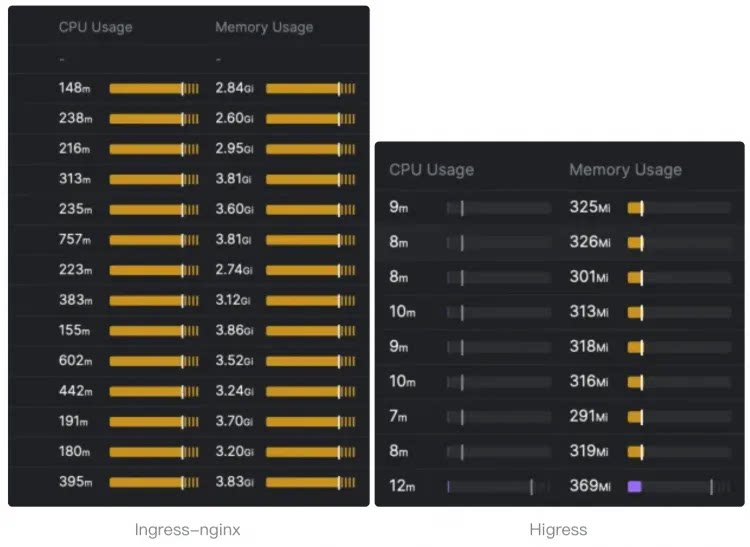
|
||||
|
||||
|
||||
|
||||
[Gateway API](https://gateway-api.sigs.k8s.io/) support is coming soon and will support smooth migration from Ingress API to Gateway API.
|
||||
|
||||
- **Microservice gateway**:
|
||||
|
||||
Higress can function as a microservice gateway, which can discovery microservices from various service registries, such as Nacos, ZooKeeper, Consul, Eureka, etc.
|
||||
|
||||
|
||||
It deeply integrates with [Dubbo](https://github.com/apache/dubbo), [Nacos](https://github.com/alibaba/nacos), [Sentinel](https://github.com/alibaba/Sentinel) and other microservice technology stacks.
|
||||
|
||||
|
||||
- **Security gateway**:
|
||||
|
||||
Higress can be used as a security gateway, supporting WAF and various authentication strategies, such as key-auth, hmac-auth, jwt-auth, basic-auth, oidc, etc.
|
||||
@@ -165,15 +145,15 @@ For other installation methods such as Helm deployment under K8s, please refer t
|
||||
Supports true complete streaming processing of request/response bodies, Wasm plugins can easily customize the handling of streaming protocols such as SSE (Server-Sent Events).
|
||||
|
||||
In high-bandwidth scenarios such as AI businesses, it can significantly reduce memory overhead.
|
||||
|
||||
|
||||
- **Easy to Extend**
|
||||
|
||||
|
||||
Provides a rich official plugin library covering AI, traffic management, security protection and other common functions, meeting more than 90% of business scenario requirements.
|
||||
|
||||
Focuses on Wasm plugin extensions, ensuring memory safety through sandbox isolation, supporting multiple programming languages, allowing plugin versions to be upgraded independently, and achieving traffic-lossless hot updates of gateway logic.
|
||||
|
||||
- **Secure and Easy to Use**
|
||||
|
||||
|
||||
Based on Ingress API and Gateway API standards, provides out-of-the-box UI console, WAF protection plugin, IP/Cookie CC protection plugin ready to use.
|
||||
|
||||
Supports connecting to Let's Encrypt for automatic issuance and renewal of free certificates, and can be deployed outside of K8s, started with a single Docker command, convenient for individual developers to use.
|
||||
@@ -184,31 +164,6 @@ Join our Discord community! This is where you can connect with developers and ot
|
||||
|
||||
[](https://discord.gg/tSbww9VDaM)
|
||||
|
||||
The complete inventory of public and private communication channels,
|
||||
subproject channels, meeting information, and contributor activity is in
|
||||
[`COMMUNITY.md`](./COMMUNITY.md).
|
||||
|
||||
### Code of Conduct
|
||||
|
||||
The Higress community follows the
|
||||
[**CNCF Code of Conduct**](https://github.com/cncf/foundation/blob/main/code-of-conduct.md).
|
||||
The project's adopted Code of Conduct is documented in
|
||||
[`CODE_OF_CONDUCT.md`](./CODE_OF_CONDUCT.md). Please review it before
|
||||
participating in the community.
|
||||
|
||||
### Governance & Maintainers
|
||||
|
||||
Project governance, the maintainer roster, and the contribution model are
|
||||
described in [`GOVERNANCE.md`](./GOVERNANCE.md) and
|
||||
[`MAINTAINERS.md`](./MAINTAINERS.md). New contributors are encouraged to start
|
||||
with [`CONTRIBUTING_EN.md`](./CONTRIBUTING_EN.md). Forward planning and release
|
||||
procedures are documented in [`ROADMAP.md`](./ROADMAP.md) and
|
||||
[`RELEASE.md`](./RELEASE.md).
|
||||
|
||||
### Security
|
||||
|
||||
Please report security vulnerabilities following the process described in
|
||||
[`SECURITY.md`](./SECURITY.md).
|
||||
|
||||
### Thanks
|
||||
|
||||
@@ -218,35 +173,16 @@ Higress would not be possible without the valuable open-source work of projects
|
||||
|
||||
- Higress Console: https://github.com/higress-group/higress-console
|
||||
- Higress Standalone: https://github.com/higress-group/higress-standalone
|
||||
- Higress Plugin Server:https://github.com/higress-group/plugin-server
|
||||
- Higress Wasm Plugin Golang SDK:https://github.com/higress-group/wasm-go
|
||||
|
||||
### Contributors
|
||||
|
||||
<a href="https://github.com/higress-group/higress/graphs/contributors">
|
||||
<img alt="contributors" src="https://contrib.rocks/image?repo=higress-group/higress"/>
|
||||
<a href="https://github.com/alibaba/higress/graphs/contributors">
|
||||
<img alt="contributors" src="https://contrib.rocks/image?repo=alibaba/higress"/>
|
||||
</a>
|
||||
|
||||
### Star History
|
||||
|
||||
[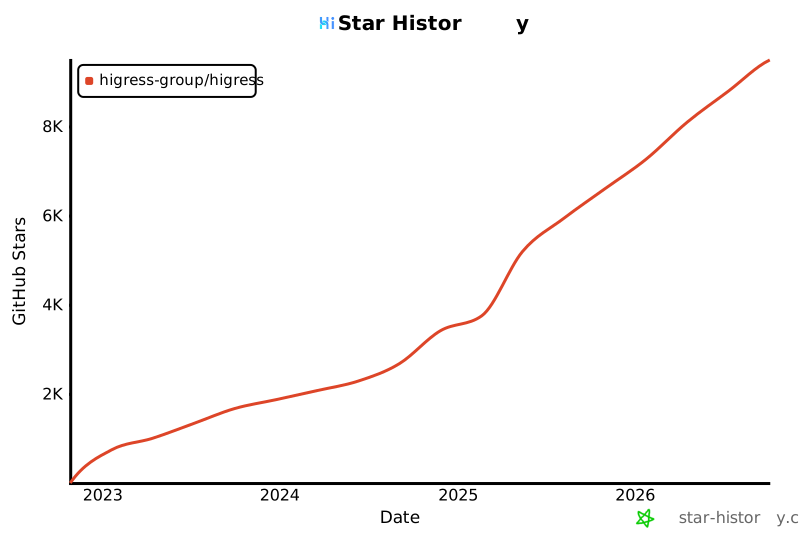](https://star-history.com/#higress-group/higress&Date)
|
||||
|
||||
---
|
||||
|
||||
## Cloud Native Computing Foundation
|
||||
|
||||
<a href="https://www.cncf.io/projects/" target="_blank">
|
||||
<img src="https://raw.githubusercontent.com/cncf/artwork/master/other/cncf/horizontal/color/cncf-color.svg" alt="Cloud Native Computing Foundation" width="300"/>
|
||||
</a>
|
||||
|
||||
We are a [Cloud Native Computing Foundation](https://www.cncf.io/) sandbox project.
|
||||
|
||||
The Linux Foundation® (TLF) has registered trademarks and uses trademarks. For
|
||||
a list of TLF trademarks, see [Trademark Usage](https://www.linuxfoundation.org/legal/trademark-usage).
|
||||
|
||||
Copyright Higress a Series of LF Projects, LLC. For website terms of use,
|
||||
trademark policy and other project policies please see
|
||||
[https://lfprojects.org/policies/](https://lfprojects.org/policies/).
|
||||
[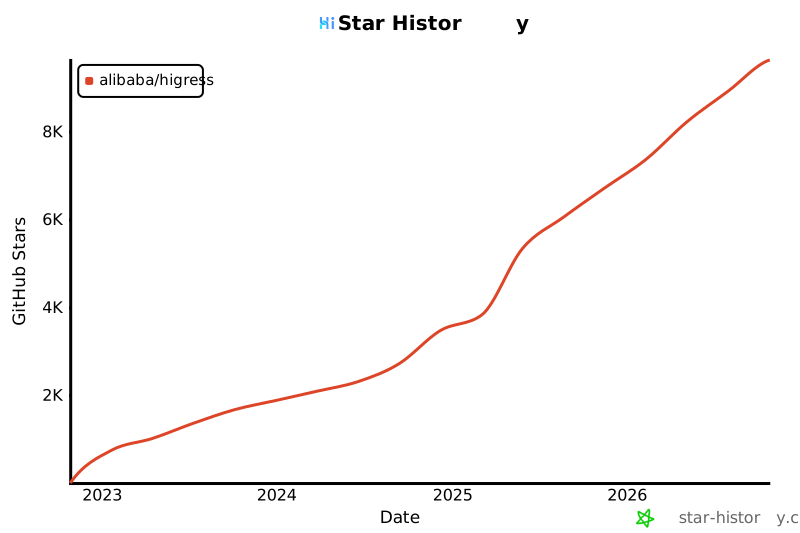](https://star-history.com/#alibaba/higress&Date)
|
||||
|
||||
<p align="right" style="font-size: 14px; color: #555; margin-top: 20px;">
|
||||
<a href="#readme-top" style="text-decoration: none; color: #007bff; font-weight: bold;">
|
||||
|
||||
58
README_JP.md
58
README_JP.md
@@ -6,10 +6,8 @@
|
||||
</h1>
|
||||
<h4 align="center"> AIネイティブAPIゲートウェイ </h4>
|
||||
|
||||
[](https://github.com/higress-group/higress/actions)
|
||||
[](https://www.apache.org/licenses/LICENSE-2.0.html)
|
||||
[](https://www.cncf.io/projects/)
|
||||
[](https://www.bestpractices.dev/projects/12667)
|
||||
[](https://github.com/alibaba/higress/actions)
|
||||
[](https://www.apache.org/licenses/LICENSE-2.0.html)
|
||||
|
||||
[**公式サイト**](https://higress.cn/) |
|
||||
[**ドキュメント**](https://higress.cn/docs/latest/overview/what-is-higress/) |
|
||||
@@ -30,19 +28,15 @@ Higressは、IstioとEnvoyをベースにしたクラウドネイティブAPIゲ
|
||||
|
||||
### 主な使用シナリオ
|
||||
|
||||
HigressのAIゲートウェイ機能は、国内外のすべての[主要モデルプロバイダー](https://github.com/higress-group/higress/tree/main/plugins/wasm-go/extensions/ai-proxy/provider)をサポートし、vllm/ollamaなどに基づく自己構築DeepSeekモデルにも対応しています。また、プラグインメカニズムを通じてMCP(Model Context Protocol)サーバーをホストすることもでき、AI Agentが様々なツールやサービスを簡単に呼び出せるようにします。[openapi-to-mcpツール](https://github.com/higress-group/openapi-to-mcpserver)を使用すると、OpenAPI仕様を迅速にリモートMCPサーバーに変換してホスティングできます。HigressはLLM APIとMCP APIの統一管理を提供します。
|
||||
HigressのAIゲートウェイ機能は、国内外のすべての[主要モデルプロバイダー](https://github.com/alibaba/higress/tree/main/plugins/wasm-go/extensions/ai-proxy/provider)をサポートし、vllm/ollamaなどに基づく自己構築DeepSeekモデルにも対応しています。また、プラグインメカニズムを通じてMCP(Model Context Protocol)サーバーをホストすることもでき、AI Agentが様々なツールやサービスを簡単に呼び出せるようにします。[openapi-to-mcpツール](https://github.com/higress-group/openapi-to-mcpserver)を使用すると、OpenAPI仕様を迅速にリモートMCPサーバーに変換してホスティングできます。HigressはLLM APIとMCP APIの統一管理を提供します。
|
||||
|
||||
**🌟 今すぐ[https://mcp.higress.ai/](https://mcp.higress.ai/)で体験**してください。HigressがホストするリモートMCPサーバーを直接体験できます:
|
||||
|
||||

|
||||
|
||||
### 本番環境での採用
|
||||
### 企業での採用
|
||||
|
||||
Higressは、ゲートウェイのリロードによる長時間接続への影響と
|
||||
gRPC/Dubboの負荷分散上の課題を解決するため、Alibabaで誕生しました。
|
||||
現在はベンダーニュートラルなCNCFプロジェクトとしてコミュニティにより
|
||||
開発され、複数業界の組織で利用されています。公開されている採用組織と
|
||||
ユースケースは[`ADOPTERS.md`](./ADOPTERS.md)を参照してください。
|
||||
Higressは、Tengineのリロードが長時間接続のビジネスに影響を与える問題や、gRPC/Dubboの負荷分散能力の不足を解決するために、Alibaba内部で誕生しました。Alibaba Cloud内では、HigressのAIゲートウェイ機能がTongyi Qianwen APP、Tongyi Bailian Model Studio、機械学習PAIプラットフォームなどの中核的なAIアプリケーションをサポートしています。また、国内の主要なAIGC企業(例:ZeroOne)やAI製品(例:FastGPT)にもサービスを提供しています。Alibaba Cloudは、Higressを基盤にクラウドネイティブAPIゲートウェイ製品を構築し、多くの企業顧客に99.99%のゲートウェイ高可用性保証サービスを提供しています。
|
||||
|
||||
|
||||
## 目次
|
||||
@@ -196,23 +190,6 @@ K8sでのHelmデプロイなどの他のインストール方法については
|
||||
|
||||
## コミュニティ
|
||||
|
||||
### 行動規範(Code of Conduct)
|
||||
|
||||
Higress コミュニティは
|
||||
[**CNCF Code of Conduct**](https://github.com/cncf/foundation/blob/main/code-of-conduct.md)
|
||||
に従っています。プロジェクトが採用している行動規範は
|
||||
[`CODE_OF_CONDUCT.md`](./CODE_OF_CONDUCT.md) に記載されていますので、コミュニティに参加する前にご確認ください。
|
||||
|
||||
### ガバナンスとメンテナー
|
||||
|
||||
プロジェクトのガバナンス、メンテナー一覧、コントリビューションモデルについては
|
||||
[`GOVERNANCE.md`](./GOVERNANCE.md) と [`MAINTAINERS.md`](./MAINTAINERS.md) を参照してください。
|
||||
初めて貢献される方は [`CONTRIBUTING_EN.md`](./CONTRIBUTING_EN.md) からお読みください。
|
||||
|
||||
### セキュリティ
|
||||
|
||||
セキュリティに関する脆弱性は [`SECURITY.md`](./SECURITY.md) に記載された手順に従って報告してください。
|
||||
|
||||
### 感謝
|
||||
|
||||
EnvoyとIstioのオープンソースの取り組みがなければ、Higressは実現できませんでした。これらのプロジェクトに最も誠実な敬意を表します。
|
||||
@@ -231,35 +208,16 @@ WeChat公式アカウント:
|
||||
|
||||
- Higressコンソール:https://github.com/higress-group/higress-console
|
||||
- Higress(スタンドアロン版):https://github.com/higress-group/higress-standalone
|
||||
- Higress Plugin Server:https://github.com/higress-group/plugin-server
|
||||
- Higress Wasm Plugin Golang SDK:https://github.com/higress-group/wasm-go
|
||||
|
||||
### 貢献者
|
||||
|
||||
<a href="https://github.com/higress-group/higress/graphs/contributors">
|
||||
<img alt="contributors" src="https://contrib.rocks/image?repo=higress-group/higress"/>
|
||||
<a href="https://github.com/alibaba/higress/graphs/contributors">
|
||||
<img alt="contributors" src="https://contrib.rocks/image?repo=alibaba/higress"/>
|
||||
</a>
|
||||
|
||||
### スターの歴史
|
||||
|
||||
[](https://star-history.com/#higress-group/higress&Date)
|
||||
|
||||
---
|
||||
|
||||
## Cloud Native Computing Foundation
|
||||
|
||||
<a href="https://www.cncf.io/projects/" target="_blank">
|
||||
<img src="https://raw.githubusercontent.com/cncf/artwork/master/other/cncf/horizontal/color/cncf-color.svg" alt="Cloud Native Computing Foundation" width="300"/>
|
||||
</a>
|
||||
|
||||
Higress は [Cloud Native Computing Foundation](https://www.cncf.io/) のサンドボックスプロジェクトです。
|
||||
|
||||
The Linux Foundation® (TLF) は登録商標を所有し使用しています。LF の商標一覧については
|
||||
[Trademark Usage](https://www.linuxfoundation.org/legal/trademark-usage) をご参照ください。
|
||||
|
||||
Copyright Higress a Series of LF Projects, LLC. ウェブサイトの利用規約、商標ポリシー、
|
||||
その他のプロジェクトポリシーについては
|
||||
[https://lfprojects.org/policies/](https://lfprojects.org/policies/) をご参照ください。
|
||||
[](https://star-history.com/#alibaba/higress&Date)
|
||||
|
||||
<p align="right" style="font-size: 14px; color: #555; margin-top: 20px;">
|
||||
<a href="#readme-top" style="text-decoration: none; color: #007bff; font-weight: bold;">
|
||||
|
||||
83
README_ZH.md
83
README_ZH.md
@@ -8,12 +8,10 @@
|
||||
|
||||
<div align="center">
|
||||
|
||||
[](https://github.com/higress-group/higress/actions)
|
||||
[](https://www.apache.org/licenses/LICENSE-2.0.html)
|
||||
[](https://www.cncf.io/projects/)
|
||||
[](https://www.bestpractices.dev/projects/12667)
|
||||
[](https://github.com/alibaba/higress/actions)
|
||||
[](https://www.apache.org/licenses/LICENSE-2.0.html)
|
||||
|
||||
<a href="https://trendshift.io/repositories/26458" target="_blank"><img src="https://trendshift.io/api/badge/repositories/26458" alt="higress-group%2Fhigress | Trendshift" style="width: 250px; height: 55px;" width="250" height="55"/></a> <a href="https://www.producthunt.com/posts/higress?embed=true&utm_source=badge-featured&utm_medium=badge&utm_souce=badge-higress" target="_blank"><img src="https://api.producthunt.com/widgets/embed-image/v1/featured.svg?post_id=951287&theme=light&t=1745492822283" alt="Higress - Global APIs as MCP powered by AI Gateway | Product Hunt" style="width: 250px; height: 54px;" width="250" height="54" /></a>
|
||||
<a href="https://trendshift.io/repositories/10918" target="_blank"><img src="https://trendshift.io/api/badge/repositories/10918" alt="alibaba%2Fhigress | Trendshift" style="width: 250px; height: 55px;" width="250" height="55"/></a> <a href="https://www.producthunt.com/posts/higress?embed=true&utm_source=badge-featured&utm_medium=badge&utm_souce=badge-higress" target="_blank"><img src="https://api.producthunt.com/widgets/embed-image/v1/featured.svg?post_id=951287&theme=light&t=1745492822283" alt="Higress - Global APIs as MCP powered by AI Gateway | Product Hunt" style="width: 250px; height: 54px;" width="250" height="54" /></a>
|
||||
</div>
|
||||
|
||||
[**官网**](https://higress.cn/) |
|
||||
@@ -37,7 +35,7 @@ Higress 是一款云原生 API 网关,内核基于 Istio 和 Envoy,可以用
|
||||
|
||||
### 核心使用场景
|
||||
|
||||
Higress 的 AI 网关能力支持国内外所有[主流模型供应商](https://github.com/higress-group/higress/tree/main/plugins/wasm-go/extensions/ai-proxy/provider)和基于 vllm/ollama 等自建的 DeepSeek 模型。同时,Higress 支持通过插件方式托管 MCP (Model Context Protocol) 服务器,使 AI Agent 能够更容易地调用各种工具和服务。借助 [openapi-to-mcp 工具](https://github.com/higress-group/openapi-to-mcpserver),您可以快速将 OpenAPI 规范转换为远程 MCP 服务器进行托管。Higress 提供了对 LLM API 和 MCP API 的统一管理。
|
||||
Higress 的 AI 网关能力支持国内外所有[主流模型供应商](https://github.com/alibaba/higress/tree/main/plugins/wasm-go/extensions/ai-proxy/provider)和基于 vllm/ollama 等自建的 DeepSeek 模型。同时,Higress 支持通过插件方式托管 MCP (Model Context Protocol) 服务器,使 AI Agent 能够更容易地调用各种工具和服务。借助 [openapi-to-mcp 工具](https://github.com/higress-group/openapi-to-mcpserver),您可以快速将 OpenAPI 规范转换为远程 MCP 服务器进行托管。Higress 提供了对 LLM API 和 MCP API 的统一管理。
|
||||
|
||||
**🌟 立即体验 [https://mcp.higress.ai/](https://mcp.higress.ai/)** 基于 Higress 托管的远程 MCP 服务器:
|
||||
|
||||
@@ -45,10 +43,13 @@ Higress 的 AI 网关能力支持国内外所有[主流模型供应商](https://
|
||||
|
||||
### 生产环境采用
|
||||
|
||||
Higress 最初在阿里内部为解决网关 reload 对长连接业务有损,以及
|
||||
gRPC/Dubbo 负载均衡能力不足而诞生。Higress 目前作为厂商中立的 CNCF
|
||||
项目由社区共同开发,并已被多个行业的组织采用。公开采用者和使用场景见
|
||||
[`ADOPTERS.md`](./ADOPTERS.md)。
|
||||
Higress 在阿里内部为解决 Tengine reload 对长连接业务有损,以及 gRPC/Dubbo 负载均衡能力不足而诞生。在阿里云内部,Higress 的 AI 网关能力支撑了通义千问 APP、通义百炼模型工作室、机器学习 PAI 平台等核心 AI 应用。同时服务国内头部的 AIGC 企业(如零一万物),以及 AI 产品(如 FastGPT)。阿里云基于 Higress 构建了云原生 API 网关产品,为大量企业客户提供 99.99% 的网关高可用保障服务能力。
|
||||
|
||||
可以点下方按钮安装企业版 Higress:
|
||||
|
||||
[](https://www.aliyun.com/product/apigateway?spm=higress-github.topbar.0.0.0)
|
||||
|
||||
如果您使用开源的Higress并希望获得企业级支持,可以联系johnlanni的邮箱:zty98751@alibaba-inc.com或社交媒体账号(微信号:nomadao,钉钉号:chengtanzty)。添加好友时请备注Higress :)
|
||||
|
||||
## Summary
|
||||
|
||||
@@ -77,29 +78,12 @@ docker run -d --rm --name higress-ai -v ${PWD}:/data \
|
||||
- 8080 端口:网关 HTTP 协议入口
|
||||
- 8443 端口:网关 HTTPS 协议入口
|
||||
|
||||
**Higress 通过多个区域的项目镜像仓库发布镜像。使用者也可以将镜像同步到
|
||||
自己控制的仓库,并通过 Helm 的 `global.hub` 参数进行配置。**
|
||||
|
||||
> 如果从 `higress-registry.cn-hangzhou.cr.aliyuncs.com` 拉取镜像超时,可以尝试使用以下镜像加速源:
|
||||
>
|
||||
> **北美**: `higress-registry.us-west-1.cr.aliyuncs.com`
|
||||
>
|
||||
> **东南亚**: `higress-registry.ap-southeast-7.cr.aliyuncs.com`
|
||||
|
||||
> **K8s 部署时**,可以通过 Helm values 配置 `global.hub` 参数来使用距离部署区域更近的镜像仓库,该参数会同时应用于 Higress 组件镜像和内置 Wasm 插件镜像:
|
||||
>
|
||||
> ```bash
|
||||
> # 示例:使用北美镜像源
|
||||
> helm install higress -n higress-system higress.io/higress --set global.hub=higress-registry.us-west-1.cr.aliyuncs.com --create-namespace
|
||||
> ```
|
||||
>
|
||||
> 可用镜像仓库:
|
||||
> - **中国(杭州)**: `higress-registry.cn-hangzhou.cr.aliyuncs.com`(默认)
|
||||
> - **北美**: `higress-registry.us-west-1.cr.aliyuncs.com`
|
||||
> - **东南亚**: `higress-registry.ap-southeast-7.cr.aliyuncs.com`
|
||||
**Higress 的所有 Docker 镜像都一直使用自己独享的仓库,不受 Docker Hub 境内访问受限的影响**
|
||||
|
||||
K8s 下使用 Helm 部署等其他安装方式可以参考官网 [Quick Start 文档](https://higress.cn/docs/latest/user/quickstart/)。
|
||||
|
||||
如果您是在云上部署,推荐使用[企业版](https://www.aliyun.com/product/apigateway?spm=higress-github.topbar.0.0.0)
|
||||
|
||||
## 使用场景
|
||||
|
||||
- **AI 网关**:
|
||||
@@ -219,21 +203,6 @@ K8s 下使用 Helm 部署等其他安装方式可以参考官网 [Quick Start
|
||||
|
||||
## 社区
|
||||
|
||||
### 行为准则(Code of Conduct)
|
||||
|
||||
Higress 社区遵循 [**CNCF Code of Conduct**](https://github.com/cncf/foundation/blob/main/code-of-conduct.md)。
|
||||
项目采纳的行为准则详见 [`CODE_OF_CONDUCT.md`](./CODE_OF_CONDUCT.md),参与社区前请先阅读。
|
||||
|
||||
### 治理与维护者
|
||||
|
||||
项目治理、维护者名单与贡献模型分别记录于 [`GOVERNANCE.md`](./GOVERNANCE.md) 与
|
||||
[`MAINTAINERS.md`](./MAINTAINERS.md),新贡献者请先查阅
|
||||
[`CONTRIBUTING_CN.md`](./CONTRIBUTING_CN.md)。
|
||||
|
||||
### 安全
|
||||
|
||||
如发现安全漏洞,请按照 [`SECURITY.md`](./SECURITY.md) 中的流程进行报告。
|
||||
|
||||
### 感谢
|
||||
|
||||
如果没有 Envoy 和 Istio 的开源工作,Higress 就不可能实现,在这里向这两个项目献上最诚挚的敬意。
|
||||
@@ -252,34 +221,16 @@ Higress 社区遵循 [**CNCF Code of Conduct**](https://github.com/cncf/foundati
|
||||
|
||||
- Higress 控制台:https://github.com/higress-group/higress-console
|
||||
- Higress(独立运行版):https://github.com/higress-group/higress-standalone
|
||||
- Higress 插件服务器:https://github.com/higress-group/plugin-server
|
||||
- Higress Wasm 插件 Golang SDK:https://github.com/higress-group/wasm-go
|
||||
|
||||
### 贡献者
|
||||
|
||||
<a href="https://github.com/higress-group/higress/graphs/contributors">
|
||||
<img alt="contributors" src="https://contrib.rocks/image?repo=higress-group/higress"/>
|
||||
<a href="https://github.com/alibaba/higress/graphs/contributors">
|
||||
<img alt="contributors" src="https://contrib.rocks/image?repo=alibaba/higress"/>
|
||||
</a>
|
||||
|
||||
### Star History
|
||||
|
||||
[](https://star-history.com/#higress-group/higress&Date)
|
||||
|
||||
---
|
||||
|
||||
## 云原生计算基金会(CNCF)
|
||||
|
||||
<a href="https://www.cncf.io/projects/" target="_blank">
|
||||
<img src="https://raw.githubusercontent.com/cncf/artwork/master/other/cncf/horizontal/color/cncf-color.svg" alt="Cloud Native Computing Foundation" width="300"/>
|
||||
</a>
|
||||
|
||||
Higress 是 [Cloud Native Computing Foundation](https://www.cncf.io/) 的沙箱(Sandbox)项目。
|
||||
|
||||
The Linux Foundation® (TLF) 拥有相关注册商标并对其加以使用。完整的 LF 商标清单见
|
||||
[Trademark Usage](https://www.linuxfoundation.org/legal/trademark-usage)。
|
||||
|
||||
Copyright Higress a Series of LF Projects, LLC. 项目相关的网站使用条款、商标策略及其他政策,
|
||||
请参见 [https://lfprojects.org/policies/](https://lfprojects.org/policies/)。
|
||||
[](https://star-history.com/#alibaba/higress&Date)
|
||||
|
||||
<p align="right" style="font-size: 14px; color: #555; margin-top: 20px;">
|
||||
<a href="#readme-top" style="text-decoration: none; color: #007bff; font-weight: bold;">
|
||||
|
||||
112
RELEASE.md
112
RELEASE.md
@@ -1,112 +0,0 @@
|
||||
# Higress Release Process
|
||||
|
||||
This document defines the project-wide process for producing a Higress core
|
||||
release from the primary repository. Subprojects may add repository-specific
|
||||
steps, but must use the same public approval and security principles.
|
||||
|
||||
## Versioning and support
|
||||
|
||||
Higress uses [Semantic Versioning](https://semver.org/) with Git tags in the
|
||||
form `vMAJOR.MINOR.PATCH`. A release-candidate tag may add an `-rc.N` suffix.
|
||||
|
||||
- A **major** release may contain incompatible changes and requires migration
|
||||
guidance.
|
||||
- A **minor** release adds backward-compatible features and may contain
|
||||
announced deprecations.
|
||||
- A **patch** release contains backward-compatible fixes, including security
|
||||
fixes when appropriate.
|
||||
|
||||
The supported major-version lines are listed in [`SECURITY.md`](./SECURITY.md).
|
||||
A proposal to end support for a major line is made publicly through a pull
|
||||
request updating `SECURITY.md`, normally at least 90 days before the stated end
|
||||
of support. Already unsupported versions do not receive routine fixes.
|
||||
|
||||
## Roles and authorization
|
||||
|
||||
A maintainer acts as **release manager** for each release. The release manager
|
||||
coordinates the tracking issue, version changes, validation, tag, automation,
|
||||
and announcement. At least one other unconflicted maintainer reviews and
|
||||
approves the release pull request. Only maintainers with the required GitHub
|
||||
and protected-environment access may create release tags or approve publishing
|
||||
jobs.
|
||||
|
||||
Security releases additionally follow [`SECURITY.md`](./SECURITY.md). Embargoed
|
||||
details stay in the private advisory until the Security Response Team approves
|
||||
disclosure.
|
||||
|
||||
## 1. Plan the release
|
||||
|
||||
The release manager opens or identifies a public tracking issue for a normal
|
||||
release. It records:
|
||||
|
||||
- the target version and release type;
|
||||
- intended scope and linked changes;
|
||||
- the release manager and expected timing;
|
||||
- known compatibility, migration, deprecation, and security considerations;
|
||||
- validation status and unresolved blockers.
|
||||
|
||||
An embargoed security release uses a private advisory for planning until public
|
||||
disclosure is safe.
|
||||
|
||||
## 2. Prepare the release pull request
|
||||
|
||||
Create a release pull request against `main` that keeps the version in
|
||||
`VERSION`, `helm/core/Chart.yaml`, `helm/higress/Chart.yaml`, dependency
|
||||
metadata, and release notes consistent. Update documentation, migration or
|
||||
deprecation guidance, and supported-version information when they change.
|
||||
|
||||
The pull request must pass the repository's required build, unit, race,
|
||||
conformance, plugin, license, and other configured checks relevant to its
|
||||
changes. The release manager records any intentionally inapplicable check or
|
||||
accepted exception in the pull request. A known release-blocking regression,
|
||||
unresolved critical vulnerability, inconsistent version, or missing migration
|
||||
guidance blocks the release.
|
||||
|
||||
The approving maintainer verifies that the release scope matches the public
|
||||
plan, required checks passed, versioned dependencies are intentional, and the
|
||||
release notes accurately describe user-visible changes.
|
||||
|
||||
## 3. Tag and publish
|
||||
|
||||
After the release pull request is merged, the release manager creates the
|
||||
corresponding immutable `vMAJOR.MINOR.PATCH` or release-candidate tag from the
|
||||
reviewed commit. Published tags are not moved or reused.
|
||||
|
||||
The tag triggers GitHub Actions that publish, as applicable:
|
||||
|
||||
- controller, pilot, and gateway container images;
|
||||
- Helm charts and chart indexes;
|
||||
- `hgctl` archives for supported platforms;
|
||||
- generated CRDs;
|
||||
- standalone distribution artifacts;
|
||||
- GitHub release notes and repository release notes.
|
||||
|
||||
Manual workflow dispatch is for recovery or a documented exceptional case; it
|
||||
does not bypass release approval or change the commit being released.
|
||||
|
||||
## 4. Verify and announce
|
||||
|
||||
The release manager verifies that publishing workflows succeeded and that the
|
||||
release page, checksums or archives, image tags, Helm charts, CRDs, and release
|
||||
notes refer to the intended version. Installation and representative gateway
|
||||
traffic are smoke-tested with the published artifacts before the release is
|
||||
announced as ready.
|
||||
|
||||
Release announcements link the GitHub release and call out breaking changes,
|
||||
deprecations, migrations, known issues, and security impact. Confirmed security
|
||||
issues are disclosed through a GitHub Security Advisory and CVE when
|
||||
appropriate.
|
||||
|
||||
## Failure, rollback, and correction
|
||||
|
||||
If validation or publishing fails, stop promotion and document the failure in
|
||||
the tracking issue or release pull request. Do not move or overwrite an
|
||||
existing public tag. Fix the problem through normal review and publish a new
|
||||
release-candidate or patch version.
|
||||
|
||||
An operator rollback uses the previously pinned Helm chart, configuration, and
|
||||
images, normally through `helm rollback`. Because CRD schemas and stored
|
||||
resources may not be reversible, release notes must identify migrations that
|
||||
need special rollback handling. The project may withdraw a compromised
|
||||
artifact from distribution, but it preserves a public advisory and audit trail
|
||||
explaining the affected version and safe replacement.
|
||||
30
ROADMAP.md
30
ROADMAP.md
@@ -1,30 +0,0 @@
|
||||
# Higress Roadmap
|
||||
|
||||
The maintained public Higress roadmap is published on the
|
||||
[Higress website](https://higress.ai/en/docs/latest/overview/roadmap/). Its
|
||||
source is version controlled in the
|
||||
[`higress-group/higress-group.github.io`](https://github.com/higress-group/higress-group.github.io/blob/main/src/content/docs/latest/en/overview/roadmap.md)
|
||||
repository.
|
||||
|
||||
Roadmap entries describe intended direction and target timing, not a guarantee
|
||||
that a feature or release will ship on a particular date. Security, quality,
|
||||
compatibility, and contributor availability can change priorities.
|
||||
|
||||
## Changing the roadmap
|
||||
|
||||
Anyone may propose a roadmap item or priority change through a public
|
||||
[Higress issue](https://github.com/higress-group/higress/issues) or
|
||||
[discussion](https://github.com/higress-group/higress/discussions). A proposal
|
||||
should describe the user problem, expected outcome, project scope, major
|
||||
dependencies, compatibility or security impact, and a responsible contributor
|
||||
or maintainer when known.
|
||||
|
||||
Maintainers decide roadmap changes through the public lazy-consensus process in
|
||||
[`GOVERNANCE.md`](./GOVERNANCE.md). Accepted changes are reflected in the
|
||||
version-controlled website roadmap. Significant changes should link back to
|
||||
the public issue, discussion, or pull request that records their rationale.
|
||||
|
||||
The roadmap is reviewed when planning a minor or major release and whenever a
|
||||
material project-direction change is accepted. Completed work is documented in
|
||||
[GitHub releases](https://github.com/higress-group/higress/releases) and the
|
||||
[`release-notes`](./release-notes) directory.
|
||||
130
SECURITY.md
130
SECURITY.md
@@ -1,139 +1,15 @@
|
||||
# Security Policy
|
||||
|
||||
The Higress team takes security seriously. We appreciate your efforts to
|
||||
responsibly disclose your findings and will make every effort to acknowledge
|
||||
your contributions.
|
||||
|
||||
## Supported Versions
|
||||
|
||||
| Version | Supported |
|
||||
| ------- | ------------------ |
|
||||
| 2.x.x | :white_check_mark: |
|
||||
| 1.x.x | :white_check_mark: |
|
||||
| < 1.0.0 | :x: |
|
||||
| < 1.0.0 | :x: |
|
||||
|
||||
## Reporting a Vulnerability
|
||||
|
||||
**Please do NOT report security vulnerabilities through public GitHub issues,
|
||||
discussions, or pull requests.**
|
||||
Please report any security issue or Higress crash report to [ASRC](https://security.alibaba.com/)(Alibaba Security Response Center) where the issue will be triaged appropriately.
|
||||
|
||||
Every vulnerability report must be submitted through both of the following
|
||||
private channels. Please provide the same substantive report to each channel
|
||||
and, when available, include the case identifier from the other channel so the
|
||||
Security Response Team can correlate the records. Do not wait for one channel
|
||||
to acknowledge the report before submitting it to the other.
|
||||
|
||||
1. **GitHub Private Security Advisory (required)**:
|
||||
<https://github.com/higress-group/higress/security/advisories/new>
|
||||
2. **Alibaba Security Response Center (required)**:
|
||||
<https://security.alibaba.com/>
|
||||
|
||||
Please include as much of the following information as possible to help us
|
||||
triage and address the issue:
|
||||
|
||||
- Type of issue (e.g., buffer overflow, injection, privilege escalation, etc.)
|
||||
- Full paths of source file(s) related to the issue (if known)
|
||||
- Step-by-step instructions to reproduce the issue
|
||||
- Proof-of-concept or exploit code (if possible)
|
||||
- Impact of the issue, including how an attacker might exploit it
|
||||
- Any suggested fix or mitigation (if available)
|
||||
|
||||
## Response Process
|
||||
|
||||
The Higress security team will follow these steps upon receiving a report:
|
||||
|
||||
1. **Acknowledgement**: We will acknowledge receipt of your report within
|
||||
**3 business days**.
|
||||
2. **Triage**: We will evaluate the report, confirm the vulnerability, and
|
||||
determine its severity and impact within **14 days**.
|
||||
3. **Fix Development**: We will develop a fix and coordinate with you on an
|
||||
appropriate disclosure timeline.
|
||||
4. **Disclosure**: We will publish a security advisory via
|
||||
[GitHub Security Advisories](https://github.com/higress-group/higress/security/advisories)
|
||||
and credit you for the discovery (unless you prefer to remain anonymous).
|
||||
|
||||
We aim to resolve critical vulnerabilities as quickly as possible and will
|
||||
keep you informed of our progress throughout the process.
|
||||
|
||||
## Security Response Team
|
||||
|
||||
The Security Response Team (SRT) is composed of the current project
|
||||
maintainers:
|
||||
|
||||
- Yiquan Dong ([@CH3CHO](https://github.com/CH3CHO))
|
||||
- Yuanxiao Zhao ([@EndlessSeeker](https://github.com/EndlessSeeker))
|
||||
- Leilei Geng ([@gengleilei](https://github.com/gengleilei))
|
||||
- Xiantao Han ([@hanxiantao](https://github.com/hanxiantao))
|
||||
- Zhiwei Cheng ([@cr7258](https://github.com/cr7258))
|
||||
- Tianyi Zhang ([@johnlanni](https://github.com/johnlanni))
|
||||
- Jingfeng Xu ([@lexburner](https://github.com/lexburner))
|
||||
|
||||
[`MAINTAINERS.md`](./MAINTAINERS.md) is authoritative for membership. A merged
|
||||
change to that roster onboards or offboards the same person from the SRT and
|
||||
their private security access must be updated promptly.
|
||||
|
||||
For each report, the SRT assigns the following responsibilities in the private
|
||||
advisory or equivalent confidential case record:
|
||||
|
||||
- **Triage coordinator**: acknowledges the report, maintains contact with the
|
||||
reporter, assigns severity, tracks deadlines, and coordinates the team.
|
||||
- **Fix lead**: reproduces the issue and develops or coordinates remediation.
|
||||
- **Reviewer and release lead**: independently reviews the fix, prepares the
|
||||
supported-version releases, and verifies that artifacts are available.
|
||||
- **Disclosure lead**: prepares the advisory, CVE request when appropriate,
|
||||
credits, and coordinated public communication.
|
||||
|
||||
One person may perform more than one role, but every confirmed vulnerability
|
||||
must involve at least two unconflicted SRT members so that remediation receives
|
||||
independent review.
|
||||
|
||||
### Report handling, conflicts, and escalation
|
||||
|
||||
1. The SRT correlates the required GitHub Private Security Advisory and Alibaba
|
||||
Security Response Center submissions. The GitHub advisory or an equivalent
|
||||
access-controlled project record contains the report, assignments,
|
||||
decisions, timeline, fix, and disclosure plan; material status and
|
||||
disclosure updates are reflected in both required reporting records.
|
||||
2. An SRT member with a personal, employer, or product conflict must disclose
|
||||
it privately and recuse from severity, release, or disclosure decisions for
|
||||
that case. The triage coordinator assigns an unconflicted replacement.
|
||||
3. If acknowledgement, triage, remediation, or disclosure is at risk of
|
||||
missing the timelines in this policy, the triage coordinator escalates the
|
||||
case to the full unconflicted SRT and records a revised plan. Critical
|
||||
vulnerabilities are escalated immediately.
|
||||
4. If a reporter receives no acknowledgement within three business days, they
|
||||
should follow up through both private reporting channels and reference both
|
||||
case identifiers when available. No vulnerability details should be posted
|
||||
publicly.
|
||||
5. If fewer than two SRT members are unconflicted, the unconflicted member
|
||||
escalates confidentially to the CNCF TOC private mailing list at
|
||||
[cncf-private-toc@lists.cncf.io](mailto:cncf-private-toc@lists.cncf.io)
|
||||
before a release or disclosure decision is made.
|
||||
|
||||
## Disclosure Policy
|
||||
|
||||
We follow a coordinated disclosure process:
|
||||
|
||||
- We ask reporters to give us a reasonable amount of time to address the issue
|
||||
before any public disclosure.
|
||||
- We will work with you to agree on a disclosure timeline, typically **90 days**
|
||||
from the initial report.
|
||||
- We will publish security advisories and, where appropriate, request CVE
|
||||
identifiers for confirmed vulnerabilities.
|
||||
- We will credit reporters in the advisory unless they request anonymity.
|
||||
|
||||
## Security-Related Configuration
|
||||
|
||||
For guidance on securely deploying and configuring Higress, please refer to
|
||||
the [official documentation](https://higress.cn/en/docs/latest/overview/what-is-higress/).
|
||||
Key security features include:
|
||||
|
||||
- Built-in WAF protection plugin
|
||||
- Authentication plugins (key-auth, hmac-auth, jwt-auth, basic-auth, OIDC)
|
||||
- IP/Cookie-based CC protection
|
||||
- TLS termination with automatic Let's Encrypt certificate management
|
||||
|
||||
---
|
||||
|
||||
Higress is a [Cloud Native Computing Foundation](https://www.cncf.io/)
|
||||
sandbox project.
|
||||
Thank you in advance for helping to keep Higress secure.
|
||||
|
||||
@@ -18,7 +18,7 @@ import (
|
||||
"fmt"
|
||||
"os"
|
||||
|
||||
"istio.io/istio/pkg/log"
|
||||
"istio.io/pkg/log"
|
||||
|
||||
"github.com/alibaba/higress/v2/pkg/cmd"
|
||||
)
|
||||
|
||||
@@ -4,7 +4,7 @@ ARG BASE_DISTRIBUTION=debug
|
||||
# Version is the base image version from the TLD Makefile
|
||||
ARG BASE_VERSION=latest
|
||||
|
||||
ARG HUB=higress-registry.cn-hangzhou.cr.aliyuncs.com/higress
|
||||
ARG HUB
|
||||
|
||||
ARG TARGETARCH
|
||||
|
||||
|
||||
@@ -14,7 +14,7 @@ Higress Console 是 Higress 网关的管理控制台,主要功能是管理 Hig
|
||||
### 1.1 Higress Admin SDK
|
||||
|
||||
Higress Admin SDK 脱胎于 Higress Console。起初,它作为 Higress Console 的一部分,为前端界面提供实际的功能支持。后来考虑到对接外部系统等需求,将配置管理的部分剥离出来,形成一个独立的逻辑组件,便于和各个系统进行对接。目前支持服务来源管理、服务管理、路由管理、域名管理、证书管理、插件管理等功能。
|
||||
Higress Admin SDK 现在只提供 Java 版本,且要求 JDK 版本不低于 17。具体如何集成请参考 Higress 官方 BLOG [如何使用 Higress Admin SDK 进行配置管理](https://higress.ai/blog/admin-sdk-intro)。
|
||||
Higress Admin SDK 现在只提供 Java 版本,且要求 JDK 版本不低于 17。具体如何集成请参考 Higress 官方 BLOG [如何使用 Higress Admin SDK 进行配置管理](https://higress.io/zh-cn/blog/admin-sdk-intro)。
|
||||
|
||||
## 2 Higress Controller
|
||||
|
||||
|
||||
@@ -1,409 +0,0 @@
|
||||
# General Technical Review — Higress / Incubation
|
||||
|
||||
- **Project:** Higress
|
||||
- **Project version:** v2.2.3
|
||||
- **Website:** <https://higress.ai/en/>
|
||||
- **Date updated:** 2026-07-21
|
||||
- **Template version:** CNCF General Technical Review v1.0
|
||||
- **Review state:** Project working draft; maintainer approval and CNCF Project
|
||||
Reviews verification pending
|
||||
- **Evidence branch:**
|
||||
[`higress-group/higress@main`](https://github.com/higress-group/higress/tree/main)
|
||||
- **Intended TOC snapshot:** `projects/higress/tech-review/YYYY-MM-DD.md`
|
||||
- **Description:** Higress is a cloud-native API gateway built on Envoy and
|
||||
Istio. It supports Kubernetes Ingress and Gateway API and is extensible with
|
||||
Wasm plugins and native Go filters.
|
||||
|
||||
This document answers all Day 0 and Day 1 questions required for an Incubation
|
||||
review. It follows the current CNCF TOC
|
||||
[General Technical Review questionnaire](https://github.com/cncf/toc/blob/main/toc_subprojects/project-reviews-subproject/general-technical-questions.md).
|
||||
Statements that are not yet backed by a project guarantee are identified as
|
||||
gaps rather than treated as completed controls.
|
||||
|
||||
This is the project-maintained working copy. For formal Due Diligence, a CNCF
|
||||
reviewer or associate verifies it and archives a dated snapshot in `cncf/toc`.
|
||||
The reviewer should freeze evidence links to the reviewed revision when that
|
||||
snapshot is archived.
|
||||
|
||||
## Project Self-Assessment Summary
|
||||
|
||||
Higress has substantive evidence for every Day 0 and Day 1 question, but this
|
||||
document does not assign the project an external technical-review rating. The
|
||||
strongest Day 1 gaps are the absence of an automated
|
||||
upgrade→downgrade→upgrade matrix, a published compatibility-review cadence,
|
||||
and complete release supply-chain attestations. Broad control-plane RBAC also
|
||||
requires minimization and documented justification. These findings should be
|
||||
tracked during Due Diligence rather than hidden by marking the questionnaire
|
||||
complete.
|
||||
|
||||
Day 2 questions are not required for an Incubation application and are not
|
||||
answered in this snapshot. Operational evidence that already exists may be
|
||||
added during CNCF review, but it is not needed to make the Day 0 and Day 1
|
||||
scope complete.
|
||||
|
||||
## Day 0 — Planning Phase
|
||||
|
||||
### Scope
|
||||
|
||||
**How are roadmap scope and mid- to long-term features determined, and how does
|
||||
that map to contributions and the maintainer ladder?**
|
||||
|
||||
Forward-looking goals and target versions are maintained in the public
|
||||
[`ROADMAP.md`](https://github.com/higress-group/higress/blob/main/ROADMAP.md),
|
||||
which links the version-controlled website roadmap. Feature scope and roadmap
|
||||
changes are discussed through public GitHub issues, discussions, and pull
|
||||
requests. Maintainers use lazy consensus, as documented in
|
||||
[`GOVERNANCE.md`](https://github.com/higress-group/higress/blob/main/GOVERNANCE.md),
|
||||
to accept project-direction changes.
|
||||
Contributors implement accepted work through pull requests, may receive
|
||||
delegated path-review responsibility as code owners, and may be nominated as
|
||||
maintainers after sustained contribution under
|
||||
[`MAINTAINERS.md`](https://github.com/higress-group/higress/blob/main/MAINTAINERS.md).
|
||||
Objective progression expectations for the intermediate code-owner role remain
|
||||
a project-maturity gap.
|
||||
|
||||
**Who are the target personas?**
|
||||
|
||||
- Platform and gateway engineers operating shared application entry points.
|
||||
- Application teams publishing APIs through Ingress or Gateway API.
|
||||
- AI platform teams governing access to LLM and MCP services.
|
||||
- Plugin developers extending request and response processing.
|
||||
- Security and SRE teams configuring policy, telemetry, and reliability.
|
||||
|
||||
**What are the primary, additional, and unsupported use cases?**
|
||||
|
||||
The primary use case is routing and governing north-south API traffic. Other
|
||||
supported use cases include Kubernetes Ingress and Gateway API, service
|
||||
registry integration, AI/LLM proxying, MCP server exposure, authentication,
|
||||
rate limiting, observability, and standalone development installations.
|
||||
|
||||
Higress is not a transparent east-west service mesh, identity provider, model
|
||||
provider, general-purpose application runtime, secrets manager, or substitute
|
||||
for an organization's PKI, security governance, and incident response.
|
||||
|
||||
**Which organizations benefit from adoption?**
|
||||
|
||||
Organizations operating Kubernetes platforms, microservices, public or
|
||||
partner APIs, multi-provider AI platforms, or centralized platform-engineering
|
||||
services can benefit. Public examples are listed in
|
||||
[`ADOPTERS.md`](https://github.com/higress-group/higress/blob/main/ADOPTERS.md).
|
||||
|
||||
**What end-user research has been completed?**
|
||||
|
||||
The project records adopter names and use cases in `ADOPTERS.md` and receives
|
||||
feedback through GitHub and Discord. No independent end-user research report or
|
||||
published structured interview set is currently available. Adopter interviews
|
||||
for CNCF Incubation remain to be completed through the official TOC process.
|
||||
|
||||
### Usability
|
||||
|
||||
**How do target personas interact with the project?**
|
||||
|
||||
Cluster administrators install Higress with Helm. Platform teams configure it
|
||||
with Kubernetes Ingress, Gateway API, Higress and Istio custom resources, the
|
||||
`hgctl` CLI, or the optional console. Application teams normally submit routes
|
||||
and policies rather than operate the data plane directly. Plugin developers use
|
||||
the Wasm SDKs or native filter interfaces.
|
||||
|
||||
**What are the UX and UI?**
|
||||
|
||||
The primary interface is declarative Kubernetes YAML and Helm values. The
|
||||
optional Higress Console provides browser-based management of routes, services,
|
||||
certificates, and plugins. `hgctl` provides command-line operations. Runtime
|
||||
behavior is observed through logs, metrics, traces, Kubernetes status, and
|
||||
Envoy administration data where enabled.
|
||||
|
||||
**How does Higress integrate with production environments?**
|
||||
|
||||
Higress integrates with Kubernetes, Envoy, Istio APIs, Gateway API,
|
||||
Prometheus-compatible monitoring, OpenTelemetry tracing, OCI registries,
|
||||
certificate issuers, and service registries such as Nacos, Consul, Eureka, and
|
||||
ZooKeeper. AI deployments may integrate with identity services, Redis, and
|
||||
model providers. Except for Kubernetes in the standard Helm deployment, these
|
||||
integrations are optional and selected by the adopter.
|
||||
|
||||
### Design
|
||||
|
||||
**What design principles and practices are followed?**
|
||||
|
||||
- Declarative, versioned APIs and reconciliation.
|
||||
- Separation of control plane and Envoy-based data plane.
|
||||
- xDS dynamic updates without gateway configuration reloads.
|
||||
- Standard Kubernetes Ingress and Gateway API where possible.
|
||||
- Independently versioned extensions, with Wasm used as an isolation boundary.
|
||||
- Compatibility and regression coverage through unit, race, conformance, and
|
||||
end-to-end tests.
|
||||
|
||||
The component architecture and data flow are documented in
|
||||
[`docs/architecture.md`](https://github.com/higress-group/higress/blob/main/docs/architecture.md).
|
||||
|
||||
**What differs between proof-of-concept, development, test, and production?**
|
||||
|
||||
The all-in-one image or a minimal single-cluster Helm installation is suitable
|
||||
for evaluation. CI uses ephemeral kind clusters. Production operators should
|
||||
pin versions, use multiple gateway replicas, define resource sizing, configure
|
||||
PodDisruptionBudgets and topology placement, use production PKI, and monitor
|
||||
traffic and xDS health. The chart defaults to one controller replica and does
|
||||
not constitute a production high-availability guarantee.
|
||||
|
||||
**Which services are required in the cluster?**
|
||||
|
||||
The Kubernetes deployment requires the Kubernetes API and DNS. Higress
|
||||
controller/discovery supplies xDS to the gateway. The console, external service
|
||||
registries, Redis, certificate issuers, observability backends, OCI registries,
|
||||
and AI providers are optional.
|
||||
|
||||
**How is identity and access management implemented?**
|
||||
|
||||
Kubernetes ServiceAccounts and RBAC authorize control-plane access to cluster
|
||||
resources. TokenReview and SubjectAccessReview APIs are used by inherited Istio
|
||||
control-plane functions. Gateway-facing identity and policy are configured with
|
||||
TLS and plugins such as JWT, OIDC, key-auth, HMAC, and basic-auth. Higress does
|
||||
not operate an identity provider.
|
||||
|
||||
**How is sovereignty addressed?**
|
||||
|
||||
Higress does not transmit project usage telemetry by default. Operators choose
|
||||
their image/plugin registries, model providers, observability destinations,
|
||||
certificate authorities, and data locations. Request data is nevertheless
|
||||
processed by every configured gateway plugin and upstream provider; operators
|
||||
are responsible for selecting integrations that meet residency requirements.
|
||||
|
||||
**Which compliance requirements are addressed?**
|
||||
|
||||
The open-source project does not claim PCI-DSS, SOC 2, ISO 27001, GDPR, or other
|
||||
regulatory certification. It is Apache-2.0 licensed and CI includes source and
|
||||
dependency license checks. Deployers must assess their full environment and
|
||||
configuration.
|
||||
|
||||
**What are the high-availability requirements?**
|
||||
|
||||
Gateway availability requires multiple replicas or nodes, adequate capacity,
|
||||
health probes, and failure-domain placement. Controller unavailability stops
|
||||
new configuration but existing Envoy processes may continue serving their last
|
||||
accepted configuration. Production control-plane availability requires
|
||||
multiple appropriately configured replicas and Kubernetes leader-election
|
||||
behavior. The default single controller is a gap operators must address.
|
||||
|
||||
**What are the CPU, network, memory, and storage requirements?**
|
||||
|
||||
Current Helm defaults request 500m CPU and 2 GiB memory for the controller and
|
||||
2 CPU and 2 GiB memory per gateway. Actual requirements depend on route count,
|
||||
plugin set, configuration churn, request rate, payload sizes, connections, and
|
||||
telemetry. Operators must size from load tests. Traffic bandwidth and
|
||||
connection count drive network and socket consumption.
|
||||
|
||||
Configuration and certificates are stored as Kubernetes API objects. Gateway
|
||||
and controller runtime files are ephemeral. The optional console and configured
|
||||
integrations may introduce separate persistence requirements.
|
||||
|
||||
**What is the API design?**
|
||||
|
||||
- **Topology and conventions:** Kubernetes Ingress, Gateway API, Istio
|
||||
networking APIs, and versioned Higress CRDs under `networking.higress.io` and
|
||||
`extensions.higress.io` are reconciled into xDS resources.
|
||||
- **Defaults:** Helm defaults create controller/discovery and gateway
|
||||
deployments, ServiceAccounts, RBAC, Services, and CRDs. Gateway service type
|
||||
defaults to `LoadBalancer`; automatic HTTPS is enabled in chart values.
|
||||
- **Additional configuration:** Production use normally requires explicit
|
||||
resource sizing, exposure, TLS, replicas, credentials, monitoring, and route
|
||||
policy.
|
||||
- **New/changed calls:** Enabling registry, certificate, identity, OCI, Redis,
|
||||
or AI integrations causes calls to the endpoints explicitly configured by
|
||||
the operator. Enabling Gateway API or inference support causes the controller
|
||||
to watch and reconcile those API groups.
|
||||
- **Kubernetes compatibility:** Compatibility is tested with kind and Gateway
|
||||
API conformance. CRD and Kubernetes-version requirements are carried in Helm
|
||||
packaging and release dependencies.
|
||||
- **Versioning and breaking changes:** CRDs have explicit API versions. Stable
|
||||
breaking changes require migration guidance, deprecation notice, and release
|
||||
notes. Alpha Gateway API and inference capabilities are explicitly enabled
|
||||
and do not have the same stability promise as stable APIs.
|
||||
|
||||
**What is the release process?**
|
||||
|
||||
Higress uses semantic version tags, including release-candidate suffixes when
|
||||
needed. A `v*.*.*` tag triggers workflows that build controller, pilot and
|
||||
gateway images, attach generated CRDs, build multi-platform `hgctl` archives,
|
||||
and generate release notes. Versions are recorded in `VERSION`, Helm chart
|
||||
metadata, dependency metadata, and `release-notes/`. The normative
|
||||
[`RELEASE.md`](https://github.com/higress-group/higress/blob/main/RELEASE.md)
|
||||
defines planning, two-person approval, validation, tagging, publishing,
|
||||
verification, rollback/correction, security releases, and supported-version
|
||||
changes.
|
||||
|
||||
### Installation
|
||||
|
||||
**How is the project installed and initialized?**
|
||||
|
||||
```console
|
||||
helm repo add higress.io https://higress.io/helm-charts
|
||||
helm repo update
|
||||
helm install higress -n higress-system higress.io/higress --create-namespace
|
||||
```
|
||||
|
||||
The chart installs CRDs, controller/discovery, gateway, Services,
|
||||
ServiceAccounts, and RBAC. Operators then apply routes and policies or use the
|
||||
optional console.
|
||||
|
||||
**How does an adopter validate installation?**
|
||||
|
||||
Check the Helm release and Ready state of controller and gateway pods, apply a
|
||||
sample backend and route, then send an HTTP request through the gateway and
|
||||
inspect status, logs, and metrics. CI performs the same class of installation
|
||||
in ephemeral clusters and runs Gateway API and Higress conformance traffic.
|
||||
|
||||
### Security
|
||||
|
||||
**Where is the cloud-native security self-assessment?**
|
||||
|
||||
[`docs/cncf/security-self-assessment.md`](./security-self-assessment.md)
|
||||
|
||||
**How does Higress address the Cloud Native Security Tenets?**
|
||||
|
||||
- **Secure by default:** gateway containers use non-root and restricted
|
||||
settings on supported Kubernetes platforms, TLS and private Secret delivery
|
||||
are supported, and optional integrations require explicit configuration.
|
||||
- **Least privilege:** separate ServiceAccounts and RBAC exist for controller
|
||||
and gateway. The controller's broad ClusterRole and empty default container
|
||||
security context are known exceptions requiring improvement.
|
||||
- **Defense in depth:** Kubernetes RBAC, TLS/SDS, Envoy validation, Wasm
|
||||
isolation, authentication/policy plugins, and network controls provide
|
||||
distinct layers.
|
||||
- **Explicit trust and boundaries:** Kubernetes administrators, xDS,
|
||||
certificate sources, plugins, registries, identity providers, and upstreams
|
||||
are separate trust boundaries described in the security self-assessment.
|
||||
- **Secure lifecycle:** public review, automated tests, license checks, weekly
|
||||
CodeQL, private advisories, and coordinated disclosure are in place, with
|
||||
SBOM/signing/dynamic-analysis gaps disclosed.
|
||||
|
||||
Operators can loosen security by overriding pod/container security contexts,
|
||||
using privileged or host networking modes, expanding RBAC, exposing admin
|
||||
ports, disabling TLS/policy, or installing third-party/native plugins. These
|
||||
settings should be treated as risk acceptances and tested in the adopter's
|
||||
threat model.
|
||||
|
||||
**What security hygiene is maintained, and which features are high risk if not
|
||||
maintained?**
|
||||
|
||||
The project uses required review, build and unit tests with Go race detection,
|
||||
Gateway API/Higress conformance, plugin tests, license checks, weekly CodeQL,
|
||||
versioned dependencies, Private Security Advisories, and coordinated
|
||||
disclosure. Certificate handling, RBAC reconciliation, xDS generation and
|
||||
validation, parsers/routing, authentication and authorization plugins, plugin
|
||||
loading, and release artifacts are treated as security-critical boundaries.
|
||||
|
||||
**What privileges are required?**
|
||||
|
||||
The gateway reads Kubernetes Secrets for SDS. The controller watches and
|
||||
reconciles ingress, Gateway API, Higress/Istio, discovery, certificate,
|
||||
admission, and leader-election resources and performs TokenReview and
|
||||
SubjectAccessReview calls. Several controller rules are cluster-wide and use
|
||||
broad resource or verb sets. These are functional requirements of the current
|
||||
implementation, but the project has not demonstrated that every permission is
|
||||
minimal.
|
||||
|
||||
**How are certificates rotated?**
|
||||
|
||||
Gateway certificates are delivered through SDS. Automatic HTTPS can request
|
||||
and renew ACME certificates, and Kubernetes Secrets can be updated without
|
||||
gateway configuration reload. Operators remain responsible for issuer trust,
|
||||
renewal monitoring, emergency rotation, and external certificate systems.
|
||||
|
||||
**How is the software supply chain secured?**
|
||||
|
||||
Source and dependency licenses are checked; dependencies and submodule commits
|
||||
are versioned; changes are reviewed and tested; release artifacts are produced
|
||||
by GitHub Actions from version tags. Some workflow actions are commit-pinned.
|
||||
Project-generated release SBOMs, universal immutable action pinning, artifact
|
||||
signatures, and verifiable build provenance are not currently present and are
|
||||
recorded as gaps in the security self-assessment.
|
||||
|
||||
## Day 1 — Installation and Deployment Phase
|
||||
|
||||
### Project Installation and Configuration
|
||||
|
||||
**What do installation and configuration look like?**
|
||||
|
||||
Helm installs the project resources. Values select watched namespaces, replica
|
||||
counts, resources, autoscaling, Service exposure, security contexts,
|
||||
observability, Gateway API features, image/plugin registries, and optional
|
||||
integrations. Operators should pin a chart/application version and keep reviewed
|
||||
values in version control. Routes, services, credentials, and plugin policy are
|
||||
then applied as Kubernetes resources or through the console.
|
||||
|
||||
### Project Enablement and Rollback
|
||||
|
||||
**How is Higress enabled or disabled in a live cluster, and is downtime
|
||||
required?**
|
||||
|
||||
Install the chart and direct selected IngressClasses, GatewayClasses, routes,
|
||||
DNS, or load-balancer traffic to Higress. Workloads do not require sidecars.
|
||||
With sufficient replicas, ordinary controller and gateway rolling updates are
|
||||
designed not to require application downtime. Capacity loss, incompatible
|
||||
configuration, or a single-replica deployment can cause interruption.
|
||||
|
||||
Disable Higress by first moving traffic and route ownership to another entry
|
||||
point, then uninstalling the Helm release. Existing workload behavior changes
|
||||
only when traffic or resources select Higress.
|
||||
|
||||
**How are enablement and disablement tested?**
|
||||
|
||||
Pull-request CI installs Higress into kind and executes conformance and E2E
|
||||
traffic. There is no dedicated automated migration test that moves live traffic
|
||||
from another gateway to Higress and back; this is a gap.
|
||||
|
||||
**How are created resources cleaned up, including CRDs?**
|
||||
|
||||
`helm uninstall` removes chart-owned namespaced and cluster-scoped resources
|
||||
managed by the release. CRDs and user-authored custom resources must be
|
||||
inventoried and removed deliberately because automatic deletion could destroy
|
||||
configuration data.
|
||||
|
||||
### Rollout, Upgrade and Rollback Planning
|
||||
|
||||
**How is compatibility with Kubernetes and orchestration tools maintained?**
|
||||
|
||||
The project updates Kubernetes, Gateway API, Istio, and Envoy dependencies and
|
||||
uses build, kind, conformance, and E2E workflows on ongoing changes. Supported
|
||||
versions are communicated through chart/dependency metadata, documentation,
|
||||
and releases. No fixed public compatibility-review cadence is documented.
|
||||
|
||||
**How are rollbacks performed, and how can they fail?**
|
||||
|
||||
Operators retain the previous Helm revision, values, configuration, and pinned
|
||||
images, then use `helm rollback <release> <revision>`. CRD storage/schema
|
||||
changes, incompatible user configuration, unavailable old images, RBAC changes,
|
||||
certificate changes, or external dependency changes may prevent a complete
|
||||
rollback. Control-plane failure may leave existing gateways serving their last
|
||||
accepted xDS state; data-plane rollout, plugin load failure, or invalid
|
||||
fail-closed policy can affect live traffic.
|
||||
|
||||
**Which metrics should trigger rollback?**
|
||||
|
||||
Readiness failures, xDS rejection/NACKs, HTTP 4xx/5xx changes, latency and
|
||||
timeout regression, gateway/controller restart rate, certificate errors,
|
||||
plugin load failures, connection failures, and CPU/memory/socket saturation
|
||||
should be compared with the pre-rollout baseline.
|
||||
|
||||
**How are upgrade→downgrade→upgrade paths tested?**
|
||||
|
||||
The repository tests clean installation and current-version conformance but
|
||||
does not contain a dedicated automated upgrade→downgrade→upgrade version
|
||||
matrix. This is a known Day 1 gap; operators must validate their exact source
|
||||
and target versions in a non-production cluster.
|
||||
|
||||
**How are deprecations and removals communicated?**
|
||||
|
||||
They are communicated through GitHub releases, versioned release notes,
|
||||
documentation, and API/version changes. `RELEASE.md` requires migration and
|
||||
deprecation guidance in the release pull request and announcement. The project
|
||||
does not currently define a universal minimum deprecation period for all API
|
||||
types, which remains a process improvement.
|
||||
|
||||
**How are alpha and beta capabilities used during rollout?**
|
||||
|
||||
Alpha Gateway API and inference capabilities are selected through explicit
|
||||
chart values and API versions. Operators should enable them first in a test or
|
||||
canary environment, monitor the rollback signals above, and avoid relying on
|
||||
their stability as if they were stable APIs.
|
||||
@@ -1,274 +0,0 @@
|
||||
# Higress Governance Review
|
||||
|
||||
This is the Higress project's self-assessed Governance Review for its CNCF
|
||||
Incubation application. It follows the current CNCF TOC
|
||||
[Governance Review Template](https://github.com/cncf/toc/blob/main/toc_subprojects/project-reviews-subproject/governance-review-template.md).
|
||||
A CNCF Project Reviews reviewer may amend the assessment and findings during
|
||||
the public review.
|
||||
|
||||
- **Review state:** Project working draft; maintainer approval and CNCF Project
|
||||
Reviews verification pending
|
||||
- **Evidence branch:**
|
||||
[`higress-group/higress@main`](https://github.com/higress-group/higress/tree/main)
|
||||
- **Template verified:** 2026-07-21 against `cncf/toc` `main`
|
||||
- **Intended TOC snapshot:**
|
||||
`projects/higress/governance-review/YYYY-MM-DD.md`
|
||||
|
||||
This is the project-maintained working copy. CNCF reviewers may revise the
|
||||
status and findings before a dated snapshot is archived in `cncf/toc`.
|
||||
The reviewer should freeze evidence links to the reviewed revision when that
|
||||
snapshot is archived.
|
||||
|
||||
## Summary and Assessment
|
||||
|
||||
**Status: Mostly Satisfactory**
|
||||
|
||||
Higress has discoverable governance, maintainer, code-owner, contribution,
|
||||
community, security, and Code of Conduct documents. The project defines
|
||||
project-wide maintainer responsibility, delegated code ownership, subproject
|
||||
scope, vendor-neutral decisions, maintainer lifecycle, communication channels,
|
||||
and security-response roles. The maintainer list includes seven publicly active
|
||||
people affiliated with four organizations.
|
||||
|
||||
The documentation and public evidence satisfy all Governance Review criteria
|
||||
except one Incubation-required item: Higress does not currently publish an
|
||||
up-to-date public meeting scheduler or integrate its meetings with the CNCF
|
||||
calendar. The project should establish that real public meeting infrastructure
|
||||
before asserting that the Governance Review has no remaining Must-Fix item.
|
||||
|
||||
### Executing the Assessment
|
||||
|
||||
The self-assessment reviewed the following repository evidence as it exists on
|
||||
2026-07-21:
|
||||
|
||||
- [`GOVERNANCE.md`](https://github.com/higress-group/higress/blob/main/GOVERNANCE.md)
|
||||
- [`MAINTAINERS.md`](https://github.com/higress-group/higress/blob/main/MAINTAINERS.md)
|
||||
- [`CODEOWNERS`](https://github.com/higress-group/higress/blob/main/CODEOWNERS)
|
||||
- [`CONTRIBUTING_EN.md`](https://github.com/higress-group/higress/blob/main/CONTRIBUTING_EN.md)
|
||||
- [`CODE_OF_CONDUCT.md`](https://github.com/higress-group/higress/blob/main/CODE_OF_CONDUCT.md)
|
||||
- [`COMMUNITY.md`](https://github.com/higress-group/higress/blob/main/COMMUNITY.md)
|
||||
- [`SECURITY.md`](https://github.com/higress-group/higress/blob/main/SECURITY.md)
|
||||
- [`README.md`](https://github.com/higress-group/higress/blob/main/README.md)
|
||||
- Git history for the governance, maintainer, and ownership files
|
||||
|
||||
The review distinguishes documented policy from observed repository evidence.
|
||||
It does not infer private processes or settings that are not publicly recorded.
|
||||
|
||||
### Must-Fix Items
|
||||
|
||||
The following issues need to be resolved before the Higress Incubation
|
||||
application asserts completion of its Governance Review:
|
||||
|
||||
1. Publish an up-to-date public meeting scheduler and/or integrate the project
|
||||
meetings with the CNCF calendar.
|
||||
|
||||
### Points of Excellence
|
||||
|
||||
- The maintainer roster is public and shows affiliation diversity across
|
||||
Alibaba Cloud, Trip.com, XinYe Technology, and NVIDIA, with linked public
|
||||
activity evidence for every listed maintainer.
|
||||
- Governance distinguishes delegated code ownership from project-wide
|
||||
maintainer authority and defines role and subproject lifecycle processes.
|
||||
- The project publishes an authoritative channel inventory and separates
|
||||
public project decisions from narrowly scoped confidential reporting.
|
||||
- The named Security Response Team has defined incident roles, independent
|
||||
review, conflict handling, and escalation.
|
||||
- Governance explicitly protects vendor-neutral direction through individual
|
||||
seats, equal voting weight, and conflict disclosure.
|
||||
|
||||
### Areas for Improvement
|
||||
|
||||
The following are non-blocking at Incubation but would improve long-term
|
||||
governance maturity:
|
||||
|
||||
- Record governance evolution and link decisions to issues or pull requests.
|
||||
- Publish examples demonstrating the maintainer lifecycle in practice.
|
||||
- Add objective progression expectations for appointment to the code-owner
|
||||
role.
|
||||
- Extend `CODEOWNERS` or equivalent ownership records to each active
|
||||
subproject and periodically audit coverage.
|
||||
- Track contributor growth and recruitment trends using the linked CNCF
|
||||
DevStats metrics, not only point-in-time activity.
|
||||
|
||||
---
|
||||
|
||||
## Review
|
||||
|
||||
This review audits the project's current governance evidence. The project's
|
||||
Incubation application has not yet been opened; this file is the project's
|
||||
self-assessment to accompany that application.
|
||||
|
||||
### Governance Summary
|
||||
|
||||
Higress uses maintainer-led lazy consensus. Significant decisions are recorded
|
||||
in public issues or pull requests. When consensus cannot be reached,
|
||||
non-conflicted maintainers may vote publicly and a simple majority of votes
|
||||
cast decides. Governance defines contributor, code-owner, and maintainer
|
||||
authority; the maintainer and subproject lifecycles; vendor neutrality; and
|
||||
function-based teams. Confidential security work is handled by a named
|
||||
Security Response Team under a public mandate.
|
||||
|
||||
### Governance Evolution
|
||||
|
||||
**Incubating: Suggested — Partially satisfied.**
|
||||
|
||||
`GOVERNANCE.md` and `MAINTAINERS.md` were introduced in April 2026, and
|
||||
`CODEOWNERS` has changed repeatedly since 2022. This demonstrates change over
|
||||
time, but the repository does not explain why governance evolved or connect
|
||||
those changes to project experience and outcomes.
|
||||
|
||||
### Discoverability
|
||||
|
||||
**Incubating: Suggested — Satisfied.**
|
||||
|
||||
The README links the governance, maintainer, contribution, Code of Conduct, and
|
||||
security documents from its Community section.
|
||||
|
||||
### Accuracy and Clarity
|
||||
|
||||
**Governance reflects actual activities — Incubating: Suggested — Satisfied.**
|
||||
|
||||
Public issue/PR collaboration and lazy consensus are consistent with the
|
||||
repository workflow. Code-owner authority, security-team operation, and the
|
||||
absence of a current recurring public meeting are documented without claiming
|
||||
unobserved processes.
|
||||
|
||||
**Vendor-neutral direction — Incubating: Suggested — Satisfied.**
|
||||
|
||||
Governance states that roles are held by individuals, prohibits guaranteed
|
||||
employer seats, vetoes, or preferred decision weight, requires material
|
||||
conflict disclosure, and evaluates contributions and integrations on community
|
||||
and technical merit.
|
||||
|
||||
### Decisions and Role Assignments
|
||||
|
||||
**Leadership, contribution, CNCF, governance, and goal decisions — Incubating:
|
||||
Suggested — Satisfied.**
|
||||
|
||||
Governance applies public lazy consensus and non-conflicted maintainer voting
|
||||
to leadership, contribution acceptance, goals, requests to CNCF, subproject
|
||||
scope, and governance changes. The contribution guide and `CODEOWNERS` provide
|
||||
the day-to-day change-review path.
|
||||
|
||||
**Function-based teams — Incubating: Suggested — Satisfied.**
|
||||
|
||||
Governance defines the creation and retirement requirements for function-based
|
||||
teams. `SECURITY.md` names the Security Response Team and defines onboarding,
|
||||
offboarding, incident assignments, conflicts, independent review, and
|
||||
escalation.
|
||||
|
||||
### Maintainers and Maintainer Lifecycle
|
||||
|
||||
**Complete lifecycle — Incubating: Suggested — Satisfied.**
|
||||
|
||||
The project documents nomination, public activity review, voluntary departure,
|
||||
inactivity, removal, emeritus status, and return.
|
||||
|
||||
**Lifecycle demonstrated — Incubating: Suggested — Not demonstrated.**
|
||||
|
||||
The maintainer file has only one introducing commit in the available history.
|
||||
No public example of adding, replacing, or moving a maintainer to emeritus is
|
||||
linked.
|
||||
|
||||
**Names, contact, responsibility, affiliation — Incubating: Required —
|
||||
Satisfied.**
|
||||
|
||||
The roster provides names, GitHub contacts, project-wide responsibility
|
||||
domains, and affiliations for all maintainers.
|
||||
|
||||
**Appropriate number of active maintainers — Incubating: Required —
|
||||
Satisfied.**
|
||||
|
||||
Seven maintainers cover the project and its four subprojects. The roster
|
||||
defines active status and annual public review, and its 2026 review links
|
||||
public issue and pull-request activity for every listed maintainer during the
|
||||
preceding 12 months.
|
||||
|
||||
**Maintainers from at least two organizations — Incubating: N/A, but met.**
|
||||
|
||||
The roster names four affiliations.
|
||||
|
||||
### Ownership
|
||||
|
||||
**Code and documentation ownership matches governance roles — Incubating:
|
||||
Required — Satisfied.**
|
||||
|
||||
Governance defines code owners as delegated path reviewers, documents their
|
||||
authority and public appointment/removal process, and makes clear that code
|
||||
ownership neither grants project-wide governance authority nor limits a
|
||||
maintainer's project-wide responsibility. This matches `CODEOWNERS`, which
|
||||
includes maintainers and additional area reviewers.
|
||||
|
||||
### Code of Conduct
|
||||
|
||||
**Adoption and adherence — Incubating: Required — Satisfied as documented.**
|
||||
|
||||
The project adopts the CNCF Code of Conduct in `CODE_OF_CONDUCT.md` and links it
|
||||
from the README and governance.
|
||||
|
||||
**Cross-link from governance — Incubating: Required — Satisfied.**
|
||||
|
||||
`GOVERNANCE.md` links both the CNCF Code of Conduct and the project copy.
|
||||
|
||||
### Subprojects
|
||||
|
||||
**All subprojects listed — Incubating: Required — Satisfied.**
|
||||
|
||||
Governance identifies the primary repository and lists `higress-console`,
|
||||
`higress-standalone`, `plugin-server`, and `wasm-go` as active subprojects. It
|
||||
also distinguishes upstream forks, integrations, examples, websites, and
|
||||
other organization repositories from the CNCF project scope.
|
||||
|
||||
**Subproject lifecycle — Incubating: Suggested — Satisfied.**
|
||||
|
||||
Governance applies the project-wide maintainer roster and public decision
|
||||
process to subprojects, records each repository's responsibility and status,
|
||||
and requires leadership, contribution, communication, and lifecycle details
|
||||
when a subproject is added, removed, transferred, or archived.
|
||||
|
||||
### Contributors and Community
|
||||
|
||||
**Contributor ladder — Incubating: Suggested — Partially satisfied.**
|
||||
|
||||
Governance defines contributor, delegated code-owner, and project-wide
|
||||
maintainer roles. The contribution and maintainer documents define how
|
||||
contributors participate and how sustained contributors progress to
|
||||
maintainership; code-owner assignments are changed publicly through
|
||||
`CODEOWNERS`. Objective progression expectations for the intermediate
|
||||
code-owner role can be made more explicit.
|
||||
|
||||
**Issue and change submission — Incubating: Required — Satisfied.**
|
||||
|
||||
`CONTRIBUTING_EN.md`, issue templates, and the pull-request template document
|
||||
the process.
|
||||
|
||||
**At least one public communication channel — Incubating: Required —
|
||||
Satisfied.**
|
||||
|
||||
GitHub Issues, pull requests, and Discord are publicly documented.
|
||||
|
||||
**All public/private channels documented — Incubating: Required — Satisfied.**
|
||||
|
||||
`COMMUNITY.md` is the authoritative inventory for project and subproject GitHub
|
||||
channels, Discord, mailing and localized community channels, documentation,
|
||||
and narrowly scoped private security and Code of Conduct reporting. It states
|
||||
that informal or employer-internal conversations are not project decision
|
||||
channels and requires public decision records.
|
||||
|
||||
**Public meeting scheduler/CNCF calendar — Incubating: Required — Not
|
||||
satisfied.**
|
||||
|
||||
No current public meeting scheduler or CNCF calendar integration is linked from
|
||||
the reviewed repository documents.
|
||||
|
||||
**Contribution documentation — Incubating: Required — Satisfied.**
|
||||
|
||||
The contribution guide covers issues, pull requests, branches, commits, tests,
|
||||
style, and AI-assisted contribution requirements.
|
||||
|
||||
**Contributor activity and recruitment — Incubating: Required — Satisfied.**
|
||||
|
||||
`COMMUNITY.md` links continuously updated GitHub contributor and repository
|
||||
activity, CNCF DevStats, active-maintainer evidence, `help wanted` and `good
|
||||
first issue` recruitment queues, the contribution path, and public mentoring
|
||||
channels.
|
||||
@@ -1,218 +0,0 @@
|
||||
# Higress CNCF Incubation Application — Working Draft
|
||||
|
||||
This working draft follows the CNCF TOC
|
||||
[Project Incubation Application v1.6](https://github.com/cncf/toc/blob/main/.github/ISSUE_TEMPLATE/template-incubation-application.md),
|
||||
verified on 2026-07-21. It is not ready to file while any item labelled
|
||||
**BLOCKED** below remains unresolved.
|
||||
|
||||
## Review Project Moving Level Evaluation
|
||||
|
||||
- [ ] I have reviewed the TOC moving-level readiness triage guide, ensured the
|
||||
criteria are met before opening the issue, and understand that unmet criteria
|
||||
will result in closure.
|
||||
|
||||
This box remains unchecked because the public meeting, access-control evidence,
|
||||
OpenSSF Passing badge, adopter interviews/verification, and remaining
|
||||
vendor-neutral resource work are incomplete.
|
||||
|
||||
## Project information
|
||||
|
||||
- **Project repositories:**
|
||||
[`higress`](https://github.com/higress-group/higress),
|
||||
[`higress-console`](https://github.com/higress-group/higress-console),
|
||||
[`higress-standalone`](https://github.com/higress-group/higress-standalone),
|
||||
[`plugin-server`](https://github.com/higress-group/plugin-server), and
|
||||
[`wasm-go`](https://github.com/higress-group/wasm-go)
|
||||
- **Project site:** <https://higress.ai/en/>
|
||||
- **Subprojects:** `higress-console`, `higress-standalone`, `plugin-server`,
|
||||
and `wasm-go`; authoritative scope is in
|
||||
[`GOVERNANCE.md`](https://github.com/higress-group/higress/blob/main/GOVERNANCE.md)
|
||||
- **Related projects:** confirm before submission whether any project point of
|
||||
contact operates a technically related project in another foundation
|
||||
- **Communication:**
|
||||
[`COMMUNITY.md`](https://github.com/higress-group/higress/blob/main/COMMUNITY.md)
|
||||
- **Project points of contact:** Yuanxiao Zhao and Yiquan Dong; **TODO:** confirm
|
||||
direct contact emails before filing (public community contact:
|
||||
[higress@googlegroups.com](mailto:higress@googlegroups.com))
|
||||
|
||||
## Incubation Criteria Summary
|
||||
|
||||
### Application Level Assertion
|
||||
|
||||
- [x] Higress is currently Sandbox, accepted on 2026-03-15, and is applying to
|
||||
Incubation.
|
||||
- [ ] Higress is applying to join CNCF directly at Incubation level. Not
|
||||
applicable; remove this option from the filed issue.
|
||||
|
||||
### Adoption Assertion
|
||||
|
||||
Public production adopters in
|
||||
[`ADOPTERS.md`](https://github.com/higress-group/higress/blob/main/ADOPTERS.md)
|
||||
include Ant Digital, Kuaishou, Trip.com, Vipshop, and Labring.
|
||||
|
||||
- [ ] **BLOCKED — Adopter interviews:** submit 5–7 willing adopters through the
|
||||
official CNCF Adopter Interview Questionnaire before DD assignment. This
|
||||
requires adopter consent and current contact details; a repository edit
|
||||
cannot complete it.
|
||||
|
||||
## Application Process Principles
|
||||
|
||||
### Suggested
|
||||
|
||||
- [ ] Engage with the appropriate domain-specific TAG(s) to present the
|
||||
technical architecture. This is suggested, not a filing prerequisite in
|
||||
v1.6. A future presentation should be linked here if completed.
|
||||
|
||||
### Required
|
||||
|
||||
- [x] Complete a General Technical Review. The project self-assessment is in
|
||||
[`general-technical-review.md`](https://github.com/higress-group/higress/blob/main/docs/cncf/general-technical-review.md);
|
||||
maintainer approval and CNCF Project Reviews verification are requested.
|
||||
- [ ] Complete a Governance Review. The self-assessment is in
|
||||
[`governance-review.md`](https://github.com/higress-group/higress/blob/main/docs/cncf/governance-review.md),
|
||||
but its public-meeting Must-Fix remains open.
|
||||
- [ ] **BLOCKED — All project metadata and resources are vendor-neutral.**
|
||||
Governance and the primary README now document vendor-neutral direction and
|
||||
no longer promote a single commercial product, but release images remain
|
||||
hosted only on Alibaba Cloud registry domains, the historical Go module path
|
||||
contains `github.com/alibaba`, the website roadmap still includes a
|
||||
single-vendor enterprise mapping, and the security policy requires duplicate
|
||||
submission to the vendor-operated Alibaba Security Response Center. The
|
||||
application needs a maintainer/CNCF-reviewed compatibility and infrastructure
|
||||
plan.
|
||||
- [x] Review and acknowledgement of Sandbox expectations and maturity-level
|
||||
requirements. Higress was accepted as a Sandbox project on 2026-03-15 and
|
||||
this application explicitly acknowledges the current requirements.
|
||||
- [ ] Due Diligence Review. This is completed through CNCF review, resolution
|
||||
of concerns, and public comment after a ready application is filed.
|
||||
- [x] Appropriate installation, end-user, reference, and sample documentation
|
||||
is linked from the project README and website.
|
||||
|
||||
## Governance and Maintainers
|
||||
|
||||
### Suggested
|
||||
|
||||
- [ ] Complete the Governance Review with the CNCF Project Reviews subproject;
|
||||
external verification is pending.
|
||||
- [x] Governance is discoverable and version controlled.
|
||||
- [x] Governance documents actual public decision, leadership, role, and
|
||||
security-team processes without claiming a recurring meeting that does not
|
||||
exist.
|
||||
- [x] Governance documents vendor-neutral project direction and conflicts.
|
||||
- [x] Leadership, contribution, CNCF request, governance, goal, and subproject
|
||||
decisions use a public process.
|
||||
- [x] Function-based team assignment, onboarding, removal, conflicts, and
|
||||
retirement are documented.
|
||||
- [x] The complete maintainer lifecycle is documented.
|
||||
- [ ] Demonstrate a completed maintainer lifecycle event. Suggested; no public
|
||||
addition, replacement, or emeritus transition is yet linked.
|
||||
- [x] Subproject scope, leadership model, contribution, status, and lifecycle
|
||||
are documented.
|
||||
|
||||
### Required
|
||||
|
||||
- [x] Current maintainers include names, GitHub contact, responsibility domain,
|
||||
and affiliation in
|
||||
[`MAINTAINERS.md`](https://github.com/higress-group/higress/blob/main/MAINTAINERS.md).
|
||||
- [x] Seven active maintainers are appropriate to the primary repository and
|
||||
four subprojects; the annual activity review links public evidence for each.
|
||||
- [x] Code and documentation ownership matches the documented code-owner and
|
||||
maintainer roles.
|
||||
- [x] The CNCF Code of Conduct is adopted and linked.
|
||||
- [x] The Code of Conduct is cross-linked from governance.
|
||||
- [x] All current subprojects are listed in governance.
|
||||
|
||||
## Contributors and Community
|
||||
|
||||
### Suggested
|
||||
|
||||
- [x] Contributor, code-owner, and maintainer roles form a contributor ladder;
|
||||
objective code-owner progression criteria remain an improvement item.
|
||||
|
||||
### Required
|
||||
|
||||
- [x] Issue and change submission are documented.
|
||||
- [x] Public GitHub and Discord communication channels are documented.
|
||||
- [x] All official project, subproject, and narrowly scoped non-public channels
|
||||
are inventoried in `COMMUNITY.md`.
|
||||
- [ ] **BLOCKED — Public meeting scheduler/CNCF calendar.** Higress does not
|
||||
currently publish an up-to-date public meeting scheduler or integrate its
|
||||
meetings with the CNCF calendar. A real schedule or calendar integration must
|
||||
be established rather than represented by documentation alone.
|
||||
- [x] Contribution documentation is maintained.
|
||||
- [x] Contributor activity and recruitment are demonstrated through GitHub,
|
||||
DevStats, contribution labels, and maintainer activity links.
|
||||
|
||||
## Engineering Principles
|
||||
|
||||
### Suggested
|
||||
|
||||
- [x] The roadmap change process is documented in
|
||||
[`ROADMAP.md`](https://github.com/higress-group/higress/blob/main/ROADMAP.md).
|
||||
- [x] Regular release history is public in GitHub Releases and versioned
|
||||
release notes.
|
||||
|
||||
### Required
|
||||
|
||||
- [x] Project goals, differentiation, need, and cloud-native use cases are
|
||||
documented in the README and GTR.
|
||||
- [x] What Higress does and why it exists are documented in the README and GTR.
|
||||
- [x] A maintained public roadmap and change process are linked from
|
||||
`ROADMAP.md`.
|
||||
- [x] Architecture and software design are documented in
|
||||
[`docs/architecture.md`](https://github.com/higress-group/higress/blob/main/docs/architecture.md)
|
||||
and the GTR.
|
||||
- [x] The release process is documented in
|
||||
[`RELEASE.md`](https://github.com/higress-group/higress/blob/main/RELEASE.md).
|
||||
|
||||
## Security
|
||||
|
||||
### Suggested
|
||||
|
||||
- [ ] Complete a joint assessment with CNCF TAG Security and Compliance. This
|
||||
is suggested, not a v1.6 filing prerequisite.
|
||||
|
||||
### Required
|
||||
|
||||
- [x] Vulnerability reporting is documented in
|
||||
[`SECURITY.md`](https://github.com/higress-group/higress/blob/main/SECURITY.md).
|
||||
- [ ] **BLOCKED — Enforced repository access-control evidence.** Public files
|
||||
do not prove organization 2FA, least-privilege team access, protected default
|
||||
branch/rulesets, required non-author review, or protected release
|
||||
environments. An organization owner must verify/configure these settings and
|
||||
publish reviewable evidence appropriate for CNCF DD.
|
||||
- [x] Named security-response membership, incident roles, two-person review,
|
||||
conflicts, report handling, and escalation are documented.
|
||||
- [x] The Security Self-Assessment is documented in
|
||||
[`security-self-assessment.md`](https://github.com/higress-group/higress/blob/main/docs/cncf/security-self-assessment.md).
|
||||
- [ ] **BLOCKED — OpenSSF Best Practices Passing badge.** The public entry is
|
||||
currently 96%. Warning enforcement/remediation, static-analysis frequency,
|
||||
confirmed CodeQL alert disposition, and project-level dynamic analysis remain
|
||||
before the badge can be certified as Passing.
|
||||
|
||||
## Ecosystem
|
||||
|
||||
### Required
|
||||
|
||||
- [x] The public adopter list records organizations, contacts, environment, and
|
||||
use cases.
|
||||
- [x] At least three independent adopters report production use; five are
|
||||
publicly listed.
|
||||
- [ ] **BLOCKED — TOC adopter verification.** Complete the official interviews
|
||||
and allow CNCF/TOC reviewers to verify the adopter evidence.
|
||||
- [x] Integrations and compatibility with Kubernetes, Gateway API, Envoy,
|
||||
Istio, Prometheus/OpenTelemetry, OCI, service registries, and model providers
|
||||
are documented in the GTR, architecture, README, and user documentation.
|
||||
|
||||
## Current filing decision
|
||||
|
||||
**Do not file yet.** The top-level readiness attestation would be false while
|
||||
the following required items remain open:
|
||||
|
||||
1. a real public meeting scheduler and/or CNCF calendar integration;
|
||||
2. enforced repository access-control evidence;
|
||||
3. OpenSSF Best Practices Passing, including warning enforcement, analysis
|
||||
frequency, alert disposition, and dynamic analysis;
|
||||
4. vendor-neutral resource/website remediation or an accepted migration plan;
|
||||
5. 5–7 adopter interview submissions and later TOC verification; and
|
||||
6. direct project point-of-contact emails confirmed for the issue.
|
||||
@@ -1,282 +0,0 @@
|
||||
# Higress Security Self-Assessment
|
||||
|
||||
## Metadata
|
||||
|
||||
| | |
|
||||
| --- | --- |
|
||||
| Assessment stage | Complete working draft, pending maintainer approval; updated 2026-07-21 |
|
||||
| Software | <https://github.com/higress-group/higress> |
|
||||
| Review state | Prepared from public project evidence; no independent security review or audit |
|
||||
| Evidence branch | [`higress-group/higress@main`](https://github.com/higress-group/higress/tree/main) |
|
||||
| Assessment outline | [CNCF TAG Security Self-Assessment](https://tag-security.cncf.io/community/assessments/guide/self-assessment/) |
|
||||
| Intended TOC snapshot | `projects/higress/security-assessment/self-assessment.md` |
|
||||
| Security provider | No. Higress provides security features, but its primary function is API gateway traffic management. |
|
||||
| Languages | Go, C++, Rust, AssemblyScript, shell, and Helm/YAML |
|
||||
| SBOM | Not generated for release artifacts. Go module files, Cargo lock data, and container build files provide dependency inputs. |
|
||||
|
||||
### Security Links
|
||||
|
||||
| Document | Location |
|
||||
| --- | --- |
|
||||
| Vulnerability reporting and response | [`SECURITY.md`](https://github.com/higress-group/higress/blob/main/SECURITY.md) |
|
||||
| Architecture | [`docs/architecture.md`](https://github.com/higress-group/higress/blob/main/docs/architecture.md) |
|
||||
| Helm defaults | [`helm/core/values.yaml`](https://github.com/higress-group/higress/blob/main/helm/core/values.yaml) |
|
||||
| OpenSSF Best Practices | <https://www.bestpractices.dev/projects/12667> |
|
||||
|
||||
This is the project-maintained working copy. For formal Due Diligence, a vetted
|
||||
snapshot must be archived at the path above in `cncf/toc`. The reviewer should
|
||||
freeze evidence links to the reviewed revision when that snapshot is archived.
|
||||
|
||||
## Overview
|
||||
|
||||
Higress translates declarative ingress, Gateway API, service discovery, and
|
||||
plugin configuration into xDS consumed by an Envoy-based gateway. It accepts
|
||||
untrusted downstream traffic, selects upstream services, applies traffic and
|
||||
security policy, and proxies requests and responses.
|
||||
|
||||
### Actors and Actions
|
||||
|
||||
- **Cluster administrator:** installs/upgrades Higress, grants RBAC, configures
|
||||
exposure, certificates, registries, and security contexts.
|
||||
- **Gateway operator/platform engineer:** creates routes, services, policies,
|
||||
plugins, credentials, and observability configuration.
|
||||
- **Application owner:** requests routes/policy and operates upstream services.
|
||||
- **End user/client:** sends potentially hostile network requests.
|
||||
- **Plugin author/provider:** supplies code that executes in the gateway's Wasm
|
||||
sandbox or native filter boundary.
|
||||
- **External provider/registry:** supplies service discovery data, plugins,
|
||||
identity metadata, certificates, or AI/model APIs when configured.
|
||||
- **Project maintainer/release manager:** reviews changes, responds to reports,
|
||||
and publishes releases.
|
||||
|
||||
### Background
|
||||
|
||||
Higress combines the Envoy data plane and Istio-derived control plane with
|
||||
Ingress/Gateway API translation and an extensible plugin ecosystem. The
|
||||
control plane watches configuration and discovery sources and generates xDS;
|
||||
the data plane accepts untrusted network traffic and applies that configuration.
|
||||
|
||||
### Architecture and Data Flow
|
||||
|
||||
The security-relevant flow is:
|
||||
|
||||
1. An authenticated Kubernetes user or automation writes Ingress, Gateway API,
|
||||
Higress/Istio, Secret, and policy resources to the Kubernetes API.
|
||||
2. Higress controller and discovery components watch authorized resources,
|
||||
optional service registries, and certificate sources, then translate the
|
||||
desired state into xDS and SDS configuration.
|
||||
3. Gateway pilot agents and Envoy processes receive configuration and secret
|
||||
material. Existing gateways may retain their last accepted configuration if
|
||||
the control plane becomes unavailable.
|
||||
4. Untrusted clients connect to the gateway. Envoy and configured filters parse,
|
||||
authenticate, authorize, transform, and route requests to upstream services
|
||||
or explicitly configured AI/model providers.
|
||||
5. The gateway emits access logs, metrics, and traces to destinations selected
|
||||
by the operator. Depending on configuration, those signals may include
|
||||
sensitive request metadata.
|
||||
|
||||
### Data Assets and Trust Boundaries
|
||||
|
||||
| Asset or boundary | Security relevance |
|
||||
| --- | --- |
|
||||
| Kubernetes configuration and status | Unauthorized mutation can redirect traffic, weaken policy, load code, or disrupt availability. |
|
||||
| TLS keys, certificates, tokens, and upstream credentials | Disclosure or replacement can enable impersonation, traffic decryption, or unauthorized upstream access. |
|
||||
| Request/response bodies, AI prompts, and model outputs | May contain application secrets, personal data, proprietary data, or attacker-controlled content. |
|
||||
| xDS/SDS control-plane boundary | Integrity and availability determine what code, routes, clusters, policy, and secrets the data plane uses. |
|
||||
| Gateway process boundary | Native Go/C++ filters execute inside the proxy trust boundary; a defect can affect the full gateway process. |
|
||||
| Wasm plugin boundary | Wasm provides stronger isolation than a native filter, but plugins can still observe or modify traffic granted to them. |
|
||||
| External integration boundary | Registries, identity providers, certificate issuers, Redis, observability systems, OCI registries, and model providers have separate operators and trust. |
|
||||
| Source and release boundary | Compromise of source control, CI identities, dependencies, images, or plugin artifacts can affect every adopter. |
|
||||
|
||||
### Goals
|
||||
|
||||
- Preserve the integrity and availability of configuration delivery between
|
||||
control and data planes, reject invalid xDS updates, and make transport trust
|
||||
assumptions explicit for operators.
|
||||
- Terminate and originate TLS as configured and distribute private key material
|
||||
through Kubernetes Secrets and SDS.
|
||||
- Isolate Wasm plugin execution from the gateway process to the extent provided
|
||||
by the Envoy/Wasm runtime.
|
||||
- Enforce configured routing, authentication, authorization, traffic, and data
|
||||
policies consistently.
|
||||
- Contact only the external registries, identity systems, observability
|
||||
backends, AI providers, and upstreams explicitly configured by the operator.
|
||||
- Provide a private vulnerability reporting and coordinated disclosure path.
|
||||
|
||||
### Non-goals
|
||||
|
||||
Higress does not secure a compromised Kubernetes control plane, node, cluster
|
||||
administrator, upstream service, identity provider, model provider, registry,
|
||||
or native plugin. It does not guarantee that user-authored policy is correct,
|
||||
provide regulatory certification, or replace network segmentation, secrets
|
||||
management, PKI governance, application security, or incident response.
|
||||
|
||||
## Self-Assessment Use
|
||||
|
||||
This document is an internal analysis by the Higress project. It is not an
|
||||
independent audit, certification, or attestation. It gives adopters and CNCF
|
||||
reviewers an initial view of security boundaries, practices, and known gaps.
|
||||
|
||||
## Security Functions and Features
|
||||
|
||||
### Critical
|
||||
|
||||
- xDS configuration generation, transport, validation, and last-known-good
|
||||
behavior between controller/discovery and gateways.
|
||||
- TLS termination/origination, SDS secret delivery, certificate issuance and
|
||||
rotation paths, and private-key access.
|
||||
- Kubernetes RBAC, ServiceAccounts, token reviews, subject-access reviews, and
|
||||
admission/configuration validation.
|
||||
- HTTP/TCP parsing, routing, upstream selection, and request/response mutation.
|
||||
- Plugin loading and Wasm sandbox boundary; native Go/C++ filters share the
|
||||
gateway process trust boundary.
|
||||
- Release workflows, container/plugin registries, dependency inputs, and
|
||||
published artifacts.
|
||||
|
||||
### Security Relevant
|
||||
|
||||
- Authentication and authorization plugins (JWT, OIDC, key, HMAC, basic auth),
|
||||
WAF, rate limiting, request blocking, and data masking.
|
||||
- Pod/container security contexts, host networking, privileged mode, RBAC
|
||||
toggles, network exposure, and admin/debug endpoints.
|
||||
- Access, audit-style, metrics, and trace output, which may contain sensitive
|
||||
request metadata depending on operator configuration.
|
||||
- External service registries, Redis, certificate issuers, identity providers,
|
||||
OCI registries, and AI/model providers.
|
||||
|
||||
### Threat Model
|
||||
|
||||
This project-authored model uses the actors, assets, flows, and boundaries above.
|
||||
Priority reflects generic impact for a shared production gateway; adopters must
|
||||
adjust it for their tenancy model and data classification.
|
||||
|
||||
| ID | Priority | Threat scenario | Current mitigation and residual risk |
|
||||
| --- | --- | --- | --- |
|
||||
| HG-TM-01 | High | A principal with excessive Kubernetes permissions creates or changes routes, policies, Secrets, or plugins to hijack traffic or bypass controls. | Kubernetes authentication, RBAC, API validation, namespace scoping where configured, and review/GitOps practices reduce exposure. Cluster administrators remain trusted, and the controller currently has broad cluster-wide permissions. |
|
||||
| HG-TM-02 | High | A compromised controller, gateway ServiceAccount, or ClusterRoleBinding exposes TLS keys or upstream credentials. | Secrets are delivered through Kubernetes APIs and SDS rather than embedded in images. Gateway and controller roles are separate, but secret access and several controller rules remain broad and require minimization. |
|
||||
| HG-TM-03 | High | A malicious or compromised plugin/image executes code, exfiltrates traffic, or alters policy. | Plugin installation is explicit and Wasm supplies a sandbox boundary. Native filters share the gateway process; release/plugin artifacts lack project-wide signature, SBOM, and provenance guarantees. |
|
||||
| HG-TM-04 | High | Control-plane or xDS/SDS channel compromise injects malicious configuration or secret material, or prevents updates. | Envoy validates delivered resources and can retain last accepted configuration. Operators must protect control-plane identities, endpoints, network paths, and Kubernetes access; transport and deployment assumptions require a dedicated hardening guide. |
|
||||
| HG-TM-05 | High | Hostile downstream traffic exploits an Envoy/filter parser defect or exhausts connections, memory, CPU, sockets, or upstream capacity. | Envoy validation, resource limits, timeouts, rate-limit/circuit-breaker features, probes, and multiple replicas can limit impact. Safe values are deployment-specific and timely Envoy/Higress patching remains essential. |
|
||||
| HG-TM-06 | High | A tenant accidentally or deliberately attaches a route or policy to another tenant's gateway and exposes or disrupts traffic. | Kubernetes RBAC, namespace separation, Gateway API attachment controls, and review can restrict authors. Higress does not make a hostile multi-tenant cluster safe when administrators grant overlapping write privileges. |
|
||||
| HG-TM-07 | High | Requests, AI prompts, credentials, or responses are disclosed to an external registry, plugin, observability backend, identity service, or model provider. | Integrations require operator configuration and can be restricted through credentials and network policy. Operators remain responsible for egress allowlists, provider contracts, log redaction, residency, and data-retention controls. |
|
||||
| HG-TM-08 | Medium | Logs, metrics, traces, admin/debug endpoints, or configuration dumps expose credentials or sensitive request metadata. | Admin interfaces are not intended as public endpoints and telemetry is configurable. Access control, redaction, retention, and exposure are deployment responsibilities; unsafe logging or endpoint exposure remains possible. |
|
||||
| HG-TM-09 | High | Certificate expiration, issuer compromise, or unauthorized Secret replacement causes outage or impersonation. | SDS and automatic HTTPS support dynamic certificate updates and renewal. Operators must secure issuers, monitor expiry/renewal, test emergency rotation, and control Secret writers. |
|
||||
| HG-TM-10 | High | A source-control, dependency, GitHub Actions, registry, or maintainer-account compromise produces malicious release artifacts. | Public review, CI tests, license checks, CodeQL, pinned dependency/submodule inputs, and GitHub release workflows provide layers. Missing universal immutable action pinning, release SBOMs, signatures, provenance, and documented repository access controls leave material residual risk. |
|
||||
|
||||
The model should be reviewed after material architecture, privilege, plugin,
|
||||
release-pipeline, or trust-boundary changes. The project does not yet enforce a
|
||||
review cadence or require a named security reviewer, which is itself a process
|
||||
gap.
|
||||
|
||||
## Project Compliance
|
||||
|
||||
The open-source project does not claim PCI-DSS, SOC 2, ISO 27001, GDPR, or
|
||||
other regulatory certification. Deployers are responsible for assessing their
|
||||
configuration and operational environment. Source is Apache-2.0 and pull
|
||||
requests run license header and dependency-license checks.
|
||||
|
||||
## Secure Development Practices
|
||||
|
||||
Pull requests are publicly reviewed and run build/unit tests with Go race
|
||||
detection, Gateway API and Higress conformance tests, plugin tests, and license
|
||||
checks. CodeQL is scheduled weekly; it is not currently a pull-request gate.
|
||||
The configured `golangci-lint` execution is commented out because of existing
|
||||
findings. Release tags trigger image and CLI/CRD artifact builds. Dependency
|
||||
inputs are versioned, but release artifacts do not currently have a
|
||||
project-generated SBOM, signature, or SLSA provenance. Not all workflow actions
|
||||
are pinned to immutable commits. The public repository does not prove a
|
||||
required reviewer count, signed-commit requirement, organization-wide 2FA, or
|
||||
branch-protection configuration; those controls require separate repository-
|
||||
settings evidence.
|
||||
|
||||
Ordinary project-team communication uses GitHub issues, pull requests,
|
||||
discussions, mailing, localized community channels, and Discord. Inbound users
|
||||
use the same public channels. Every vulnerability report must be submitted to
|
||||
both GitHub Private Security Advisories and the Alibaba Security Response
|
||||
Center, as documented in `SECURITY.md`. The Security Response Team correlates
|
||||
the two private records.
|
||||
Releases, the project website, and the WeChat Official Account are outbound
|
||||
channels. [`COMMUNITY.md`](https://github.com/higress-group/higress/blob/main/COMMUNITY.md)
|
||||
is the authoritative inventory of public, subproject, and narrowly scoped
|
||||
non-public channels.
|
||||
|
||||
Higress operates in the Kubernetes networking and cloud-native gateway
|
||||
ecosystem. It implements Ingress and Gateway API and builds on Envoy, Istio,
|
||||
OCI, Prometheus/OpenTelemetry conventions, and optional service registries.
|
||||
|
||||
## Security Issue Resolution
|
||||
|
||||
[`SECURITY.md`](https://github.com/higress-group/higress/blob/main/SECURITY.md)
|
||||
prohibits public vulnerability reports and
|
||||
requires reporters to submit the same substantive report through both GitHub
|
||||
Private Security Advisories and the Alibaba Security Response Center. The named
|
||||
Security Response Team is the current maintainer list.
|
||||
For each case it assigns a triage coordinator, fix lead, independent reviewer
|
||||
and release lead, and disclosure lead, with at least two unconflicted members.
|
||||
The policy documents conflicts and escalation. Its targets are acknowledgement
|
||||
within three business days and triage within 14 days, followed by private fix
|
||||
development, coordinated disclosure (typically within 90 days), a GitHub
|
||||
Security Advisory, and a CVE request where appropriate.
|
||||
|
||||
An operational security incident in an adopter environment remains the
|
||||
adopter's responsibility. The project handles defects in project code and
|
||||
artifacts. For confirmed project vulnerabilities, maintainers triage impact,
|
||||
develop and release a fix, notify affected users through a GitHub Security
|
||||
Advisory and release information, and coordinate timing with the reporter.
|
||||
|
||||
## Appendix
|
||||
|
||||
### Known Gaps
|
||||
|
||||
- OpenSSF Passing is not complete. Outstanding areas include compiler warning
|
||||
enforcement, static-analysis alert remediation, and dynamic analysis.
|
||||
- There are unresolved critical/high CodeQL alerts requiring maintainer access,
|
||||
triage, and either fixes or documented upstream/vendor dispositions.
|
||||
- Release SBOMs, signatures, and verifiable build provenance are absent.
|
||||
- The controller's ClusterRole is broad and its default container security
|
||||
context is empty. Gateway non-root defaults depend on Kubernetes/platform
|
||||
capability; legacy fallback adds `NET_BIND_SERVICE` and allows escalation.
|
||||
- No dedicated fuzzing/DAST program or automated upgrade/downgrade matrix is
|
||||
documented.
|
||||
- This threat model is project-authored, has not been independently validated,
|
||||
and is not yet backed by a published data-flow diagram with explicit trust
|
||||
boundaries or an independent security audit.
|
||||
- Requiring every reporter to duplicate the report in the vendor-operated
|
||||
Alibaba Security Response Center creates a vendor-neutrality concern that
|
||||
requires CNCF review or a future neutral replacement plan.
|
||||
|
||||
### Known Issues Over Time
|
||||
|
||||
Published project advisories are available from the repository's
|
||||
[Security Advisories](https://github.com/higress-group/higress/security/advisories)
|
||||
page. This assessment does not claim that the absence of a public advisory for
|
||||
a period means no vulnerability existed. The project has not published an
|
||||
aggregate vulnerability history or mean-time-to-remediation report.
|
||||
|
||||
### OpenSSF Best Practices
|
||||
|
||||
The [Higress OpenSSF entry](https://www.bestpractices.dev/projects/12667) is at
|
||||
96% of the Passing badge as of this assessment. Seven criteria remain
|
||||
unanswered or unmet: compiler-warning enforcement, strict-warning enforcement,
|
||||
warning remediation, static-analysis remediation, static-analysis frequency,
|
||||
dynamic analysis, and enabling assertions or equivalent dynamic-analysis
|
||||
checks. Passing requires evidence and implementation for all seven, not merely
|
||||
updating the questionnaire.
|
||||
|
||||
### Example Use Cases
|
||||
|
||||
1. A platform team exposes Kubernetes services through Gateway API with TLS,
|
||||
JWT authentication, rate limiting, and Prometheus metrics.
|
||||
2. An AI platform routes requests across model providers while applying token
|
||||
quotas, content policy, and request/response observability.
|
||||
3. A microservice platform discovers Nacos/Consul services and exposes them
|
||||
through stable API routes without reloading the data plane.
|
||||
|
||||
### Related Projects and Vendors
|
||||
|
||||
Envoy supplies the proxy foundation; Istio supplies xDS/control-plane building
|
||||
blocks; Kubernetes Gateway API and Ingress supply standard configuration APIs.
|
||||
Kong, Apache APISIX, Envoy Gateway, Traefik, and ingress controllers address
|
||||
overlapping gateway use cases with different APIs, extension models, and
|
||||
operational tradeoffs. Commercial products may distribute or manage Higress,
|
||||
but they are outside this open-source security assessment.
|
||||
Submodule envoy/envoy updated: 4491e6783b...3fe314c698
Some files were not shown because too many files have changed in this diff Show More
Reference in New Issue
Block a user