
title, keywords, description
| title | keywords | description | ||
|---|---|---|---|---|
| OIDC Authentication |
|
OIDC Authentication Plugin Configuration Reference |
Function Description
This plugin supports OpenID Connect (OIDC) identity authentication. Additionally, it enhances defenses against Cross-Site Request Forgery (CSRF) attacks and supports the Logout Endpoint and Refresh Token mechanism in the OpenID Connect protocol. Requests verified by the Wasm plugin after OIDC validation will carry the Authorization header, including the corresponding Access Token.
Running Attributes
Plugin execution phase: authentication phase
Plugin execution priority: 350
Configuration Fields
| Option | Type | Description | Default |
|---|---|---|---|
| cookie_name | string | The name of the cookie that the oauth_proxy creates. Should be changed to use a cookie prefix (__Host- or __Secure-) if --cookie-secure is set. |
"_oauth2_proxy" |
| cookie_secret | string | The seed string for secure cookies (optionally base64 encoded) | |
| cookie_domains | string|list | Optional cookie domains to force cookies to (e.g. .yourcompany.com). The longest domain matching the request's host will be used (or the shortest cookie domain if there is no match). |
|
| cookie_path | string | An optional cookie path to force cookies to (e.g. /poc/) |
"/" |
| cookie_expire | duration | Expire timeframe for cookie. If set to 0, cookie becomes a session-cookie which will expire when the browser is closed. | 168h0m0s |
| cookie_refresh | duration | Refresh the cookie after this duration; 0 to disable |
|
| cookie_secure | bool | Set secure (HTTPS only) cookie flag | true |
| cookie_httponly | bool | Set HttpOnly cookie flag | true |
| cookie_samesite | string | Set SameSite cookie attribute ("lax", "strict", "none", or ""). |
"" |
| cookie_csrf_per_request | bool | Enable having different CSRF cookies per request, making it possible to have parallel requests. | false |
| cookie_csrf_expire | duration | Expire timeframe for CSRF cookie | 15m |
| client_id | string | The OAuth Client ID | |
| client_secret | string | The OAuth Client Secret | |
| provider | string | OAuth provider | oidc |
| pass_authorization_header | bool | Pass OIDC IDToken to upstream via Authorization Bearer header | true |
| pass_access_token | bool | pass OIDC Access Token to upstream via X-Forwarded-Access-Token header. | False |
| oidc_issuer_url | string | The OpenID Connect issuer URL, e.g. "https://dev-o43xb1mz7ya7ach4.us.auth0.com" |
|
| oidc_verifier_request_timeout | uint32 | OIDC verifier discovery request timeout | 2000(ms) |
| scope | string | OAuth scope specification | |
| redirect_url | string | The OAuth Redirect URL, e.g. "https://internalapp.yourcompany.com/oauth2/callback" |
|
| service_name | string | Registered name of the OIDC service, e.g. auth.dns, keycloak.static |
|
| service_port | int64 | Service port of the OIDC service | |
| service_host | string | Host of the OIDC service when type is static IP | |
| match_type | string | Match type (whitelist or blacklist) |
"whitelist" |
| match_list | rule|list | A list of (match_rule_domain, match_rule_path, and match_rule_type). | |
| match_rule_domain | string | Match rule domain, support wildcard pattern such as *.bar.com |
|
| match_rule_path | string | Match rule path such as /headers |
|
| match_rule_type | string | Match rule type can be exact or prefix or regex |
Usage
Generate Cookie Secret
python -c 'import os, base64; print(base64.urlsafe_b64encode(os.urandom(32)).decode())'
Reference: Oauth2-proxy Generating a Cookie Secret
Whitelist and Blacklist Mode
Supports whitelist and blacklist configuration, defaulting to whitelist mode, which is empty, meaning all requests need to be validated. Domain matching supports wildcard domains like *.bar.com, and matching rules support exact match exact, prefix match prefix, and regex match regex.
- Whitelist Mode
match_type: 'whitelist'
match_list:
    - match_rule_domain: '*.bar.com'
      match_rule_path: '/foo'
      match_rule_type: 'prefix'
Requests matching the prefix /foo under the wildcard domain *.bar.com do not need validation.
- Blacklist Mode
match_type: 'blacklist'
match_list:
    - match_rule_domain: '*.bar.com'
      match_rule_path: '/headers'
      match_rule_type: 'prefix'
Only requests matching the prefix /headers under the wildcard domain *.bar.com need validation.
Logout Users
To log out users, they must be redirected to the /oauth2/sign_out endpoint. This endpoint only removes cookies set by oauth2-proxy, meaning the user remains logged into the OIDC Provider and may be automatically logged back in upon re-accessing the application. Therefore, the rd query parameter must be used to redirect the user to the authentication provider's logout page, redirecting the user to a URL similar to the following (note URL encoding!):
/oauth2/sign_out?rd=https%3A%2F%2Fmy-oidc-provider.example.com%2Fsign_out_page
Alternatively, the redirect URL can be included in the X-Auth-Request-Redirect header:
GET /oauth2/sign_out HTTP/1.1
X-Auth-Request-Redirect: https://my-oidc-provider.example.com/sign_out_page
...
The redirect URL can include the post_logout_redirect_uri parameter to specify the page to redirect to after OIDC Provider logout; for example, the backend service's logout page. If this parameter is not included, it will default to redirect to the OIDC Provider's logout page. For details, see the examples below for Auth0 and Keycloak (if the OIDC Provider supports session management and discovery, then "sign_out_page" should be obtained from the metadata end_session_endpoint).
OIDC Service HTTPS Protocol
If the OIDC Provider uses the HTTPS protocol, refer to Higress's documentation on Configuring Backend Service Protocol: HTTPS, which states that requests forwarded to the backend service should use the HTTPS protocol by using the annotation higress.io/backend-protocol: "HTTPS", as shown in the Auth0 example Ingress configuration.
Configuration Example
Auth0 Configuration Example
Step 1: Configure Auth0 Account
- Log in to the Developer Okta website Developer Auth0 site
- Register a test web application Note: You must fill in the Allowed Callback URLs, Allowed Logout URLs, Allowed Web Origins, etc., otherwise the OIDC Provider will consider the user's redirect URL or logout URL to be invalid.
Step 2: Higress Configure Service Source
- Create an Auth0 DNS source in Higress service sources.

Step 3: OIDC Service HTTPS Configuration
apiVersion: networking.k8s.io/v1
kind: Ingress
metadata:
  name: auth0-ingress
  annotations:
    higress.io/destination: auth.dns
    higress.io/backend-protocol: "HTTPS"
    higress.io/ignore-path-case: "false"
spec:
  ingressClassName: higress
  rules:
    - host: foo.bar.com
      http:
        paths:
          - path: /
            pathType: Prefix
            backend:
              resource:
                apiGroup: networking.higress.io
                kind: McpBridge
                name: default
Step 4: Wasm Plugin Configuration
redirect_url: 'http://foo.bar.com/oauth2/callback'
oidc_issuer_url: 'https://dev-o43xb1mz7ya7ach4.us.auth0.com/'
client_id: 'XXXXXXXXXXXXXXXX'
client_secret: 'XXXXXXXXXXXXXXXX'
scope: 'openid email offline_access'
cookie_secret: 'nqavJrGvRmQxWwGNptLdyUVKcBNZ2b18Guc1n_8DCfY='
service_name: 'auth.dns'
service_port: 443
match_type: 'whitelist'
match_list:
    - match_rule_domain: '*.bar.com'
      match_rule_path: '/foo'
      match_rule_type: 'prefix'
Note: You must configure the service source first. The Wasm plugin needs to access the configured service to obtain OpenID configuration during initialization.
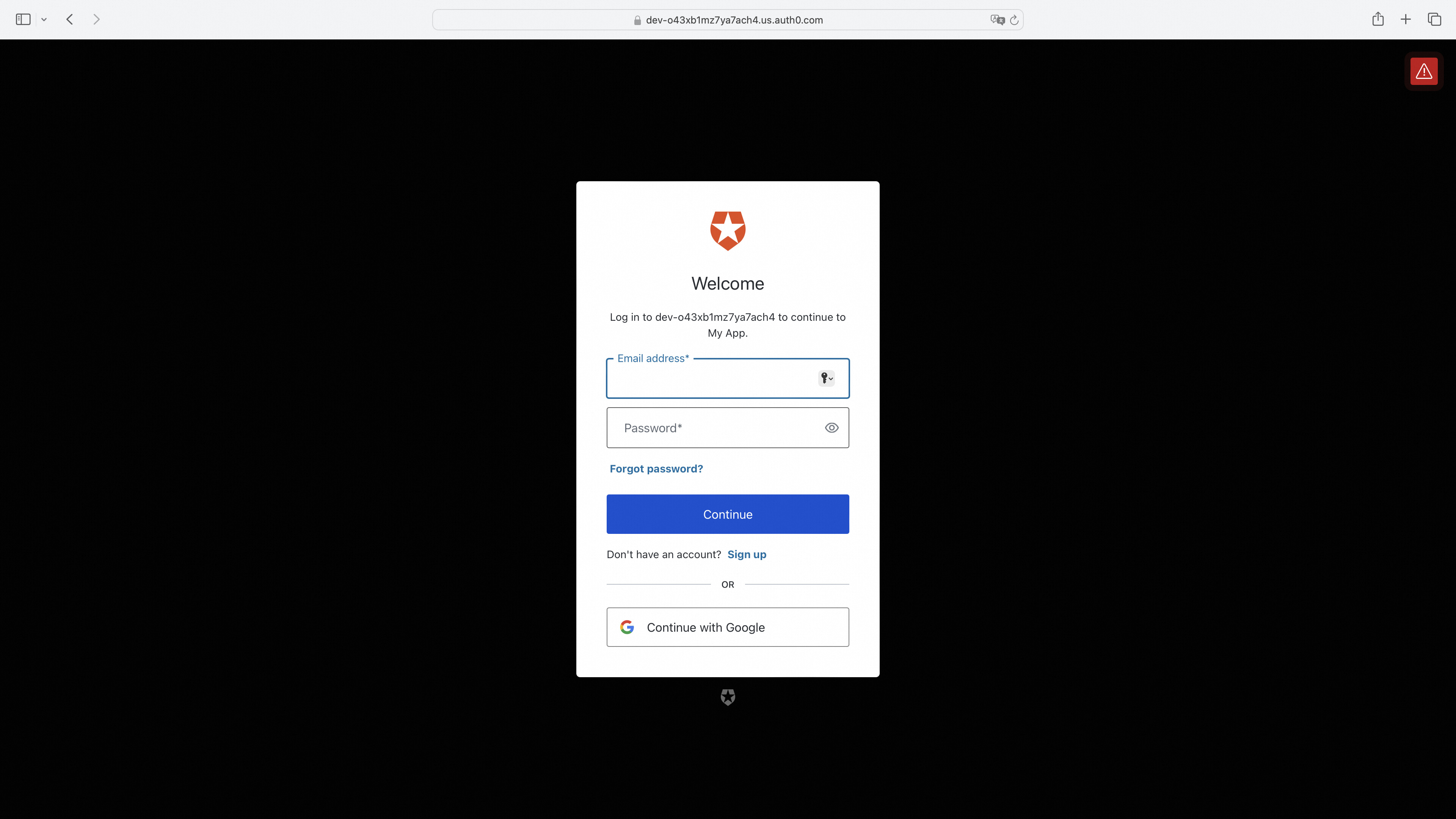
Access Service Page; Redirect if Not Logged In
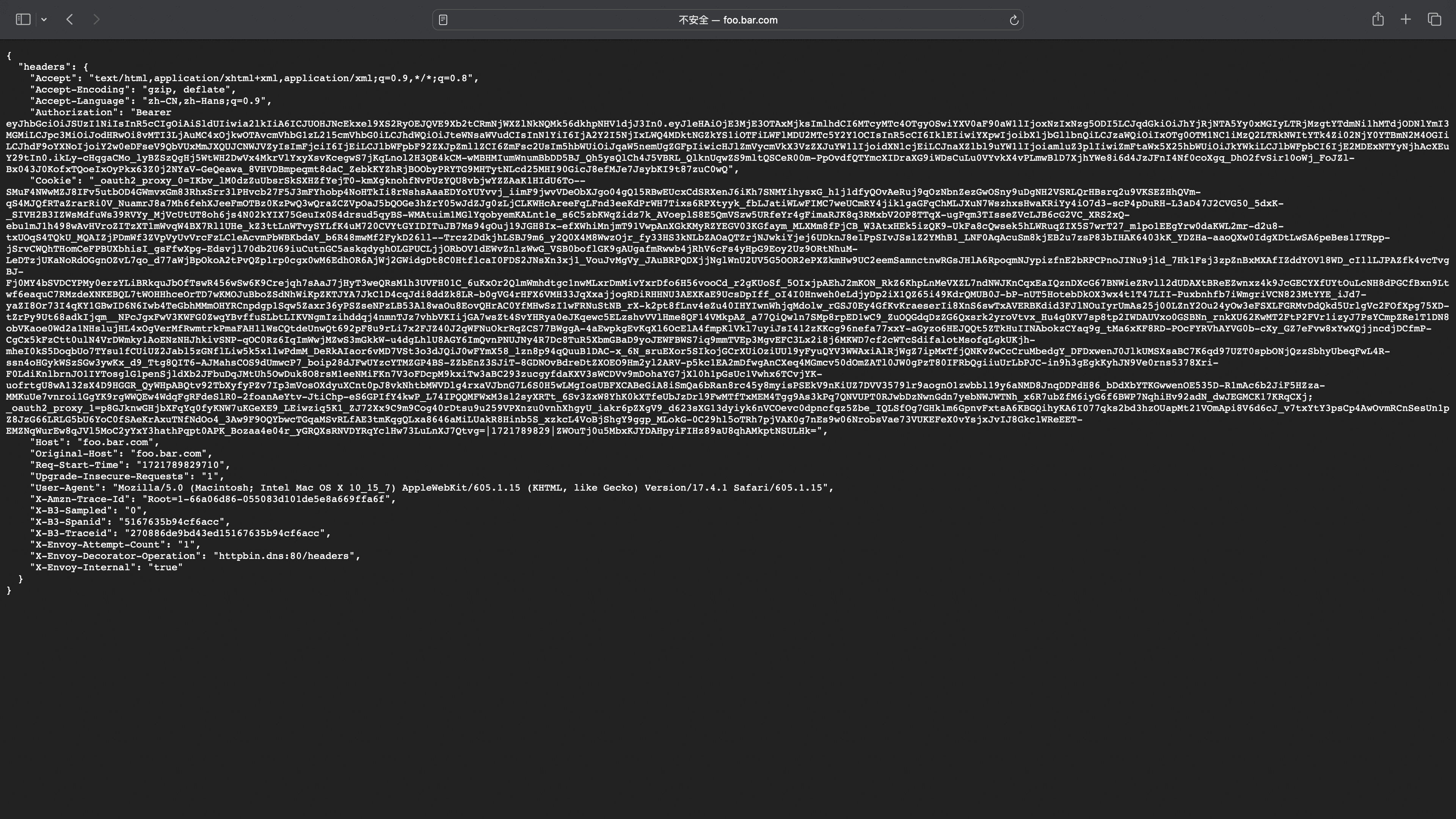
Successful Login Redirects to Service Page
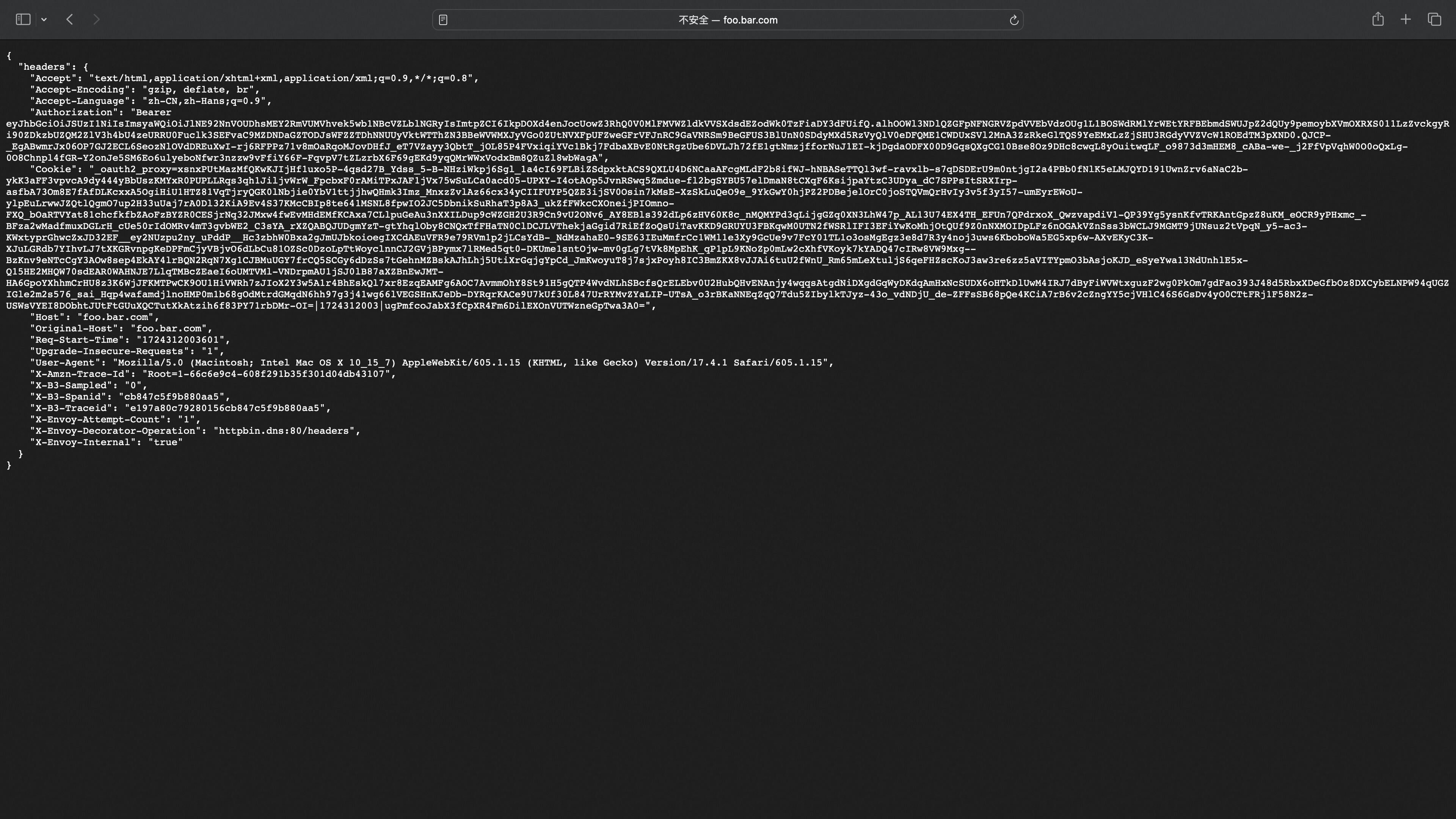
In the headers, you can see the _oauth2_proxy cookie carried for the next login access, and the Authorization corresponds to the IDToken used to get user information from the backend service.
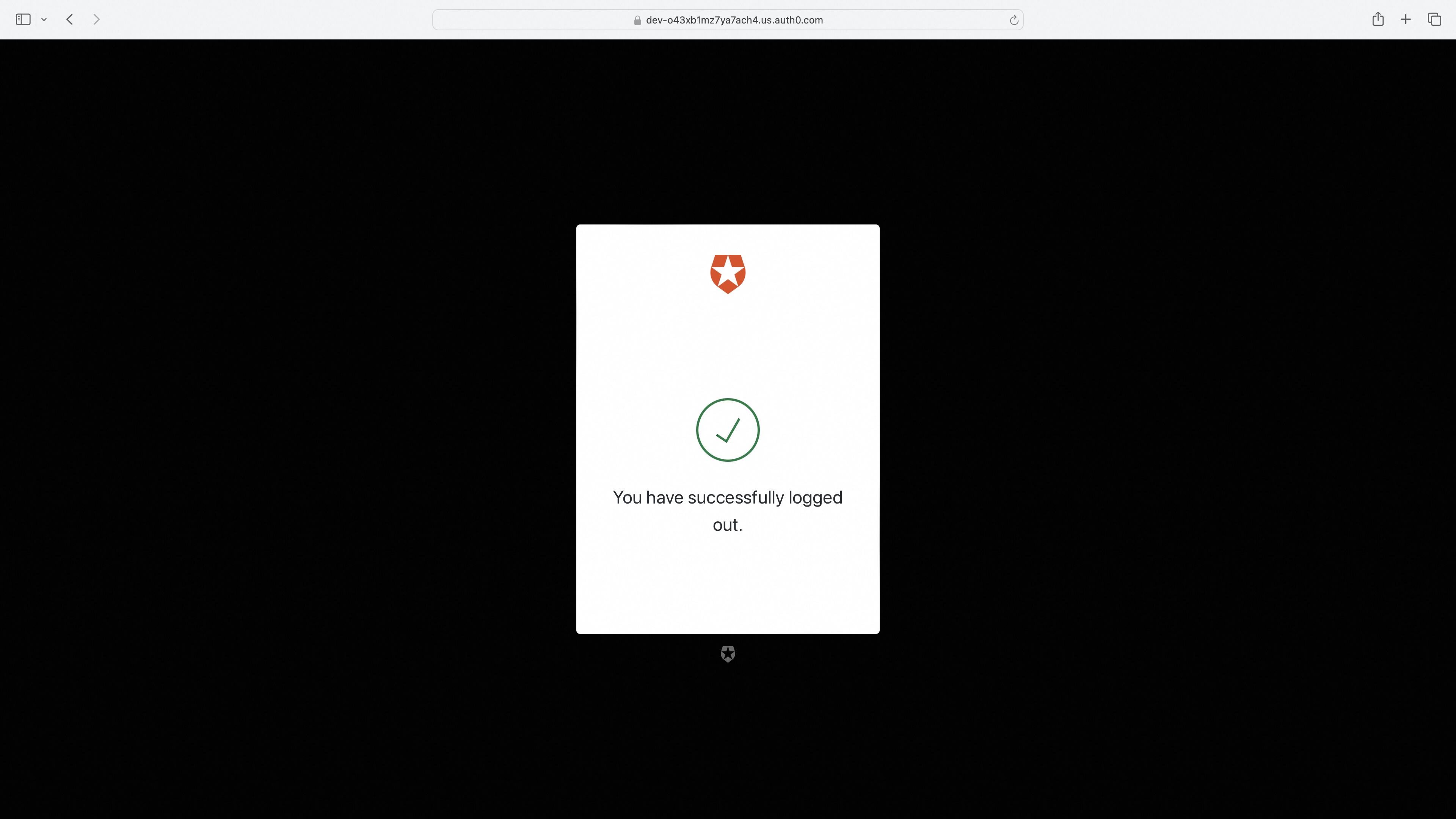
Access Logout Redirects to Logout Page
http://foo.bar.com/oauth2/sign_out?rd=https%3A%2F%2Fdev-o43xb1mz7ya7ach4.us.auth0.com%2Foidc%2Flogout
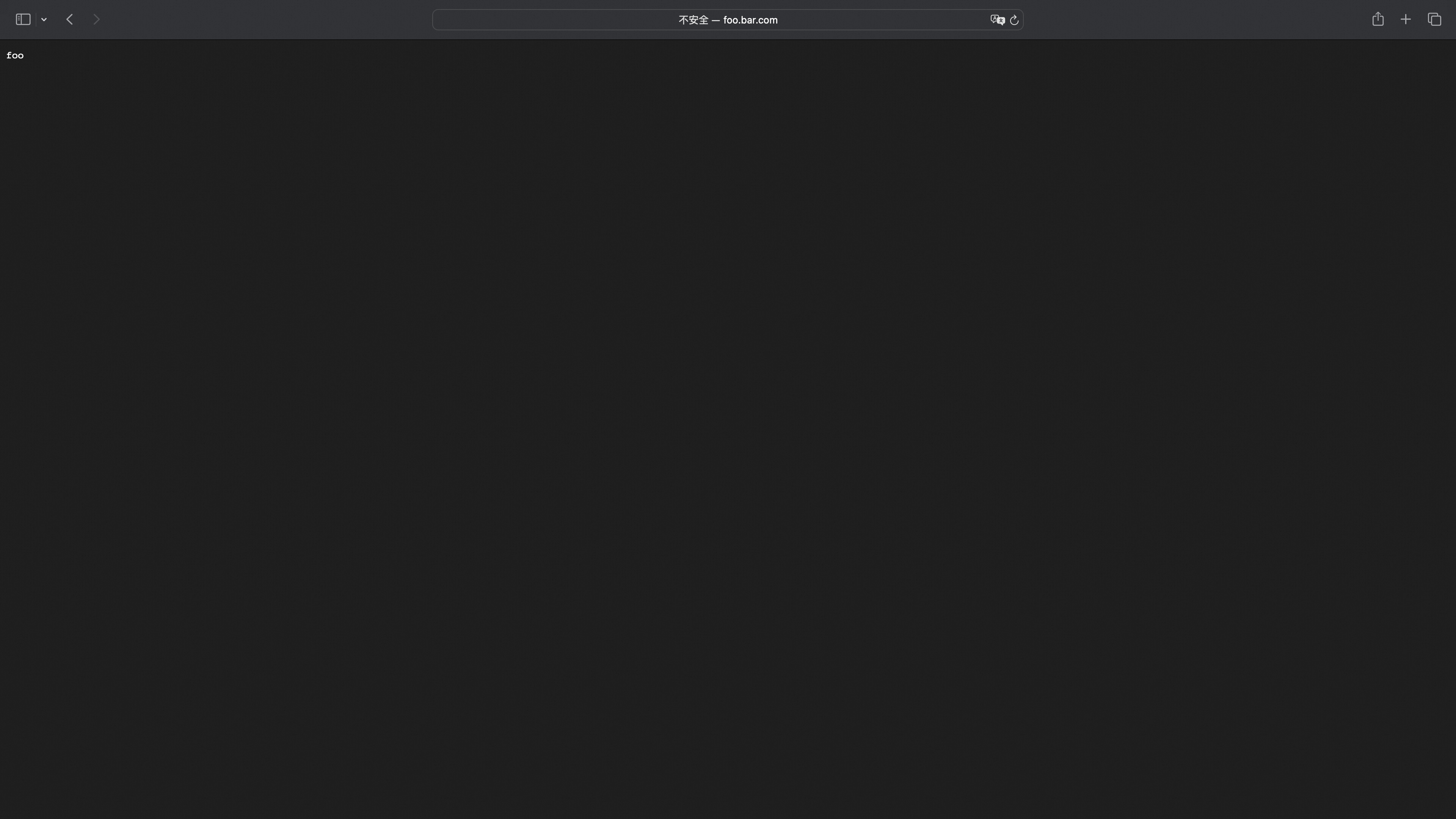
Access Logout Redirects to Logout Page (with post_logout_redirect_uri Parameter to Redirect to Specified URI)
http://foo.bar.com/oauth2/sign_out?rd=https%3A%2F%2Fdev-o43xb1mz7ya7ach4.us.auth0.com%2Foidc%2Flogout%3Fpost_logout_redirect_uri%3Dhttp%3A%2F%2Ffoo.bar.com%2Ffoo
Note: The URI to which post_logout_redirect_uri redirects needs to be configured in the OIDC Provider Allowed URLs for a normal redirection.
Keycloak Configuration Example
Step 1: Get Started with Keycloak on Docker
https://www.keycloak.org/getting-started/getting-started-docker Note: You must fill in Valid redirect URIs, Valid post logout URIs, Web origins, otherwise the OIDC Provider will consider the user's redirect URL or logout URL to be invalid.
Step 2: Higress Configure Service Source
- Create a Keycloak fixed address service in Higress service sources.
Step 3: Wasm Plugin Configuration
redirect_url: 'http://foo.bar.com/oauth2/callback'
oidc_issuer_url: 'http://127.0.0.1:9090/realms/myrealm'
client_id: 'XXXXXXXXXXXXXXXX'
client_secret: 'XXXXXXXXXXXXXXXX'
scope: 'openid email'
cookie_secret: 'nqavJrGvRmQxWwGNptLdyUVKcBNZ2b18Guc1n_8DCfY='
service_name: 'keycloak.static'
service_port: 80
service_host: '127.0.0.1:9090'
match_type: 'blacklist'
match_list:
    - match_rule_domain: '*.bar.com'
      match_rule_path: '/headers'
      match_rule_type: 'prefix'
Access Service Page; Redirect if Not Logged In
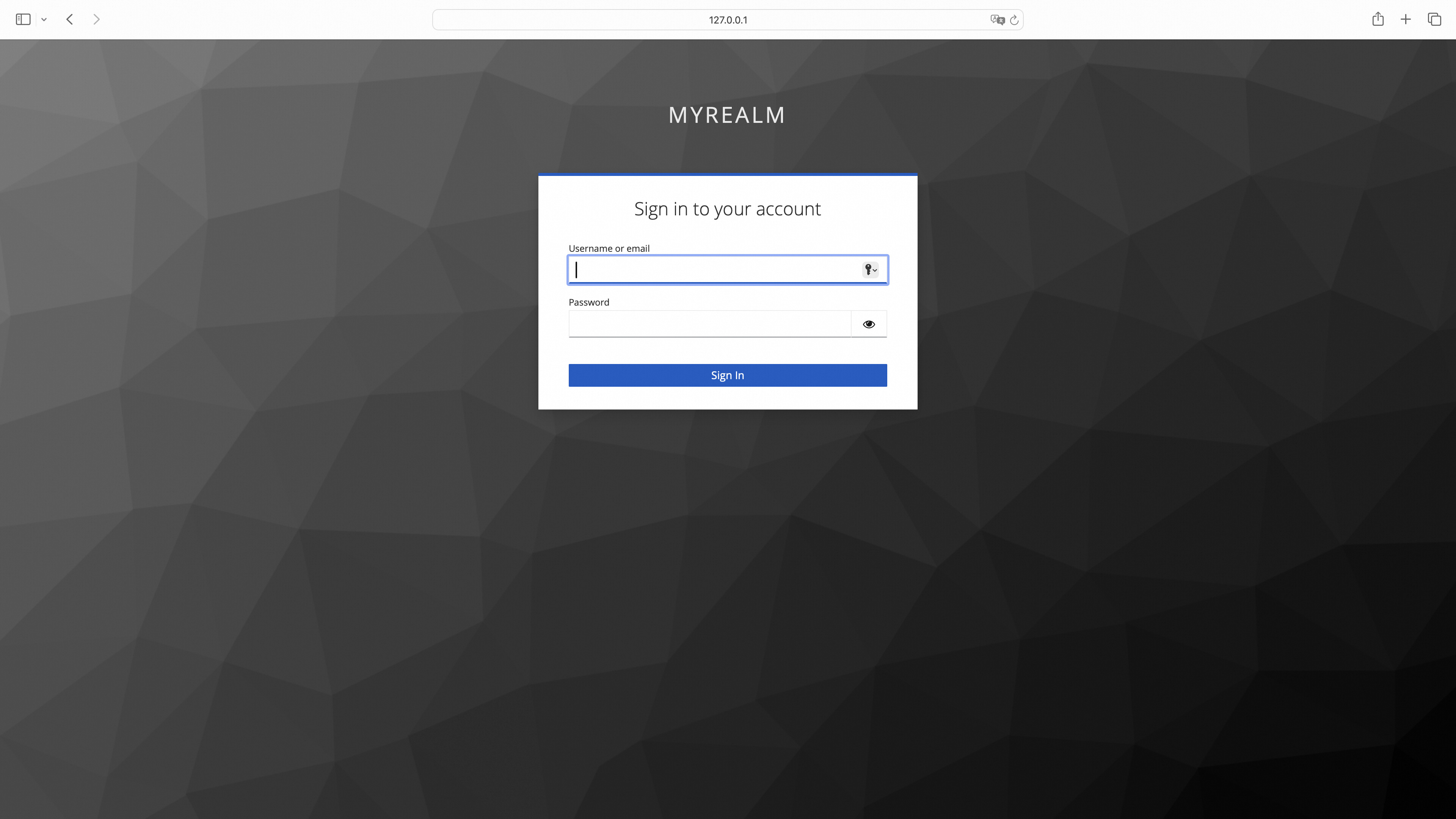
Successful Login Redirects to Service Page
Access Logout Redirects to Logout Page
http://foo.bar.com/oauth2/sign_out?rd=http%3A%2F%2F127.0.0.1:9090%2Frealms%2Fmyrealm%2Fprotocol%2Fopenid-connect%2Flogout
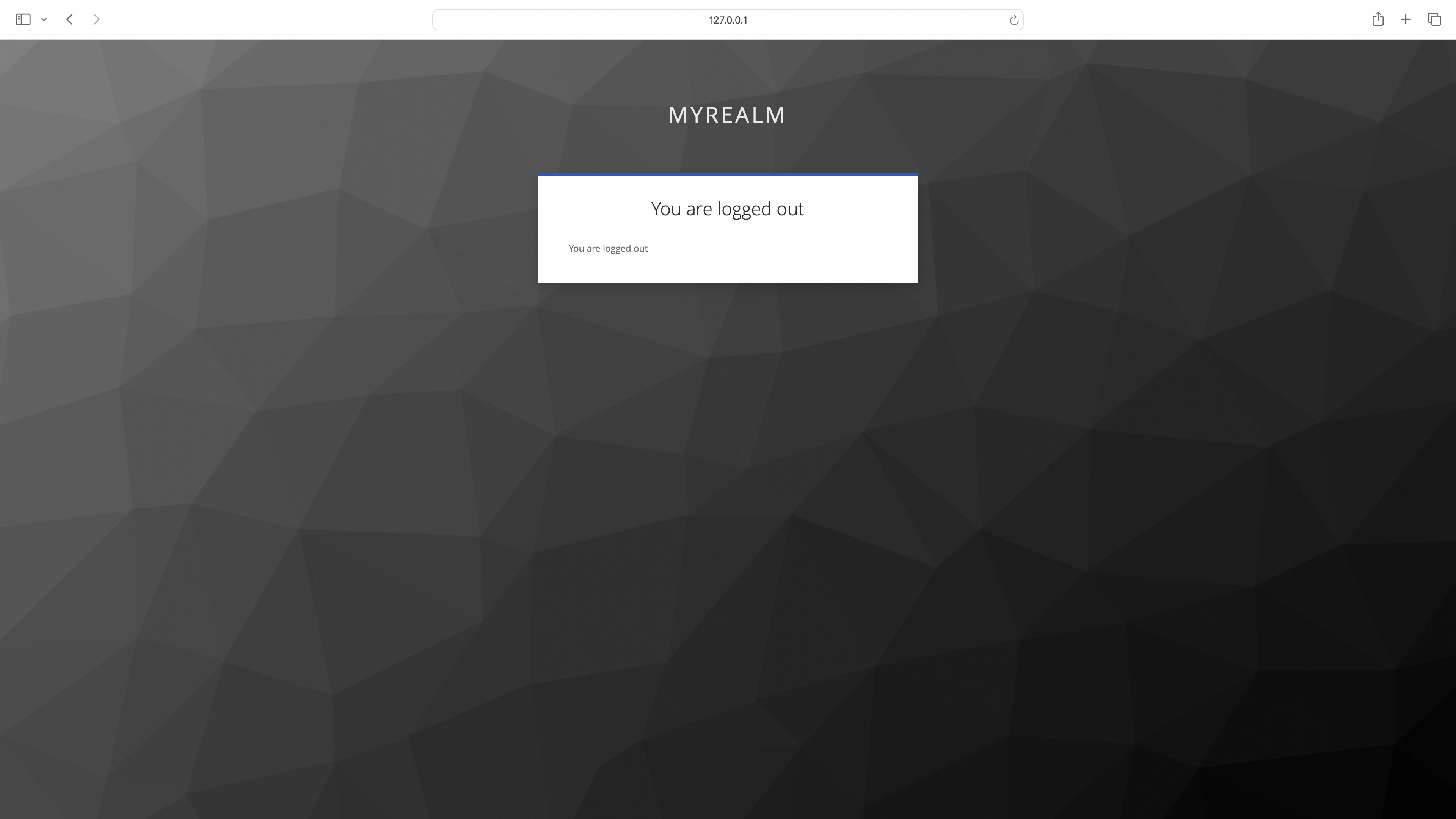
Access Logout Redirects to Logout Page (with post_logout_redirect_uri Parameter to Redirect to Specified URI)
http://foo.bar.com/oauth2/sign_out?rd=http%3A%2F%2F127.0.0.1:9090%2Frealms%2Fmyrealm%2Fprotocol%2Fopenid-connect%2Flogout%3Fpost_logout_redirect_uri%3Dhttp%3A%2F%2Ffoo.bar.com%2Ffoo
Aliyun Configuration Example
Step 1: Configure Aliyun OAuth Application
Refer to the Web Application Login to Alibaba Cloud process to configure the OAuth application.
Step 2: Higress Configure Service Source
- Create an Aliyun DNS service in Higress service sources.
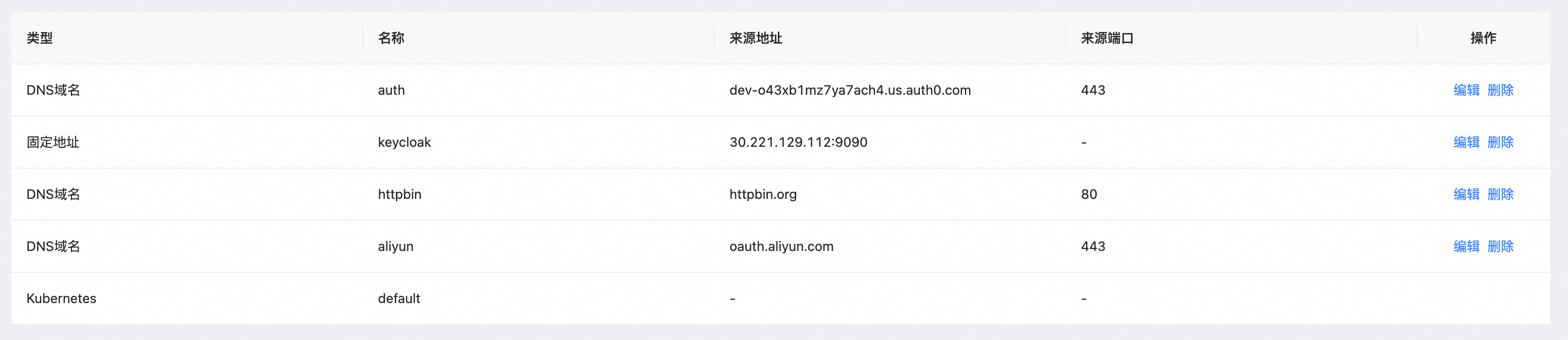
Step 3: Wasm Plugin Configuration
redirect_url: 'http://foo.bar.com/oauth2/callback'
provider: aliyun
oidc_issuer_url: 'https://oauth.aliyun.com/'
client_id: 'XXXXXXXXXXXXXXXX'
client_secret: 'XXXXXXXXXXXXXXXX'
scope: 'openid'
cookie_secret: 'nqavJrGvRmQxWwGNptLdyUVKcBNZ2b18Guc1n_8DCfY='
service_name: 'aliyun.dns'
service_port: 443
match_type: whitelist
match_list:
 - match_rule_domain: 'foo.bar.com'
   match_rule_path: /foo
   match_rule_type: prefix
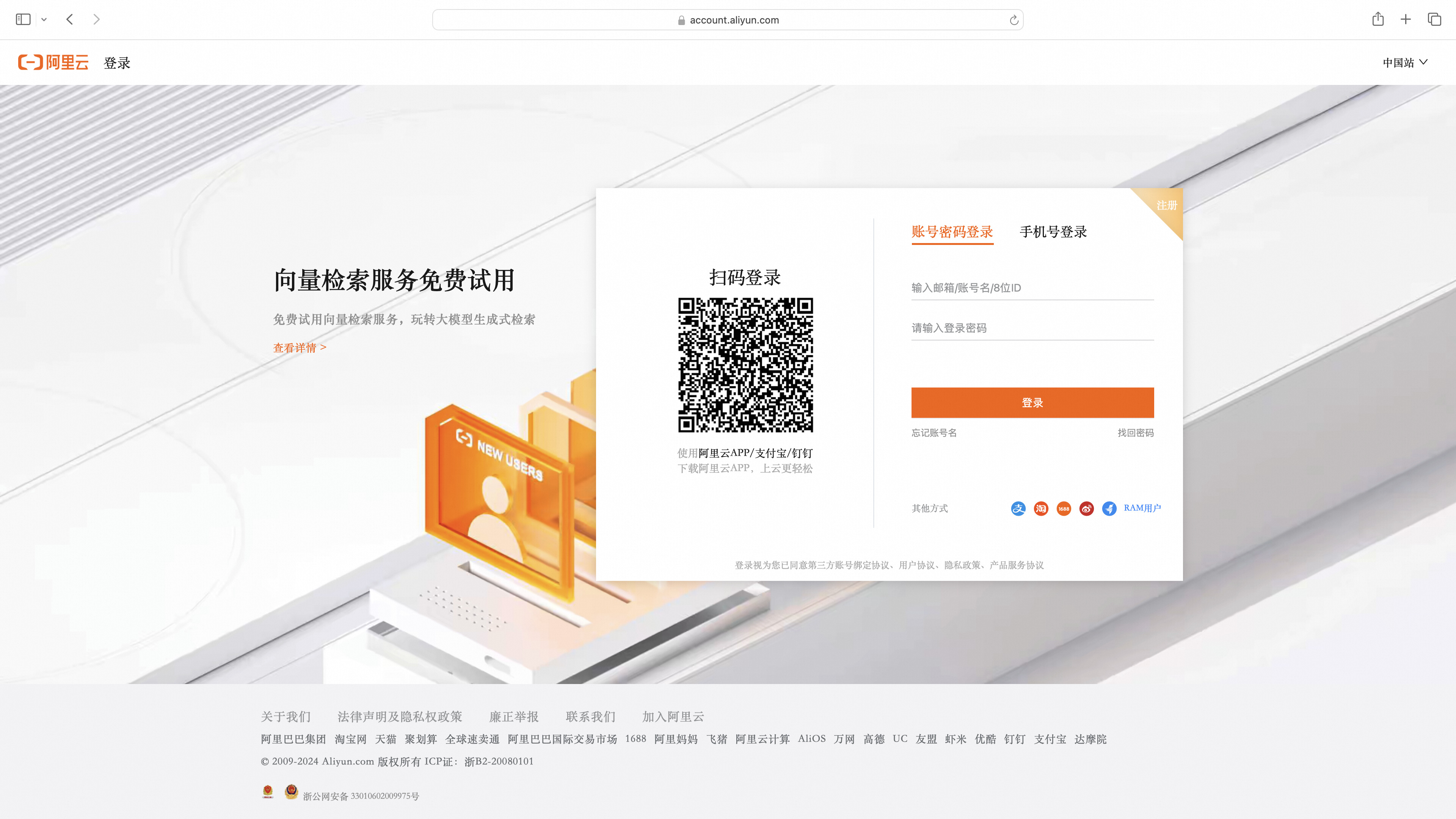
Access Service Page; Redirect if Not Logged In
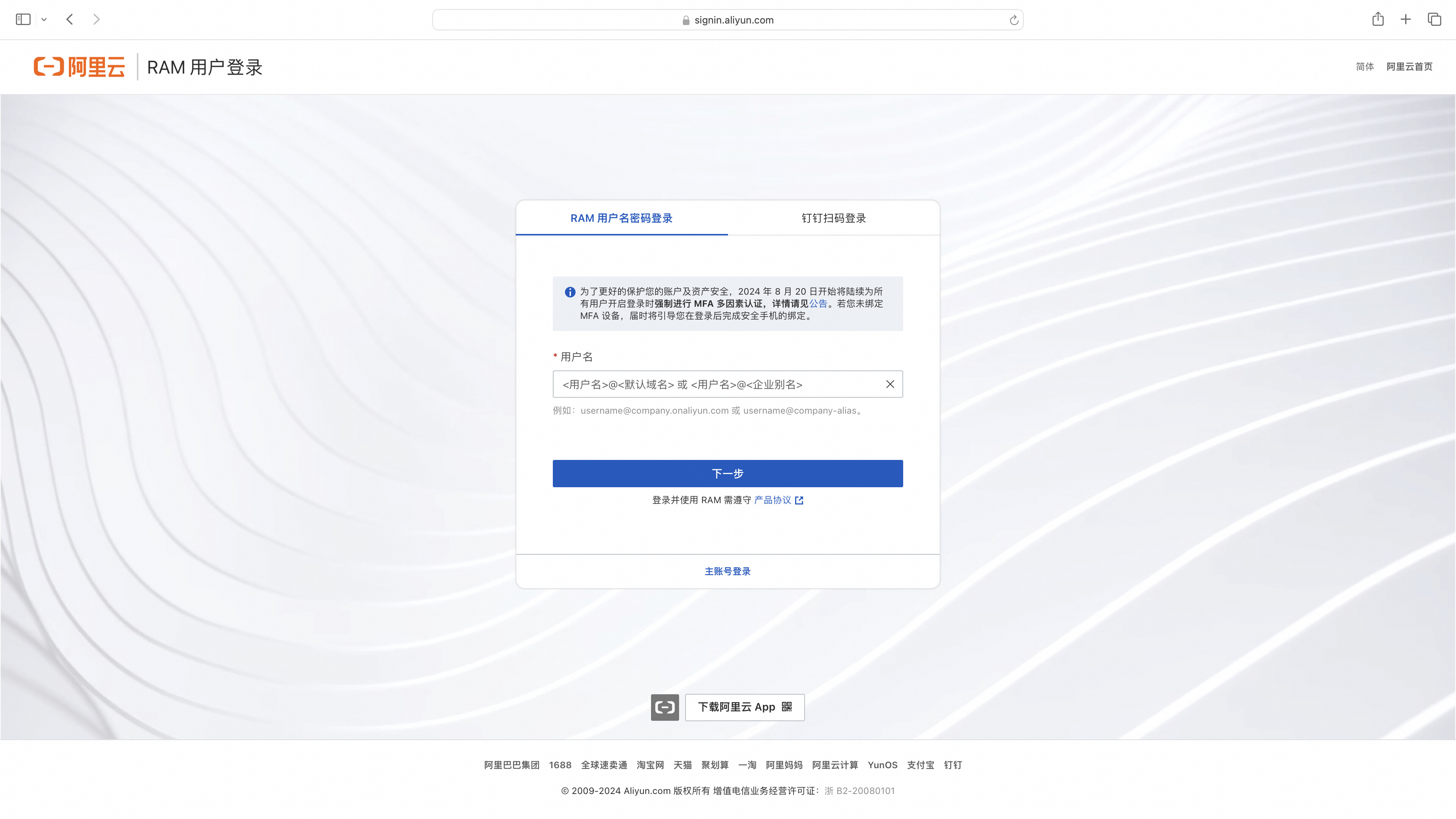 Directly login using a RAM user or click the main account login.
Successful Login Redirects to Service Page
Github Configuration Example
Step 1: Configure Github OAuth App
Create a new OAuth App: https://github.com/settings/developers
Step 2: Higress Configure Service Source
- Create a DNS service with the source address set to github.com.
- Create a DNS service with the source address set to api.github.com (used to validate the access token in the OIDC flow).

Step 3: OIDC Service HTTPS Protocol
Configure Ingress for the two created DNS services by referring to Step 3 of Auth0.
Step 4: Wasm Plugin Configuration
redirect_url: 'http://foo.bar.com/oauth2/callback'
provider: github
oidc_issuer_url: 'https://github.com/'
pass_access_token: true
client_id: 'XXXXXXXXXXXXXXXX'
client_secret: 'XXXXXXXXXXXXXXXX'
scope: 'user repo'
cookie_secret: 'nqavJrGvRmQxWwGNptLdyUVKcBNZ2b18Guc1n_8DCfY='
service_name: 'github.dns'
service_port: 443
validate_service_name: 'api.dns'
validate_service_port: 443
match_type: 'whitelist'
match_list:
    - match_rule_domain: '*.bar.com'
      match_rule_path: '/headers'
      match_rule_type: 'prefix'
Access Service Page; Redirect if Not Logged In

Successful Login Redirects to Service Page
With pass_access_token=true configured, the access_token will be included in the X-Forwarded-Access-Token header.

OIDC Flow Diagram
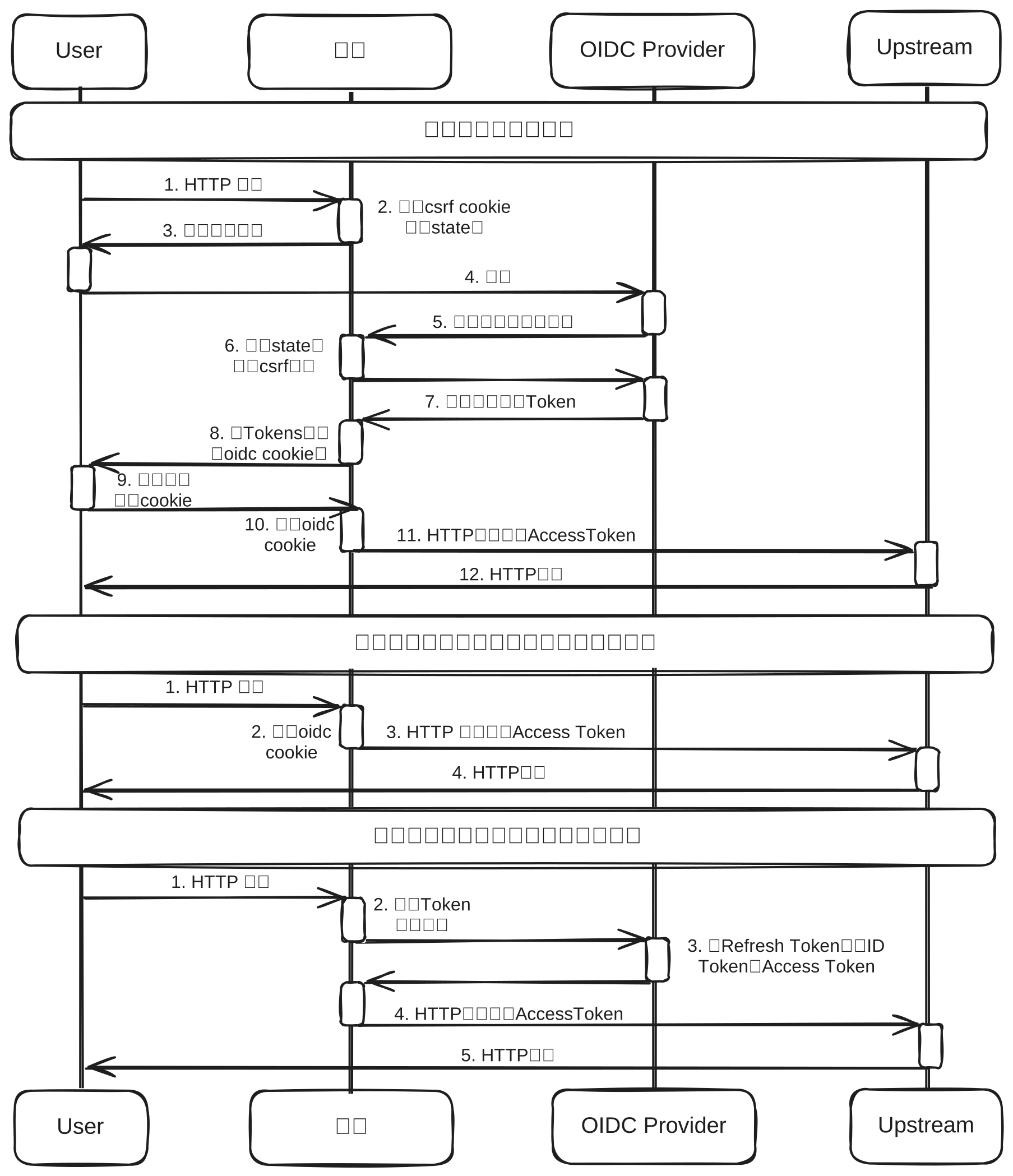
OIDC Flow Analysis
User Not Logged In
- Simulate user accessing the corresponding service API
curl --url "foo.bar.com/headers" - Higress redirects to the OIDC Provider login page while carrying the client_id, response_type, scope, and other OIDC authentication parameters, setting a CSRF cookie to defend against CSRF attacks.
curl --url "https://dev-o43xb1mz7ya7ach4.us.auth0.com/authorize"\ --url-query "approval_prompt=force" \ --url-query "client_id=YagFqRD9tfNIaac5BamjhsSatjrAnsnZ" \ --url-query "redirect_uri=http%3A%2F%2Ffoo.bar.com%2Foauth2%2Fcallback" \ --url-query "response_type=code" \ --url-query "scope=openid+email+offline_access" \ --url-query "state=nT06xdCqn4IqemzBRV5hmO73U_hCjskrH_VupPqdcdw%3A%2Ffoo" \ --header "Set-Cookie: _oauth2_proxy_csrf=LPruATEDgcdmelr8zScD_ObhsbP4zSzvcgmPlcNDcJpFJ0OvhxP2hFotsU-kZnYxd5KsIjzeIXGTOjf8TKcbTHbDIt-aQoZORXI_0id3qeY0Jt78223DPeJ1xBqa8VO0UiEOUFOR53FGxirJOdKFxaAvxDFb1Ok=|1718962455|V1QGWyjQ4hMNOQ4Jtf17HeQJdVqHdt5d65uraFduMIU=; Path=/; Expires=Fri, 21 Jun 2024 08:06:20 GMT; HttpOnly" - Redirect to the login page.
- The user enters the username and password to log in.
- A redirect back to Higress occurs with the authorization code and state parameter for CSRF cookie validation.
curl --url "http://foo.bar.com/oauth2/callback" \ --url-query "state=nT06xdCqn4IqemzBRV5hmO73U_hCjskrH_VupPqdcdw%3A%2Ffoo" \ --url-query "code=0bdopoS2c2lx95u7iO0OH9kY1TvaEdJHo4lB6CT2_qVFm" - Verify that the encrypted state value stored in the CSRF cookie matches the state value in the URL parameters.
- Use the authorization code to exchange for id_token and access_token.
The response will include id_token, access_token, and refresh_token for future token refresh.
curl -X POST \ --url "https://dev-o43xb1mz7ya7ach4.us.auth0.com/oauth/token" \ --data "grant_type=authorization_code" \ --data "client_id=YagFqRD9tfNIaac5BamjhsSatjrAnsnZ" \ --data "client_secret=ekqv5XoZuMFtYms1NszEqRx03qct6BPvGeJUeptNG4y09PrY16BKT9IWezTrrhJJ" \ --data "redirect_uri=http%3A%2F%2Ffoo.bar.com%2Foauth2%2Fcallback" \ --data "code=0bdopoS2c2lx95u7iO0OH9kY1TvaEdJHo4lB6CT2_qVFm" \{ "access_token": "eyJhbGciOiJkaXIiLCJlbmMiOiJBMjU2R0NNIiwiaXNzIjoiaHR0cHM6Ly9kZXYtbzQzeGIxbXo3eWE3YWNoNC51cy5hdXRoMC5jb20vIn0..WP_WRVM-y3fM1sN4.fAQqtKoKZNG9Wj0OhtrMgtsjTJ2J72M2klDRd9SvUKGbiYsZNPmIl_qJUf81D3VIjD59o9xrOOJIzXTgsfFVA2x15g-jBlNh68N7dyhXu9237Tbplweu1jA25IZDSnjitQ3pbf7xJVIfPnWcrzl6uT8G1EP-omFcl6AQprV2FoKFMCGFCgeafuttppKe1a8mpJDj7AFLPs-344tT9mvCWmI4DuoLFh0PiqMMJBByoijRSxcSdXLPxZng84j8JVF7H6mFa-dj-icP-KLy6yvzEaRKz_uwBzQCzgYK434LIpqw_PRuN3ClEsenwRgIsNdVjvKcoAysfoZhmRy9BQaE0I7qTohSBFNX6A.mgGGeeWgugfXcUcsX4T5dQ", "refresh_token": "GrZ1f2JvzjAZQzSXmyr1ScWbv8aMFBvzAXHBUSiILcDEG", "id_token": "eyJhbGciOiJSUzI1NiIsInR5cCI6IkpXVCIsImtpZCI6Imc1Z1ExSF9ZbTY0WUlvVkQwSVpXTCJ9.eyJlbWFpbCI6IjE2MDExNTYyNjhAcXEuY29tIiwiZW1haWxfdmVyaWZpZWQiOmZhbHNlLCJpc3MiOiJodHRwczovL2Rldi1vNDN4YjFtejd5YTdhY2g0LnVzLmF1dGgwLmNvbS8iLCJhdWQiOiJZYWdGcVJEOXRmTklhYWM1QmFtamhzU2F0anJBbnNuWiIsImlhdCI6MTcxOTE5ODYzOCwiZXhwIjoxNzE5MjM0NjM4LCJzdWIiOiJhdXRoMHw2NjVkNzFlNzRjMTMxMTc3YmU2NmU2MDciLCJzaWQiOiJjdDJVOF9ZUS16VDdFOGkwRTNNeUstejc5ZGlWUWhhVSJ9.gfzXKJ0FeqzYqOUDLQHWcUG19IOLqkpLN09xTmIat0umrlGV5VNSumgWH3XJmmwnhdb8AThH3Jf-7kbRJzu4rM-BbGbFTRBTzNHeUajFOFrIgld5VENQ_M_sXHkTp0psWKSr9vF24kmilCfSbvC5lBKjt878ljZ7-xteWuaUYOMUdcJb4DSv0-zjX01sonJxYamTlhji3M4TAW7VwhwqyZt8dBhVSNaRw1wUKj-M1JrBDLyx65sroZtSqVA0udIrqMHEbWYb2de7JjzlqG003HRMzwOm7OXgEd5ZVFqgmBLosgixOU5DJ4A26nlqK92Sp6VqDMRvA-3ym8W_m-wJ_A", "scope": "openid email offline_access", "expires_in": 86400, "token_type": "Bearer" } - The obtained id_token, access_token, and refresh_token are encrypted and stored in the
_oauth2_proxycookie. - Redirect to the backend service accessed by the user and set cookies for subsequent user login state verification while clearing the
_oauth2_proxy_csrfcookie."Set-Cookie": [ "_oauth2_proxy_csrf=; Path=/; Expires=Mon, 24 Jun 2024 02:17:39 GMT; HttpOnly", "_oauth2_proxy=8zM_Pcfpp_gesKFe4SMg08o5Iv0A8WAOQOmG1-vZBbQ56UggYVC0Cu-gFMEoxJZU5q1O5vqRlVBizlLetgVjRCksGVbttwl8tQ7h5YiyIubbbtvF1T4JzLh3QfzUUrwbB-VznOkh8qLbjAhddocecjBt4rMiDyceKXqMr4eO5TUEMx4vHtJYnTYalMeTYhGXk5MNSyrdZX9NnQnkdrCjiOQM13ggwob2nYwhGWaAlgzFSWkgkdtBy2Cl_YMWZ8_gKk9rDX289-JrJyGpr5k9O9RzRhZoY2iE3Mcr8-Q37RTji1Ga22QO-XkAcSaGqY1Qo7jLdmgZTYKC5JvtdLc4rj3vcbveYxU7R3Pt2vEribQjKTh4Sqb0aA03p4cxXyZN4SUfBW1NAOm4JLPUhKJy8frqC9_E0nVqPvpvnacaoQs8WkX2zp75xHoMa3SD6KZhQ5JUiPEiNkOaUsyafLvht6lLkNDhgzW3BP2czoe0DCDBLnsot0jH-qQpMZYkaGr-ZnRKI1OPl1vHls3mao5juOAW1VB2A9aughgc8SJ55IFZpMfFMdHdTDdMqPODkItX2PK44GX-pHeLxkOqrzp3GHtMInpL5QIQlTuux3erm3CG-ntlUE7JBtN2T9LEb8XfIFu58X9_vzMun4JQlje2Thi9_taI_z1DSaTtvNNb54wJfSPwYCCl4OsH-BacVmPQhH6TTZ6gP2Qsm5TR2o1U2D9fuVkSM-OPCG9l3tILambIQwC3vofMW6X8SIFSmhJUDvN7NbwxowBiZ6Y7GJRZlAk_GKDkpsdrdIvC67QqczZFphRVnm6qi-gPO41APCbcO6fgTwyOhbP3RrZZKWSIqWJYhNE3_Sfkf0565H7sC7Hc8XUUjJvP3WnjKS9x7KwzWa-dsUjV3-Q-VNl-rXTguVNAIirYK-qrMNMZGCRcJqcLnUF0V_J2lVmFyVsSlE3t0sDw2xmbkOwDptXFOjQL5Rb4esUMYdCBWFajBfvUtcZEFtYhD0kb6VcbjXO3NCVW5qKh_l9C9SRCc7TG1vcRAqUQlRXHacTGWfcWsuQkCJ3Mp_oWaDxs1GRDykQYxAn5sTICovThWEU2C6o75grWaNrkj5NU-0eHh3ryvxLmGLBOXZV9OQhtKShWmUgywSWMxOHOuZAqdAPULc8KheuGFjXYp-RnCbFYWePJmwzfQw89kSkj1KUZgMYwKEjSz62z2qc9KLczomv76ortQzvo4Hv9kaW6xVuQj5R5Oq6_WMBOqsmUMzcXpxCIOGjcdcZRBc0Fm09Uy9oV1PRqvAE4PGtfyrCaoqILBix8UIww63B07YGwzQ-hAXDysBK-Vca2x7GmGdXsNXXcTgu00bdsjtHZPDBBWGfL3g_rMAXr2vWyvK4CwNjcaPAmrlF3geHPwbIePT0hskBboX1v1bsuhzsai7rGM4r53pnb1ZEoTQDa1B-HyokFgo14XiwME0zE1ifpNzefjpkz1YY2krJlqfCydNwoKaTit4tD2yHlnxAeFF9iIrxzSKErNUFpmyLa7ge7V33vhEH-6k5oBTLE2Q2BrC6aAkLCcPwU9xv_SzBDQPRY0MEYv3kGF03Swo1crRbGh-aifYX9NiHDsmG6r1vAnx0MAOw2Jzuz2x6SSdfBrzlcoWBlrwiZzd9kAKq75n1Uy9uzZ8SRnkBrEZySHBwEbu196VklkRE0jqwC-e3wWNNuviSOfwkVeX-7QdOoO10yw9VK2sW52lFvIEf4chv_ta7bGfAZOWBjpktG6ZLD81SE6A88zpqG2SysSyNMp9hl-umG-5sFsjCn_c9E8bDvwkUOUVb9bNqhBDsZgR0BNPawiOZjmyfhzmwmWf-zgFzfFSV6BvOwNRi3sCOHTsWcuk9NBQ_YK8CpNkVl3WeIBSDfidimuC_QV9UWKs1GPk35ZRkM4zKtLY2JsBFWKaDy_P80TcOzcMBoP8gIBClXZ-WUqfE8s1yyc4jrq-qL1_wJ24ef1O9FktsbyZiDKXw2vnqsT8-g_hCeG-unrT1ZFscf8oNdqczARHX-K4vKH2k3uIqEx1M=|1719199056|2rsgdUIClHNEpxBLlHOVRYup6e4oKensQfljtmn4B80=; Path=/; Expires=Mon, 01 Jul 2024 03:17:36 GMT; HttpOnly" ] - Verify the existence of the cookie storing user's token information and check if it has expired.
- Use the access token with the Authorization header to access the corresponding API.
curl --url "foo.bar.com/headers" --header "Authorization: Bearer eyJhbGciOiJkaXIiLCJlbmMiOiJBMjU2R0NNIiwiaXNzIjoiaHR0cHM6Ly9kZXYtbzQzeGIxbXo3eWE3YWNoNC51cy5hdXRoMC5jb20vIn0..WP_WRVM-y3fM1sN4.fAQqtKoKZNG9Wj0OhtrMgtsjTJ2J72M2klDRd9SvUKGbiYsZNPmIl_qJUf81D3VIjD59o9xrOOJIzXTgsfFVA2x15g-jBlNh68N7dyhXu9237Tbplweu1jA25IZDSnjitQ3pbf7xJVIfPnWcrzl6uT8G1EP-omFcl6AQprV2FoKFMCGFCgeafuttppKe1a8mpJDj7AFLPs-344tT9mvCWmI4DuoLFh0PiqMMJBByoijRSxcSdXLPxZng84j8JVF7H6mFa-dj-icP-KLy6yvzEaRKz_uwBzQCzgYK434LIpqw_PRuN3ClEsenwRgIsNdVjvKcoAysfoZhmRy9BQaE0I7qTohSBFNX6A.mgGGeeWgugfXcUcsX4T5dQ" - The backend service obtains user authorization information based on the access token and returns the corresponding HTTP response.
{
    "email": "******",
    "email_verified": false,
    "iss": "https://dev-o43xb1mz7ya7ach4.us.auth0.com/",
    "aud": "YagFqRD9tfNIaac5BamjhsSatjrAnsnZ",
    "iat": 1719198638,
    "exp": 1719234638,
    "sub": "auth0|665d71e74c131177be66e607",
    "sid": "ct2U8_YQ-zT7E8i0E3MyK-z79diVQhaU"
}
User Token Refresh
- Simulate user accessing the corresponding service API.
curl --url "foo.bar.com/headers"
- Verify the expiration time of the token.
- If a refresh_token is detected in the cookie, access the corresponding interface to exchange a new id_token and access_token.
curl -X POST \
  --url "https://dev-o43xb1mz7ya7ach4.us.auth0.com/oauth/token" \
  --data "grant_type=refresh_token" \
  --data "client_id=YagFqRD9tfNIaac5BamjhsSatjrAnsnZ" \
  --data "client_secret=ekqv5XoZuMFtYms1NszEqRx03qct6BPvGeJUeptNG4y09PrY16BKT9IWezTrrhJJ" \
  --data "refresh_token=GrZ1f2JvzjAZQzSXmyr1ScWbv8aMFBvzAXHBUSiILcDEG"
- Access the corresponding API with the access token using the Authorization header.
- The backend service obtains user authorization information based on the access token and returns the corresponding HTTP response.