# LiteOps LiteOps logo **A lightweight, practical CI/CD platform for teams that need simple build and deployment automation.**

Python 3.9 Vue 3 Django MySQL 8 Docker pulls

> The GitHub source code is the canonical latest version. The public website and Docker Hub images may lag behind the repository. ## Overview LiteOps is a focused CI/CD platform for automating build and deployment workflows without the operational complexity of a large CI system. It is designed around practical day-to-day needs: project management, environment configuration, reusable credentials, parameterized build tasks, build history, real-time logs, notifications, and GitLab webhook triggers. The goal is to provide a workflow that feels as approachable as a Jenkins freestyle job while still giving teams clear visibility into build status, execution logs, and deployment outcomes. ## Features - Project and service management - Environment management for development, testing, staging, and production workflows - Build task configuration with branches, parameters, stages, external script repositories, and notifications - Manual and GitLab webhook-triggered builds - Real-time build log streaming and stage-level log views - Build history, dashboard statistics, build trends, and recent build summaries - Credential management for GitLab tokens, SSH keys, and kubeconfig files - Notification robot configuration and test delivery - User, role, permission, LDAP, login log, and basic system security management - Docker-based deployment option with Docker-in-Docker support for CI tasks ## Screenshots
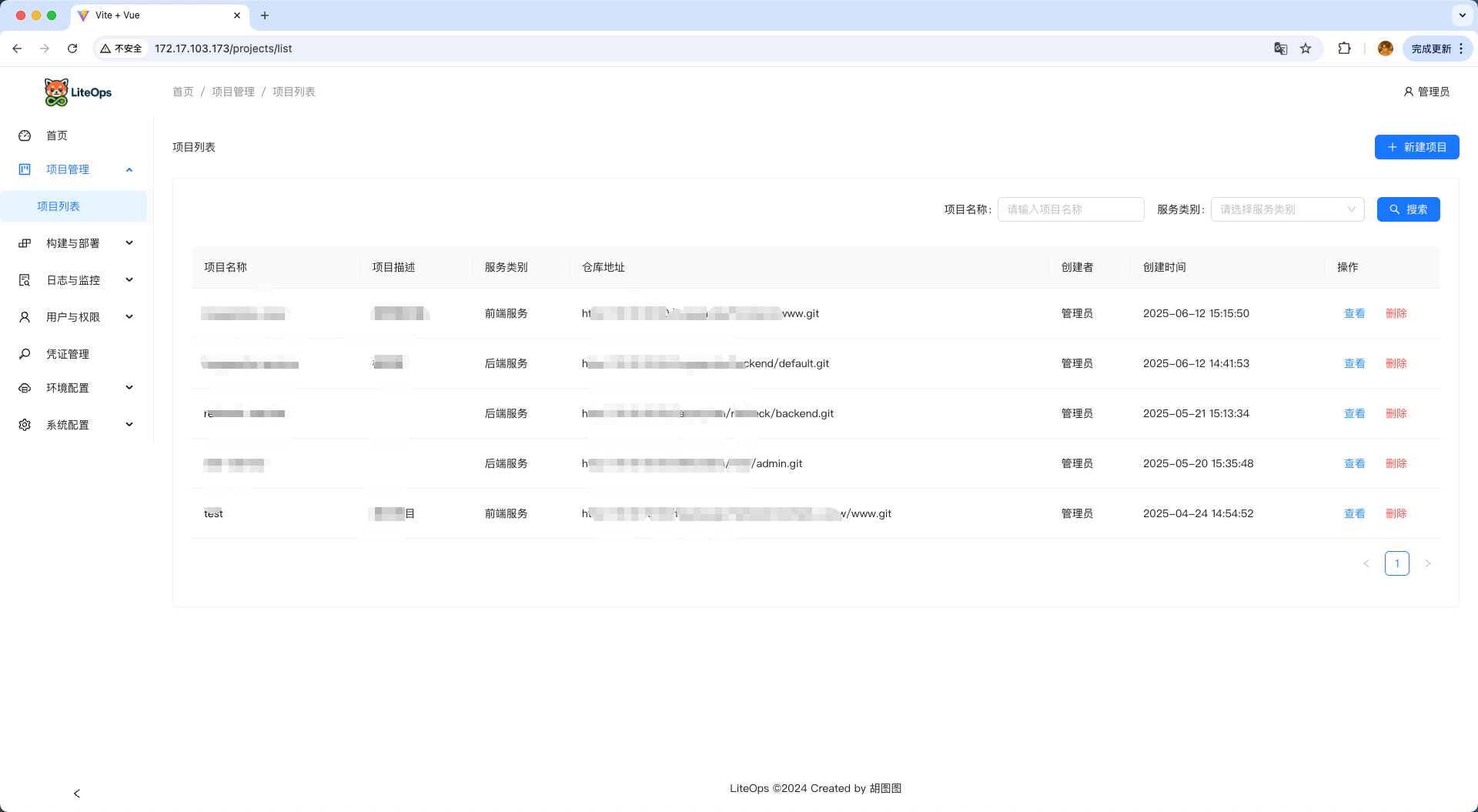
Dashboard Project list
Build tasks Build execution
Build task logs Build history
Build history detail Build stage logs
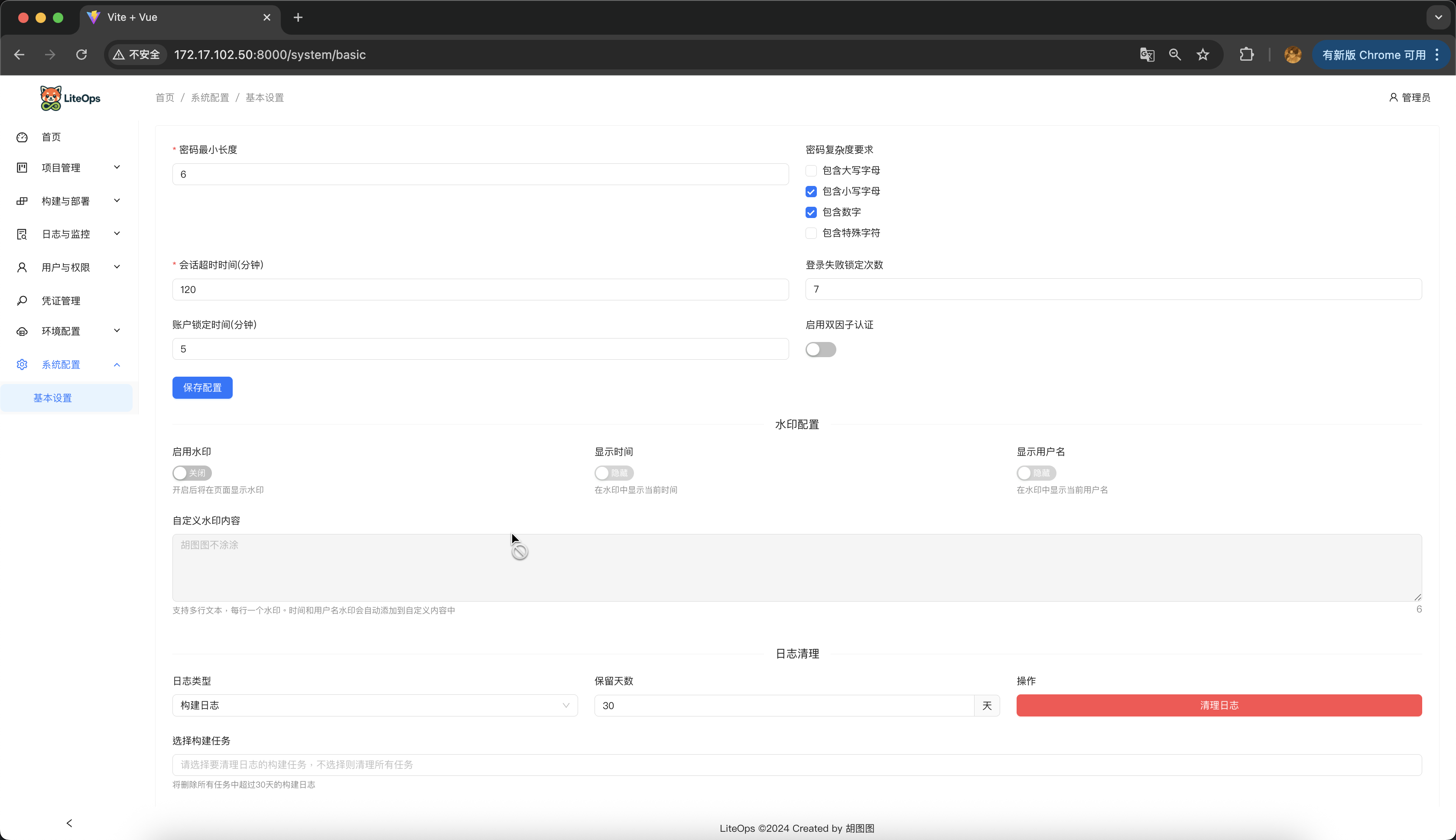
System settings Kubeconfig credentials
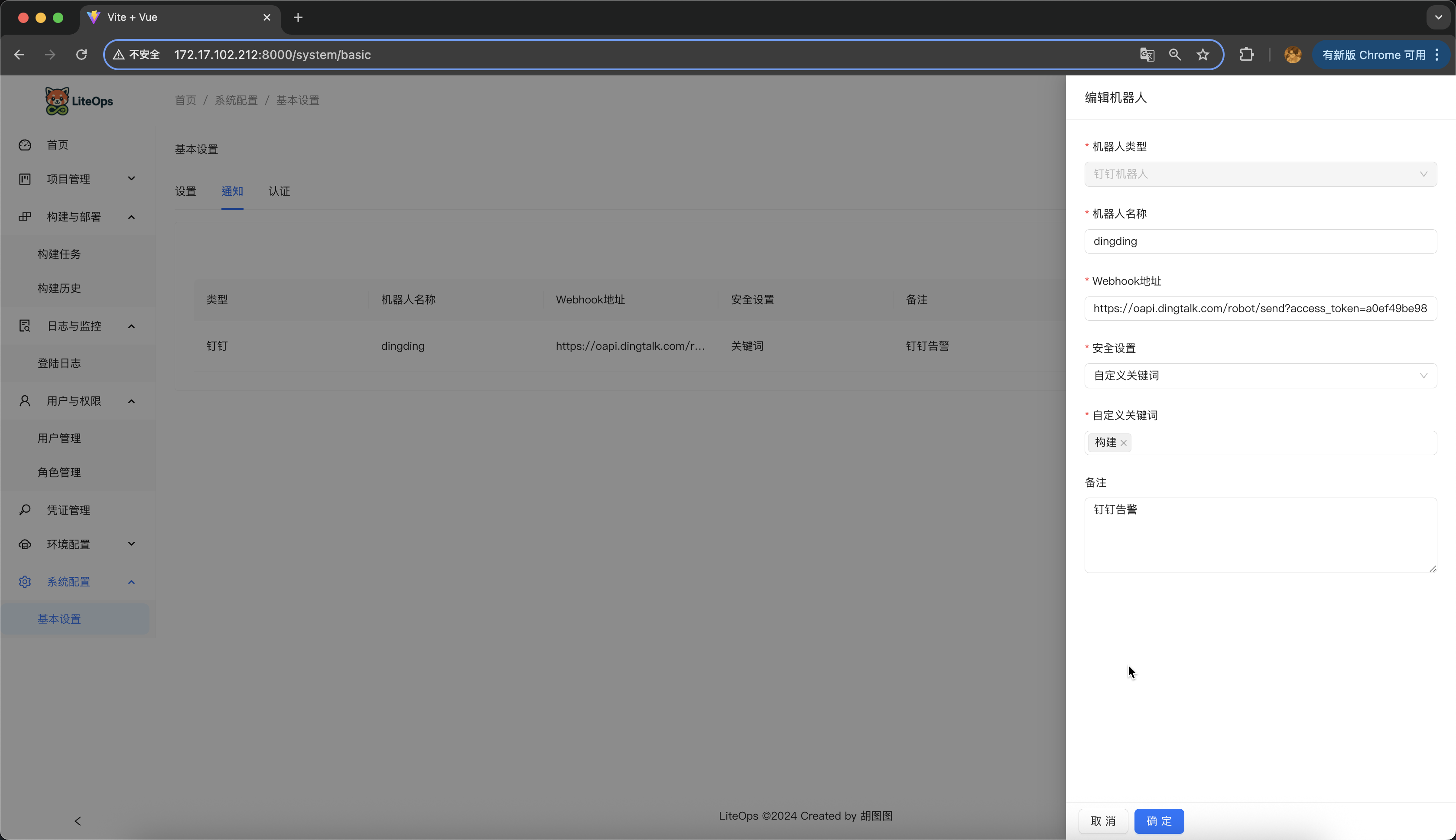
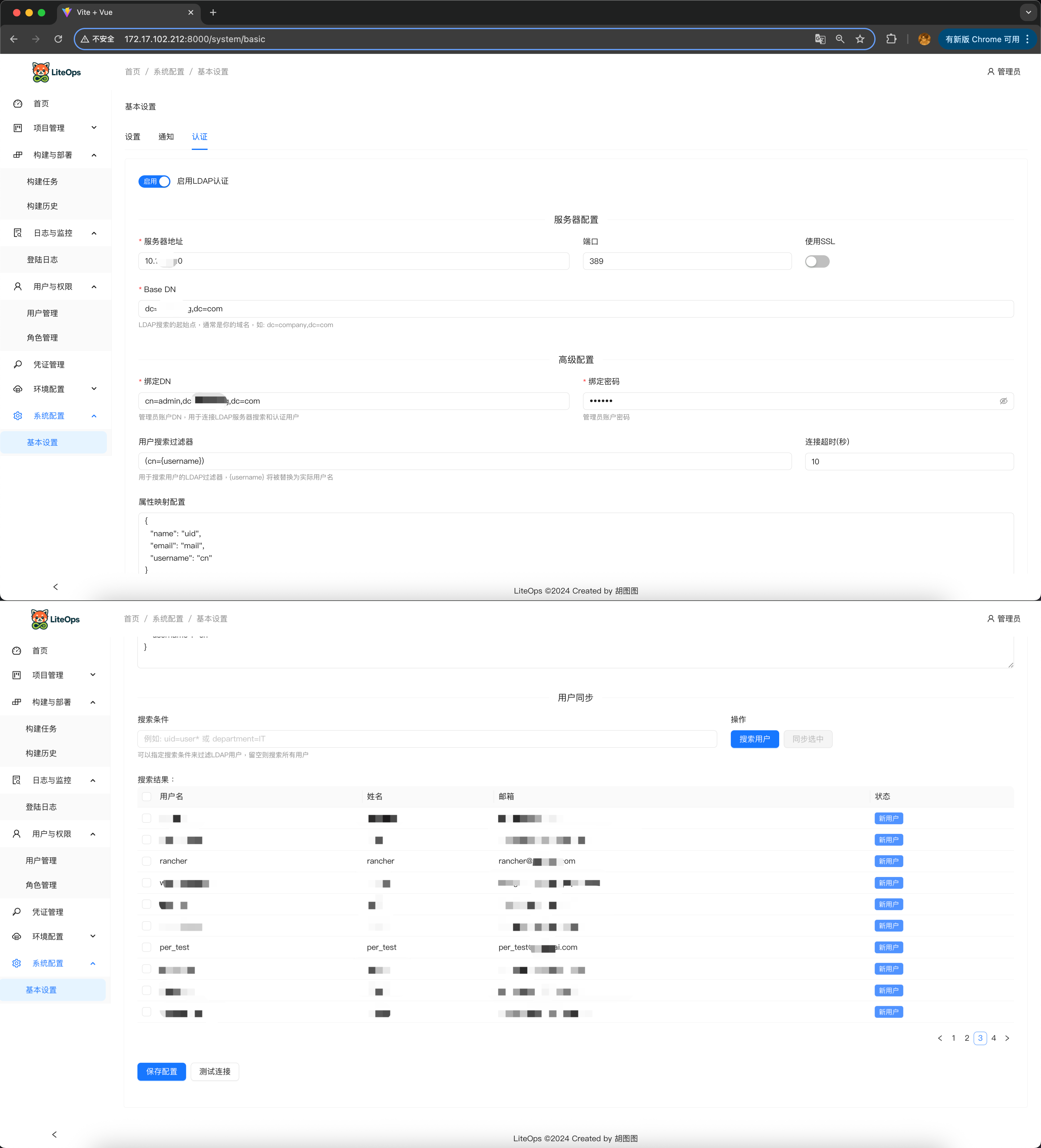
Notification settings LDAP settings
## Tech Stack ### Frontend - Vue 3 - Ant Design Vue 4.x - Vue Router - Axios - ECharts - Vite ### Backend - Python 3.9+ - Django 4.2 - Uvicorn / ASGI - MySQL 8 - PyMySQL - GitPython - python-gitlab - PyJWT - LDAP support through ldap3 ## Repository Layout ```text . |-- backend/ # Django backend and API implementation |-- web/ # Vue 3 frontend application |-- image/ # README screenshots and support images |-- liteops-www/ # Documentation website source |-- liteops_init.sql # Initial MySQL schema and data |-- start.sh # Source development startup script |-- start-containers.sh # Docker deployment helper script |-- Dockerfile # Docker-in-Docker application image `-- nginx.conf # Nginx config for the container image ``` ## Source Deployment Use this path when you want to run LiteOps from the repository. ### Requirements - Python 3.9+ - Node.js 18+ - MySQL 8.0+ - Git - Docker, kubectl, Maven, or other build tools as required by your own build stages ### 1. Clone the repository ```bash git clone https://github.com/opsre/LiteOps.git cd LiteOps ``` ### 2. Initialize MySQL Create the database and import the initial data: ```bash mysql -uroot -p < liteops_init.sql ``` Then update `backend/conf/config.txt` to match your MySQL connection: ```ini [client] host = 127.0.0.1 port = 3306 database = liteops user = root password = your_password default-character-set = utf8mb4 ``` ### 3. Start the backend ```bash cd backend pip3 install Django==4.2.13 pip3 install -r requirements.txt python3 -m uvicorn backend.asgi:application --host 0.0.0.0 --port 8900 ``` The backend API is available at: ```text http://localhost:8900 ``` ### 4. Start the frontend Open a new terminal: ```bash cd web npm install npm run dev ``` The Vite development server is configured to run at: ```text http://localhost:8000 ``` ### 5. Optional one-command startup From the project root: ```bash chmod +x start.sh ./start.sh ``` The script checks ports `8900` and `8000`, installs missing dependencies, starts the backend and frontend, and cleans up child processes when you press `Ctrl+C`. ## Docker Deployment Use Docker when you want a quick evaluation environment. ### 1. Prepare deployment files You need these files in your deployment directory: - `start-containers.sh` - `liteops_init.sql` - The LiteOps Docker image ### 2. Pull the image ```bash docker pull liteops/liteops: ``` ### 3. Run the helper script ```bash chmod +x start-containers.sh ./start-containers.sh ``` The script creates a Docker network, starts MySQL, imports `liteops_init.sql`, and starts the LiteOps container in privileged Docker-in-Docker mode. After deployment: ```text Frontend: http://localhost Backend API: http://localhost:8900/api/ MySQL: localhost:3306 ``` ### Custom database configuration You can also run LiteOps against your own MySQL instance by mounting a custom config file: ```bash mkdir -p ./liteops-config cat > ./liteops-config/config.txt << EOF [client] host = your_mysql_host port = 3306 database = liteops user = root password = your_password default-character-set = utf8mb4 EOF docker run -d \ --name liteops \ --privileged \ -p 80:80 \ -p 8900:8900 \ -v "$(pwd)/liteops-config/config.txt:/app/conf/config.txt" \ liteops/liteops: ``` ### Verify the deployment ```bash docker ps docker logs liteops ``` ## Default Login ```text Username: admin Password: admin123 ``` Change the initial password after first login. ## Documentation Feature documentation is available at: ```text https://liteops.ext4.cn ``` ## Project Status LiteOps is still under active development. The core workflow is implemented, but many features and refinements are still evolving. Feedback from real CI/CD scenarios is welcome, especially around missing workflow features, usability improvements, and deployment pain points that are not yet covered. ## Support the Author If LiteOps is useful to you, donations are welcome and help support continued maintenance.
Alipay
Alipay
WeChat Pay
WeChat Pay
## Supporters
willis-yang
willis-yang
Lihy6472
Lihy6472
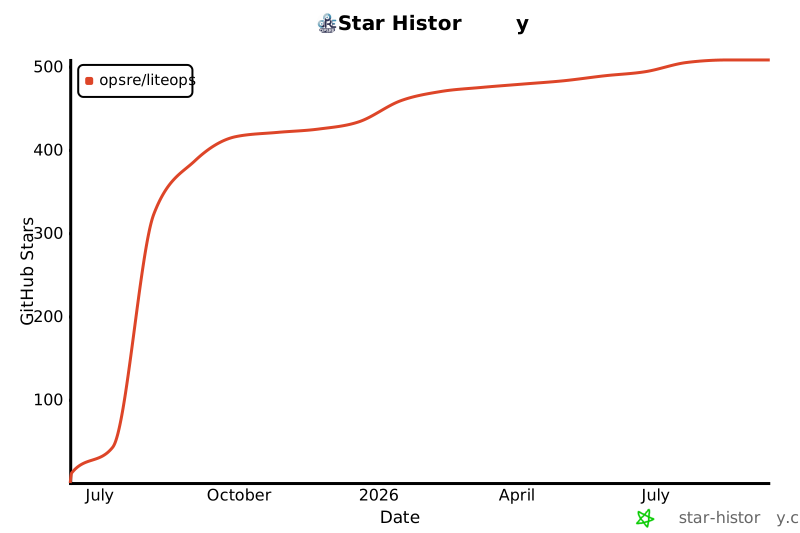
## Contact - Email: hukdoesn@163.com - Issues: https://github.com/hukdoesn/liteops/issues WeChat contact QR code ## License This project is licensed under the terms in [LICENSE](LICENSE). --- [![Star History Chart](https://api.star-history.com/svg?repos=opsre/LiteOps&type=Date)](https://www.star-history.com/#opsre/LiteOps&Date)